How to Get Reliable Outdoor Wi-Fi: From the Patio to the Garage
Wi-Fi that works fine inside doesn't always reach outside. Music cuts out by the pool, a smart camera loses connection in the garage, or a laptop won't load on the porch. The patio, the yard, and the garage each present their own coverage gap.
Indoor routers are built to reach the rooms around them, not the space beyond your walls. Getting reliable outdoor Wi-Fi takes a different approach, one that can handle distance and weather instead of just walls.
Key Takeaways
- Indoor routers often can't reach the yard because open air disperses Wi-Fi signal differently than walls do.
- A Wi-Fi extender, powerline adapter, or outdoor mesh node each covers a different outdoor gap, from one weak spot to a whole yard.
- One outdoor mesh unit covers most patios, yards, and garages, with a second node available to extend coverage on larger properties.
- Deco 7 Outdoor units mount on a pole, wall, or tabletop, run on Power over Ethernet (PoE) or a standard outlet, with an IP65 rating.
- No rebuild required: the Deco 7 Outdoor lineup works as a standalone router or as an added node in an existing Deco mesh system.
Why Outdoor Wi-Fi Matters More Than Ever
More of daily life happens outside the four walls of your house. Some common reasons people want reliable coverage in these spaces include:
- Hosting and entertaining, where guests expect to stream music or check their phones without dead zones
- Smart cameras and sensors at the door, driveway, or backyard, which need a steady connection to work
- Working or relaxing on a laptop outside, whether that's a porch, deck, or backyard office
- Pool days and yard work, when a phone or tablet is the only connection to the rest of the house
More smart devices live outside now too, from video doorbells to motion-activated lighting, so the space around a house needs the same connection as the rooms inside it.
Why Wi-Fi Struggles to Reach Outside the House
Outdoor coverage differs from an indoor dead zone. Walls block a signal predictably. Open air disperses it in every direction at once, so it weakens faster the farther it travels.
Moving your router closer to a window can extend Wi-Fi outdoors a little, but it usually costs coverage in whatever room the router used to serve well. For reliable outdoor coverage, network expansion is the better option.
How to Extend Wi-Fi Coverage Outside
The right fix depends on what you're dealing with: a single weak spot, a detached structure with its own wiring, or a whole yard.
- A Wi-Fi extender rebroadcasts an existing network to stretch its reach, best for a single weak spot near the house, though standard extenders aren't weatherproofed and work best indoors, near a window or exterior wall.
- Powerline adapters with Wi-Fi send network data through your home's existing wiring, a solid fit for a shed or garage that already has an outdoor-rated outlet nearby, since they depend on that wiring already being in place.
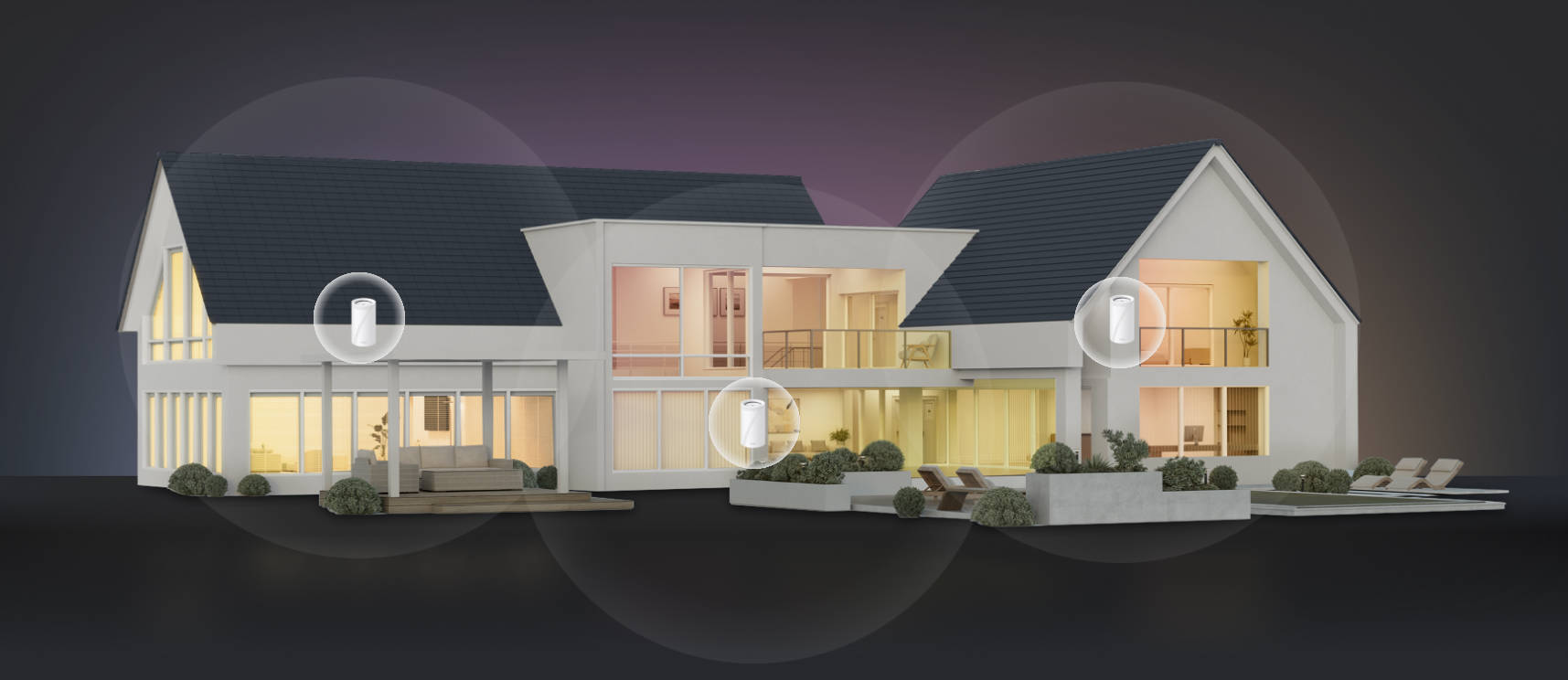
- An outdoor mesh node is a weather-resistant unit built specifically to extend coverage into open-air spaces, covering a patio, yard, and garage together as one connection that grows with each added node.
People often use "outdoor Wi-Fi extender" loosely to mean any of these fixes. An extender suits one weak spot, and a powerline adapter suits a structure with wiring already in place. Outdoors, though, a mesh node is typically the most complete choice. One network reaches every part of your property, and adding a node later is simple if a new area needs coverage. It's built to handle the elements, too.
Deco 7 Outdoor: Built for Life Outside
The Deco 7 series brings outdoor mesh Wi-Fi support to patios, backyards, and garages alike. It's one consistent answer, no matter what space you're covering.
A Deco 7 Outdoor unit can run standalone as its own router, or join an existing Deco mesh network as an additional node. Either way, the key question is where to place it, since the right spot depends on your outdoor space.
How a Deco 7 Outdoor Unit Works With Your Network
You don't need an existing Deco mesh system to start. A Deco 7 Outdoor unit works as its own outdoor Wi-Fi router, connecting straight to your modem.
If you already have a Deco system indoors, the same unit can join it as a satellite node instead. It picks up the connection from your main router and rebroadcasts it outside, under one network name. TP-Link's mesh Wi-Fi technology keeps you connected with seamless handoffs between indoor and outdoor nodes as you move around.
Placing the outdoor unit within a reasonable range of the main router, or connecting it with Ethernet, helps maintain strong performance. One unit covers most homes' outdoor space, and adding a second node extends coverage further on larger properties.
Where to Place Your Deco 7 Outdoor Unit
Placement changes based on your space. Mounting isn't always required. A Deco 7 Outdoor unit can also sit on a tabletop, though it still needs power, either from a standard outlet or PoE.
On a Patio or Deck
Mount it on an exterior wall or railing post close to the house, aimed toward the patio or deck area. A Wi-Fi extender outdoor setup like this works well for a laptop on the porch or for streaming music while grilling outside.
Across the Backyard, Pool, and Patio
Mount the unit on a pole positioned centrally in the yard, or on an exterior wall facing the space. That way, coverage reaches the pool, patio, and lawn evenly, instead of favoring one corner. This is how you extend Wi-Fi to backyard spaces where your friends and family spend the most time.
In or Near a Detached Garage or Shop
A detached structure is the toughest placement, since distance and a separate building both work against the signal. Mount the unit on an exterior wall of the garage itself, or on a wall between your house and structure if that's closer to both. This setup works well to extend Wi-Fi to garage spaces used as a workshop, home gym, or extra living space.
Matched by space, in short:
- Patio or deck: exterior wall or railing post, close to the house
- Backyard, pool, and lawn: central pole mount or a wall facing the open space
- Detached garage or shop: exterior wall of the structure itself, or a wall between house and structure
That adaptability makes an outdoor mesh node one of the best outdoor Wi-Fi extender options for covering more than one type of space.
Comparing the Deco 7 Outdoor Models
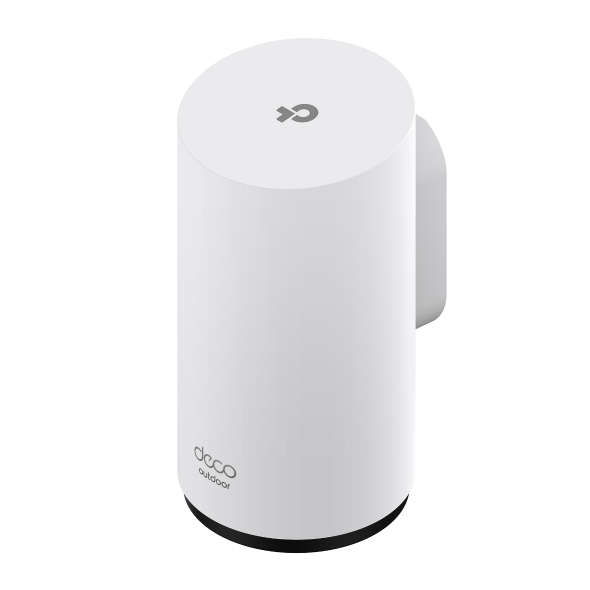
Deco 7 Outdoor is designed specifically for home outdoor use. Every model is IP65-rated to withstand rain and dust. The same pole, wall, and tabletop mounting flexibility applies across the lineup.
Deco BE25-Outdoor
The Deco BE25-Outdoor is the entry point in the Deco 7 Outdoor lineup. Dual-band Wi-Fi 7 covers up to 2,800 square feet per unit and connects over 150 devices, enough for a typical patio, yard, or garage. It's a natural fit for an evening on the patio, with music playing and a smart camera keeping watch by the door.
Deco BE65-Outdoor
The Deco BE65-Outdoor adds a third 6 GHz band that stays clearer of the interference and congestion common on 2.4 GHz and 5 GHz, since fewer nearby devices use it. It covers up to 3,000 square feet per unit and connects up to 200 devices, giving larger properties or households running more outdoor smart devices extra headroom. It works well on a bigger property with several zones running together, like a weekend gathering across the pool, patio, and garage workshop.
Not sure which fits for you? TP-Link's guide to choosing the right Deco model walks through the differences. Either model works well as an outdoor Wi-Fi booster. Start fresh outdoors with a standalone unit, or add one to a network that already covers most of the house.
Extend Your Wi-Fi to Every Outdoor Space
Reliable outdoor Wi-Fi doesn't require juggling different devices for every space. A single, correctly placed outdoor mesh node covers most of a home's outdoor space, whether that's a patio, a yard, or a garage. It works the same way whether it runs on its own or joins a mesh system you already have. TP-Link continues to bring new standards like Wi-Fi 7 and Wi-Fi 8 to its mesh lineup, so the same outdoor setup keeps working as your network grows.
If your patio, yard, or garage still feels out of reach, explore the Deco 7 lineup and match a model to your space.
Frequently Asked Questions
Do I need special equipment to get Wi-Fi outside?
Yes, since most indoor routers aren't built to project a signal into open outdoor space. A Wi-Fi extender, a powerline adapter, or a weather-resistant mesh unit each closes that gap differently. The best fit depends on how far the signal needs to travel and whether the spot is exposed to weather.
Can one outdoor Wi-Fi unit cover my whole backyard?
For most homes, yes. One well-placed outdoor mesh node handles a typical backyard, including the pool and patio. Mesh units are built to spread a signal evenly across open space, rather than in a single direction. A larger lot, or one with more trees and structures in the way, may need a second unit.
Can I use a Deco 7 Outdoor unit without an existing mesh system?
Yes. A Deco 7 Outdoor unit works as a complete router right away, with no other Deco equipment required. You can also add a Deco mesh system indoors later, since the outdoor unit can then join that network instead of running on its own.
Is outdoor Wi-Fi equipment weather-resistant year-round?
Deco 7 Outdoor units carry an IP65 rating, built to resist rain and dust across the seasons. Standard indoor extenders don't carry that same protection, which is why they work best near a window or exterior wall rather than out in the open.
Where should I place an outdoor Wi-Fi unit for the best coverage?
Placement depends on what you're covering. A wall or post mount near the house suits a compact space like a patio, while an open yard benefits from a central position that reaches evenly in every direction. For a separate structure like a garage, mounting on the building itself keeps the connection strongest.
_US_1.0_F_normal_20231213092414n.png)