5G vs. Wi-Fi: What's the Difference and Do You Need Both?
You look at your phone and see "5G" in the corner. You open your router settings and see "5 GHz Wi-Fi." Are they the same thing? Is 5G going to replace your home Wi-Fi? And what does 5G mean for Wi-Fi in your home, exactly?
The short answer is that they are different technologies, built for completely different purposes. 5G is a cellular network standard; the same kind of technology behind 3G and 4G before it. Wi-Fi is a short-range wireless networking standard you use inside your home. Understanding the difference between 5G and Wi-Fi clears up a lot of confusion, and helps you figure out whether your home network needs any changes.
This article separates the two concepts, explains how they relate to each other, and answers the practical questions: do you need both, and what does 5G home internet mean for your router?
Key Takeaways
- 5G and Wi-Fi are completely different technologies. 5G is a cellular network standard your phone uses on the go; Wi-Fi is the short-range wireless network your router creates inside your home.
- "5 GHz Wi-Fi" and "Wi-Fi 5" are not the same as cellular 5G. 5 GHz is a frequency band your router broadcasts on. Wi-Fi 5 is an older Wi-Fi generation. Neither has anything to do with cellular networks.
- 5G and Wi-Fi are built to work together, not compete. Your phone uses 5G when you're out of Wi-Fi range and switches to your home Wi-Fi automatically when you're back.
- 5G home internet replaces your broadband connection, not your router. It's a legitimate alternative to fiber or cable in many areas, but you still need a Wi-Fi router to distribute that connection to devices throughout your home.
- A Wi-Fi 7 router improves your home network regardless of how your Internet arrives, whether that's fiber, cable, or a 5G gateway.
What Is 5G and What Isn't It?
5G is the fifth generation of cellular network technology, used by mobile carriers to deliver wireless connectivity to phones and other devices outside the home. It's what powers your phone's data connection when you're commuting, traveling, or anywhere away from a Wi-Fi network.
That definition sounds simple, but the name "5G" creates confusion because it looks a lot like two other terms you'll see on your devices: "5 GHz Wi-Fi" and "Wi-Fi 5." None of these three things are related.
5G Is Not the Same as 5 GHz Wi-Fi
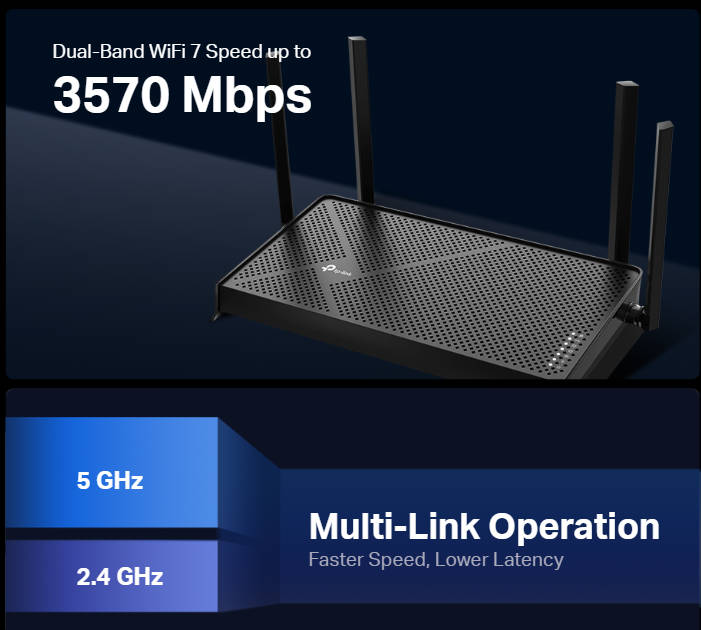
"5 GHz" refers to a radio frequency band that Wi-Fi routers use to transmit wireless signals. It describes the frequency of the radio waves, not a cellular generation. Most modern routers broadcast on both 2.4 GHz and 5 GHz simultaneously to balance range and speed for your connected devices. This has nothing to do with cellular 5G networks.
5G Is Not the Same as Wi-Fi 5
Wi-Fi 5 (802.11ac) is the fifth generation of the Wi-Fi standard. It was named and released before cellular 5G became mainstream, and the similarity in name is coincidental. Wi-Fi 5, Wi-Fi 6, and Wi-Fi 7 are all generations of the same short-range home networking standard; none of them are cellular technologies.
How Are 5G and Wi-Fi Different?
Both 5G and Wi-Fi are wireless technologies that connect your devices to the Internet, but they serve different purposes and operate in different environments. One is built for wide-area coverage on the move; the other is built for fast, reliable performance inside a building.
How 5G Works
5G is a wide-area cellular network operated by mobile carriers. It works over large distances using towers distributed across cities and regions, and it's designed for devices on the move. Your phone uses 5G when you're on the train, walking around a city, or anywhere outside the range of a Wi-Fi network.
How Wi-Fi Works
Wi-Fi is a short-range networking standard that operates within your home or building. Your router creates a local wireless network, and your devices, like laptops, phones, tablets, and smart TVs, connect to it. Because Wi-Fi operates over a short, controlled distance, it typically delivers much faster and more reliable speeds than a cellular connection within that range.
How They Work Together
Modern smartphones are built to use both technologies automatically. Your phone can connect to 5G when you leave the house and switch to Wi-Fi when you arrive home. When you connect to Wi-Fi, your phone is no longer using your mobile data, and you typically get faster speeds. 5G handles the outdoors; Wi-Fi handles the indoors. This division is by design, not a limitation of either technology.
What Is 5G Home Internet, and Does It Replace Your Router?
This is the question that most people searching for what 5G means for Wi-Fi are really trying to answer. 5G home internet is a specific service, different from the 5G on your phone, and understanding how it works makes the answer much clearer.
How 5G Home Internet Works
Some Internet service providers (ISPs) now offer 5G home internet, a service where a 5G gateway device (sometimes called a fixed wireless access device) receives a cellular signal and brings it into your home, replacing your cable or fiber modem. Instead of a physical line coming into the house, the gateway connects wirelessly to a cellular network outside.
The key point is that the gateway still creates a Wi-Fi network inside your home. 5G home internet replaces the broadband connection coming into the house, not the Wi-Fi router that distributes it. You still need Wi-Fi to get that connection to every device in your home.
Is 5G Home Internet Right for You?
5G home internet is available in many urban and suburban areas, but coverage varies significantly depending on your location and carrier. Check availability in your area before considering a switch.
Speeds are competitive with cable broadband in well-covered areas, though they can vary more than a wired fiber connection depending on signal strength and network load. 5G home internet is a legitimate option for households without access to fiber, or for those who want a more flexible alternative to a cable contract. It is not universally faster or better than fiber; the right choice depends on what's available and reliable where you live.
Does 5G Change Anything About Your Home Wi-Fi Setup?
For most people reading this, the answer is no. If you have a broadband Internet connection, fiber, cable, or DSL, and a Wi-Fi router at home, the 5G signal on your phone has no impact on your home network whatsoever. Your phone simply switches from 5G to your home Wi-Fi when it connects, using whichever network is available.
If you switch to 5G home internet, your gateway device will create a basic Wi-Fi network on its own. However, a dedicated Wi-Fi router connected to that gateway will give you better coverage, faster speeds across more devices, and more control over your network. Whether your Internet comes from fiber, cable, or a 5G gateway, a Wi-Fi router is what distributes that connection reliably throughout your home. For the best coverage and performance throughout your home, pairing your 5G gateway with a dedicated Wi-Fi router makes a noticeable difference.
A Wi-Fi 7 router is the strongest option for getting the most out of any Internet connection today. Wi-Fi 6 remains a solid choice for lighter needs. Either way, the quality of your in-home Wi-Fi matters independently of how your Internet connection arrives.
Wi-Fi 7 and 5G: Better Together
5G and Wi-Fi aren't competing; they're complementary. Think about a typical workday: your phone stays connected on 5G during your commute, then hands off seamlessly to your home Wi-Fi when you walk through the door. You get the best of both without doing anything because each technology takes over exactly when it should.
That handoff matters most when your home network has to perform. If you're on a 5G home internet gateway, a Wi-Fi 7 router connects to it and distributes that signal to every smart device in your home far more reliably than the gateway alone. Many Wi-Fi 7 routers are built with multi-gig WAN ports (the physical connection where your Internet source plugs into the router) that can handle the speeds delivered by both fiber broadband and 5G home internet gateways, so your Internet source is never the bottleneck.
For a household running video calls, streaming, and connected devices at the same time, that makes a noticeable difference. A mesh Wi-Fi system takes it further, extending consistent coverage to every room regardless of whether your Internet arrives via fiber, cable, or a 5G gateway.
TP-Link Wi-Fi routers work with any Internet connection, including a 5G gateway, so switching your broadband source doesn't require changing your home networking equipment.
Want to go deeper? What Wi-Fi 7 is and what it delivers and how Wi-Fi 7 compares to Wi-Fi 6 are both worth reading if you're considering an upgrade. And if your 5G gateway has a multi-gig output, multi-gig Ethernet explains how to make the most of it.
Get More From Every Connection
5G and Wi-Fi are different technologies built for different purposes. 5G takes your devices online when you're on the move. Wi-Fi delivers fast, reliable connectivity inside your home. They work together, and neither is going away.
If you're considering 5G home internet as a broadband alternative, it's a legitimate option in many areas, but you'll still need a good Wi-Fi router to distribute that connection throughout your home and get the most out of it.
Thinking about an upgrade to your home network? Explore TP-Link Wi-Fi routers for options that work with any Internet connection, or go straight to TP-Link's Wi-Fi 7 lineup if you're ready for the latest standard.
Frequently Asked Questions
Is 5G the same as Wi-Fi?
No, 5G and Wi-Fi are different technologies. 5G is a cellular network standard operated by mobile carriers, used to connect your phone to the Internet when you're away from home. Wi-Fi is a short-range networking standard your router uses to wirelessly connect devices inside your home. They serve different purposes and operate independently of each other.
Is 5G faster than home Wi-Fi?
Not typically. Home Wi-Fi, especially on a modern Wi-Fi 6 or Wi-Fi 7 router, delivers faster and more consistent speeds than a cellular 5G connection in most situations. That's because Wi-Fi operates over a short, controlled distance, which allows for much higher throughput. 5G speeds vary depending on your location, carrier, and network load.
Can 5G replace my home Wi-Fi router?
No. Even if you switch to 5G home internet as your broadband source, you still need a Wi-Fi router to distribute that connection to devices throughout your home.
What is the difference between 5G cellular and 5 GHz Wi-Fi?
5G cellular is a mobile network standard operated by carriers like AT&T, T-Mobile, and Verizon. It connects your phone to the Internet when you're outside. 5 GHz Wi-Fi is a radio frequency band that your home router uses to transmit wireless signals inside your home. The "5" in each name refers to different things, and the two technologies are unrelated.
Do I need Wi-Fi if I have 5G on my phone?
Yes, for connecting the other devices in your home. Wi-Fi is what connects your laptop, smart TV, tablet, smart home devices, and other equipment to your home network. Your phone can also switch from 5G to Wi-Fi when you're at home, because Wi-Fi is typically faster and doesn't use your mobile data. 5G on your phone doesn't replace a home Wi-Fi network; it works alongside it.