Portable Wi-Fi Router vs. Mobile Hotspot: What's the Difference?
A mobile hotspot and a portable Wi-Fi router might sound like the same gadget, but they solve different problems. A mobile hotspot shares your phone's cellular data over Wi-Fi, either as a built-in phone feature or as a separate device with its own SIM card. A portable Wi-Fi router creates its own private network from a connection you already have, like hotel Wi-Fi, an Ethernet port, or your phone's tethered signal.
Both get you online away from home, but the tradeoffs differ. If you already rely on your phone's hotspot for work travel or a cabin with spotty internet, the real question is what a dedicated device gets you that your phone doesn't. The biggest reason to carry a travel router is security. It turns shared or unsecured Wi-Fi into a private network only your devices can access. You can also connect more devices at once, without draining your phone's battery or data plan.
Key Takeaways
- A portable Wi-Fi router builds its own private network from a connection you already have, like Wi-Fi, Ethernet, or a tethered phone.
- A mobile hotspot shares a phone's cellular data over Wi-Fi, either as a phone feature or a separate device with its own SIM card.
- Portable Wi-Fi routers turn shared connections like hotel Wi-Fi into a private, password-protected network, adding an extra layer of security.
- Hotspot mode lets a portable router tap a phone's cellular data too, so you get both tools in one device.
- A portable router logs into a public network once through a captive portal, then shares that access with all your connected devices.
What Is a Portable Wi-Fi Router?
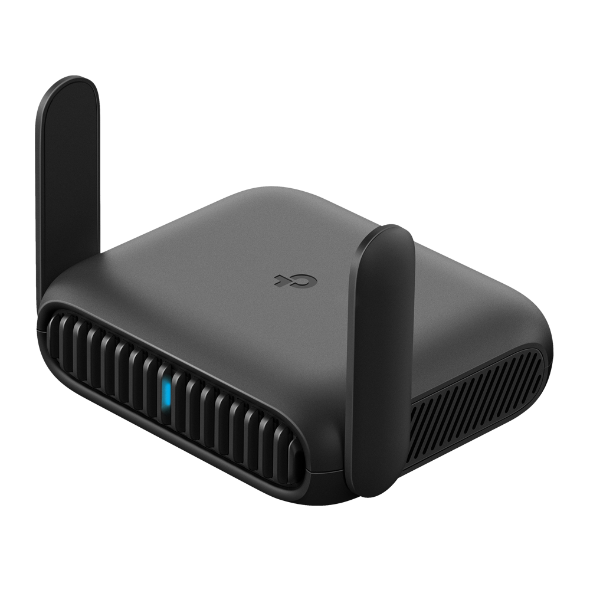
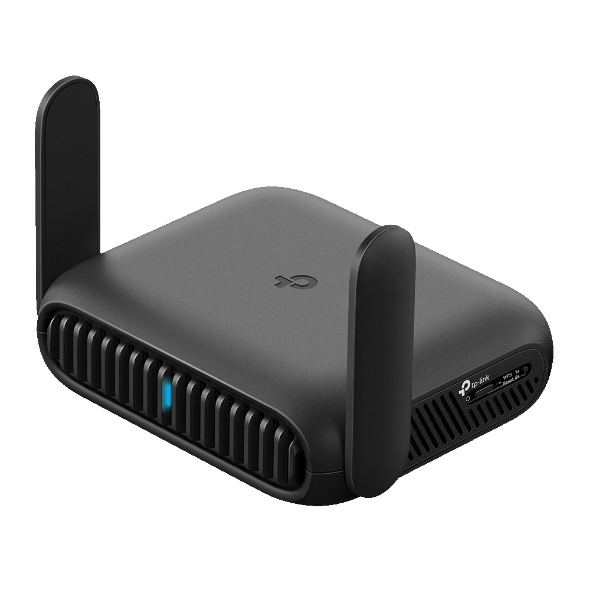
A portable wireless router is a standalone device that creates its own private Wi-Fi network from an internet source, like Ethernet, an existing Wi-Fi network, or a tethered phone. Instead of connecting each device to that source separately, you connect them to the router once.
That single connection does several jobs at once. It turns an unsecured or shared network, like hotel Wi-Fi or a coffee shop’s public access, into a private, password-protected network for your own devices. It splits a single Ethernet port across a laptop, a tablet, and a phone at the same time. It also handles a captive portal login once instead of on every device you own.
Many portable routers come with extra features that make it easier and more secure to connect on the road. Hotspot mode lets you tether to your phone as backup connectivity when nothing else is available. On supported models, you can share files from a connected USB drive or microSD card. Models that support VPN can keep all your traffic encrypted over public Wi-Fi, without managing VPN accounts on each individual device.
How Does a Portable Wi-Fi Router Work?
A portable Wi-Fi router works by sitting between your devices and whichever connection you feed it, then rebroadcasting that single source as its own secured network. Your laptop, phone, and tablet all join the router instead of the original network directly, simplifying connection and adding a shared layer of protection.
What Is a Mobile Hotspot?
A mobile hotspot is a way to share a cellular data connection over Wi-Fi, either through a phone's built-in hotspot feature or through a dedicated hotspot device with its own SIM card. The phone-based version has an obvious appeal: no extra device to pack, and it works anywhere you have cell signal.
That convenience comes with some limitations. A phone-based hotspot draws on your phone's battery and data plan at the same time, which can quickly burn through both. A dedicated hotspot device skips that battery and data drain, but it costs you an extra device to carry and an extra plan to pay for.
Portable Wi-Fi Router vs. Mobile Hotspot: Key Differences
|
|
Portable Wi-Fi Router |
Mobile Hotspot |
|
Power source |
Plug-in adapter or USB-C power bank |
Phone battery, or a hotspot device's own battery |
|
Data source |
An existing connection: Wi-Fi, Ethernet, or a tethered phone |
The phone's own cellular data or a dedicated SIM |
|
Device capacity |
Multiple devices on one shared connection |
Varies by plan and device; often fewer supported at once |
|
Network security |
Private, password-protected network you control |
Depends on the phone's or device's own hotspot settings |
|
Setup |
One-time captive portal login for all devices |
Each device connects to the hotspot individually |
A portable router works with an available internet connection, while a mobile hotspot only uses cellular data. The practical implication shows up in your data plan. A portable router doesn't touch your cellular data while it’s running on Wi-Fi or Ethernet, while a hotspot draws from your data plan every time you use it.
Hotspot Mode: A Portable Router Feature Many People Don't Know About
Most portable Wi-Fi routers include a hotspot mode, which turns the device into a portable Wi-Fi hotspot when nothing else is available. It's easy to miss if you've only thought of them as devices for existing internet sources. In hotspot mode, the router taps your phone's cellular data instead of Wi-Fi or Ethernet, then shares that connection the same way it shares any other source.
The result works like a phone hotspot, but with the portable router's security layer built in. Your devices connect to the router's private, password-protected network instead of each one joining your phone's hotspot directly, so a dead zone with no Wi-Fi or Ethernet doesn't leave you without a secure connection. It's the same device covering both scenarios instead of choosing one tool over the other.
Which One Do You Need?
The right choice usually comes down to two questions: how many devices need to get online, and how much you trust the network you're joining. If the answer to either is "more than one" or "not much," a portable router is worth the extra item in your bag. If neither applies, your phone's hotspot is probably enough.
When a Portable Router Makes Sense
A portable Wi-Fi router for travel earns its space in your bag when more than one device needs to connect, or when the network you're joining isn't one you trust. For example, connecting a laptop and a phone to a conference venue's Wi-Fi gives you a private network instead of sharing the open one with every other attendee. When you're working remotely on a multi-week trip, your travel router keeps you connected in every hotel room.
It also makes sense for extended travel with family. At each new hotel room or temporary stay, connect your router once, and instantly reestablish the family network. Instead of everyone asking for the Wi-Fi password again, all the tablets, phones, and laptops connect automatically.
When a Mobile Hotspot Makes Sense
A mobile hotspot device fits lighter, more occasional use. One or two devices, a short trip, or backup connectivity for an afternoon are all cases where carrying a dedicated router is more than the situation calls for. If your phone's hotspot already covers what you need without draining your battery by midday, there's no reason to pack an extra device.
TP-Link's Portable Router Lineup
Finding the best portable Wi-Fi router comes down to how many devices you're connecting and whether you want Wi-Fi 6 or Wi-Fi 7 speeds. TP-Link's Roam™ lineup ranges from an entry-level pick to the latest Wi-Fi 7 standard. See what to look for in a travel router and whether hotel Wi-Fi security calls for one of your own.
Entry-Level: Roam™ 6 (AX1500)
The Roam™ 6 AX1500 is the entry point into the lineup, built for straightforward, one-person travel, like a solo business trip where you just need your laptop and phone connected securely to hotel Wi-Fi. Wi-Fi 6 delivers plenty of speed for everyday use, and you can connect up to 60 devices in total. Its one-step captive portal login means you sign into that hotel's page once, on the router, instead of on every device you're carrying.
Built for Multiple Devices: Roam™ 6 (AX3000)
Step up to the Roam™ 6 AX3000 when more than one person needs to be online at once, like a family streaming video on separate tablets while someone else is on a work call. It roughly doubles the AX1500's speed and supports up to 80 connected devices, so that extra activity doesn't bog down the connection. It also adds a microSD card slot (card sold separately) alongside its USB port, so you can back up trip photos or share files without needing a laptop.
Fastest in the Lineup: Roam™ 7 (BE3600)
The Roam™ 7 BE3600 is built for demanding, simultaneous use, like streaming 4K video, gaming, and video calling all from the same hotel suite. It's TP-Link's Wi-Fi 7 travel router, the fastest in the Roam™ family, with room for up to 90 connected devices. Its VPN is fast enough to handle something heavier, like a video call or a large file transfer, without slowing the rest of your connections.
Find the Right Fit for How You Travel
A mobile hotspot works well when your phone's own connection is all you need. A portable router makes sense when you want more devices online at once, a truly private network, and a connection that doesn't drain your phone's battery. Use the option that reliably meets your needs as you travel.
Ready to see which model fits your trips? Browse TP-Link's full router lineup to compare options built for travel and everyday use at home.
Frequently Asked Questions
Is a portable Wi-Fi router the same as a mobile hotspot?
No. A portable Wi-Fi router builds a private network from an internet source like Wi-Fi, Ethernet, or a tethered phone. A mobile hotspot uses cellular data, either as a phone feature or a dedicated device. If you want a portable device that does both, choose a travel router with hotspot mode.
Which is better for travel, a mobile hotspot or a portable Wi-Fi router?
It depends on how many devices you're connecting and how much you trust the network. A portable router suits multiple devices or untrusted networks, like hotel or conference Wi-Fi, with a private, password-protected connection. A mobile hotspot suits lighter, occasional use where one or two devices need a quick connection.
Do portable Wi-Fi routers need a SIM card?
Not for their main function. A portable router typically connects through an existing Wi-Fi network, an Ethernet port, or a tethered phone rather than its own SIM card. Some models support a USB cellular modem for direct mobile data, but that's an added option, not a requirement.
Can a portable Wi-Fi router replace my phone's hotspot?
Yes, through hotspot mode. Most portable routers can tap your phone's cellular data the same way a phone hotspot does, then share it across a private, password-protected network. That gives you one device for both an existing connection and a cellular backup, instead of switching between tools.
How many devices can connect to a portable Wi-Fi router at once?
It depends on the model, but portable routers are built to handle several devices at once, well beyond what most phone hotspots comfortably support. A laptop, a tablet, and a phone can all share the same private connection through a single login, which is one of the main reasons travelers choose a router over a hotspot.