
How to Fix VoIP Not Making Incoming or Outgoing Calls on an Aginet Router
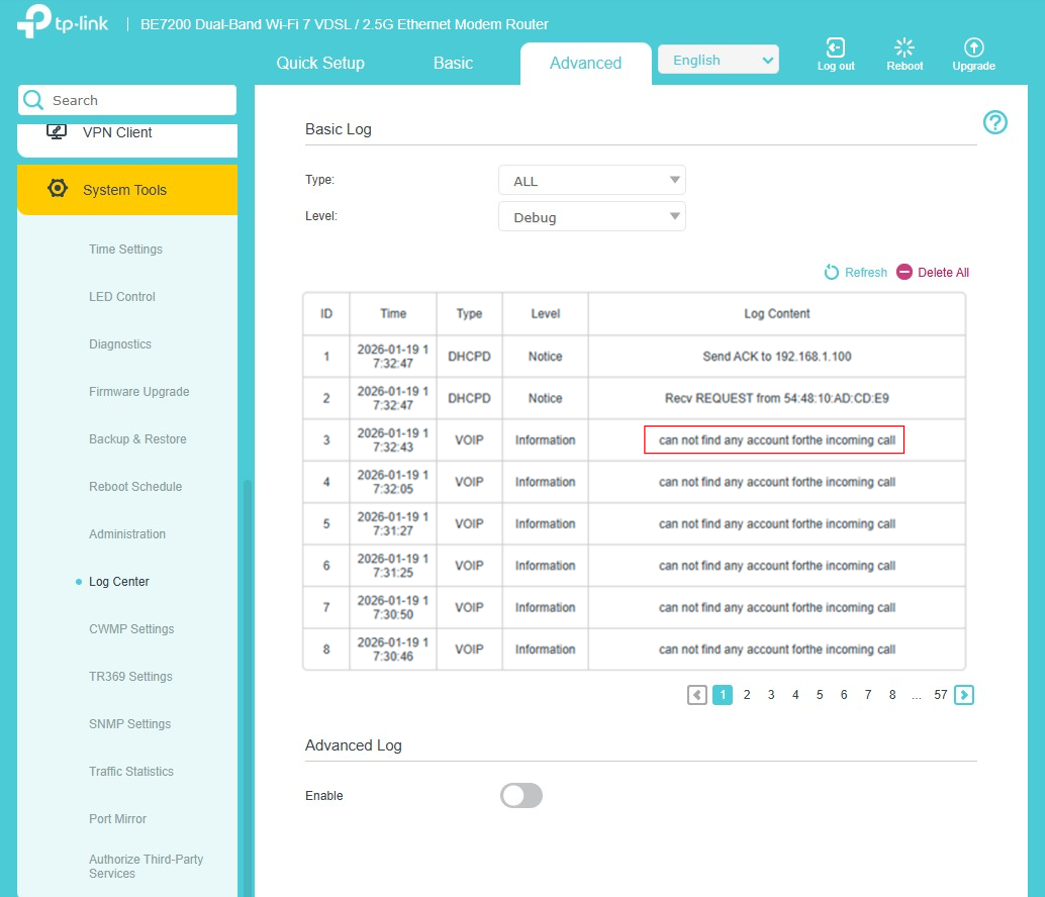
If your router suddenly displays the following system log message: “can not find any account for the incoming call” and you are unable to make incoming and outgoing calls, this guide will show you how to enable the relevant function to resolve this issue.
Key Takeaways
- Log in to the web management interface.
- Check if the log message “can not find any account for the incoming call” appears.
- Enable the “Only Accept Sip From Proxy” function.
How to enable “Only Accept Sip From Proxy” function
Step 1: Log in to the web management interface.
Step 2: Go to Advanced > System Tools > Log Center > Basic Log. Check to see if the log message “can not find any account for the incoming call” appears. If so, proceed to the next step; if not, please refer to other VoIP troubleshooting articles.
Note: Here we use the VB433v as an example.
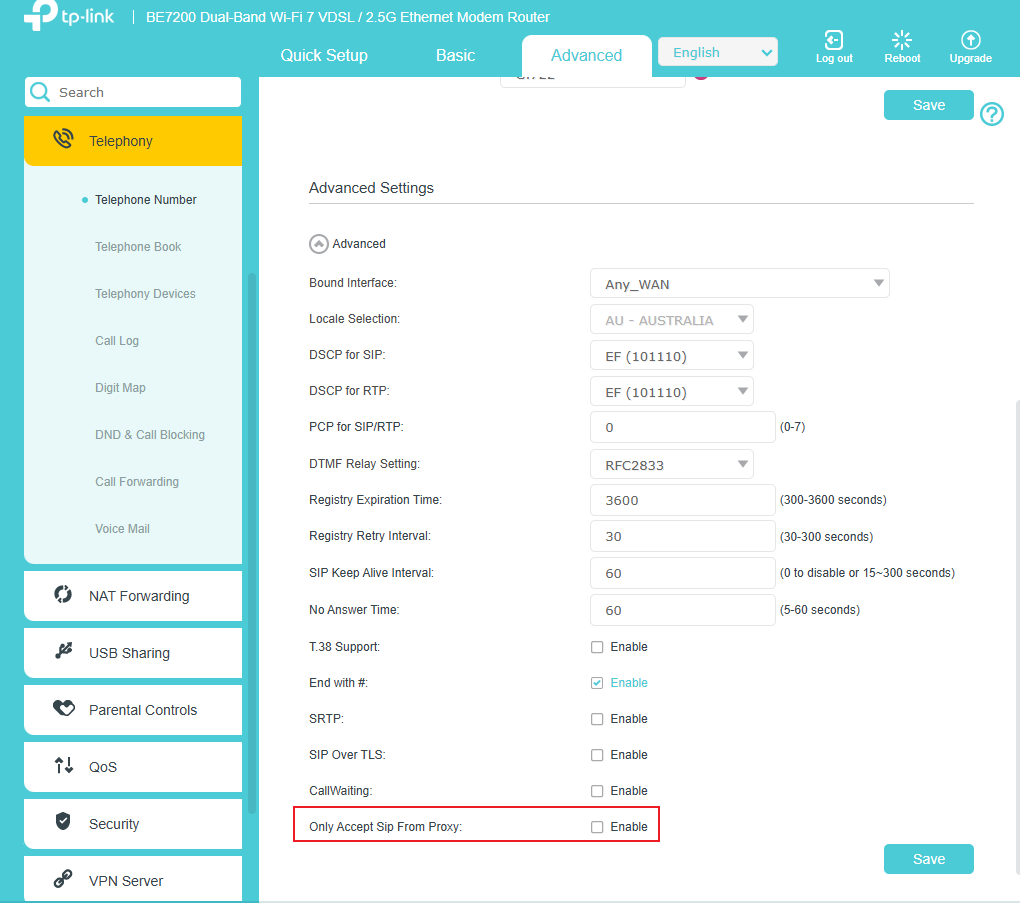
Step 3: Go to Advanced > Telephony > Telephone Number > Advanced Settings > Advanced. Enable Only Accept Sip From Proxy function. Then click Save.
Looking for More
Is this faq useful?
Your feedback helps improve this site.



TP-Link Community
Still need help? Search for answers, ask questions, and get help from TP-Link experts and other users around the world.