Camera Mounting Guide on Junction Box (VJB-305)
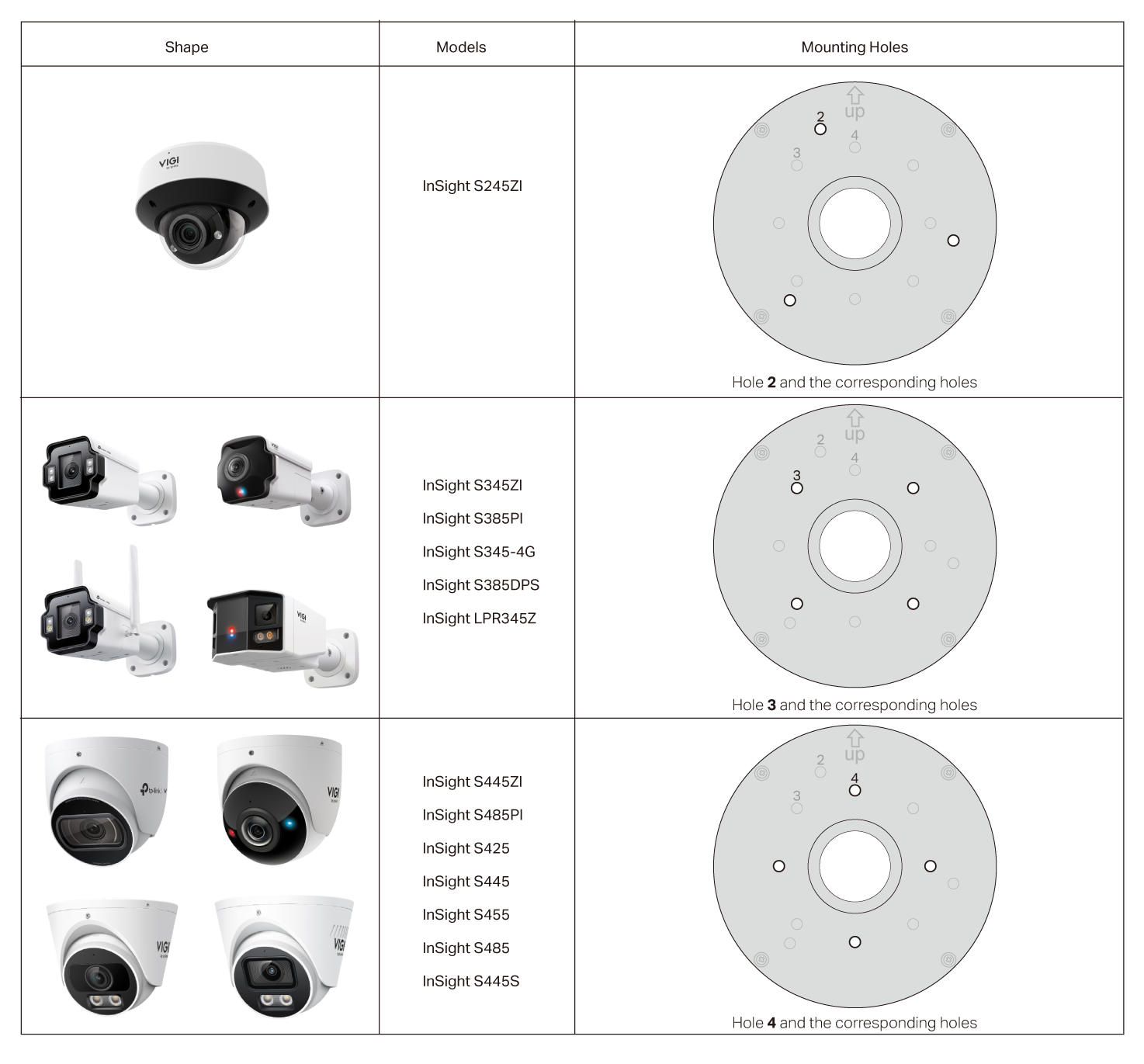
Multiple mounting holes are available for the installation of various camera types to suit different needs. For a complete list of compatible devices, please visit https://www.tp-link.com/vigi-accessories/product-list/.
Follow the steps below to install your camera.
1. Remove the glue pad, thread the camera's cable through the upper outlet, and reapply the pad.
2. Connect all cables as needed.
3. Select the appropriate mounting holes on the junction box according to the details in the table below.
4. Use screws to install the camera to the junction box by referring to the installation guide of your camera.
5. Secure the cover plate to the box base.
Usage Tip:
It's recommended to install waterproof cable attachments and route the cables into the junction box before installing the camera.