
Archer A64 2.0 Datasheet
|
AC1200 Wi-Fi Router Dual Band | Full Gigabit |
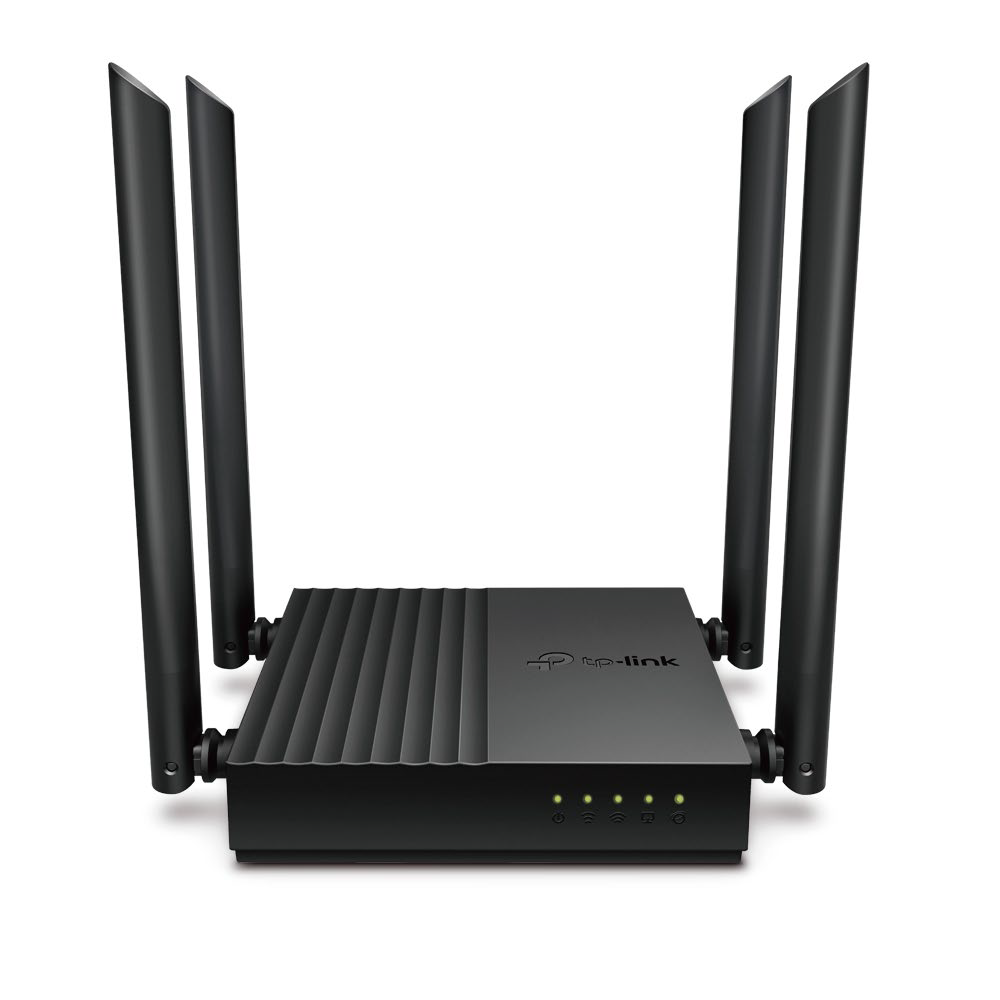 |
| • 867 Mbps 5 GHz + 300 Mbps 2.4 GHz† • Higher Efficiency with MU-MIMO • Easy setup via Tether App • Secure VPN Access Anywhere |
|
|
Highlights |
|
|---|---|
|
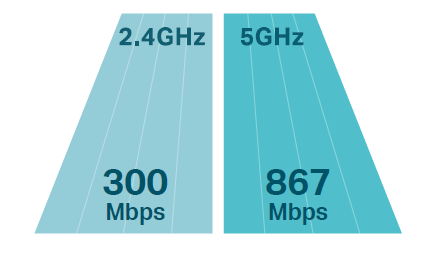
Speeds up to 1200 Mbps
867 Mbps on the 5 GHz band and 300 Mbps on the 2.4 GHz are ideal for both
|
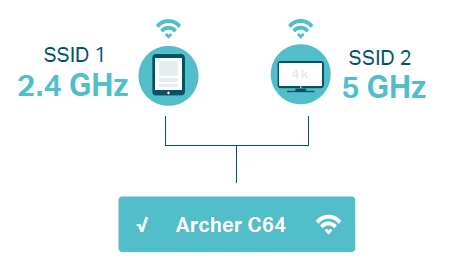
Smart Connect
Smart Connect unites 2.4 GHz and 5 GHz band into a single Wi-Fi SSID and helps the router automatically switch each device’s connection to the best available Wi-Fi band. |
|
|
|
|
Highlights |
|
|---|---|
|
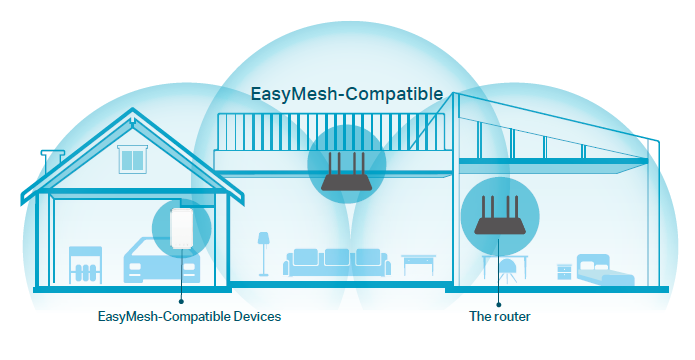
EasyMesh-Compatible Mesh networking creates smooth, fast, stable roaming. The router can build an EasyMesh network with routers that use EasyMesh technology. Eliminate Wi-Fi dead zones, expand your network, and fill your entire home with high-speed Wi-Fi.* |
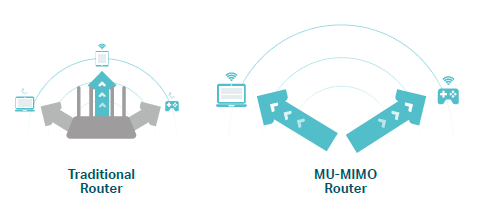
MU-MIMO MU-MIMO technology serves multiple devices at once, reducing wait time, increasing Wi-Fi throughput for every device, and making each stream more efficient.‡ |
 |
 |
|
Highlights |
|
|---|---|
|
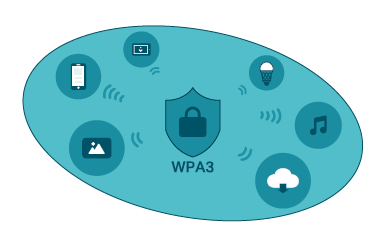
Advanced Security with WPA3§ The latest Wi-Fi security protocol, WPA3, brings new capabilities to improve cybersecurity. More secure encryption in Wi-Fi password safety and enhanced protection against brute-force attacks combine to safeguard your home Wi-Fi. |
Easy Setup and Use Installation is simple, thanks to an intuitive web interface and the powerful TP-Link app, Tether. Tether lets you manage your network settings with your smartphone. |
|
|
 |
|
Features |
||
 |
 |
|
|
Speed 802.11ac Technology – Powered by 802.11ac Wi-Fi technology, The router creates a reliable, blazing-fast network. Ultimate Wireless Speed – 867 Mbps on 5 GHz + 300 Mbps on 2.4 GHz |
Reliability Smart Connect – Intelligently switches each device’s connection to the optimum available Wi-Fi band Guest Network – Keeps your main network secure by creating a separate network for friends and visitors Parental Controls – Restricts internet access time and contents for children devices VPN Support – Safely reach files in local NAS, wherever you are |
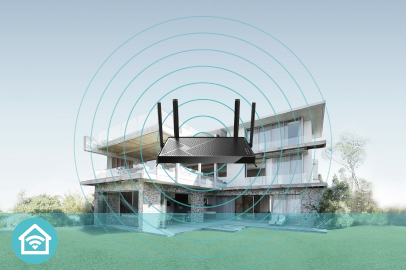
Wi-Fi Range Ultimate Range Wi-Fi – Four external antennas deliver a Wi-Fi signal to every corner of your home, making all of your connections more efficient and stable Beamforming Technology – Concentrates Wi-Fi signals towards individual devices to ensure stronger connections |
|
Features |
||
 |
 |
 |
|
Easy Management Intuitive Web UI – Ensures quick and simple Installation without hassle Hassle-free Management with Tether App – Network management is made easy with the TP-Link Tether App, available on any Android and iOS device TP-Link ID – Binds the router to your TP-Link ID and other family member’s accounts to manage the router |
Security Active Defense – Protect your home network with firewalls and wireless encryption Guest Network – Provide separate access for guests while securing the home network Parental Controls – Restricts internet access time and contents for children devices Access Control – Establish a whitelist or blacklist to allow or block certain devices from accessing the internet |
Ease of Use WPS –Makes secure wireless connection quick and easy with the push of a button Wi-Fi Schedule –The wireless network can be automatically off within a specified period when you do not need the wireless connection LED Control – Automatically turns your router‘s LEDs off within a specified period |
|
Specifications |
|
|
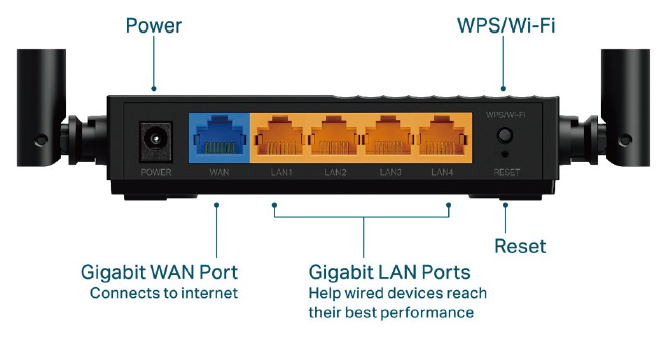
Hardware · Ethernet Ports: 1× 10/100/1000 Mbps WAN Port, 4×10/100/1000 Mbps LAN Ports
|
Wireless · Wireless: 867 Mbps on 5 GHz + 300 Mbps on 2.4 GHz · Wireless Function: Enable/Disable Wireless Radio, WMM |
|
Software · WAN Type: Dynamic IP/Static IP/PPPoE(Dual Access)/PPTP(Dual Access)/L2TP(Dual Access) |
Others · Certification: CE, RoHS · System Requirements: Internet Explorer, Firefox, Chrome, Safari, or other JavaScript-enabled browser *You are recommended to use the latest version Cable or DSL Modem Subscription with an internet service provider (for internet access) · Environment: · Package Contents |
©2026 TP-Link †Maximum wireless signal rates are the physical rates derived from IEEE Standard 802.11 specifications. Actual wireless data throughput and wireless coverage are not guaranteed and will vary as a result of network conditions, client limitations, and environmental factors, including building materials,
obstacles, volume and density of traffic, and client location. ‡Use of MU-MIMO requires clients to also support MU-MIMO. §Use of WPA3 requires clients to also support WPA3.