What Is Starlink? How It Works and How to Use It With Mesh Wi-Fi
Starlink is a satellite Internet service built for remote areas, travel, and home use. At home, it uses a dish outside and a Wi-Fi router. In a larger or multi-story home, you can pair Starlink with a mesh Wi-Fi system to extend coverage. A mesh system is a group of nodes placed around your home that act as one network and bring Wi-Fi to more rooms.
After you look up "what is Starlink," the next question is usually about how it connects to the devices in your home. This guide answers both. You'll learn how Starlink works, what equipment it needs, and when adding mesh Wi-Fi can help.
Key Takeaways
- Starlink is a satellite Internet service from SpaceX, with satellites in a low orbit close to Earth for less delay than older satellite service.
- A home Starlink setup needs a dish, a router, and cables, plus a clear view of the sky for the dish.
- The rectangular Gen-2 Starlink dish has no Ethernet port for a cable connection, so a TP-Link router or Deco system needs a Starlink Ethernet Adapter.
- A mesh system can work with Starlink by taking over from the Starlink router's Wi-Fi or by adding coverage alongside it.
- Mesh Wi-Fi can help Starlink homes with several floors, thick walls, lots of devices, or outbuildings that one router can't reach.
What Is Starlink?
Starlink is a satellite Internet service from SpaceX. It uses thousands of satellites that circle the planet. What sets it apart from older satellite Internet is how close those satellites are.
Most satellite Internet comes from a single satellite about 22,236 miles (35,786 km) above Earth. Starlink's satellites fly much lower, at about 340 miles (550 km). That shorter distance cuts latency, the delay before your data starts moving. Starlink's technology overview puts its latency at around 25 milliseconds, compared with 600 or more for those far-off satellites.
In practice, Starlink says the lower orbit lets its service handle streaming, video calls, and online gaming. You may also see people searching "what is a Starlink." Starlink's setup guides use the name for both the service and the dish itself.
What Is Starlink Used For?
People use Starlink where a reliable Internet connection is hard to get. Starlink says its service reaches places where connectivity has been too expensive, unreliable, or missing. Here are the main ways people use it:
- Rural and remote homes: Cable and fiber lines don’t always reach country roads. A household without either can use a dish instead, because the signal comes from satellites overhead.
- Backup at home: Storms and outages can knock out local Internet lines. Starlink promotes its service for homes during power and Internet outages, harsh weather, and natural disasters, so some households keep it as a second connection for working from home or reaching family.
- Travel and camping: Starlink also sells portable plans for recreational vehicles (RVs), campers, and people who work on the go. A backpack-sized Starlink Mini kit makes the dish easier to carry.
- Small businesses: For a shop, farm office, or job site where cable or fiber doesn’t reach, Starlink business plans provide a connection for everyday tasks like email, video calls, and card payments.
How Does Starlink Work?
Starlink sends your Internet connection from a satellite to a dish at your home, then through a router to your devices. The connection takes three steps:
- Your dish connects to Starlink satellites as they pass overhead.
- The satellite links to a ground station, also called a gateway, which connects to the wider Internet.
- Your Starlink router turns the connection into Wi-Fi for your phones, laptops, and smart TVs.
Because the dish tracks satellites moving across the sky, it needs a clear view overhead. The Starlink app helps you find the best spot for it. The last step happens inside your home, and your router or mesh system handles it.
What Equipment Is Needed for Starlink?
The Starlink Standard Kit includes a dish, a router, and the cables that connect them and provide power. Beyond the kit, what equipment is needed for Starlink depends on your dish. TP-Link's setup guides cover two dish generations, and each one connects differently:
- Circular Gen-1 dish: You can plug a TP-Link router or Deco mesh system straight into the dish, skipping the Starlink router. Or you can plug it into the AUX port, a port on the Gen-1 Starlink router.
- Rectangular Gen-2 dish: This dish gets its power from the Gen-2 Starlink router. Neither has an Ethernet port for a network cable. To connect another brand's router or mesh system, you'll need a Starlink Ethernet Adapter, sold separately by Starlink.
Because Starlink sells more than one kit, confirm which one you have before you buy anything extra. Starlink's Help Center shows how to tell them apart by sight.
Starlink for Home Use
Starlink’s dish brings the Internet connection to your home, but how well Wi-Fi reaches each room depends on your router and where you place it.
Here is how different households use it:
- Rural homes: A household that couldn’t get dependable wired Internet can join video meetings and online classes from home.
- Farms: A farm can use it for supplier video calls and for Wi-Fi cameras that check on the barn, as long as the Wi-Fi reaches that far.
- Backup connections: A household with cable or fiber can keep Starlink as a second connection, so work and family calls can continue during a local outage.
Coverage inside a larger or multi-story home can vary, as it can with any single router. If weak spots remain, such as a back bedroom or a workshop, TP-Link Deco mesh systems can connect to Starlink to expand coverage.
Starlink Mesh Nodes and Routers
Starlink mesh nodes are extra Starlink routers that link to your main Starlink router and spread its Wi-Fi to more of your home. Each Starlink mesh router sits between your main router and an area with a weak signal.
For best results, place them one to two rooms from the main router, and use no more than three, as Starlink recommends. They're sold separately in the Starlink shop, and the Starlink Router Mini can also act as a mesh node. The first-generation Starlink router doesn't support mesh.
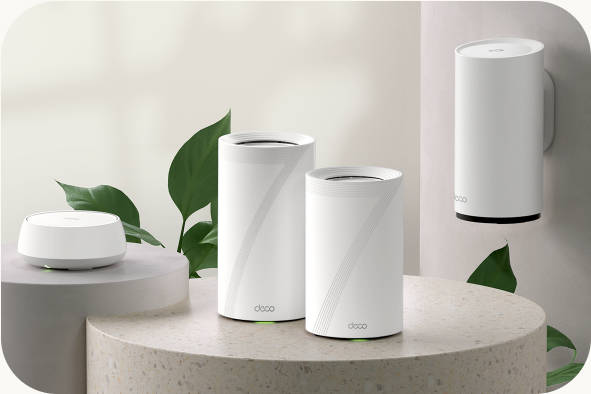
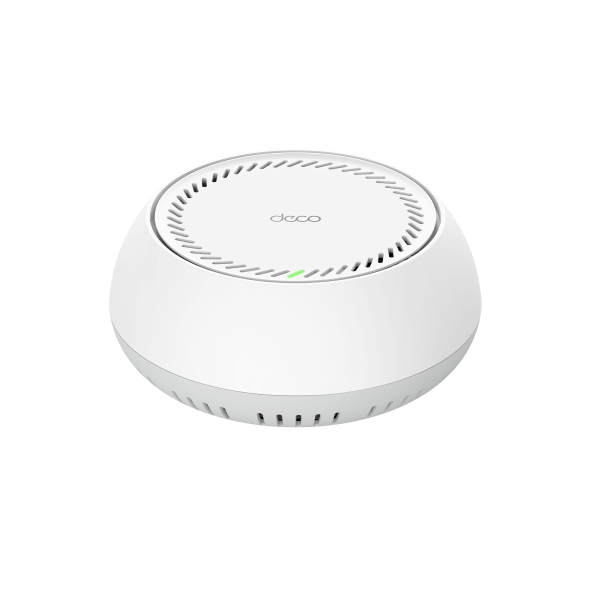
You can also skip Starlink Mesh and use a mesh system of your own. Mesh Wi-Fi systems work on the same idea: several units link together to form one network across your home. TP-Link Deco is one example, and it connects to Starlink through a wired link.
Can You Use Mesh Wi-Fi With Starlink?
Yes, a mesh system can work with Starlink, and the setup depends on your dish generation and whether you keep Starlink's Wi-Fi on. In each setup, Starlink still provides the Internet connection. What changes is which device runs your home network:
- Your mesh system takes over: The Starlink router's Wi-Fi turns off, and your mesh system becomes the router. On a Gen-2 setup, turn on Bypass mode in the Starlink app under Settings > Advanced. To go back to Starlink's Wi-Fi later, you'll need a factory reset, which returns the router to its original settings.
- Starlink stays in charge: The Starlink router keeps running your network. Your mesh system switches to Access Point mode, where it adds Wi-Fi coverage and lets the Starlink router run the network. Nothing changes on the Starlink router.
Running both devices as routers creates double network address translation (double NAT), where two devices try to manage the same network. That can cause connection issues, so TP-Link's guides recommend Access Point mode whenever the Starlink router stays active.
Here's how each Starlink mesh system setup lines up by dish generation. In the table, Router mode means your mesh system runs the network.
|
Dish generation |
Starlink router |
Mesh system mode |
What to know |
|
Gen-2 (rectangular) |
Bypass mode on, Wi-Fi off |
Router mode |
Needs Starlink Ethernet Adapter; factory reset to undo |
|
Gen-2 (rectangular) |
Running as normal |
Access Point mode |
Needs Starlink Ethernet Adapter; no Starlink changes |
|
Gen-1 (circular) |
Not used |
Router mode |
Connects to the Black port of the Gen-1 PoE Power Supply brick |
|
Gen-1 (circular) |
Running as normal |
Access Point mode |
Connects to the Gen-1 router's AUX port |
For step-by-step instructions, see TP-Link's guides to connecting Deco to Starlink and connecting a TP-Link router to Starlink.
When Adding Mesh to Starlink Makes Sense
A mesh system may help when one router doesn’t cover your whole home. These are the situations where it’s most worth considering:
- Larger or multi-story homes: Wi-Fi from one router has to travel farther, and through floors, to reach rooms upstairs or at the far end. If a video call keeps freezing in an upstairs bedroom, a mesh unit closer to that room can help.
- Thick walls or weak spots: Walls and other obstacles can weaken Wi-Fi before it reaches certain rooms. A mesh unit placed near a spot like a basement office can fill that gap.
- Many connected devices: Phones, laptops, TVs, and smart home devices all share your Wi-Fi. A mesh system can keep coverage more consistent when many devices are online.
- Rural properties and farmland: A house, workshop, and barn can sit far apart, so one router’s Wi-Fi may not reach them all. Outdoor Deco units can extend the same network to a yard or a nearby outbuilding.
Outdoor coverage takes a little more planning than traditional indoor coverage. An outdoor Deco unit, such as the Deco BE25-Outdoor, is a weather-resistant Wi-Fi 7 unit that mounts on a pole or wall and joins a Deco network alongside any other Deco model. Wi-Fi 7 is the newest Wi-Fi standard, and phones, cameras, and other devices on older standards can still connect to it, including Wi-Fi cameras at a barn or gate.
Power is the other planning question, and it’s where Power over Ethernet (PoE) helps. PoE sends power and data through one network cable, so the unit doesn’t need an outlet at its spot. The BE25-Outdoor can run on AC power or on PoE.
PoE can also help inside outbuildings. The Deco BE65-PoE is a Wi-Fi 7 mesh system that can get both its network connection and its power from one Ethernet cable connected to a PoE switch, or it can run on its included power adapter. A ceiling- or wall-mounted unit in a heated workshop, barn office, or detached garage can work without a nearby outlet. It operates between 32°F and 104°F (0°C to 40°C), so it belongs indoors, but it works with every other Deco model, and it can share a network with an outdoor unit for yard coverage.
Distance matters most for wireless links. TP-Link recommends placing Deco units no more than 50 feet (15 meters) apart when they connect wirelessly. A wired connection makes placement more flexible, so a PoE cable can also carry the link to a workshop or barn farther from the house. TP-Link also notes outdoor units aren’t meant for long-distance outdoor links, so measure the distance and the cable run to each building before you plan.
An outdoor unit fits either Starlink setup. Your Deco system can run the network or run in Access Point mode alongside the Starlink router, and the outdoor unit joins that same Deco network.
If your home is smaller and one router reaches every room, a single TP-Link Wi-Fi router may be all you need.
Choose the Right Starlink Wi-Fi Setup for Your Home
Starlink gets the Internet to your door, and your router or mesh system decides how far it reaches from there. The right setup comes down to two things: your dish and how much of your home needs coverage.
Check your dish type first, since each one connects differently. Then think about where your Wi-Fi struggles today, such as an upstairs room or an outbuilding. If you want coverage across more rooms, floors, or buildings, explore Deco mesh systems to compare options for your space.
Frequently Asked Questions
What exactly does Starlink do?
Starlink gives you Internet access from satellites, so you can get online in places where wired service is hard to find. You set up a dish with a clear view of the sky, and your devices connect to Starlink's Wi-Fi.
Can you use your own router with Starlink?
Yes. TP-Link's support guides show how to connect a TP-Link router or Deco system to Starlink. The steps depend on which Starlink dish you have.
Can you use mesh Wi-Fi with Starlink?
Yes, in one of two ways. Your mesh system can run the network on its own with Starlink's Wi-Fi turned off. Or it can run in Access Point mode, where it only adds Wi-Fi while the Starlink router keeps running the network.
Does any mesh work with Starlink?
Not every mesh works the same way. Starlink's mesh routers pair only with compatible Starlink routers, not with other brands' mesh systems. A system like Deco connects to Starlink by cable instead, using the setup that fits your dish.
Does Starlink come with mesh?
The Starlink Standard Kit includes one router and no extra mesh units. You can add Starlink's own mesh routers later or use a mesh system from another brand.
What is a mesh node for Starlink?
A mesh node is a second Wi-Fi point that improves coverage in a room the main router struggles to reach. For Starlink, that can be one of Starlink's own mesh routers, such as the Router Mini.
_US_1.0_F_normal_20231213092414n.png)