Smart Devices Keep Disconnecting From Wi-Fi? Here Are the Causes and Fixes
You open the app to check on the house, and the camera by the front door shows offline. An hour later, it's back. By dinner, it's gone again. When your devices keep disconnecting from Wi-Fi with no obvious pattern, it's frustrating, especially once you've already tried restarting the router.
The device itself is rarely the problem. Plugs, bulbs, cameras, and locks all rely on the same Wi-Fi connection behind the scenes, so when one starts dropping, the cause is almost always something in that connection, whether it's the router, the network credentials, or a missed update, not the device being broken. This guide covers the most common causes, how to spot yours, and how to fix it for good.
Key Takeaways
- Five causes explain most smart device disconnections: weak signal, changed network credentials, router overload, outdated firmware, or a Wi-Fi band mismatch.
- A changed Wi-Fi password disconnects every device on that network until each one is manually reconnected.
- Devices far from the router lose connection first, since distance and walls can put them at the edge of reliable Wi-Fi range.
- A 2.4 GHz vs. 5 GHz mismatch causes repeated drops when a router shifts smart devices to a band they don't support.
- TP-Link Simple Setup (TSS) reconnects supported devices automatically after a Wi-Fi password change or a router swap.
The Most Common Reasons Smart Devices Disconnect From Wi-Fi
If you've searched “why do smart home devices keep disconnecting”, the answer usually comes down to five issues: weak signal, changed network credentials, router overload, outdated firmware, and a 2.4 GHz vs. 5 GHz mismatch. Here's how to spot which one applies to you.
Weak or Unstable Wi-Fi Signal
Smart plugs, bulbs, and cameras often end up in spots the router wasn't built to reach: a back bedroom, a garage, or behind a thick wall. That distance puts the device just beyond the reach of a reliable connection, causing drops that trace to the same weak spot every time.
Fix it: Move the router to a more central location, clear obstacles where you can, or extend coverage with a range extender or mesh node.
Network Credential Changes
When you change your Wi-Fi password or network name, every device using the old credentials loses its connection at once, since smart devices don't update saved details automatically. This is a common cause of smart home troubleshooting calls after a router swap or password reset.
Fix it: Reconnect each device through its app. A separate guest network for smart devices protects them from this the next time your main password changes.
Router Overload
Every router has a limit on how many devices it can handle. If you're wondering why devices keep disconnecting from Wi-Fi shortly after a restart, an overloaded router is often the reason. Older or entry-level models struggle once a household adds several plugs, a camera or two, and some smart bulbs on top of phones and laptops.
Fix it: Restart the router, trim connected devices where you can, or upgrade to a router built for a high-device household.
Outdated Firmware
Firmware is the built-in software that runs your router and smart devices. It requires updates, and skipping one can cost you more than the newest features. It can leave known stability and compatibility bugs unpatched, and that's often the real answer when you're asking why do my devices keep disconnecting from Wi-Fi, and nothing else about your setup has changed.
Fix it: Check for updates in your router's app and each device's companion app, and turn on automatic updates where available.
2.4 GHz vs. 5 GHz Band Conflicts
Most routers broadcast two Wi-Fi bands: 2.4 GHz, which reaches farther but moves slower, and 5 GHz, which is faster over shorter distances. Many smart devices only support 2.4 GHz. If your router steers devices to 5 GHz through band steering, smart devices may not connect to Wi-Fi as they should, with repeated drops.
Fix it: Check each device's specifications to see which band it needs, then connect it directly to a 2.4 GHz network. Most routers let you adjust band steering settings if this keeps happening.
How TP-Link Solves This
TP-Link products address two of the causes above at the platform level, and offer a hardware fix for the rest.
TSS for Network Change Disconnections
Why do smart devices disconnect from Wi-Fi most often? A credential change or a router swap. TP-Link Simple Setup (TSS) keeps supported devices connected through both.
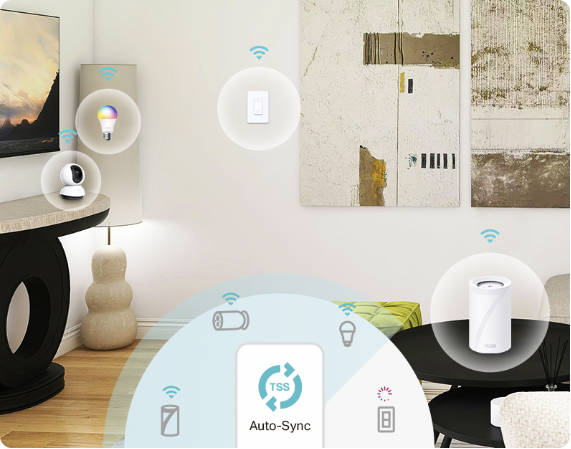
Picture this: your internet provider swaps your equipment and your Wi-Fi name changes, or you finally replace an aging router. Normally, every smart device on the network would show offline until you open each app and reconnect it manually. TSS's Auto-Synced Network Changes feature updates supported devices automatically the moment your Wi-Fi name or password changes, eliminating the need for a manual reconnection. Its Seamless Gateway Switching feature carries those devices over to a new, compatible router the same way, with no setup on your end.
Deco and Range Extenders for Signal-Related Disconnections
If weak signal is your issue, the fix is getting stronger coverage that reaches all of your smart devices. Which solution makes sense depends on how much of your home the problem covers.
For one or two trouble spots, a TP-Link range extender is the simpler fix in areas like a basement office or a bedroom at the far end of the house. It plugs in near the problem area, picks up your existing router's signal, and rebroadcasts it there. Your router and network name stay the same, and your smart devices reconnect the way they always have.
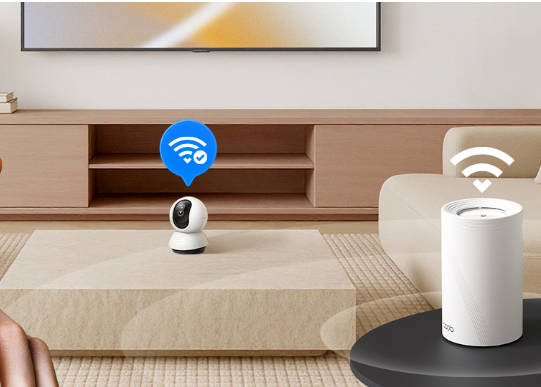
A Deco mesh Wi-Fi system is built for the whole home rather than a single room. Multiple units work together under one network name, so a smart camera or plug moving between rooms or tucked in a far corner of the house stays connected to the nearest node. That makes mesh the better choice if your smart devices are dropping in more than one spot, or if your home spans multiple floors or a larger footprint that a single router can't fully reach.
Stop the Guesswork and Fix the Cause
Devices keep disconnecting from Wi-Fi for one of five reasons: distance, a changed password, an overloaded network, outdated firmware, or a band mismatch. Once you know which one applies, the fix takes minutes.
For recurring credential and router issues, TP-Link's full product lineup includes TSS-supported devices that reconnect automatically. For coverage gaps, a Deco system or range extender solves it at the source. See TP-Link's guide to what smart home devices can do for ideas on where to take your setup next.
Frequently Asked Questions
Why do my smart home devices keep going offline?
It’s almost always one of five causes: weak signal, a changed Wi-Fi password or network name, a router handling more connections than it can manage, outdated firmware, or a device stuck on the wrong Wi-Fi band. Identify which one matches your situation, and the fix is usually quick.
How do I stop my smart devices from disconnecting from WiFi?
Start with distance and signal strength, the most common cause. If the device is far from the router, move the router, clear obstacles, or add a range extender or mesh node. Then confirm it's on the 2.4 GHz band and has the latest firmware.
Will changing my WiFi password disconnect my smart devices?
Yes. Every device using the old password loses its connection the moment you change it, since smart devices don't update saved credentials automatically. You'll need to reconnect each one through its app, unless it supports a feature like TSS that handles the update for you.
Does TP-Link TSS prevent smart devices from disconnecting?
TSS-supported devices reconnect automatically after a Wi-Fi password change or router swap, removing two common causes of mass disconnection. It doesn't fix weak-signal drops on its own. For that, coverage from a mesh system or range extender is still the answer.
What is the best router for a home with many smart devices?
Look for a router built to handle a high device count without slowing down, since older or entry-level models struggle most as a smart home grows. A mesh system is worth considering too, because it spreads coverage and connection capacity across multiple units instead of one router.