
Download for DS-P8000-X7
IMPORTANT:
Model and hardware version availability varies by region. Please refer to your TP-Link regional website to determine product availability.
Vx.0=Vx.6/Vx.8/Vx.9(eg:V1.0=V1.6/V1.8/V1.9)
Vx.x0=Vx.x6/Vx.x8/Vx.x9 (eg:V1.20=V1.26/V1.28/V1.29)
Vx.30=Vx.32/Vx.33 (eg:V3.30=V3.32/V3.33)
Vx.0=Vx.6/Vx.8/Vx.9(eg:V1.0=V1.6/V1.8/V1.9)
Vx.x0=Vx.x6/Vx.x8/Vx.x9 (eg:V1.20=V1.26/V1.28/V1.29)
Vx.30=Vx.32/Vx.33 (eg:V3.30=V3.32/V3.33)
- Manual
-
- DS-P8000-X7(UN)_V1_Installation Guide
- DeltaStream GPON Optical Line Terminal_Installation Guide(EU1_12 Languages)
- DeltaStream GPON Optical Line Terminal_Installation Guide(EU2_16 Languages)
- DeltaStream GPON Optical Line Terminal_Installation Guide(Asia-Pacific_6 Languages)
- DeltaStream GPON Optical Line Terminal_Installation Guide(America_4 Languages)
- DeltaStream GPON Optical Line Terminal_Installation Guide(Middle-East-Africa_2 Languages)
- OLT_User Guide.
- DPMS User Guide
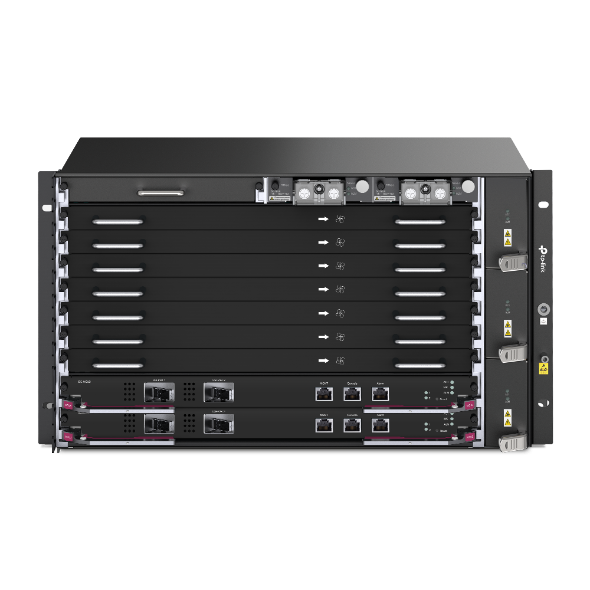 DeltaStream Chassis Optical Line Terminal-X7
FAQs
- How to test the speed of the TP-Link ISP-customized Router
- Port forwarding: How to set up Virtual Server on TP-Link ISP-customized Router
- How to back up and restore the configuration file of TP-Link ISP-customized devices
- What if the internet connection is slow when the device is connected to the TP-Link ISP-customized devices?
- How to set up an IPv6 connection on TP-Link ISP-customized devices
- How to configure IP & MAC Binding on TP-Link ISP-customized Router
- How to create Static Route on TP-Link ISP-customized Router