
Download für Tapo C630 KIT
IMPORTANT:
Model and hardware version availability varies by region. Please refer to your TP-Link regional website to determine product availability.
- Manual
Setup Video
-
How to Set Up Solar-Powered Pan/Tilt Security Camera Kit
-
How to Mount Your Solar-Powered Pan/Tilt Security Camera Kit
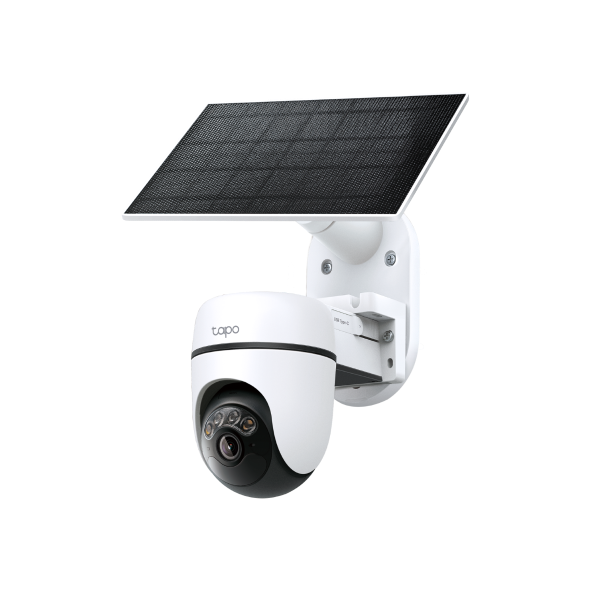
The Tapo Solar-Powered Pan/Tilt Security Camera Kit allows you to capture the perfect shot without the constraints of power outlet placement. You can combine them into one sleek unit for a neater appearance, or connect via an extension cable to maximize sun exposure. This video will guide you on how to mount the kit together or separately.
More Fold
Häufig gestellte Fragen
- How to Use the Encrypt microSD Card Feature on Tapo Cameras and Doorbells
- Wie kann ich mein Tapo-/Kasa-Gerät mit Amazon Alexa verwenden?
- Wie kann man die Tapo-Kamera bei einem anderen Konto (TP-Link ID) erneut einschreiben ?
- So überprüfen Sie die Stabilität der Netzwerkverbindung einer Tapo-Kamera
- So verbinden Sie Tapo- und Kasa-Smart-Geräte mit Google Home
- Welche TP-Link Tapo-Kameras/Geräte sind mit dem Tapo Hub kompatibel?
- So laden Sie Videos von Ihrer Tapo-Kamera oder -Türklingel herunter bzw. löschen sie
- Benachrichtigungen: So richten Sie Tapo- & Kasa-Benachrichtigungen in der Tapo App ein und verwalten sie
- Tapo-Kamera verbindet sich nicht mit Wi-Fi: Anleitung zur Fehlerbehebung
- Tapo-/Kasa-Kamera auf einem Google-Gerät streamen
- Warum erhalte ich keinen SMS-Verifizierungscode von der Tapo-App? So beheben Sie das Problem
- So verwenden Sie Widgets zur Steuerung von Tapo-Geräten
- Tapo Zuhause- und Abwesenheitsmodus: Was ist das und wie richten Sie die Modi für Kasa- und Tapo-Kameras und Türklingeln ein?
- Anleitung zur Installation und Formatierung einer SD-Karte für Tapo-Kameras
- So zeigen Sie Aufzeichnungen von der SD-Karte einer Kamera auf einem Computer an
- So beheben Sie Probleme, wenn die SD-Karte einer Tapo- oder Kasa-Kamera bzw. -Türklingel nicht formatiert oder erkannt wird
- Was kann ich tun, wenn die Firmware-Aktualisierung bei Tapo-/Kasa-Smart-Geräten fehlschlägt?
- Was tun, wenn Sie Ihre Tapo-Kamera in der Tapo-App nicht finden können?
- Was soll ich tun, wenn ich die Bestätigungs-E-Mail für die Registrierung einer TP-Link ID oder das Zurücksetzen des Passworts nicht erhalte?
- Nutzungslimits für AI Chat in Aireal verstehen
- Läuft der Akku deiner Tapo-Kamera schnell leer? Hier erfährst du, wie du das Problem beheben kannst!
- So lösen Sie Ihren Tapo Care-Einlösecode ein
- Was ist die TP-Link ID und wie erstellt man eine TP-Link ID?
- So löschen Sie Ihr TP-Link-Konto (TP-Link ID)
- So aktivieren Sie die 24/7-Aufzeichnung bei akkubetriebenen Tapo-Kameras
- So setzen Sie Ihre Tapo-Kamera auf die Werkseinstellungen zurück: Zwei Methoden
- Was ist die Aufweckempfindlichkeit bei Tapo-Akku-Kameras oder -Türklingeln?
- So konfigurieren Sie Zuhause und Räume in der Tapo App
- So richten Sie Geofencing in der Tapo/Kasa-App ein
- So übertragen Sie eine TP-Link Kamera/Türklingel über den Tapo Smart CentralHub auf einen Fernseher
- So richten Sie Ihre Tapo-Kamera mit der Tapo-App ein
- TapoCare-Erstattungsrichtlinie verstehen und TapoCare-Abonnement verwalten
- So erhalten Sie Diagnoseprotokolle von Tapo-Kameras und Türklingeln
- Tapo SD-Karten-Wiedergabeprobleme: Probleme bei der Videowiedergabe Ihrer Kamera beheben
- Allgemeine Fragen zu Tapo Care
- Announcement: IFTTT Services Ending for Tapo and Kasa Products
- Was kann ich tun, wenn ich mein Passwort für das Cloud-Konto vergessen habe (Tapo Smart Plug, Smart Camera, Smart Bulb)?
- Was kann ich tun, wenn ich mein Kasa-Gerät nicht mit Alexa / Google Home arbeiten lassen kann?
- Was passiert, wenn ich mich nicht anmelden kann oder die TP-Link ID nicht aktiviere?
- Wie kann ich neue Kameras zu meinem Tapo Care Plan hinzufügen?
- Wie kann ich mein Tapo Care-Abonnement upgraden oder downgraden?
- How to Fix No Sound and Audio Quality Issues on Your Tapo Camera or Doorbell
- How to Troubleshoot Tapo and Kasa Notifications Not Working or Delayed
- General Questions about Tapo/Kasa Geofencing
- How to use Timed Panoramic Photography function in Tapo app
- What is Video Summary
- How to fix a flickering issue on Live View of the Tapo Camera
- How to set up routines for Tapo devices via Alexa app
- Frequently asked questions about the SD Card Encryption feature
- How to use Alexa Snapshot with Tapo Cameras
- The most frequent asked questions about TP-Link Sales
- Wie kann ich beim Kauf von Tapo Care eine 3DS-Authentifizierung durchführen?
- How to unlink third-party accounts from your TP-Link ID
- Wie verbindet man Tapo-WLAN-Kameras/Türklingeln mit dem Tapo-Hub?
- How to verify if it’s the hardware issue of TP-Link smart home
- Warum benötigt TP-Link meine E-Mail-Adresse?
- Why do I receive a "We Noticed a New Login" email?
- How to create 3D Map in the Tapo App for Pad
- Set Privacy Zone for Tapo Camera and Doorbell
- How to update or change the payment method for Tapo Care or Kasa Care
- Tapo/Kasa Devices Appear Offline After Changing or Resetting the Router
- Warum muss ich TP-Link-Apps in IOS 14 lokale Zugriffsrechte erteilen?
- Wie registriere ich ein TP-Link-Produkt mit meiner TP-Link-ID?
- TP-Link Smart-Geräte können nicht mit Google Home verwendet werden
- Wie finde ich die Seriennummer auf TP-Link-Geräten?
- Wie finde ich die Modellnummer meines TP-Link Geräts?
- Wie finde ich die Hardware Version auf einem TP-Link Gerät?
Von United States?
Erhalten Sie Produkte, Events und Leistungen speziell für Ihre Region