What Is a Travel Router? And Do You Need One?
A travel router is a small, portable device that turns an existing Internet connection into your own private, secure Wi-Fi network. It can connect to hotel Wi-Fi, a wired Ethernet port, or your phone's mobile data. Instead of connecting your devices directly to whatever network is available, you connect them to your own. One login, one network, wherever you are.
If you've ever dealt with slow hotel Wi-Fi, had to sign in on each device separately, or wondered whether it's safe to work from a café network, this article covers what a travel router is, what it does, and how to know if it's the right fit for your travel setup.
Key Takeaways
- A travel router creates your own private Wi-Fi network wherever you go. It connects to hotel Wi-Fi, a wired Ethernet port, or your phone's mobile data and rebroadcasts it as a secure network just for your devices.
- It adapts to whatever connection is available. Most travel routers support Wi-Fi repeater, wired Ethernet, and phone tethering modes, so you're covered regardless of what the property offers.
- You only have to complete a hotel or public Wi-Fi login once. All your devices connect through the travel router automatically, with no separate sign-in on each one.
- You don't need to be technical to use one. Setup takes just a few minutes through a companion app and doesn't require any technical knowledge.
- It's a practical upgrade for anyone who travels with more than one device. If you regularly connect from hotels, Airbnbs, airports, or cafés, a travel router makes that experience simpler, more reliable, and more private.
What Is a Travel Router?
Most people have a router at home without thinking much about it. It takes the Internet connection coming into your home and creates the Wi-Fi network that all your devices connect to. A travel router does the same job, but in a much smaller package, and it's built to work with networks you don't own or control.
Instead of plugging into a fixed home connection, a travel router connects to whatever's available: the Wi-Fi at your hotel, an Ethernet port in a rental, or your phone's cellular data. From there, it creates a private Wi-Fi network that all your devices join, just like your home network, but portable.
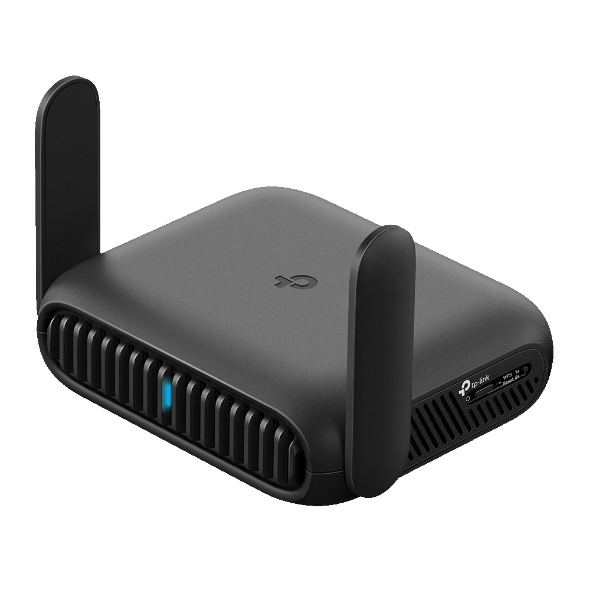
What makes it different from a regular home router is the combination of size and flexibility. A travel router fits in your bag, runs off a USB-C power source, and adapts to different types of connections depending on where you are. The result is your own familiar network that travels with you.
What Does a Travel Router Do?
Here's what it does for you day-to-day.
Your Own Private, Secure Network
When you connect directly to a hotel Wi-Fi or a café network, you're sharing that connection with every other guest or customer on it. A travel router sits between your devices and that shared network. Your devices connect to the travel router, which connects to the public network for them. This creates a private, password-protected bubble that other users on the same network can't see into.
Many travel routers also support VPN integration. A VPN (Virtual Private Network) encrypts the data traveling between your devices and the Internet, adding an extra layer of privacy. When you run a VPN at the router level, every device connected to your travel router gets that protection automatically, without any setup on each individual device. You can learn more in this guide to VPN routers.
Most hotel networks are fine for casual browsing, but if you're working remotely, handling sensitive files, or just prefer not to share a connection with strangers, a travel router is a smart, low-effort habit. Home network security is worth understanding if you connect to unfamiliar networks regularly.
A Faster, More Stable Connection
On a shared hotel or café network, the available connection speed is divided among everyone using it at the same time. During peak hours (evenings in a hotel, midday in an airport lounge), performance can drop significantly. A travel router creates a dedicated connection for your devices, which reduces that pressure and helps maintain more consistent speeds.
This is especially useful for video calls and streaming, where a stable connection matters more than raw speed. Drops and buffering during calls are often a congestion issue, not a speed issue. A travel router helps keep your connection consistent.
If your hotel room has a wired Ethernet port, plugging your travel router directly into it gives you an even more reliable connection. Wired connections are more stable than Wi-Fi, and the travel router then shares that stability wirelessly across all your devices.
Connects All Your Devices
One of the most practical benefits of a travel router is its ability to handle multiple devices. Once it's connected to the hotel or venue's network, all your devices (laptop, phone, tablet, e-reader) connect to your travel router the way they would at home. You don't re-enter passwords or repeat the hotel login on each device separately.
That's also true when you check in somewhere new. Your devices recognize the travel router's network automatically and connect without any extra steps. Your setup follows you from place to place. If you're traveling with a partner, friends, or family, everyone can connect to the same travel router and share the network without any extra configuration.
How Does a Travel Router Work?
If you've wondered how portable Wi-Fi works, the answer comes down to modes. A travel router connects to whatever Internet source is available, whether that's hotel Wi-Fi, a wired Ethernet port, or your phone's data, and rebroadcasts it as your own private network. Most travel routers support all three.
Wi-Fi Repeater Mode
In Wi-Fi repeater mode, the travel router connects to an existing Wi-Fi network (hotel, café, Airbnb) and shares it as your own private network. Your devices connect to the travel router rather than directly to the venue's network. This is the most common mode for hotel stays, and it means the travel router handles the hotel login page once for all your devices, so you don't have to do it separately on each one.
Wired (Ethernet) Mode
Many hotel rooms still include a wired Ethernet port, even if it's not prominently placed. In this mode, the travel router plugs directly into the port and converts that wired connection into a private Wi-Fi network for your devices. Wired connections are generally faster and more stable than Wi-Fi, so use this mode whenever you can.
Hotspot/Tethering Mode
In hotspot or tethering mode, the travel router connects to your phone's mobile data network instead of a venue's Wi-Fi network. This is useful when there's no external Wi-Fi available, such as in an RV, on the road between locations, or in a remote area. Your phone provides the Internet source, and the travel router shares it across all your other devices.
Travel Router vs. Mobile Hotspot: What's the Difference?
If a travel router can connect to your phone's data, you might be wondering: why not just use the hotspot on your phone directly?
A mobile hotspot is simple and built in. Most phones support it without any extra hardware, and it works fine for connecting one or two devices in a pinch. But it has real limitations. Running a hotspot drains your phone's battery quickly, uses your cellular data plan, and can get sluggish when several devices are connected at once.
A travel router does more than a hotspot. It connects to your phone's data and shares it more efficiently across multiple devices. It also adds a layer of privacy that a direct hotspot connection doesn't provide. And when hotel Wi-Fi or a wired Ethernet port is available, the travel router uses those instead, so your data plan stays intact.
Here's a practical scenario: you're working from an Airbnb where the Wi-Fi is unreliable. Your travel router connects to the Airbnb's network by default, but if the signal drops, you can switch to tethering mode and use your phone's data as a backup. Your devices stay connected either way, and you don't have to reconfigure each one when the source changes.
A travel router is the better choice when you're regularly connecting multiple devices, working remotely, or spending time in shared accommodations where network quality varies.
Who Should Use a Travel Router?
Travel routers aren't just for tech enthusiasts. They're for anyone who regularly connects to Wi-Fi outside their home and wants that experience to be simpler, more reliable, and more private. Here's who gets the most out of one.
Remote Workers and Digital Nomads
If you're working from Airbnbs, co-working spaces, cafés, or short-term rentals, the Wi-Fi quality is always an unknown. Some properties have fast, reliable connections. Others are shared across a dozen guests and slow down at the worst times. A travel router gives you a consistent, private setup regardless of what's going on with the underlying network.
For video calls with clients, colleagues, or anyone who needs you to be present and audible, a stable connection matters a lot. A travel router reduces the things that cause calls to drop or freeze. You don't need to test a new network every time you check in. Your setup works the same way it did yesterday.
Frequent Travelers
For anyone who stays in hotels regularly, the small frustrations of public Wi-Fi add up quickly. Logging in on each device separately, waiting for the hotel login page to load, dealing with slower speeds in the evening when every guest is online: a travel router takes care of all of it. You complete the hotel login once through the router, and every device you brought gets access automatically.
It's also worth thinking about the security angle. Hotel Wi-Fi is a shared, public network. Using a travel router creates a private barrier between your devices and that shared connection. For business travel where you might be accessing work systems, sending sensitive emails, or connecting to a company VPN, that separation is worth having. The same goes for airport connections, where public Wi-Fi is shared widely.
Families and Groups on the Road
Hotel Wi-Fi is often set up for one or two devices per room, not a family where multiple people are streaming, browsing, and video calling at the same time. A travel router creates a single, shared private network that handles everyone's devices together.
There's no juggling logins across four phones and two tablets. No one gets locked out because the hotel limits connections per guest. Everyone connects to the same router, the way they would at home. If you're asking yourself, do I need a travel router, and the answer is "I travel with multiple devices or multiple people," that's usually enough to say yes.
What to Look for in a Travel Router
If you've decided a travel router makes sense for your situation, here's what matters when you're choosing one. Think of this less as a spec sheet and more as a quick guide to what actually affects your experience on the road.
- Size and portability. A travel router should fit easily in a carry-on, day bag, or even a jacket pocket. If it's bulky or requires its own power adapter, it stops being a practical travel item.
- Setup simplicity. Look for a model that sets up in a few minutes through a dedicated app, without requiring any technical knowledge. The simpler, the better.
- Security features. WPA3 encryption and VPN support are good markers of a well-built, secure model. WPA3 is the current standard for Wi-Fi password protection, and VPN support at the router level means all your devices are covered without configuring each one separately. For more on what to look for in a VPN client setup, this guide walks through the basics.
- Battery vs. plug-in. Some travel routers have built-in batteries; others require a USB-C power source like a power bank or wall adapter. Consider your travel style. A battery-powered model offers slightly more flexibility, but USB-C compatibility with your existing charger is often just as convenient.
- Speed and Wi-Fi standard. Newer models on Wi-Fi 6 or Wi-Fi 7 offer faster, more efficient performance than older standards. This matters most if you rely heavily on video calls, regularly transfer large files, or connect many devices at once. For most everyday travel needs, any modern Wi-Fi standard will do the job well.
The best travel router is the one that fits your bag and your workflow. It doesn't need to be the most advanced model on the market. It just needs to solve your specific problem reliably.
TP-Link Travel Routers
TP-Link's RoamTM lineup is designed specifically for travelers and remote workers who want a reliable, private network on the road without a complicated setup. Both models are compact, USB-C powered, and managed through the TP-Link Tether app, which handles everything from initial setup to completing the hotel's login page in one step for all your devices.
TP-Link Roam™ 6 (AX3000)
The RoamTM 6 AX3000 is a solid, capable option for everyday travelers and remote workers. It runs on Wi-Fi 6, supports multiple operating modes to adapt to whatever connection is available, and includes VPN support and one-step hotel login through the Tether app. It's a reliable portable Wi-Fi router for anyone who wants straightforward, dependable connectivity on the road.
TP-Link Roam™ 7 (BE3600)
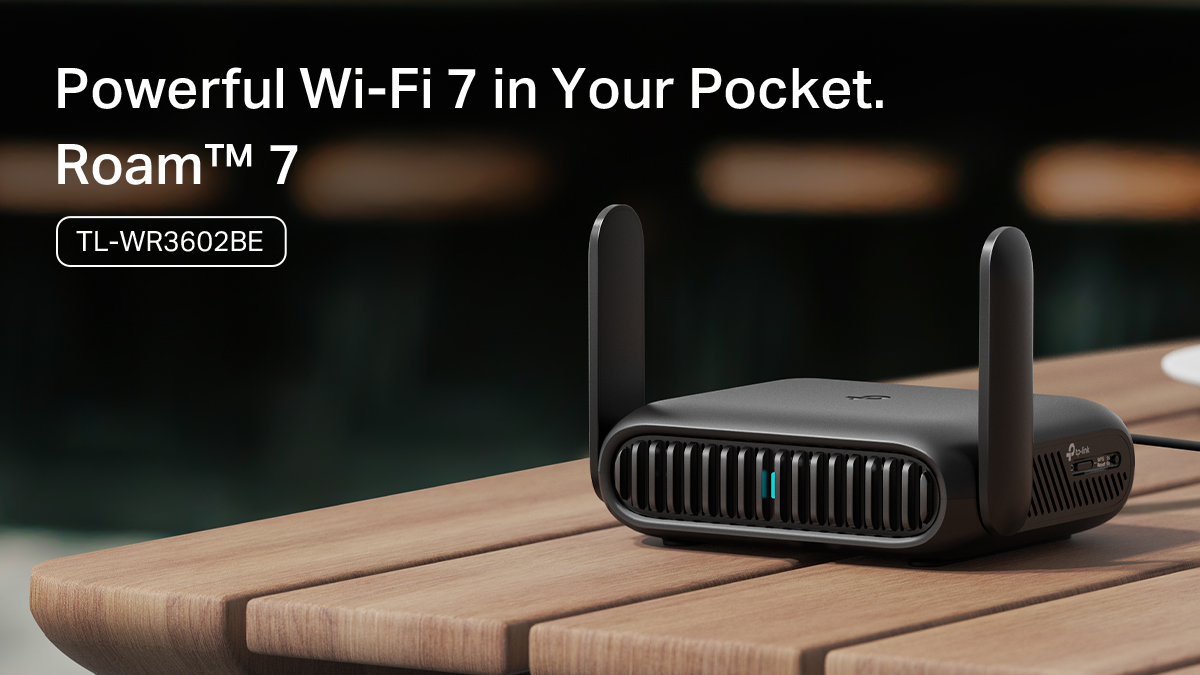
The RoamTM 7 BE3600 is TP-Link's Wi-Fi 7 travel router, built for travelers who rely heavily on their connection. That includes frequent video calls, multiple devices running simultaneously, or high-demand remote work. Wi-Fi 7 handles multi-device environments more efficiently and delivers more consistent performance in congested settings like hotels and airports. It includes the same core features as the RoamTM 6, with more headroom for users who push their connection harder.
Take Your Network With You
A travel router is a small device with a big impact on how you connect on the road. It removes the friction of hotel logins, keeps your devices on a private network, and gives you a consistent setup whether you're in a hotel room, an Airbnb, an airport lounge, or an RV.
It doesn't require technical expertise to set up, and it works with whatever connections are available where you are. For anyone who regularly works or travels outside their home, it's one of the more practical additions to a travel kit.
If you're ready to take your network with you, explore the full travel router lineup to find the option that fits your travel style.
FAQs
What is the difference between a travel router and a regular router?
A regular router connects to a fixed home Internet service. A travel router is compact and designed to work with connections you don't own, like hotel Wi-Fi, a wired Ethernet port, or your phone's mobile data. It's built for flexibility on the road rather than whole-home coverage.
Do I need a travel router if I already have a mobile hotspot?
A hotspot works fine for one or two devices, but a travel router is worth it if you're connecting multiple devices regularly, want to use hotel Wi-Fi or Ethernet instead of your data plan, or want a private network with VPN support. The two work well together; a travel router can use your hotspot as its Internet source.
Is a travel router worth it?
If you travel frequently with more than one device, or work remotely from hotels, Airbnbs, or shared spaces, yes. If you only travel occasionally and connect one device at a time, hotel Wi-Fi on its own is probably enough.
How do I set up a travel router in a hotel?
Setting up a travel router for hotel Wi-Fi typically takes just a few minutes. You plug the travel router into power, open a companion app on your phone, select the appropriate mode (usually Wi-Fi repeater mode for hotel Wi-Fi), and complete the hotel's login page once through the app. All your devices connect to your travel router's private network from that point on. No technical experience required.
Are travel routers secure?
Yes. A travel router creates a private, password-protected network that separates your devices from the shared public network around you. Models with WPA3 encryption use the current standard for Wi-Fi password protection, and VPN support at the router level encrypts all traffic for every device on your network automatically.