Best Wi-Fi Extenders and Repeaters: The Complete Buying Guide
Finding the best Wi-Fi extender starts with knowing what one does. It picks up your router's signal and rebroadcasts it into areas your router can't reach. TP-Link makes an extensive range of these devices, often called Wi-Fi repeaters or Internet extenders.
TP-Link’s Wi-Fi extenders span Wi-Fi 5 through Wi-Fi 7, including mesh-compatible options that keep one network name as you move through your home. This guide compares the full lineup so you can match a model to your dead zone, whether that's a back bedroom, a basement office, or a multi-story home.
In this guide:
- Comparison table of TP-Link's most versatile Wi-Fi extenders
- Wi-Fi repeater versus Wi-Fi extender: what's the difference
- Why shop TP-Link Wi-Fi extenders
- How to choose a Wi-Fi extender: key factors
- What affects price
- Considerations
- TP-Link Wi-Fi extenders, by generation
- TP-Link's best Wi-Fi extenders, by need
- Which Wi-Fi extender is right for you
- Frequently asked questions
Comparison Table
This table highlights TP-Link's most versatile, top-selling Wi-Fi range extenders across every generation. Use it as a quick reference before diving into the full breakdowns below.
|
Model |
Wi-Fi Generation |
Key Specs |
Good For |
|
Wi-Fi 7 |
5764 + 688 Mbps, 4 external antennas, 2.5 Gbps port, EasyMesh |
All-around balance of speed, coverage, and mesh support |
|
|
Wi-Fi 6 |
2402 + 574 Mbps, Gigabit port, EasyMesh |
One network name that follows you from room to room on a Wi-Fi 6 router |
|
|
Wi-Fi 7 tri-band |
5764 + 4323 + 688 Mbps, 4 external antennas, 2.5 Gbps port, EasyMesh |
Maximum coverage for large or multi-story homes |
|
|
Wi-Fi 5 |
433 + 300 Mbps, 10/100 port |
Affordable fix for a single dead zone |
|
|
Wi-Fi 7 tri-band |
5188 + 4320 + 688 Mbps, 4 external antennas, 2.5 Gbps port, EasyMesh |
Large-home coverage with a Wi-Fi 7 router |
|
|
Wi-Fi 7 |
2882 + 688 Mbps, 2 external antennas, 2.5 Gbps port, EasyMesh |
Stable bandwidth for gaming setups |
Wi-Fi Repeater vs. Wi-Fi Extender: What's the Difference?
For buying purposes, there isn't one. "Repeater" is the older term for this device category. "Extender" is the more common name today. Both describe the same hardware: a device that picks up your router's signal and rebroadcasts it into a weak-signal area.
You'll see these terms throughout this guide and while shopping. They mean the same thing.
Why Shop TP-Link Wi-Fi Extenders
TP-Link makes internet extenders across Wi-Fi generations, from Wi-Fi 5 through Wi-Fi 7, so you can match a model to the router you already own instead of guessing at compatibility. Mesh-compatible options are available, and price points span entry-level fixes to flagship tri-band models. Getting the right fit comes down to a few factors working together: generation, mesh support, coverage, and price, not one factor alone. The next few sections walk you through each one.
How to Choose a Wi-Fi Extender: Key Factors
Four factors decide whether an extender actually fixes your dead zone: generation, mesh support, coverage, and a wired connection if you need one.
Wi-Fi Generation: 5, 6, 6E, or 7
Wi-Fi 5 covers basic browsing and standard-definition streaming at entry-level speeds. Wi-Fi 6 adds capacity, so more devices can stay connected without slowing each other down. Wi-Fi 6E adds a dedicated 6 GHz band for a clearer, less crowded connection. Wi-Fi 7 delivers the fastest speeds and lowest latency of the four, with features like Multi-Link Operation (MLO) for smoother performance under heavy use.
Generation support is built into the hardware, not something a software update can add later. A Wi-Fi 6 extender can't become a Wi-Fi 7 extender, so match the extender's generation to what your home needs now.
Pairing an older router with a newer extender still helps: devices connecting to that extender can use the newer standard's features for the connection between the extender and the device. Your overall internet speed, though, is still capped by whatever the router-to-extender connection can carry.
Mesh vs. Non-Mesh
Mesh compatibility is one of the most important factors in this category. EasyMesh provides one network name and helps compatible devices roam between the router and extender as you move through your home.
A non-mesh extender doesn’t provide coordinated mesh roaming. It may use a separate SSID (the name your devices see when choosing a Wi-Fi network) or the same SSID, depending on configuration. Transitions between access points are largely handled by the client device.
Coverage Area
Some networking products publish estimated coverage figures, but actual extender coverage varies heavily by environment. Home layout, building materials, and the number of walls or floors between the extender and the dead zone all affect how far the signal reaches. Placement matters as much as the model you choose. An extender works best roughly halfway between your router and the area you're trying to fix.
Ethernet Port
A Wi-Fi extender with an Ethernet port lets you connect a device like a smart TV or game console directly, for a stable connection instead of relying on Wi-Fi. If a device in your home would benefit from that wired link, checking for this port narrows your options quickly.
What Affects Price
Pricing in this category depends on three things: Wi-Fi generation, mesh compatibility, and coverage area. An entry-level Wi-Fi 5 extender costs the least. It targets a single dead zone with basic speeds and no mesh support. Mid-tier Wi-Fi 6 models add faster speeds and often EasyMesh support for a moderate step up.
Flagship Wi-Fi 7 tri-band models command the highest prices. They combine the fastest available speeds, the largest coverage footprints, and full mesh compatibility in one device.
Considerations
- An extender can only work with the signal it receives. Placing it too close to the dead zone and too far from the router means it extends an already weak signal instead of fixing it.
- Non-mesh extenders create a separate network name, so your devices won't roam automatically to the strongest signal like they would on a mesh system.
- Extenders may reduce available bandwidth compared to a direct router connection, since many models use the same radio to receive and rebroadcast the signal.
- An extender's Wi-Fi generation caps what the extended network can deliver, no matter how fast your main router is.
TP-Link Wi-Fi Extenders
The sections below break down TP-Link's extenders by Wi-Fi generation, from entry-level Wi-Fi 5 models to flagship Wi-Fi 7 tri-band options.
Wi-Fi 5 Extenders
Wi-Fi 5 extenders offer everyday coverage upgrades at the lowest price point in the lineup. They're best suited for general dead-zone fixes where speed isn't the priority, such as extending basic Internet access to a garage or a spare room.
|
Model |
Max Speed |
Mesh Compatible |
Ethernet Port |
Coverage Area |
|
867 + 300 Mbps (AC1200) |
Yes |
Fast Ethernet |
Covers a single dead zone, with the option to add another EasyMesh device for whole-home coverage |
|
|
433 + 300 Mbps (AC750) |
No |
Fast Ethernet |
Covers a single dead zone as a straightforward, standalone fix |
Wi-Fi 6 and 6E Extenders
Wi-Fi 6 and 6E extenders step up speed, capacity, and mesh support compared to Wi-Fi 5. That makes them a solid match for a household with several connected devices. Wi-Fi 6E adds access to the 6 GHz band, providing additional spectrum with less interference from older Wi-Fi devices. This gives you a clearer, less congested connection where neighboring networks crowd the 2.4 and 5 GHz bands.
|
Model |
Max Speed |
Mesh Compatible |
Ethernet Port |
Coverage Area |
|
1201 + 574 Mbps (AX1800) |
Yes (OneMesh™) |
Gigabit |
Covers a single dead zone for households with a OneMesh™-compatible router |
|
|
2402 + 574 Mbps (AX3000) |
Yes (EasyMesh) |
Gigabit |
Extends a single dead zone with higher-capacity Wi-Fi 6 speeds |
|
|
574 + 2402 + 2402 Mbps tri-band (AXE5400) |
Yes (OneMesh™) |
Gigabit |
Covers larger, multi-room layouts with tri-band capacity for OneMesh™-compatible routers |
Wi-Fi 7 Extenders
If you already have a Wi-Fi 7 router, a Wi-Fi 7 extender carries that speed further into your home. Without one, an older extender becomes the bottleneck. These models are commonly tri-band, with higher throughput than previous generations, and full EasyMesh support across the range.
|
Model |
Max Speed |
Mesh Compatible |
Ethernet Port |
Coverage Area |
|
2594 + 688 Mbps (BE3200) |
Yes |
Gigabit |
Covers a single dead zone with reliable dual-band Wi-Fi 7 speeds |
|
|
2882 + 688 Mbps (BE3600) |
Yes |
2.5 Gbps |
Extends a single dead zone with stronger dual-band throughput and a faster wired link |
|
|
5764 + 574 Mbps (BE6300) |
Yes |
2.5 Gbps |
Reaches further into a single dead zone with four antennas |
|
|
5764 + 688 Mbps (BE6500) |
Yes |
2.5 Gbps |
Reaches further into a single dead zone with four antennas and top-tier dual-band Wi-Fi 7 speeds |
|
|
5188 + 4320 + 688 Mbps tri-band (BE10000) |
Yes |
2.5 Gbps |
Covers larger, multi-room layouts with tri-band Wi-Fi 7 capacity and four antennas |
|
|
5764 + 4323 + 688 Mbps tri-band (BE11000) |
Yes |
2.5 Gbps |
Covers demanding multi-room layouts with the fastest tri-band Wi-Fi 7 speeds in this lineup and four antennas |
Best TP-Link Wi-Fi Extenders
The picks below map a specific situation to a specific model, backed by the specs that support it.
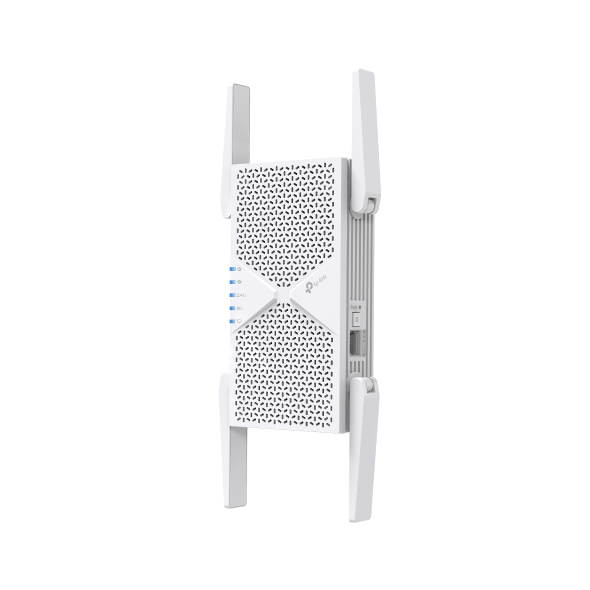
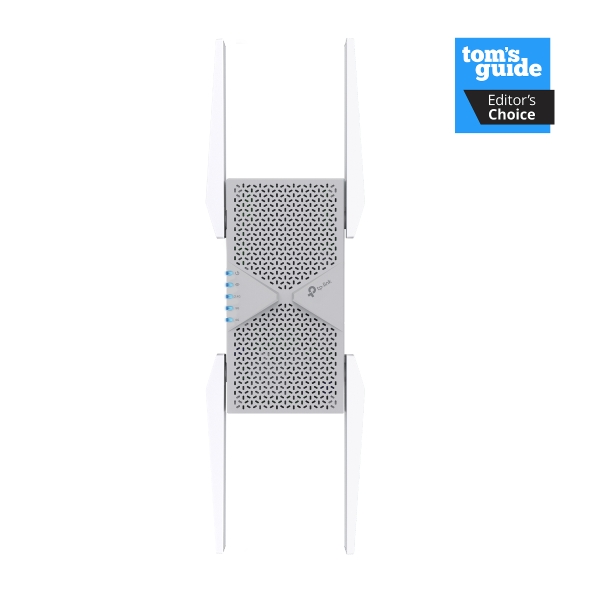
Best Overall Wi-Fi Extender: RE405BE
If you want the best Wi-Fi repeater for most homes, RE405BE delivers the strongest balance of coverage, speed, and mesh compatibility.
- Wi-Fi 7 (BE6500)
- 5764 + 688 Mbps
- 4 external antennas
- 2.5 Gbps Ethernet port
- EasyMesh-compatible
Best Mesh Wi-Fi Extender: RE715X
RE715X is the pick if you don't want to manually switch networks. It combines with an EasyMesh-compatible router under one network name, so devices hand off automatically as you move through your home.
- Wi-Fi 6 (AX3000)
- 2402 + 574 Mbps
- 2 external antennas + 4 internal amplifiers
- Gigabit Ethernet port
- EasyMesh-compatible
Best Budget Wi-Fi Extender: RE220
RE220 is an affordable, straightforward fix for a single dead zone. It doesn't include mesh support, but that trade-off keeps the cost down. If you just need a stable signal in one weak-coverage room, it covers the basics without sacrifice.
- Wi-Fi 5 (AC750)
- 433 + 300 Mbps
- 3 internal antennas
- Fast Ethernet port
- Mesh support varies by hardware version and firmare; check the specific RE220 version before buying.
Best Long-Range Wi-Fi Extender: RE655BE and RE653BE
RE655BE and RE653BE are built for maximum coverage in large or multi-story homes. Both are Wi-Fi 7 tri-band extenders with four external antennas and EasyMesh support, giving them the strongest reach in the lineup.
- Wi-Fi 7 tri-band (BE10000 or BE11000)
- Up to 5764/5188 + 4323/4320 + 688 Mbps (RE655BE/RE653BE)
- 4 external antennas
- 2.5 Gbps Ethernet port
- EasyMesh-compatible
Best Wi-Fi Extender for Gaming: RE235BE
For gaming, connection consistency, latency, and jitter matter more than headline bandwidth alone. The RE235BE supports Wi-Fi 7 MLO for compatible devices and includes a 2.5 Gbps Ethernet port for connecting a console or PC through the extender.
- Wi-Fi 7 (BE3600)
- 2882 + 688 Mbps
- 2 external antennas
- 2.5 Gbps Ethernet port
- EasyMesh-compatible
Best Wi-Fi Extender with an Ethernet Port: RE223BE
RE223BE is the pick for connecting a wired device, like a smart TV or console, through the extender itself. It brings Wi-Fi 7 BE3200 speeds together with a Gigabit Ethernet port and EasyMesh compatibility.
- Wi-Fi 7 (BE3200)
- 2594 + 688 Mbps
- 2 external antennas
- Gigabit Ethernet port
- EasyMesh-compatible
[IMAGE SUGGESTION: Diagram/graphic. A visual mapping each "best" category above to its recommended model, styled to match the Buyer Decision Table below.]
Which Wi-Fi Extender Is Right for You?
Match your situation to the best Wi-Fi range extender for your home in the table below.
|
Situation |
Recommended Model |
|
Single dead zone, general use |
|
|
Large or multi-story home |
|
|
Want one network name with no manual switching |
|
|
Wired device (smart TV, console) needs a connection |
|
|
Gaming setup |
|
|
Newer Wi-Fi 7 router, entry-level upgrade |
Find the Right Fit and Fix Your Dead Zone
Two things decide whether an extender fixes your dead zone: matching its Wi-Fi generation to your router, and matching its mesh support, if your router has any, to the right type. Get those right, and placement is what determines whether you see the full benefit.
Once you know which generation and mesh type you need, browse the full range extender lineup to compare your options.
Frequently Asked Questions
Which is better, a Wi-Fi booster or extender?
“Wi-Fi booster" is an informal term that can mean an extender, a repeater, or even a mesh node, depending on who's using it. A Wi-Fi extender is the more precise term: it captures your router's existing signal and retransmits it to cover a weak-signal area. If a product is marketed as a "booster," it's most likely a standard extender sold under a different name.
What is the best Wi-Fi extender for home use?
It depends on your situation. A single dead zone calls for an affordable model like the RE220. A large or multi-story home benefits more from a tri-band Wi-Fi 7 extender like the RE655BE. Matching your router's generation and deciding on mesh support are the two factors that narrow it down fastest.
Which Wi-Fi extender is the best?
There isn't one extender that's best for everyone. The right choice depends on your home's size, your router's generation, and whether you want mesh roaming. The RE405BE performs well across the board, with strong speed, solid coverage, and built-in mesh support.
Which brand of Wi-Fi extender is best?
TP-Link is a top provider of Wi-Fi devices and serves 170+ countries. Its extender lineup spans Wi-Fi 5 through Wi-Fi 7, with mesh-compatible options throughout. Beyond brand, look for a model that matches your router's Wi-Fi generation and includes mesh support if automatic roaming matters to you.
Where should I place my Wi-Fi extender?
Place your extender roughly halfway between your router and the dead zone, avoiding corners, thick walls, and large appliances. Most extenders include a signal indicator light to help you find the sweet spot. Too close to the router wastes the extension; too close to the dead zone leaves it working with an already weak signal.
What is a Wi-Fi repeater?
A Wi-Fi repeater is the older term for what's now more commonly called a Wi-Fi extender. Both describe the same type of device: hardware that extends your router's reach into rooms it can't cover on its own. You may see both terms used interchangeably while shopping.