
Come trovare in Kasa la versione firmware del vostro dispositivo Smart Home
Nota: è stata presa qui come esempio una Lampadina Smart.
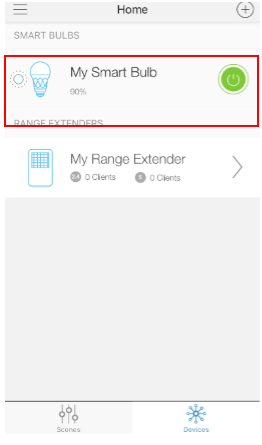
Passo 1: fate login a KASA, quindi tappate il vostro dispositivo
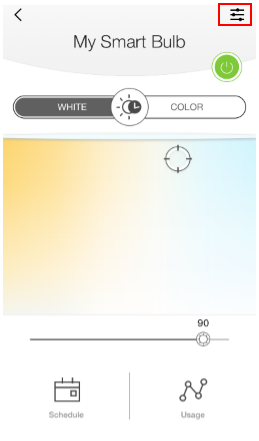
Passo 2: tappate il tasto ‘Settings’
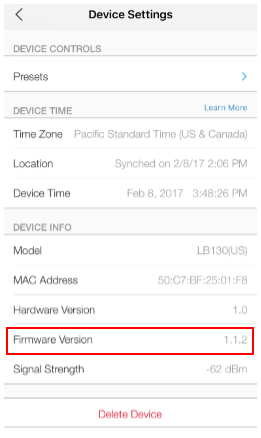
Passo 3: scorrete verso il basso fino alla sezione Device Info.
Questa faq è utile?
Your feedback helps improve this site.

TP-Link Community
Still need help? Search for answers, ask questions, and get help from TP-Link experts and other users around the world.