
Download for M7005
- Product Overview
- Manual
-
- Mobile Wi-Fi(Asia-Pacific_7 Languages)_Quick Installation Guide
- Mobile Wi-Fi(EU2_16 Languages)_Quick Installation Guide
- Mobile Wi-Fi(South-America_3 Languages)_Quick Installation Guide
- Mobile Wi-Fi(EU1_12 Languages)_Quick Installation Guide
- 4G Mobile Wi-Fi Features_User Guide
- Statements of PSTI Compliance_TP-Link
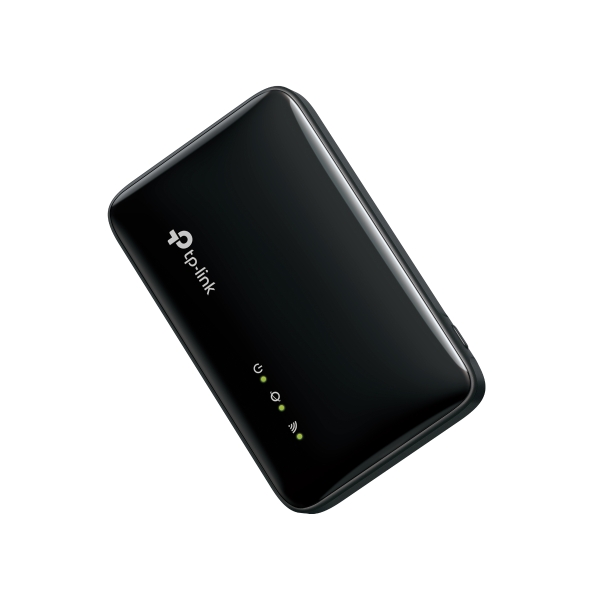 4G LTE Mobile Wi-Fi
ISP File
An ISP file upgrade can update ISP information into the latest verison to improve it's current compatibility.
To Upgrade
IMPORTANT: To prevent upgrade failures, please read the following before proceeding with the upgrade process
- Please upgrade ISP file from the local TP-Link official website of the purchase location for your TP-Link device, otherwise it will be against the warranty. Please click here to change site if necessary.
- Please verify the hardware version of your device for the firmware version. Wrong ISP file upgrade may damage your device and void the warranty. (Normally V1.x=V1)
How to Find the Hardware Version on Your TP-Link Device - Do NOT turn off the power during the upgrade process, as it may cause permanent damage to the product.
- To avoid wireless disconnect issue during ISP file upgrade process, it's recommended to upload ISP file with wired connection unless there is no LAN/Ethernet port on your TP-Link device.
- It's recommended that users stop all Internet applications on the computer, or simply disconnect Internet line from the device before the upgrade.
- Use decompression software such as WinZIP or WinRAR to extract the file you download before the upgrade.
|
ISP_upgrade_asr(EU) |
Download | |
|---|---|---|
| Published Date: 2026-07-06 | Language: English | File Size: 28.63 KB |
Operating System: Windows/Mac OS/Linux |
||
|
|
||
FAQs
- How to Set System Time for TP-Link Mobile Wi-Fi Router
- How to Change Your TP-Link Device Admin Password
- How to Submit the Shipping Address for Part Replacement
- Troubleshooting for Wi-Fi disconnecting issue on TP-Link MiFi devices
- Troubleshooting when TP-Link Mobile Wi-Fi device runs out of battery relatively fast
- How to Register a Product on TP-Link Product Registration System
- Why do I need to give Local Network permission to TP-Link apps in iOS devices?
- Troubleshooting a Single Device Not Connecting to Your TP-Link Wireless Network
- How to Find the Model Number of Your TP-Link Device
- How to upgrade firmware of TP-Link 4G Mobile Wi-Fi
- What should I do if I don’t receive the verification email for TP-Link ID registration or password reset?
- How to connect computers/phones to a wireless network
- How to Change the Wi-Fi Password and Settings on a TP-Link Mobile Wi-Fi Router
- How to Find the Serial Number (S/N) on Your TP-Link Device
- How to Find the Hardware Version on Your TP-Link Device
Firmware
A firmware update can resolve issues that the previous firmware version may have and improve its current performance.
To Upgrade
IMPORTANT: To prevent upgrade failures, please read the following before proceeding with the upgrade process
- Please upgrade firmware from the local TP-Link official website of the purchase location for your TP-Link device, otherwise it will be against the warranty. Please click here to change site if necessary.
- Please verify the hardware version of your device for the firmware version. Wrong firmware upgrade may damage your device and void the warranty.
How to Find the Hardware Version on Your TP-Link Device - Do NOT turn off the power during the upgrade process, as it may cause permanent damage to the product.
- To avoid wireless disconnect issue during firmware upgrade process, it's recommended to upload firmware with wired connection unless there is no LAN/Ethernet port on your TP-Link device.
- It's recommended that users stop all Internet applications on the computer, or simply disconnect Internet line from the device before the upgrade.
- Use decompression software such as WinZIP or WinRAR to extract the file you download before the upgrade.
|
M7005(EU)_V1_1.0.5 Build 260623 |
Download | |
|---|---|---|
| Published Date: 2026-09-08 | Language: Multi-language | File Size: 22.09 MB |
|
New Features/Enhancement: Bug Fixes: |
||
To Use Third Party Firmware In TP-Link Products
Some official firmware of TP-Link products can be replaced by the third party firmware such as DD-WRT. TP-Link is not obligated to provide any maintenance or support for it, and does not guarantee the performance and stability of third party firmware. Damage to the product as a result of using third party firmware will void the product's warranty.
Open Source Code For Programmers (GPL)
Please note: The products of TP-Link partly contain software code developed by third parties, including software code subject to the GNU General Public Licence (“GPL“), Version 1/Version 2/Version 3 or GNU Lesser General Public License ("LGPL"). You may use the respective software condition to following the GPL licence terms.
You can review, print and download the respective GPL licence terms here. You receive the GPL source codes of the respective software used in TP-Link products for direct download and further information, including a list of TP-Link software that contain GPL software code under GPL Code Center.
The respective programs are distributed WITHOUT ANY WARRANTY; without even the implied warranty of MERCHANTABILITY or FITNESS FOR A PARTICULAR PURPOSE. See the respective GNU General Public License for more details.