
如何在有人連線到你的 Wi-Fi 時收到新裝置提醒
本指南將說明如何在 TP-Link 路由器上啟用新裝置連線通知功能。啟用後,每當有新裝置連線至您的網路,Tether App 就會傳送通知,協助您監控是否有未知或未經授權的裝置存取網路。
重點整理
- 在 Tether App 中,依序前往應用程式設定 > 通知,即可啟用新裝置連線通知。
- 您的路由器必須支援 HomeShield,並已綁定至 TP-Link ID。
- 啟用後,每當有新裝置連線至您的網路,App 就會傳送通知。
- 所有支援 HomeShield 的 TP-Link 路由器型號皆可使用此功能。
使用條件
1. 您的 TP-Link 路由器必須支援 HomeShield。如果不確定,請至我們的官方網站查看產品規格。
2. 您已在 Tether App 中使用 TP-Link ID 登入。
3. 您的路由器已綁定至相同的 TP-Link ID。(Tether App > 更多 > 管理員 > 綁定)
設定指南
請依照以下步驟啟用新裝置連線通知:
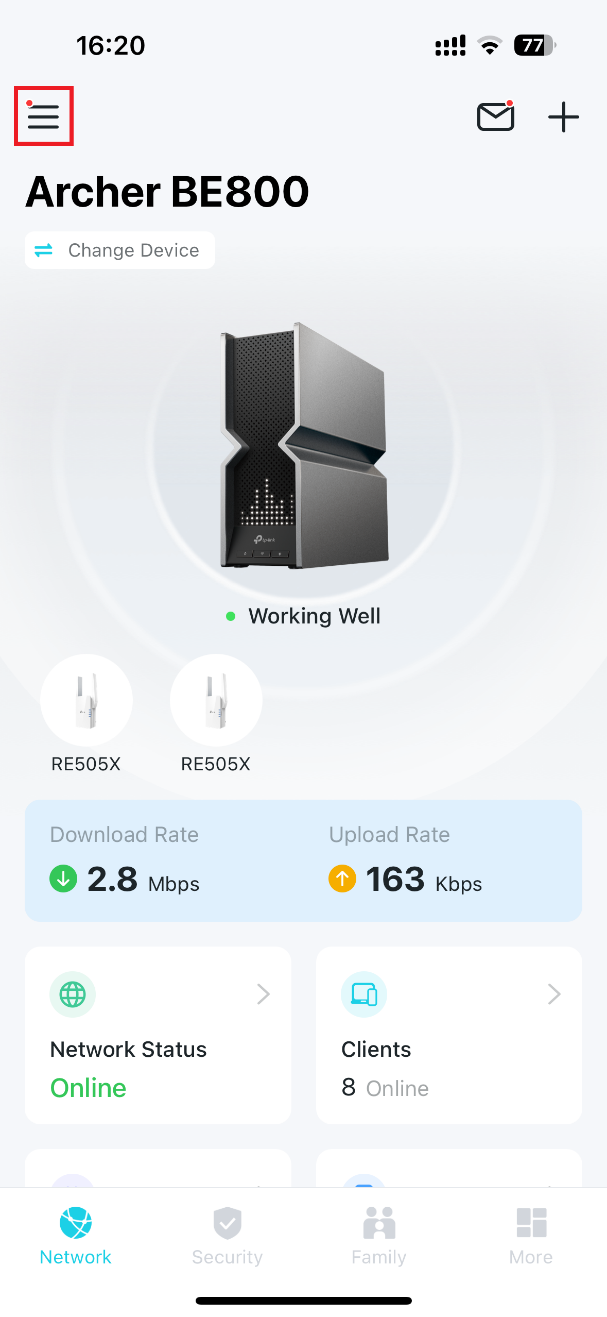
1. 在手機上開啟 Tether App,然後點選左上角的 ≡(三條線)圖示,開啟選單。
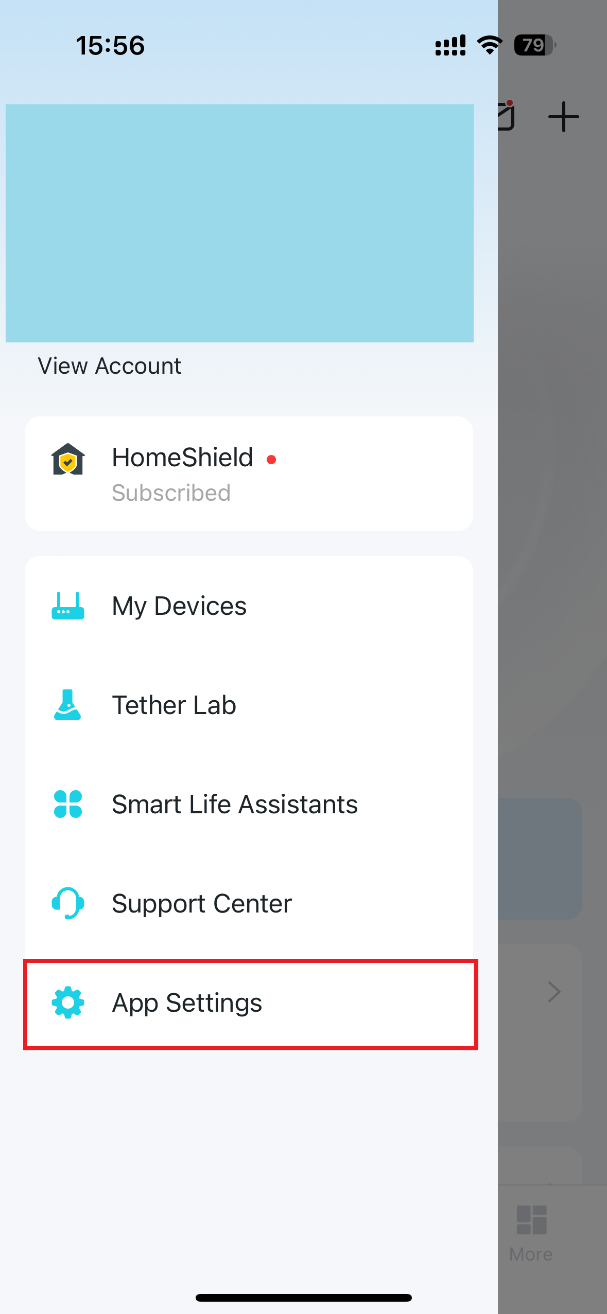
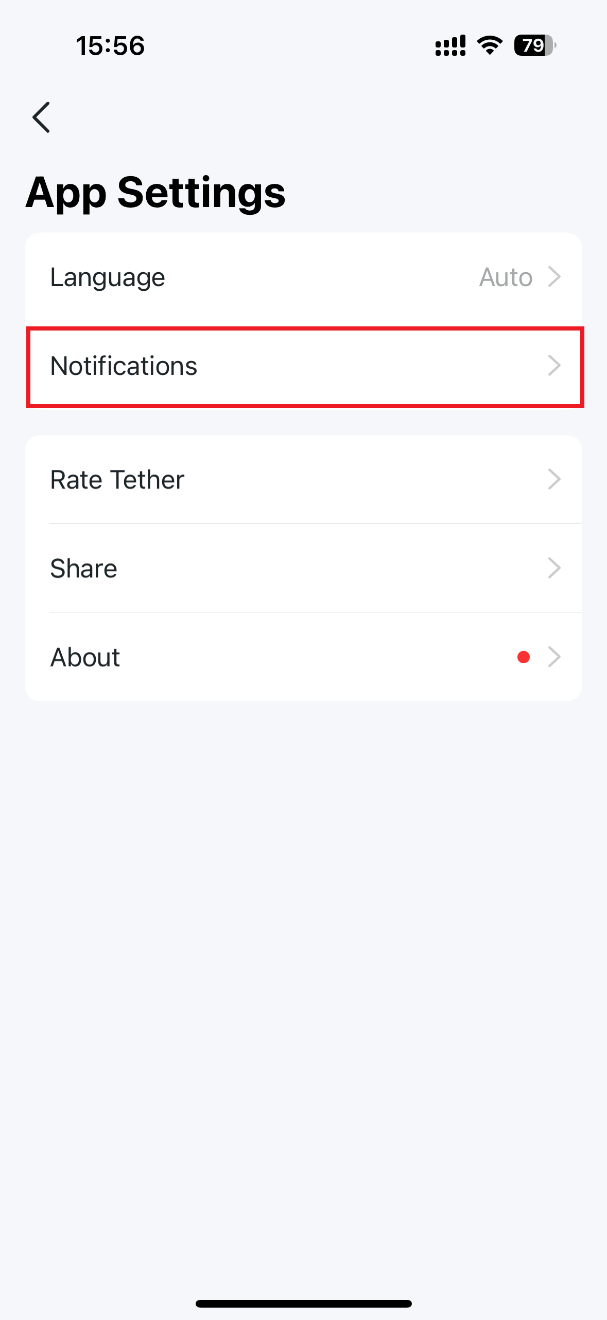
2. 前往應用程式設定 > 通知,開啟通知開關,再啟用新裝置連線通知,最後點選右上角的儲存,即可套用設定。
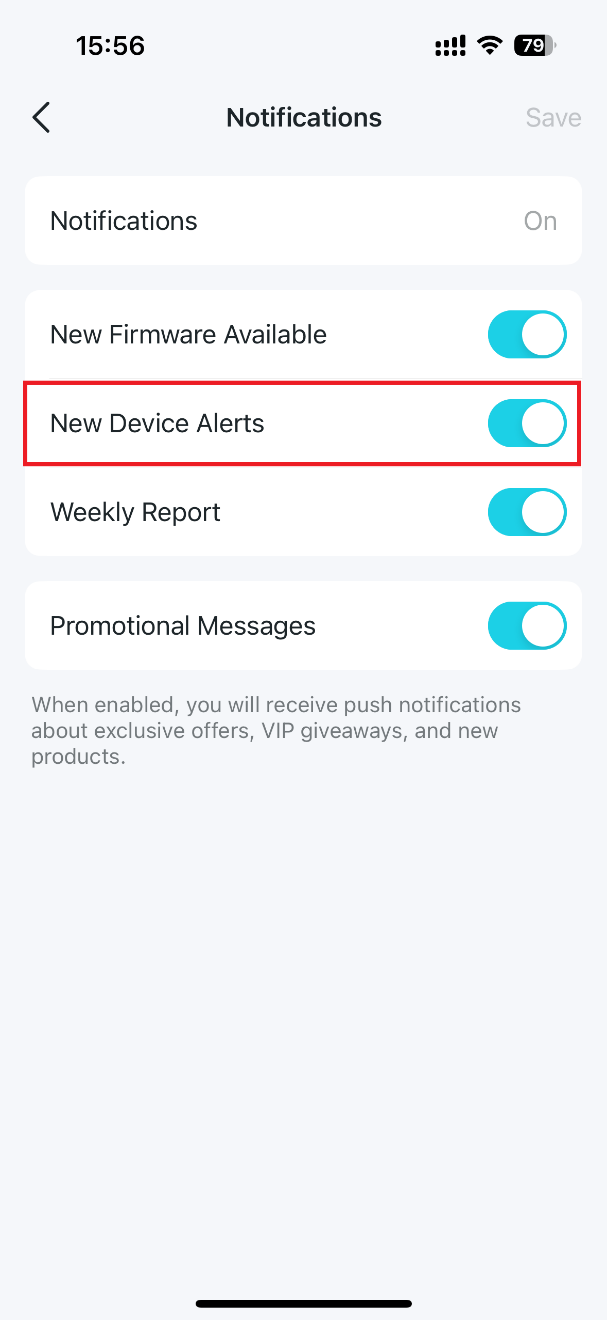
啟用後,每當有新裝置連線至您的 Wi-Fi 網路,Tether App 就會自動傳送通知。
如需進一步了解各項功能與設定的詳細資訊,請前往下載中心,下載您所使用產品的使用手冊。
```
更多相關文章
這篇faq是否有用?
您的反饋將幫助我們改善網站
_normal_20250418093949d.png)


TP-Link Community
Still need help? Search for answers, ask questions, and get help from TP-Link experts and other users around the world.