Best Mesh WiFi Systems for Philippine Homes in 2026
Published: January 10, 2025 | Last updated: July 2026
Published: January 10, 2025 · Last Updated: July 2026
Quick Answer: Best Mesh WiFi Systems Philippines
-
The Deco X20 is the best budget mesh system for small- to medium-sized Philippine homes, delivering reliable WiFi 6 coverage up to 5,800 sq ft with a 3-pack at the most accessible price point in the lineup.
-
The Deco X95 is the best high-performance option for large homes and device-dense households, with tri-band WiFi 6 speeds up to 7,800 Mbps and up to 6,100 sq ft of coverage for a 2-pack.
-
The Deco BE25 is the best future-proof pick for households ready to move to WiFi 7, offering 5 Gbps speeds and HomeShield security at a more accessible price point than flagship tri-band WiFi 7 systems.
As homes fill with smart devices like security cameras, smart sensors, streaming platforms, and gaming systems, the demand on home WiFi grows every year. Traditional routers cover smaller spaces well but struggle in larger homes or multi-floor layouts. Wi-Fi mesh networking systems come in to solve exactly that problem.
This guide compares the best WiFi mesh system options available for Philippine households today.
Table of Contents
What Is a WiFi Mesh-Networking System
Why Choose a Mesh System Over a Traditional Router
What to Look For in a Mesh System
Best WiFi Mesh Systems for Philippine Homes
Tips for Optimizing Your Mesh Network
Disadvantages of a Mesh Network
Is Mesh WiFi Compatible With All My Devices
What Is a WiFi Mesh-Networking System
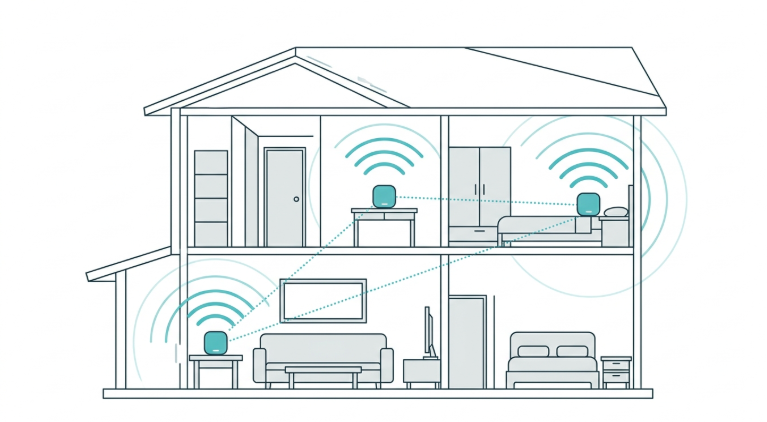
A WiFi mesh networking system is a multi-device solution that eliminates dead zones and delivers consistent coverage throughout your home. Unlike a traditional router broadcasting from a single point, mesh systems use multiple nodes to create one unified network, with each node communicating with the others to maintain a reliable connection wherever you are in the home.
For the full technical explainer on how mesh technology works, see What Is a Mesh WiFi Network and How Does It Work.
Why Choose a Mesh System Over a Traditional Router
-
Wide coverage. Mesh systems eliminate dead zones, ensuring strong signals in every corner of your home, including WiFi dead spots that have persisted for years with a single router.
-
Scalability. Add more nodes as needed to expand coverage without replacing your existing setup.
-
Unified network. Mesh systems eliminate dead spots under one shared network name, so you never switch networks as you move around your home.
-
Advanced features. Many systems include parental controls, guest networks, and advanced security features built into the companion app.
-
Ease of use. Mesh systems are often easier to set up and manage day-to-day than configuring a traditional router and separate extenders.
What to Look For in a Mesh System
Coverage area. Determine the size of the space you need to cover. Mesh systems specify coverage range per pack size, so choose one that fits your home's actual square footage rather than assuming any mesh system will do.
WiFi standard. Look for systems that support Wi-Fi 6 or Wi-Fi 6E for faster speeds, better performance in congested areas, and improved efficiency. WiFi 7 systems are now entering the mid-range price tier and are worth considering for future-proofing.
Speed and bandwidth. Higher speeds are essential for gaming, 4K streaming, and supporting multiple devices simultaneously. Match the system's rated speed to your PLDT, Globe, or Converge plan tier. A system rated well below your planned speed becomes the bottleneck.
Number of nodes. Most mesh systems come with two or three nodes in a pack, with additional nodes purchasable separately. Confirm that the system you choose allows easy expansion if your needs grow.
Parental controls and security. Advanced security features like WPA3 encryption and robust parental controls protect your network and help manage your family's internet usage.
Ease of setup and management. Choose a system with an intuitive app for setup and network management, including device priority and network diagnostics.
Wired backhaul support. Some mesh systems support wired connections between nodes for maximum performance, especially useful in large homes or homes with thick concrete walls common across Philippine subdivisions.
Best WiFi Mesh Systems for Philippine Homes
Here are the current, verified TP-Link mesh options for a range of needs and budgets.
1. TP-Link Deco X20
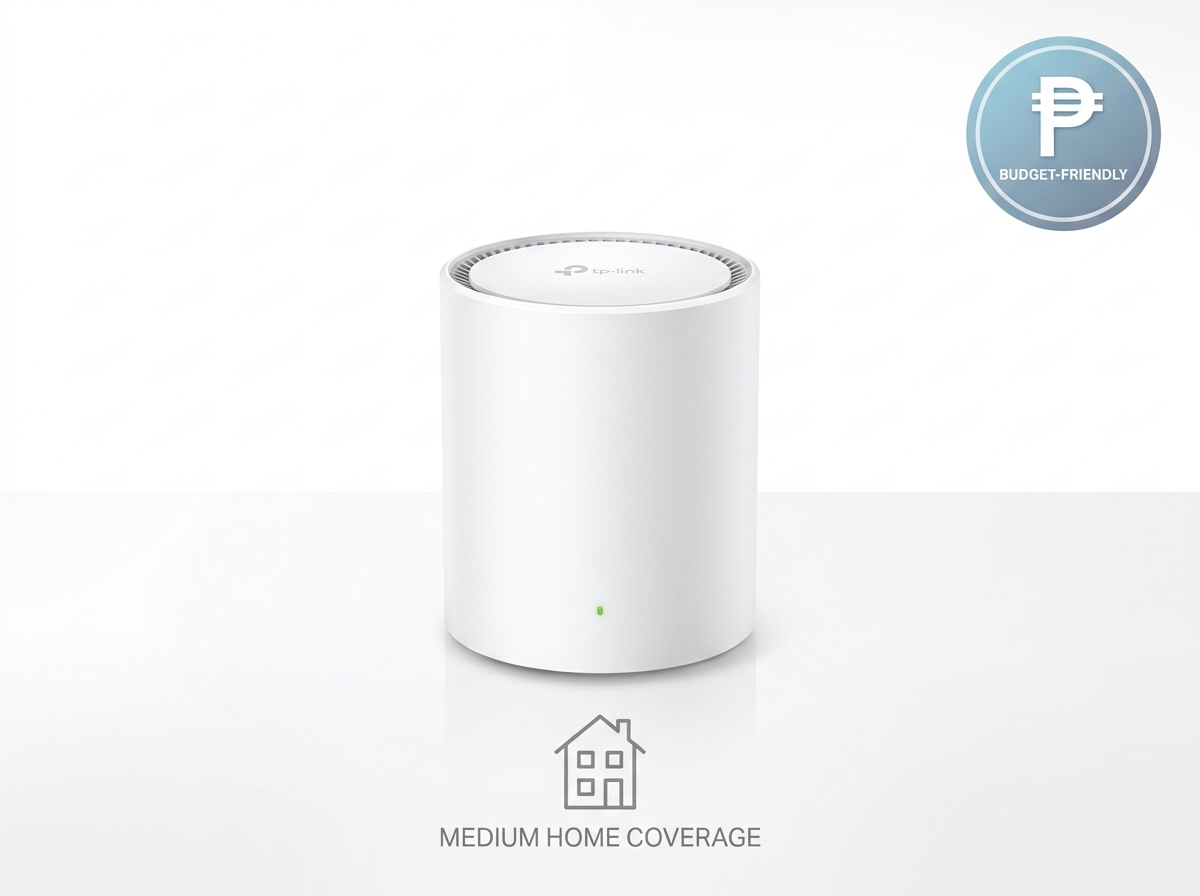
Key features: WiFi 6, dual-band, speeds up to 1,800 Mbps (1,201 Mbps at 5 GHz and 574 Mbps at 2.4 GHz), coverage up to 5,800 sq ft with a 3-pack, and support for up to 150 devices.
Why it's great: TP-Link Deco X20 is a versatile, affordable option that delivers reliable WiFi 6 performance. Its dual-band design covers small to medium-sized Philippine homes well, making it the strongest pick for families and budget-conscious buyers who still want genuine WiFi 6 speeds rather than an older WiFi 5 system.
2. TP-Link Deco X60
Key features: WiFi 6, dual-band, speeds up to 5,400 Mbps (4,804 Mbps at 5 GHz and 574 Mbps at 2.4 GHz), coverage up to 5,300 sq ft with a 2-pack, and robust parental controls.
Why it's great: TP-Link Deco X60 balances affordability and performance, making it an excellent step-up choice for families and mid-sized homes that want noticeably faster 5 GHz speeds than the X20 without moving to a tri-band system.
3. TP-Link Deco X50
Key features: WiFi 6, dual-band, speeds up to 3,000 Mbps (2,402 Mbps at 5 GHz and 574 Mbps at 2.4 GHz), coverage up to 6,500 sq ft with a 3-pack, and HomeShield security.
Why it's great: TP-Link Deco X50 delivers strong mid-tier performance with one of the largest coverage footprints in the dual-band lineup. It is well-suited for medium to large Philippine homes that want solid speed and wide coverage without paying for tri-band hardware.
4. TP-Link Deco X95
Key features: WiFi 6, tri-band, speeds up to 7,800 Mbps (4,804 Mbps + 2,402 Mbps at 5 GHz and 574 Mbps at 2.4 GHz), coverage up to 6,100 sq ft with a 2-pack, AI-driven mesh technology, and a 2.5 Gbps WAN/LAN port.
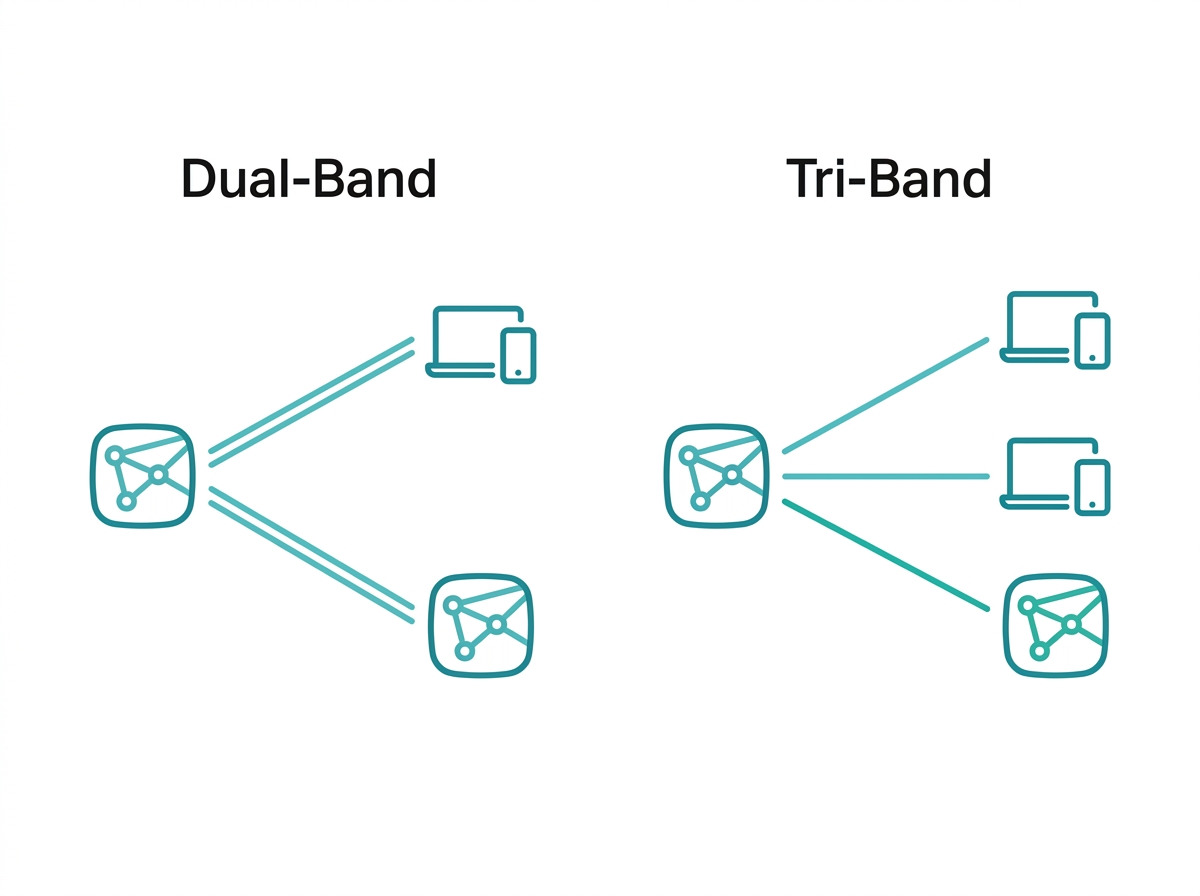
Why it's great: The TP-Link Deco X95 excels in performance thanks to its tri-band design, which dedicates a separate band to node-to-node backhaul rather than sharing bandwidth with your devices. This makes it ideal for large homes with high device counts, ultra-HD streaming, gaming, and multiple simultaneous connections during peak hours.
5. TP-Link Deco BE25
Key features: WiFi 7, dual-band, speeds up to 5,000 Mbps (4,324 Mbps at 5 GHz and 688 Mbps at 2.4 GHz), two 2.5 Gbps WAN/LAN ports per unit, combined wireless and wired backhaul, and HomeShield security.
Why it's great: As TP-Link's accessible entry into WiFi 7, the Deco BE25 offers meaningful speed and latency improvements over WiFi 6 systems while staying below flagship tri-band WiFi 7 pricing. It is the right pick for tech-forward households who want to future-proof their network now rather than waiting for a full system replacement later.
A note on the Deco X90: TP-Link Deco X90 has been discontinued and is now listed as end-of-life on TP-Link's official PH catalog. If you already own a Deco X90, it remains fully functional and can still expand with additional X90 units.
Tips for Optimizing Your Mesh Network
Strategic node placement. Place nodes in open, central locations to maximize coverage. Avoid placing them near thick walls, large metal objects, or other electronics that could cause interference, which is relevant in Philippine homes with reinforced concrete walls and floors.
Update firmware regularly. Keep your mesh system's firmware current to ensure optimal performance and security.
Monitor network usage. Use the TP-Link Deco app to track which devices are connected to your network, identify bandwidth-heavy devices, and prioritize important ones.
Use Ethernet backhaul. Connect nodes with Ethernet cables where possible. This reduces wireless congestion and ensures faster, more consistent speeds, especially in homes with thick walls between floors.
Customize settings. Use Quality of Service (QoS) features to prioritize gaming or streaming devices, and set up parental controls to manage children's internet usage during peak hours.
Setting Up Your Mesh System
Setting up a WiFi mesh system is simple: download the app, connect the main node to your modem, place additional nodes throughout your home, configure your network settings, and test for dead zones.
For the complete step-by-step walkthrough, including Philippine-specific node placement guidance for concrete homes, see Setting up a WiFi mesh system, including TP-Link Deco and other mesh platforms.
Disadvantages of a Mesh Network
Mesh networks offer great coverage and reliability, but they do have trade-offs worth knowing before you buy.
-
Cost. Mesh systems are more expensive than traditional routers or WiFi extenders, since you typically buy multiple units.
-
Setup complexity. Although most brands make setup easy, installing multiple nodes and optimizing placement can be tricky for some users on the first attempt.
-
Speed drops with hops. In some mesh systems, data may slow slightly as it travels through multiple nodes, especially without dedicated backhaul channels. This is the core advantage tri-band systems like the X95 offer over dual-band models.
-
Overkill for small spaces. If you live in a small apartment or only need WiFi in a few rooms, a full mesh system may be unnecessary; a single router or a WiFi extender will likely serve you better.
-
Dependency on power and placement. Each node needs a power source and correct placement to perform well. Poor placement weakens the entire system's performance.
Is Mesh WiFi Compatible With All My Devices
Mesh WiFi systems are compatible with all WiFi-enabled devices, including smartphones, laptops, smart TVs, and smart home devices. Mesh systems support standard WiFi protocols like 802.11ac or 802.11ax (WiFi 6), so they work with both older and newer devices.
However, to take full advantage of a mesh network's enhanced speed and coverage, your devices need to support the same WiFi standards the mesh system offers. Older devices will still work, but they will not experience advanced features like WiFi 6 speeds if your mesh system supports them and your device does not.
Mesh Router vs Range Extender
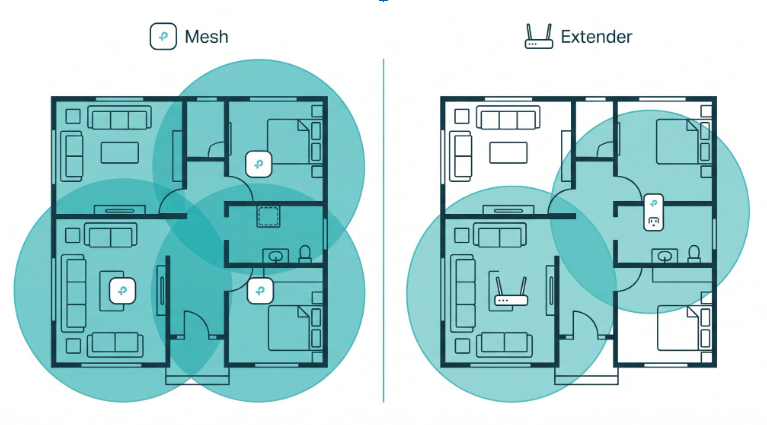
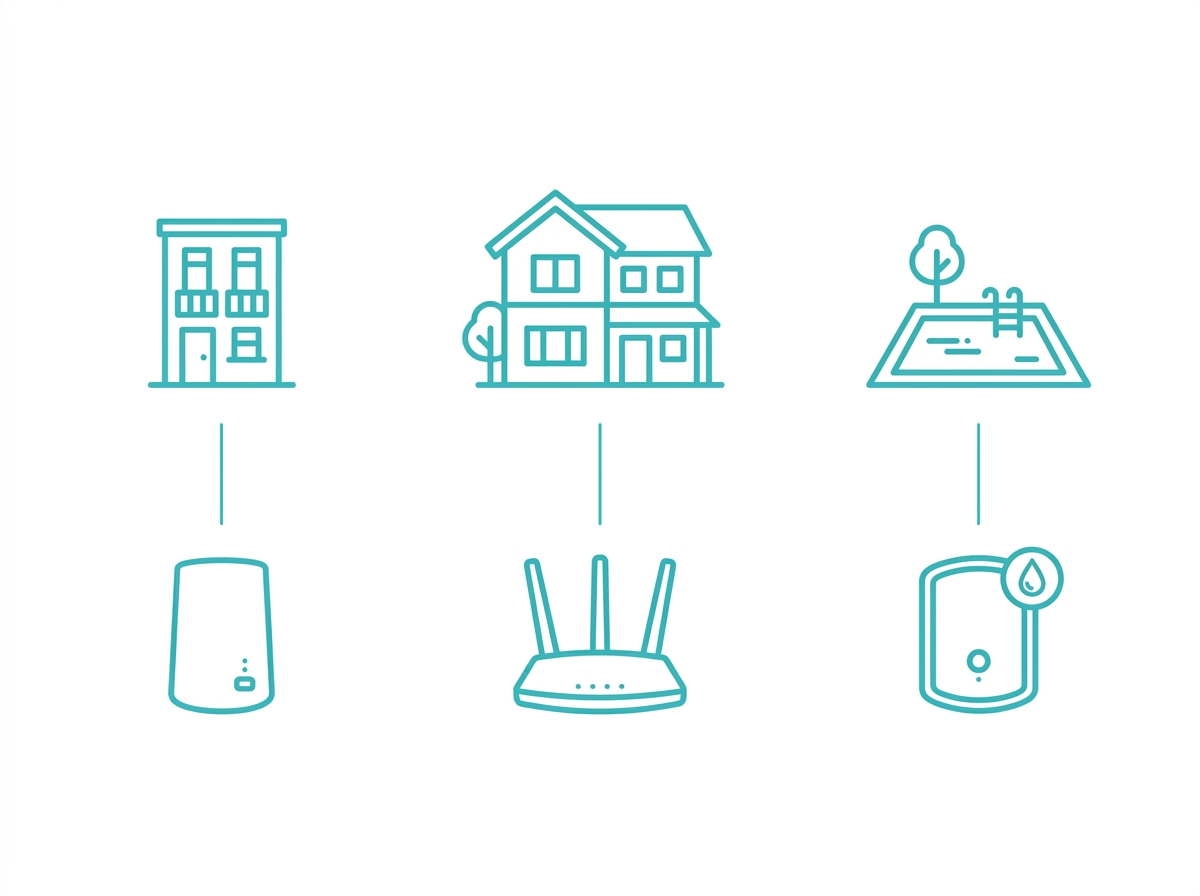
A wireless mesh router is generally the better choice if you want faster, more reliable WiFi across your entire home. Mesh systems use multiple nodes working together to create one seamless network, so you move from room to room without losing signal, and they provide stronger coverage in large homes or spaces with thick walls.
A range extender only amplifies the signal from your existing router. It often creates a separate network and may reduce speed in the extended zone. For the complete comparison covering cost, setup time, and which scenario favors each option, see Mesh Wi-Fi systems versus extenders.
Frequently Asked Questions
What is a mesh router?
A mesh router is the primary node in a system that uses several nodes to form a seamless, extended wireless network across a large area. Unlike a typical router, a mesh system has a main router and multiple satellite nodes strategically positioned throughout a home or workplace. Mesh routers increase coverage and stop the long-distance signal loss common in larger homes or multi-story buildings.
When do you need a mesh WiFi system?
You likely need a mesh system if your home, office, or area has multiple floors that a regular router cannot cover or if you experience WiFi dead spots, weak signals, or inconsistent speeds caused by thick walls, long distances, or interference from other devices. In the Philippines specifically, reinforced concrete construction makes this a more common problem than in many other markets.
Does mesh WiFi replace your router?
Yes, mesh WiFi can replace your router. The system's main node connects directly to your modem and manages your internet connection, while additional nodes extend coverage throughout your space. Most mesh systems replace your router entirely for better coverage and management, though some can run in bridge mode alongside an existing router if needed.
Which Deco model is best for a small Philippine apartment?
The Deco X20 is the strongest fit for a small to medium apartment. Even the 1-pack or 2-pack configuration delivers solid WiFi 6 performance at the most accessible price point in the current lineup, and a single unit often covers a one-bedroom or studio unit without needing additional nodes.
Which Deco model is best for a large Philippine home with many devices?
The Deco X95 is the strongest fit for large homes and device-dense households. Its tri-band design dedicates a separate band exclusively to backhaul between nodes, which keeps speeds consistent even when many devices stream, game, or video call simultaneously during evening peak hours.
Is it worth buying a WiFi 7 mesh system now, or should I wait?
If your budget allows it and you want to future-proof your network, the Deco BE25 is a reasonable entry point into WiFi 7 without flagship pricing. If budget is the primary concern, a WiFi 6 system like the Deco X20 or Deco X50 still delivers excellent real-world performance for most Philippine households, since very few client devices currently take full advantage of WiFi 7 speeds.
Does a mesh system need a fast internet speed plan to be worth it?
A mesh system improves coverage regardless of your plan speed, but its full value shows on faster fiber connections. If your PLDT, Globe, or Converge plan is below 100 Mbps, even a budget mesh system like the X20 will deliver your full plan speed throughout the home. If you are on a 500 Mbps or 1 Gbps plan, a tri-band system like the X95 ensures the backhaul between nodes does not become the bottleneck.
Final Thoughts
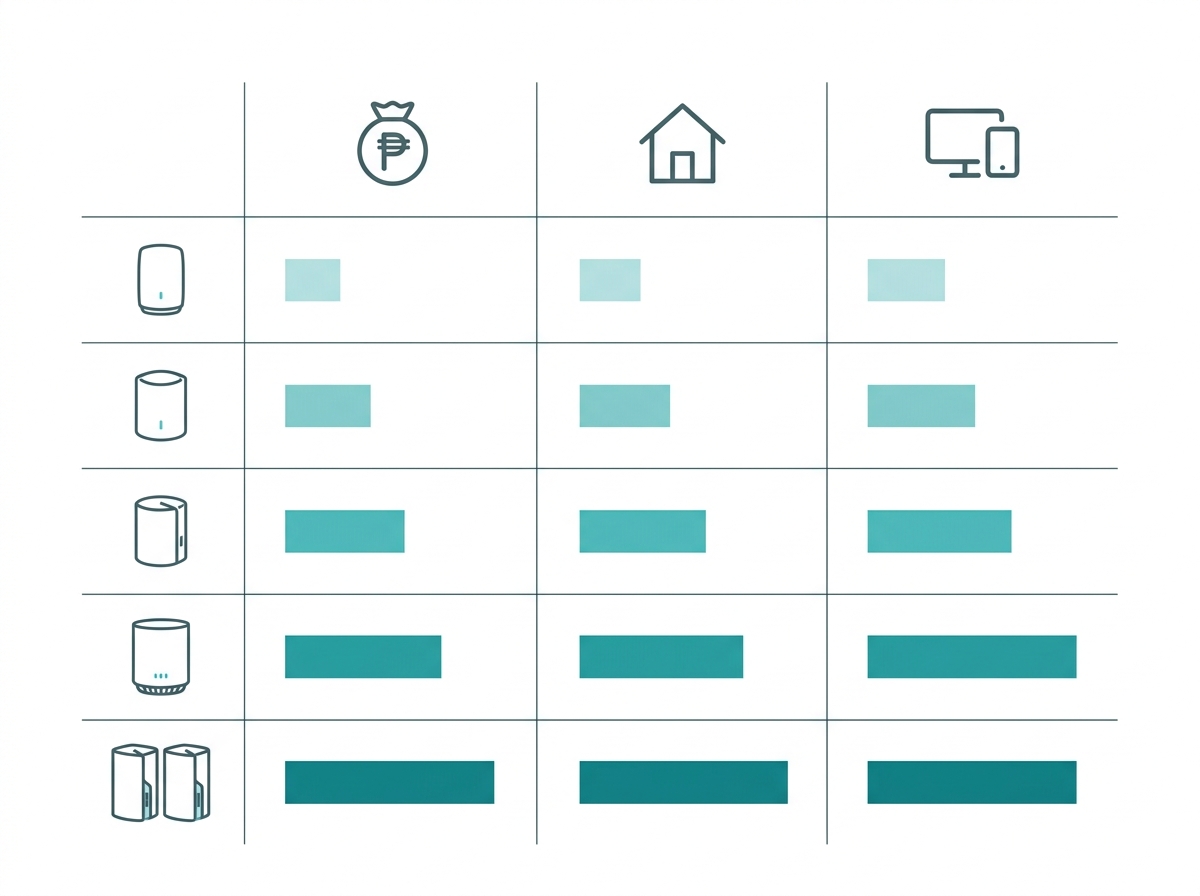
A WiFi mesh system is an excellent investment for anyone looking to improve their home's internet coverage and performance. Understanding your needs and weighing factors like coverage, speed, and ease of use will point you to the right model for your household.
TP-Link offers a wide range of mesh systems designed to meet every need, from the budget-friendly Deco X20 to the high-speed internet performance of the Deco X95 and the future-facing Deco BE25. For properties that need outdoor coverage as well, such as boarding houses, compound homes, or properties with a yard or pool area, the BE25-Outdoor extends Mesh Wi-Fi coverage beyond the four walls of the main house while staying compatible with any indoor Deco system already in place.
Upgrade your home network today and experience smooth, reliable internet with the right pick from TP-Link's wide range of mesh systems for your home size, device count, and budget.