
Download für Tapo S112
- Manual
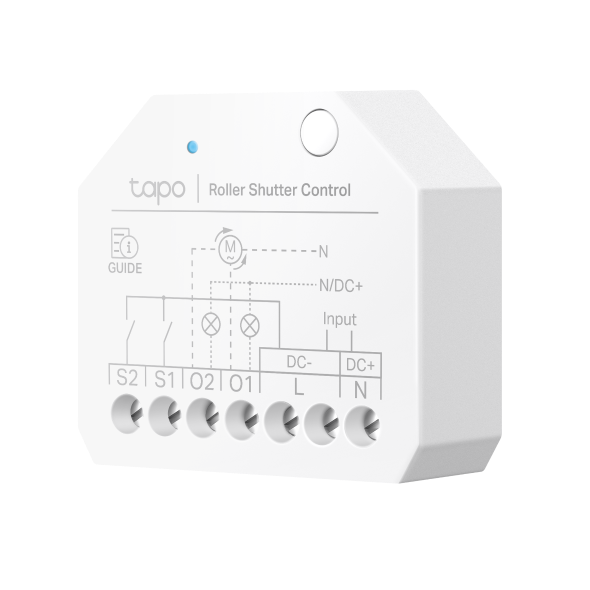 2-Kanal WLAN und Bluetooth Smart Relaisschalter – 6A
Setup Video
-
How to Configure a Tapo Smart Switch Module | Tapo S112
Tapo S112 supports dual modes, allowing you to integrate various devices. In roller mode, it’s ideal for automating roller shutters. In switch mode, control lights, outlets, and electric floor heating seamlessly without replacing your traditional switch.
More Fold -
How to Install a Tapo Smart Switch Module | Tapo S112
Tapo S112 supports dual modes, allowing you to integrate various devices. In roller mode, it’s ideal for automating roller shutters. In switch mode, control lights, outlets, and electric floor heating seamlessly without replacing your traditional switch.
More Fold
Häufig gestellte Fragen
- Wie kann ich mein Tapo-/Kasa-Gerät mit Amazon Alexa verwenden?
- Wie kann man die Tapo-Kamera bei einem anderen Konto (TP-Link ID) erneut einschreiben ?
- So überprüfen Sie die Stabilität der Netzwerkverbindung einer Tapo-Kamera
- So verbinden Sie Tapo- und Kasa-Smart-Geräte mit Google Home
- Benachrichtigungen: So richten Sie Tapo- & Kasa-Benachrichtigungen in der Tapo App ein und verwalten sie
- Warum erhalte ich keinen SMS-Verifizierungscode von der Tapo-App? So beheben Sie das Problem
- So verwenden Sie Widgets zur Steuerung von Tapo-Geräten
- So richten Sie ein Tapo-Smart-Gerät (Bluetooth) über die Tapo-App ein
- Was kann ich tun, wenn die Firmware-Aktualisierung bei Tapo-/Kasa-Smart-Geräten fehlschlägt?
- Was soll ich tun, wenn ich die Bestätigungs-E-Mail für die Registrierung einer TP-Link ID oder das Zurücksetzen des Passworts nicht erhalte?
- Was ist die TP-Link ID und wie erstellt man eine TP-Link ID?
- So löschen Sie Ihr TP-Link-Konto (TP-Link ID)
- So konfigurieren Sie Zuhause und Räume in der Tapo App
- So richten Sie Geofencing in der Tapo/Kasa-App ein
- Announcement: IFTTT Services Ending for Tapo and Kasa Products
- Was kann ich tun, wenn ich mein Passwort für das Cloud-Konto vergessen habe (Tapo Smart Plug, Smart Camera, Smart Bulb)?
- Was kann ich tun, wenn ich mein Kasa-Gerät nicht mit Alexa / Google Home arbeiten lassen kann?
- So installieren Sie das Tapo Smart Switch Modul (Tapo S112)
- Was passiert, wenn ich mich nicht anmelden kann oder die TP-Link ID nicht aktiviere?
- General Questions about Tapo/Kasa Geofencing
- How to set up routines for Tapo devices via Alexa app
- How to choose Tapo S110E/S112 external switch types
- The most frequent asked questions about TP-Link Sales
- European Wire Color Codes (IEC): AC and DC Wiring for Europe and the UK
- How to unlink third-party accounts from your TP-Link ID
- How to verify if it’s the hardware issue of TP-Link smart home
- Warum benötigt TP-Link meine E-Mail-Adresse?
- Questions about Push Button Switch
- Questions about Rocker Switch
- Tapo/Kasa Devices Appear Offline After Changing or Resetting the Router
- Warum muss ich TP-Link-Apps in IOS 14 lokale Zugriffsrechte erteilen?
- Wie registriere ich ein TP-Link-Produkt mit meiner TP-Link-ID?
- TP-Link Smart-Geräte können nicht mit Google Home verwendet werden
- Wie finde ich die Seriennummer auf TP-Link-Geräten?
- Wie finde ich die Modellnummer meines TP-Link Geräts?
- Wie finde ich die Hardware Version auf einem TP-Link Gerät?
Von United States?
Erhalten Sie Produkte, Events und Leistungen speziell für Ihre Region