
Download für TL-MR3420
IMPORTANT:
Model and hardware version availability varies by region. Please refer to your TP-Link regional website to determine product availability.
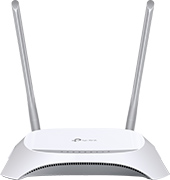 3G/4G-WLAN-Router
Häufig gestellte Fragen
- Was sind die am häufigsten gestellten Fragen zur Geschwindigkeit von TP-Link-Geräten?
- How to do troubleshooting from the system log when PPPoE connection fails
- How to configure Access Control on 3G/4G Wireless Router TL-MR3420 (new logo)
- TP-Link LTE Router trennt ständig die Verbindung
- 4G/5G Router (einschließlich Deco, LTE Gateway und MiFi) haben aufgrund der von einigen Betreibern (z.B. Jio, Globe) verwendeten 464XLAT-Technologie kein Internet
- How can I check if my SIM card is working via phone?
- How to configure IPSec VPN on 3G/4G Wireless Router TL-MR3420 (new logo)
- How to make applications free from port restriction by DMZ on 3G/4G Wireless Router TL-MR3420 (new logo)
- How to share local resources on the Internet by Virtual Servers on 3G/4G Wireless Router TL-MR3420 (new logo)
- Wie können Sie Ihre TP-Link-Netzwerkgeräte vor möglichen Angriffen schützen?
- The Weak Security and Privacy Warning on the iOS14 or iOS15
- How to confirm whether the router is connected to internet through Diagnostic function
- How to set up access control for website blocking on TP-Link Wireless Router (older green UI)
- How to Setup DDNS (No-IP) on TP-Link Wireless Router
- How to configure Bandwidth Control on 3G/4G Wireless Router TL-MR3420 (new logo)
- How to set up System Time of 3G/4G Wireless Router TL-MR3420 (new logo)
- How to create guest network on 3G/4G Wireless Router TL-MR3420 (new logo)
- How to set up IPV6 tunnel on 3G/4G Wireless Router TL-MR3420 (new logo)
- How to configure Dynamic DNS on 3G/4G Wireless Router TL-MR3420 (new logo)
- How to configure IP&MAC Binding on 3G/4G Wireless Router TL-MR3420 (new logo)
- How to configure Service Filtering on 3G/4G Wireless Router TL-MR3420 (new logo)
- How to configure Printer Sharing on 3G/4G Wireless Router TL-MR3420 (new logo)
- How to configure Media Sharing on 3G/4G Wireless Router TL-MR3420 (new logo)
- How to access the USB storage device with 3G/4G Wireless Router TL-MR3420 (new logo)
- How to set up local and remote management on 3G/4G Wireless Router TL-MR3420 (new logo)
- How to set up Auto Reboot of 3G/4G Wireless Router TL-MR3420 (new logo)
- How to schedule your wireless function on 3G/4G Wireless Router TL-MR3420 (new logo)
- Warum können Sie sich nicht über NOD 32 ESET in die Management-Seite einloggen?
- Application Requirement/Choose WAN Connection Type on my TP-Link router
- Why I cannot have Internet with an identified 3G Modem?
- How to solve the compatibility problem between your 3G modem and TP-Link 3G router
- How to Use the Modem Bin File on TP-Link 3G routers
- How to set up Port forwarding feature on my TP-Link Wireless Router for Xbox Live?
- How do I configure Remote Management for my TP-Link Wireless Router?
- Application Requirement/Internet Access Control
- How do I reduce the MTU size on my TP-Link Router?
- Why my 3G router or internal device can not be visited from Internet?
Apps

- TP-Link Tether
TP-Link Tether bietet den einfachsten Weg, um auf Ihr Netzwerk über Ihr iOS- oder Android-Gerät zuzugreifen und es zu verwalten. Erfahren Sie mehr über TP-Link Tether und seine kompatible Geräte.



Hinweis: Um Tether verwenden zu können, aktualisieren Sie bitte die Firmware Ihres TP-Link-Geräts auf die neueste Version.
Von United States?
Erhalten Sie Produkte, Events und Leistungen speziell für Ihre Region