
如何在Deco 4G/5G Deco 路由器上設定網際網路資訊(APN)
當 Deco 運作於 4G/5G 路由器模式時,您可以配置網際網路設定,包括更新或建立您的網路服務供應商 (ISP) 設定檔、啟用/停用行動數據與數據漫遊、變更網路模式等。
請按照以下步驟配置網際網路設定。此處以 Deco X20-4G 為例,實際的 App 畫面可能會因產品型號而略有不同。
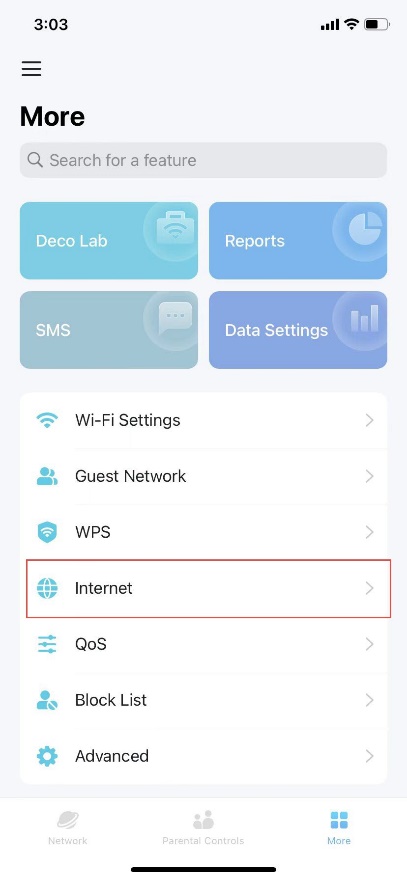
步驟 1. 將您的手機連線至 Deco 的 Wi-Fi 網路。然後開啟 Deco App,前往更多 (More) 頁籤並選擇進階設定 (Advanced) > 網際網路 (Internet)。
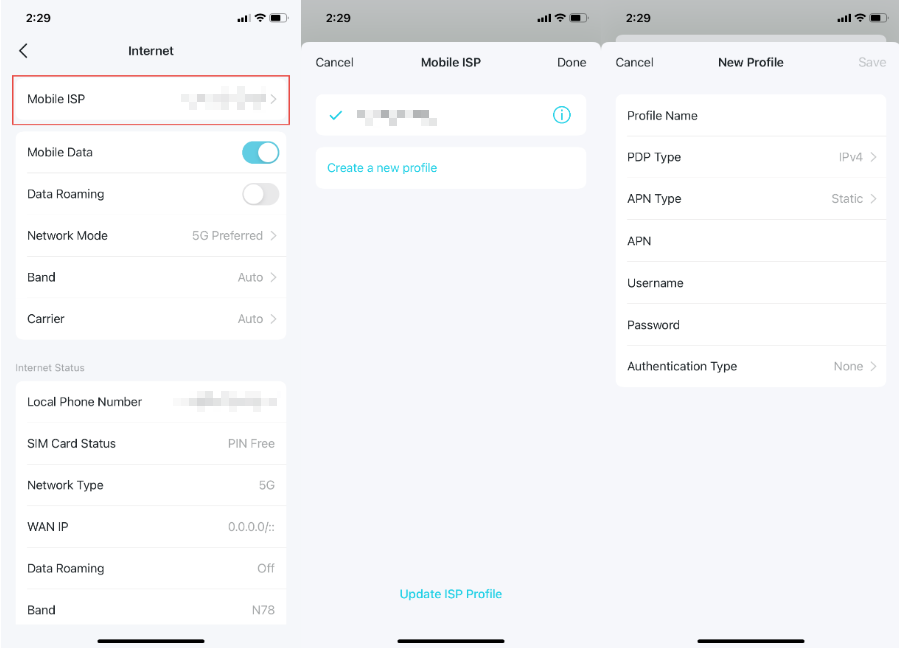
步驟 2. 點擊行動網絡服務供應商 (Mobile ISP) 來更新您的 ISP 設定檔或建立新設定檔。如需詳細資訊,請聯繫您的電信業者/網路服務供應商。
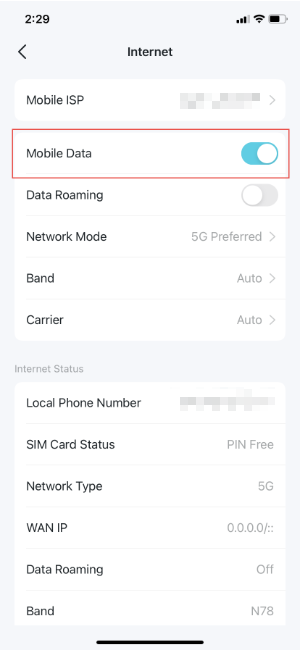
步驟 3. 啟用行動數據 (Mobile Data) 以確保可正常存取網路。
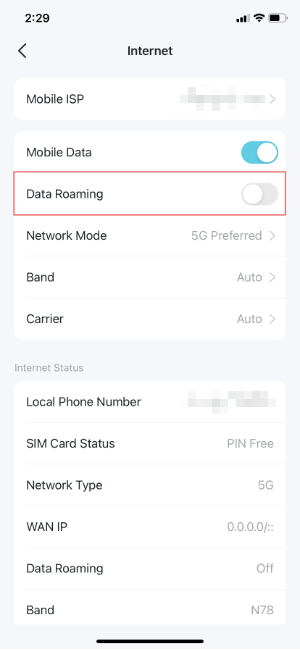
步驟 4. 啟用數據漫遊 (Data Roaming),以確保當您處於電信業者服務範圍之外時仍能正常存取網路。
步驟 5. 根據您的需求變更行動網路模式 (5G 偏好 / 僅 5G / 僅 4G)。
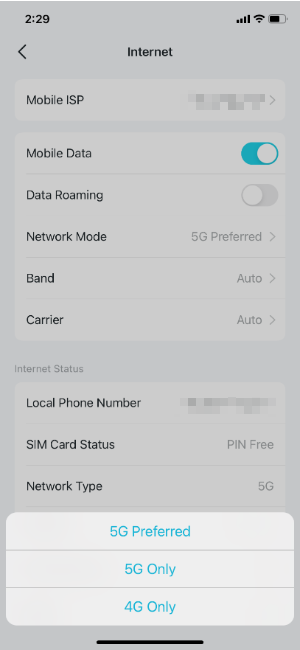
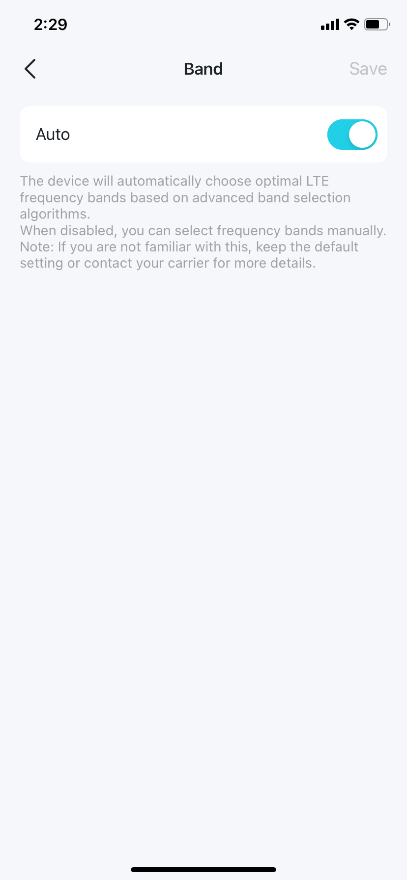
步驟 6. 手動或自動選擇偏好的頻段 (Band)。
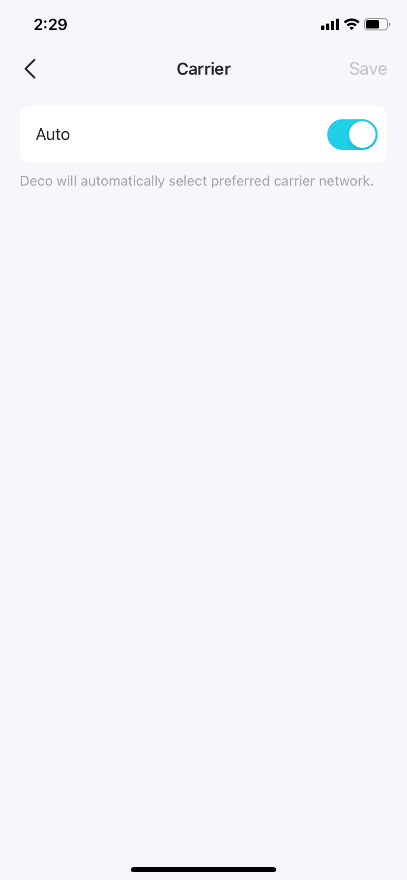
步驟 7. 手動或自動選擇偏好的電信業者網路。
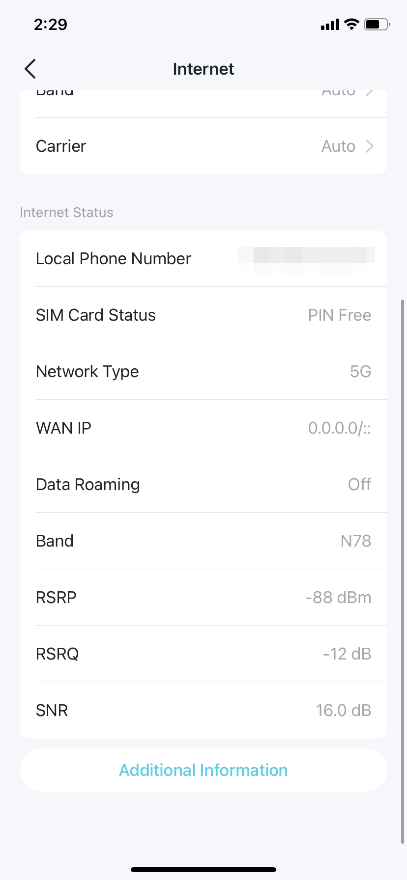
步驟 8. 查看詳細的網際網路資訊。
若欲了解各項功能與設定的更多細節,請前往 下載中心 下載您產品的使用手冊。
Looking For More
這篇faq是否有用?
您的反饋將幫助我們改善網站



TP-Link Community
Still need help? Search for answers, ask questions, and get help from TP-Link experts and other users around the world.