Tải về cho InSight S445S
- Tổng quan Sản phẩm
- Tài Liệu
-
- VIGI Wired IPC(VN)_User Guide
- VIGI InSight Series Turret Network Camera_Installation Guide
- VIGI Network Camera_Quick Installation Guide(America&Middle-East-Africa_5 Languages)
- Quick Start Guide for VIGI InSight Series Turret Network Camera
- VIGI Wired IPC_User Guide
- InSight Series Network Camera_Regulatory Compliance
- InSight S445S_V1_Installation Guide
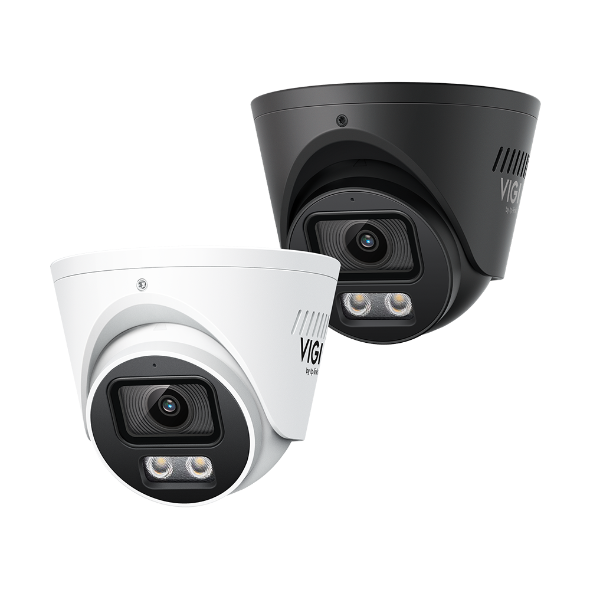 Camera Turret 4MP Ngoài trời ColorPro 2.0
VIGI PC Client
|
VIGI PC Client_x64_2.1.40 |
Tải Về | |
|---|---|---|
| Ngày Phát Hành: 2026-10-16 | Ngôn Ngữ: Multi-language | Kích cỡ tập tin: 148.93 MB |
Hệ Điều Hành: Windows 10/11 |
||
|
New Features and Enhancements: |
||
|
VIGI PC Client_x64_2.1.37 |
Tải Về | |
|---|---|---|
| Ngày Phát Hành: 2026-07-15 | Ngôn Ngữ: Multi-language | Kích cỡ tập tin: 148.90 MB |
Hệ Điều Hành: Windows 10/11 |
||
|
New Features and Enhancements: |
||
|
VIGI PC Client_x64_2.1.25 |
Tải Về | |
|---|---|---|
| Ngày Phát Hành: 2026-01-21 | Ngôn Ngữ: Multi-language | Kích cỡ tập tin: 148.86 MB |
Hệ Điều Hành: Windows 10/11 |
||
|
New features and Enhancements: |
||
VIGI Config Tool
|
VIGI Config Tool_V2.0.21_x86 |
Tải Về | |
|---|---|---|
| Ngày Phát Hành: 2025-09-26 | Ngôn Ngữ: Multi-language | Kích cỡ tập tin: 192.75 MB |
Hệ Điều Hành: Windows 7/8/10/11 32bits |
||
|
Enhancements: |
||
|
VIGI Config Tool_V2.0.21_x64 |
Tải Về | |
|---|---|---|
| Ngày Phát Hành: 2025-09-26 | Ngôn Ngữ: Multi-language | Kích cỡ tập tin: 200.35 MB |
Hệ Điều Hành: Windows 7/8/10/11 64bits |
||
|
Enhancements: |
||
|
VIGI Config Tool_V2.0.20_x86 |
Tải Về | |
|---|---|---|
| Ngày Phát Hành: 2025-08-28 | Ngôn Ngữ: Multi-language | Kích cỡ tập tin: 192.74 MB |
Hệ Điều Hành: Windows 7/8/10/11 32bits |
||
|
Enhancements: |
||
|
VIGI Config Tool_V2.0.20_x64 |
Tải Về | |
|---|---|---|
| Ngày Phát Hành: 2025-08-28 | Ngôn Ngữ: Multi-language | Kích cỡ tập tin: 200.33 MB |
Hệ Điều Hành: Windows 7/8/10/11 64bits |
||
|
Enhancements: |
||
|
VIGI Config Tool_V2.0.11_x86 |
Tải Về | |
|---|---|---|
| Ngày Phát Hành: 2025-02-19 | Ngôn Ngữ: Multi-language | Kích cỡ tập tin: 189.72 MB |
Hệ Điều Hành: Windows 7/8/10/11 32bits |
||
|
New features and enhancements: |
||
|
VIGI Config Tool_V2.0.11_x64 |
Tải Về | |
|---|---|---|
| Ngày Phát Hành: 2025-02-19 | Ngôn Ngữ: Multi-language | Kích cỡ tập tin: 197.27 MB |
Hệ Điều Hành: Windows 7/8/10/11 64bits |
||
|
New features and enhancements: |
||
Driver
|
VIGI Device Driver_1.0.13 Build 20250923093930 |
Tải Về | |
|---|---|---|
| Ngày Phát Hành: 2025-10-14 | Ngôn Ngữ: English | Kích cỡ tập tin: 9.87 MB |
Hệ Điều Hành: Windows |
||
|
New Features: |
||
Câu hỏi thường gặp
- How to Use Recovery Mode to Restore a VIGI NVR or Camera
- What Should I Do if My VIGI Camera Displays Halos, Glare, or Ghosting Effects
- How to Configure Image Exposure Settings on VIGI Cameras
- What Should I Do if My VIGI Camera Image Appears Hazy in Night Vision Mode
- Cách hủy liên kết tài khoản (ID TP-Link) với thiết bị VIGI trong ứng dụng VIGI
- Getting Started with VIGI Cameras
- How to Troubleshoot Camera Addition Failures in the VIGI App
- How to Install VIGI Web Player Plugin for VIGI VMS on Windows N Editions
- Which Ports Does VIGI Local VMS Use
- How to View VIGI Devices in the VIGI App and VIGI Cloud VMS
- How to Add VIGI Devices to VIGI Local VMS
- How to Use ANR on Omada Fusion Pro to Back up Recordings from a Camera SD Card
- How to Migrate Devices from the VIGI App Personal Edition to VIGI Cloud VMS
- Làm cách nào tôi có thể tìm địa chỉ IP camera VIGI của mình?
- Cách tránh tiếng ồn khi theo dõi âm thanh từ camera VIGI
- Cách Chống thấm nước cho camera an ninh ngoài trời VIGI
- How to Fix Green or Pixelated Images on VIGI Cameras via the VIGI App
- How to Fix a Flickering Issue on Live View of the VIGI Camera
- Hướng dẫn sử dụng chức năng OpenAPI trên camera VIGI
- How to Connect VIGI Cameras to Third-Party NVRs, NAS Devices, and Software Using ONVIF or RTSP Software Using ONVIF or RTSP
- How to Use DORI Standards to Evaluate VIGI Camera Viewing Capabilities
- What Is VIGI? A Complete Introduction to the VIGI Security System
- Cách giảm phát hiện chuyển động do mưa, tuyết hoặc côn trùng, v.v.
- How to Discover and Manage Devices Using VIGI Config Tool
- How to Evaluate PC Configurations for Managing Different Network Scales in VMS Local
- How to Configure Recording Schedule on VIGI IPC
- How to Add VIGI Cameras to UniFi Protect
- Hướng dẫn cấu hình các thiết lập luồng video trên camera VIGI
- How to Configure Micro SD Card Storage Management on VIGI Cameras
- How to Save and Download Videos Using VIGI App
- How to Use Motion Detection Function of My VIGI Camera Using the Web UI
- How to Mitigate Ghosting Issues in the Live Preview
- How to Modify IP Addresses of VIGI Cameras in Batch via VIGI App
- How to Use a Phone to Connect to VIGI Devices via Ethernet Cable
- How to Create and Save View on VIGI PC Client
- How to Add Multiple VIGI Cameras Using the VIGI App
- How to Set Up Org, Site, and User Account on VIGI App
- How to Configure Intrusion & Region Entering & Region Exiting & Loitering Detection Function of My VIGI Camera
- How to Configure Camera Tampering & Scene Change Detection Function on Your VIGI Camera
- How to Configure Network Wired Connection on VIGI Camera
- How to Activate Active Defense in VIGI App
- Troubleshooting Guide for P2P Playback Failure
- Getting Started with the VIGI App
- How to Download Videos from Omada Guard on an Omada Fusion Pro Gateway
- How to Configure VIGI Cameras and NVRs for Sentinel ARC Integration
- Hướng dẫn lắp đặt Camera dòng VIGI
- Tại sao giao diện web HTTPS của VIGI IPC và NVR hiển thị cảnh báo “Không an toàn” (Not Secure) trên một số trình duyệt
- How Do I Log In to the Web Management Page of VIGI IPC and NVR
- How to Filter Events in Omada Central When Watching Playback
- How to Configure Alarm Server on VIGI Camera
- Cách cấu hình máy chủ SMTP trên VIGI IPC để gửi email thông báo sự kiện
- How to Configure Queue Detection
- Hướng dẫn cấu hình TP-Link DDNS trên camera IP (IPC)
- How to Allow or Deny Access to Your VIGI Camera Using IP/MAC Restrictions
- Hướng dẫn cấu hình Net HDD
- Cách thêm và cấu hình Camera IP vào hệ thống NVR từ xa
- How to Configure Object Abandoned and Removal Detection on VIGI Cameras
Firmware
A firmware update can resolve issues that the previous firmware version may have and improve its current performance.
To Upgrade
IMPORTANT: To prevent upgrade failures, please read the following before proceeding with the upgrade process
- Please upgrade firmware from the local TP-Link official website of the purchase location for your TP-Link device, otherwise it will be against the warranty. Please click here to change site if necessary.
- Please verify the hardware version of your device for the firmware version. Wrong firmware upgrade may damage your device and void the warranty.
Làm sao để biết phiên bản phần cứng của thiết bị TP-Link - Do NOT turn off the power during the upgrade process, as it may cause permanent damage to the product.
- To avoid wireless disconnect issue during firmware upgrade process, it's recommended to upload firmware with wired connection unless there is no LAN/Ethernet port on your TP-Link device.
- It's recommended that users stop all Internet applications on the computer, or simply disconnect Internet line from the device before the upgrade.
- Use decompression software such as WinZIP or WinRAR to extract the file you download before the upgrade.
|
InSight S445S(UN)_V1_1.1.1 Build 260206 |
Tải Về | |
|---|---|---|
| Ngày Phát Hành: 2026-04-13 | Ngôn Ngữ: Multi-language | Kích cỡ tập tin: 46.41 MB |
|
New Features and Enhancements |
||
|
InSight S445S(UN)_V1_1.0.2 Build 250625 |
Tải Về | |
|---|---|---|
| Ngày Phát Hành: 2025-07-21 | Ngôn Ngữ: Multi-language | Kích cỡ tập tin: 41.89 MB |
|
Enhancements |
||
Sử dụng Firmware của bên thứ 3 trên sản phầm TP-Link
Một số firmware chính thức của các sản phẩm TP-LINK có thể được thay thế bằng firmware của bên thứ ba chẳng hạn như DD-WRT. TP-LINK không cung cấp vấn đề hỗ trợ kĩ thuật và đảm bảo hiệu năng cũng như tính ổn định của firmware bên thứ ba. Khi sản phẩm bị hư hại do sử dụng firmware của bên thứ 3 thì chế độ bảo hành sản phẩm sẽ bị vô hiệu.
GPL Code
Giả lập
Phiên Bản Firmware |
Working Mode |
Ngôn Ngữ |
|
|---|---|---|---|
250625(UN)_Emulator. |
- |
English |
Lưu ý:
1. Trình giả lập là một Giao Diện Người Dùng (GUI) Web ảo, nơi bạn có thể trải nghiệm bảng quản lý sản phẩm TP-Link.
2. Các trình giả lập được liệt kê có thể không có firmware mới nhất.
3. Các tính năng được hiển thị mang tính chất tham khảo và tính khả dụng của chúng có thể phụ thuộc vào các quy định của địa phương. Để biết thêm thông tin, vui lòng tham khảo biểu dữ liệu (datasheet) hoặc trang sản phẩm.