Business Network Security Solutions: Types & How to Choose
A single unpatched gateway or an unsegmented Wi-Fi network can stop point-of-sale systems, VoIP calls, and file servers across every site at once. That single point of failure is why network security solutions exist: to protect the infrastructure connecting every device, application, and location across a business.
For IT managers, MSPs, and system integrators comparing options, understanding what qualifies as a network security solution, and how the main types compare, matters as much as choosing a specific product. This guide explores the primary solution types, compares them side by side, and explains how to choose the right combination for a business network.
What Are Network Security Solutions?
Network security solutions are the hardware, software, and configuration practices that protect a business network's infrastructure, traffic, and connected devices from unauthorized access, disruption, or data loss. They operate at the network level, controlling how devices connect, communicate, and are segmented, rather than protecting individual endpoints one at a time.
This infrastructure layer differs from software security suites such as antivirus and endpoint detection platforms, which protect individual devices, as well as cloud-delivered models such as SASE (Secure Access Service Edge), which move network security enforcement off-site rather than running it on local hardware. Most business networks need a combination of infrastructure-level and software- or cloud-based controls to protect the network, connected devices, and cloud workloads.
Common Security Gaps Across Business Networks
Before comparing solution types, it helps to understand where business networks are most commonly exposed. The chokepoints that account for most risk across a typical multi-site office, retail, or campus deployment include the perimeter and gateway, lateral movement across a flat network, remote access, wireless traffic, and unmanaged guest or IoT devices.
- The perimeter and gateway. The device connecting the network to the internet is also the first point an external attacker can probe. An unpatched or misconfigured gateway leaves every device behind it exposed.
- Lateral movement on flat networks. Without segmentation, a single compromised device, such as an infected laptop or IoT camera, can reach POS terminals, file servers, or other high-value systems on the same network.
- Remote access. Employees connecting from home or the field need secure access to internal resources, but unencrypted or unmanaged remote connections create an entry point outside the office perimeter.
- Wireless traffic. Guest Wi-Fi and employee wireless sharing a network with business-critical systems introduces risk, particularly when access points use outdated encryption or lack segmentation from the wired network.
- Unmanaged guest and IoT devices. Smart cameras, printers, and other connected devices often ship with default credentials and minimal security, making them common entry points when they aren't isolated from the rest of the network.
The Main Types of Network Security Solutions
The types below make up the building blocks of business network security. Each one addresses a different point of exposure, from the network perimeter to individual wireless devices, and most business networks combine several of them rather than relying on just one.
Firewalls and Security Gateways
A firewall inspects traffic entering and leaving the network, blocking unauthorized connections while allowing legitimate ones through. In business networking, this function is typically built into the gateway, the same device that handles WAN connectivity, routing, and VPN termination. Centralizing firewall, NAT (Network Address Translation), and VPN functions in a single gateway reduces the number of devices administrators manage and provides consistent perimeter protection across all traffic entering or leaving the network.
VPN and Secure Remote Access
A VPN, or Virtual Private Network, encrypts traffic between two points, letting remote workers or branch offices connect to internal resources as though they were on the local network. Site-to-site VPN connects multiple office locations securely over the internet, while remote-access VPN lets individual employees connect from home or while traveling. Because VPN termination typically runs on the gateway, choosing a gateway that supports multiple VPN protocols gives administrators flexibility as remote and multi-site needs grow.
Network Segmentation: VLANs and ACLs
Business network security depends on segmentation as much as perimeter defense. VLAN, or virtual local area network, assignment separates traffic into isolated groups, such as guest Wi-Fi, employee devices, VoIP, and point-of-sale systems, so a security issue on one segment doesn't spread to another. Access control lists (ACLs) then define which segments can communicate with each other, containing lateral movement even if a device on the network is compromised. This same principle is what makes it possible to divide the network for BYOD security, letting personal devices connect without exposing business-critical systems.
Access Control and Authentication
Access control determines who and what can join the network in the first place. Network access control (NAC) and 802.1X authentication verify a device's identity before granting network access, while guest portals let visitors connect to a separate, restricted network without touching internal systems. Together, these controls keep unauthorized devices off business-critical segments, even if they gain physical access to a network port or wireless signal.
Wireless Security
Because wireless traffic travels through open air rather than a cable, encryption and isolation are critical on Wi-Fi. WPA3 encryption protects data in transit between client devices and access points. Client isolation prevents devices on the same wireless network from communicating directly. Assigning guest, employee, and IoT traffic to different SSIDs, each mapped to its own VLAN, extends wired segmentation onto the wireless network.
Intrusion Detection and Prevention (IDS/IPS)
Intrusion detection and prevention systems monitor network traffic for known attack patterns and unusual behavior, then alert administrators or block malicious traffic automatically. Signature-based detection compares traffic against a regularly updated database of known threats, catching attacks that a firewall's static rules alone would miss. Because IDS/IPS requires ongoing traffic inspection, this capability is typically available on higher-throughput gateway models.
Centralized Management and Monitoring
Visibility across every device and location is what turns individual security controls into a coordinated system. A centralized management platform, whether cloud-based or an on-premise controller, lets administrators view network status, push configuration changes, and investigate alerts from a single interface instead of logging into each device separately. This matters as much for multi-site businesses managing dozens of locations as it does for a single office running several security appliances.
Managed Network Security Services
Not every business has the in-house staff to monitor alerts, apply patches, and tune security policies continuously. Managed network security shifts that ongoing work to a third-party provider, typically an MSP, who monitors the network, responds to incidents, and manages updates on the business's behalf. This model gives organizations access to expertise and continuous monitoring that would otherwise require a dedicated security team.
Comparing Network Security Solutions
The table below compares each solution type across key priorities when planning a deployment: what it protects, deployment complexity, required in-house skill, and best-fit scenario.
| Solution Type | What It Protects | Deployment Complexity | In-House Skill Required | Best-Fit Scenario |
|---|---|---|---|---|
| Firewalls and security gateways | Network perimeter | Low to moderate | Basic to intermediate | Any business network with internet access |
| VPN and secure remote access | Data in transit between sites or remote users | Moderate | Intermediate | Multi-site businesses and remote workforces |
| Network segmentation (VLANs and ACLs) | Internal traffic isolation | Moderate | Intermediate | Networks mixing guest, POS, VoIP, or IoT traffic |
| Access control and authentication | Network entry points | Moderate | Intermediate | Offices with guest access or shared spaces |
| Wireless security | Wi-Fi traffic and connected devices | Low to moderate | Basic to intermediate | Any business offering Wi-Fi access |
| Intrusion detection and prevention | Traffic-level threats | Moderate to high | Intermediate to advanced | Networks handling sensitive or regulated data |
| Centralized management and monitoring | Visibility across the network | Low (once deployed) | Basic to intermediate | Multi-site businesses and MSP-managed networks |
| Managed network security services | Ongoing monitoring and response | Low for the business, high for the provider | Outsourced | Businesses without dedicated IT or security staff |
How to Choose the Right Business Network Security Solution
No single network security solution fits every business, and the right combination depends on the specifics of your environment. Number of sites and scale, in-house IT capacity, remote workforce needs, compliance requirements, and total cost of ownership all shape which categories should be prioritized.
- If you operate multiple locations, prioritize centralized management and a gateway with site-to-site VPN support, so every site follows the same configuration without a visit from IT.
- If in-house IT staff is limited, prioritize managed network security services or a platform with zero-touch provisioning that reduces ongoing configuration work.
- If a large share of the workforce is remote, prioritize secure remote-access VPN and strong authentication over investments focused purely on the office perimeter.
- If the business handles regulated data, such as payment or health information, prioritize network segmentation and access control to help isolate sensitive systems.
- If budget is the primary constraint, prioritize a centralized management platform that scales to new sites without per-location licensing fees.
Most businesses will need more than one category from this list. The goal isn't to buy every solution type at once, but to match investment to the chokepoints that carry the most risk for your network.
Building the Foundation: Infrastructure-Level Security with Omada
If you're piecing together segmentation, access control, secure remote connectivity, wireless protections, and centralized management from a stack of disconnected vendors, you already know where that overhead shows up. You have separate consoles, separate licensing agreements, and separate points of failure to chase down when something breaks. Omada solves that by providing the infrastructure layer, the gateways, switches, and controllers that actually connect and segment the network, under one platform instead of several. It's not a replacement for dedicated security suites like antivirus or SASE platforms, but it removes the complexity of building the foundation those tools run on.
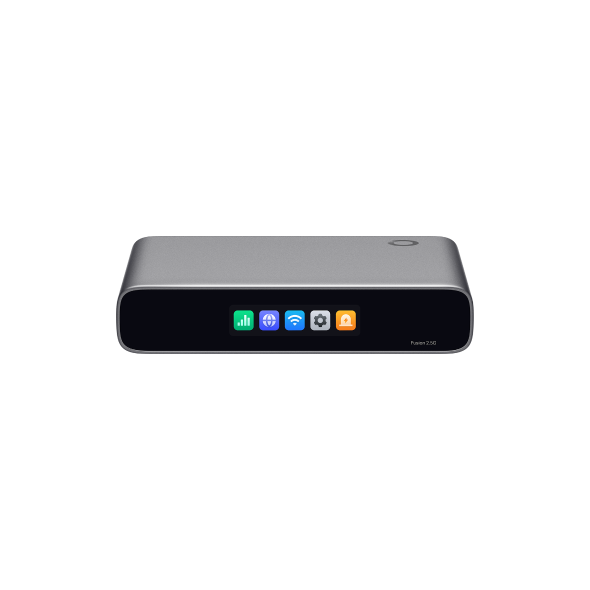
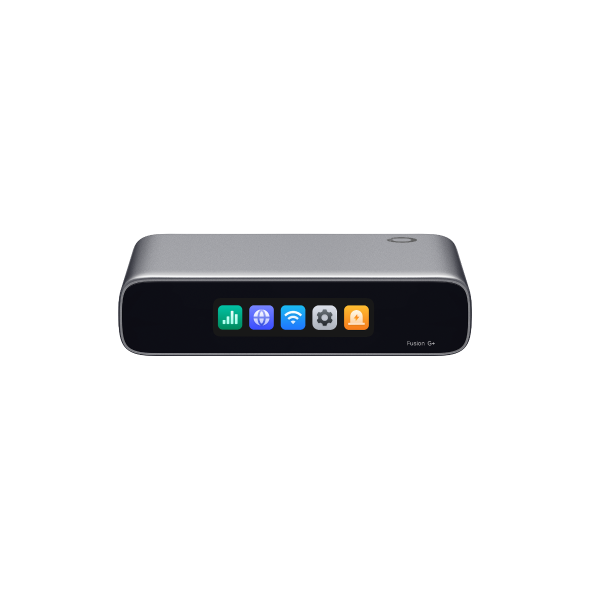
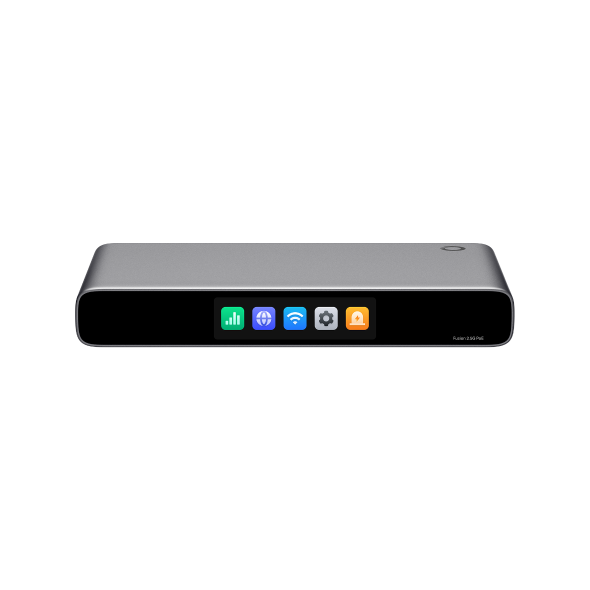
Omada Fusion gateways, standard gateways, switches, and SDN controllers give your team enterprise-grade segmentation, secure connectivity, and centralized visibility, without the licensing complexity or per-vendor overhead of a legacy stack.
Perimeter security and VPN termination shouldn't mean juggling more appliances as your network grows. The ER8411 VPN gateway handles that at scale, with two 10-Gigabit SFP+ ports and nine additional Gigabit ports for WAN and LAN connectivity, plus load balancing across up to ten WAN connections. It supports IPSec, PPTP, L2TP, OpenVPN, GRE, WireGuard, and SSL VPN, along with DPI, IDS/IPS, and DoS/DDoS protection, plus SD-WAN for connecting multiple sites and a 1+1 redundant power supply, so perimeter defense, VPN termination, and uptime protection all run on the same platform.
Omada makes it simple to keep segmentation policy consistent without reconfiguring VLANs and ACLs site by site or logging into a separate console for every location. Omada switches apply VLAN assignments to segment POS, guest, and employee traffic, while ACLs and firewall policies restrict or block communication between those VLANs once routing is enabled. Omada SDN controllers, available as cloud-based, hardware, or software deployments, put gateways, switches, and access points across every site under one interface.
Frequently Asked Questions
What is the difference between network security and cybersecurity?
Network security is a subset of cybersecurity focused specifically on protecting the infrastructure that connects devices, including gateways, switches, access points, and the traffic moving between them. Cybersecurity is the broader term, covering network security along with endpoint protection, application security, data security, and the policies protecting an organization's overall technology environment.
What are the most common types of network security?
The most common types include firewalls and security gateways, VPN and secure remote access, network segmentation through VLANs, access control and authentication, wireless security, intrusion detection and prevention, and centralized management. Most business networks combine several of these types rather than relying on a single product, since each addresses a different point of exposure.
Do smaller or growing businesses need the same network security solutions as large enterprises?
Smaller and growing businesses need the same categories of protection as large enterprises, including segmentation, secure remote access, and centralized management, but not necessarily the same scale or complexity. Network security solutions for small businesses typically prioritize cloud-based controllers and gateways that deliver enterprise-grade outcomes without dedicated on-site IT staff or enterprise licensing costs.
What is managed network security?
Managed network security is a service where a third-party provider, typically an MSP, monitors a business's network, applies updates, and responds to incidents on the organization's behalf. It gives businesses without an in-house security team access to continuous monitoring and expertise across firewalls, VPNs, and wireless infrastructure, often spanning multiple sites.
Choosing the Right Network Security Foundation
Business network security is rarely one product; it's layered. Gateways, segmentation, access control, secure remote connectivity, wireless protections, and centralized management work together to reduce exposure and contain threats across every site. Start by identifying which chokepoints carry the most risk, then match solution types to those gaps. For organizations building or upgrading that infrastructure layer, exploring Omada's Fusion gateway, standard gateway, switch, and controller lineup is a practical next step toward a coordinated network security foundation.
_20261029230103c.jpg)