
Завантажити для Tapo C675D KIT
Vx.0 = Vx.6/Vx.8/Vx.9(eg:V1.0=V1.6/V1.8/V1.9)
Vx.x0 = Vx.x6/Vx.x8/Vx.x9 (eg:V1.20=V1.26/V1.28/V1.29)
Vx.30 = Vx.32/Vx.33 (eg:V3.30=V3.32/V3.33)
- Керівництво
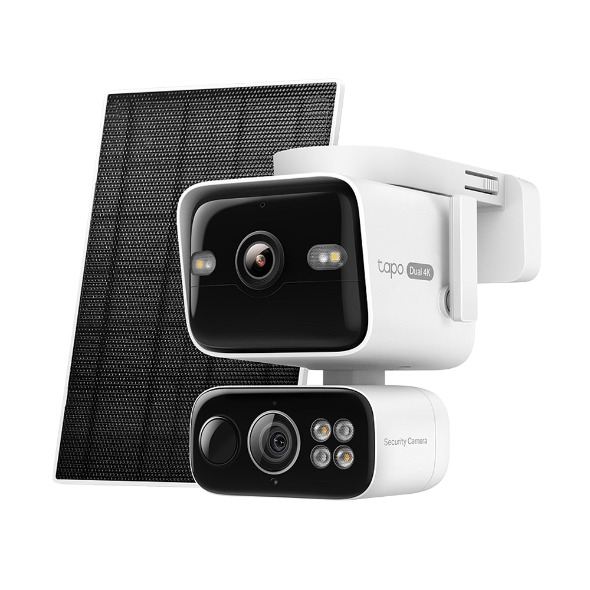 Комплект камери з двома об'єктивами на сонячних батареях
Відео з налаштування
-
How to Set Up Your Solar-Powered Dual Lens Pan/Tilt Security Camera Kit | Tapo C675D KIT
Elevate your home security with the Solar-Powered Dual-Lens Pan/Tilt Security Camera Kit. Benefit from effortless solar power and ensure comprehensive protection with two 4K lenses that double the coverage, allowing you to capture more with just one device. Experience enhanced visibility and clarity using the telephoto lens, along with features like Synchronized Smart Tracking and One-Tap Smart Focus for a broader and clearer view.
More Fold -
How to Mount Your Solar-Powered Dual Lens Pan/Tilt Security Camera Kit | Tapo C675D KIT
Elevate your home security with the Solar-Powered Dual Lens Pan/Tilt Security Camera Kit. Benefit from effortless solar power and ensure comprehensive protection with two 4K lenses that double the coverage, allowing you to capture more with just one device. Experience enhanced visibility and clarity using the telephoto lens, along with features like Synchronized Smart Tracking and One-Tap Smart Focus for a broader and clearer view.
More Fold
FAQs
- How to Check the Wi-Fi Signal Strength of Your Tapo and Kasa Device
- How to Connect Tapo and Kasa Devices to Amazon Alexa: Two Setup Methods
- How to Re-Register a Tapo or Kasa Device to Another TP-Link Account
- Як підключити смарт-пристрій Tapo / Kasa до Google Home
- How to Enable and Use Snooze Alerts on Tapo Cameras and Doorbells
- Notifications: How to Set Up and Manage Tapo & Kasa Alerts in the Tapo App
- Tapo Camera Not Connecting to Wi-Fi: How to Fix It
- Understanding AI Chat Usage Limits in Aireal
- What Is Wake-Up Sensitivity on the Tapo Battery Camera or Doorbell
- How to Configure Homes and Rooms in the Tapo App
- Як скинути налаштування камери Tapo
- How to Delete Your TP-Link Account (TP-Link ID)
- How to Set Up Geofencing on the Tapo/Kasa App
- How to Configure the Smart Dual Tracking Feature for Tapo Dual-Lens Camera
- How to Configure the Tap to Focus Feature for Tapo Dual-Lens Camera
- How to Stream Tapo / Kasa Camera on Google Device
- Why Can't I Receive the SMS Verification Code from the Tapo App? How to Fix It
- Як налаштувати камеру Tapo
- Загальні запитання про Tapo Care
- How to Enable and Use AI Zoom on Tapo Cameras
- Скасування Tapo Care і повернення коштів
- How to Use Widgets to Control Tapo Devices
- What to Do When You Can't Find Your Tapo Camera on the Tapo App
- How to Get Diagnostic Logs from Tapo Cameras and Doorbells
- Tapo SD Card Playback Issues: Fix Video Playback Problems on Your Camera
- Announcement: IFTTT Services Ending for Tapo and Kasa Products
- How to Reset a Forgotten TP-Link ID Password for Tapo and Kasa Devices
- How to Redeem Your Tapo Care Redemption Code
- Tapo Camera Battery Draining Fast? Find Out How to Fix It!
- Kasa and Tapo Smart Devices Not Working with Alexa: Troubleshooting Guide
- Tapo Home Mode and Away Mode: What They Are and How to Set Them Up on Kasa and Tapo Cameras and Doorbells
- Що робити, якщо я не можу зареєструватися або активувати TP-LinkID?
- Що робити, якщо смарт-пристрої Tapo/Kasa не оновлюють прошивку?
- Як виправити проблеми з відсутністю звуку або якістю звуку на камері/дзвінку Tapo
- Як додати нові камери до Tapo Care
- Як оновити або знизити рівень підписки на Tapo Care
- How to Troubleshoot Tapo and Kasa Notifications Not Working or Delayed
- General Questions about Tapo/Kasa Geofencing
- Що таке відеопідсумок
- How to fix a flickering issue on Live View of the Tapo Camera
- How to set up routines for Tapo devices via Alexa app
- How to improve video clarity and quality of Tapo Camera
- The most frequent asked questions about TP-Link Sales
- Як провести автентифікацію 3DS при купівлі Tapo Care
- How to unlink third-party accounts from your TP-Link ID
- How to verify if it’s the hardware issue of TP-Link smart home
- Why does TP-Link require my email address?
- Why do I receive a "We Noticed a New Login" email?
- How to create 3D Map in the Tapo App for Pad
- Set Privacy Zone for Tapo Camera and Doorbell
- How to update or change the payment method for Tapo Care or Kasa Care
- Tapo/Kasa Devices Appear Offline After Changing or Resetting the Router
- Як дізнатися номер моделі вашого пристрою TP-Link?
- Tapo Camera SD Card Installation and Format Guide
- Why do I need to give Local Network permission to TP-Link apps in iOS devices?
- How to view camera SD card recordings on a computer
- How to Fix Tapo or Kasa Camera and Doorbell SD Card Not Formatting or Being Recognized
- Tapo and Kasa Smart Devices Not Working with Google Home: Troubleshooting Guide
- TP-Link ID Explained: What It Is and How to Create One
- What should I do if I don’t receive the verification email for TP-Link ID registration or password reset?
- Як дізнатись про версію пристрою TP-Link?
- How to Find the Serial Number (S/N) on Your TP-Link Device