
為什麼安裝TP-Link路由器後無法上網?
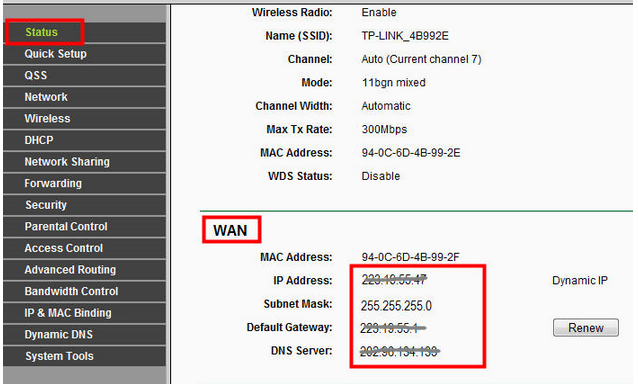
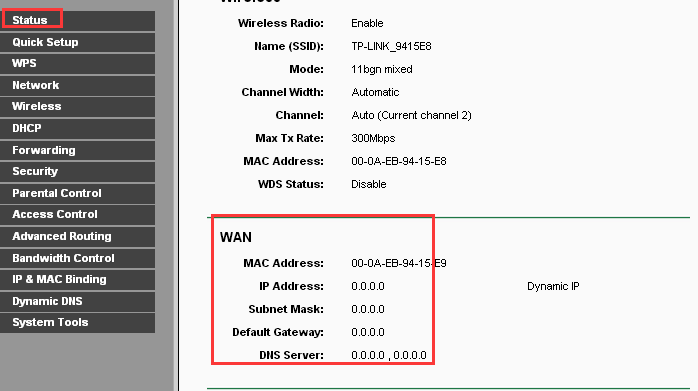
步驟 1 登入到路由器的網頁管理介面並檢查路由器上的WAN訊息:
1) 如果狀態頁面上有一個有效的WAN IP位址,請參閱 FAQ 361
2) 如果WAN IP位址是 0.0.0.0請參閱 FAQ 138
步驟2 如果其他設備都可以從路由器上網,請您檢查特定設備上的TCP / IP設定。


這篇faq是否有用?
您的反饋將幫助我們改善網站

TP-Link Community
Still need help? Search for answers, ask questions, and get help from TP-Link experts and other users around the world.