
What are the sensitivity settings and how do I control them?
*Note: All Kasa Cams require and only work with the Kasa for Mobile App
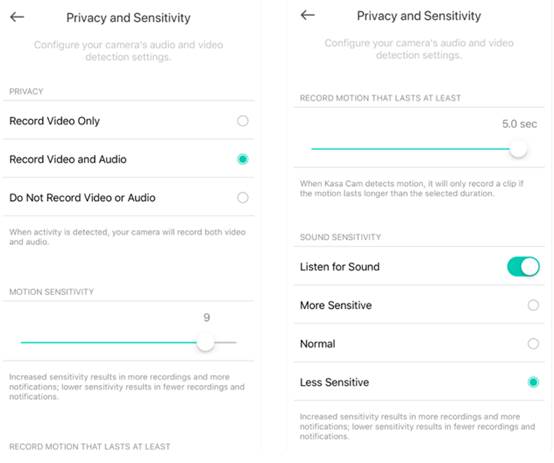
There are two sensitivity settings: Motion and Sound.
Motion sensitivity indicates how little or how much activity must occur to trigger a notification.
Sound sensitivity indicates whether you want to listen for noise or not.
You can access the camera sensitivity settings from the device details page. For motion sensitivity and when sound sensitivity is enabled, your options are more sensitive, normal or less sensitive.
If you need further assistance contact TP-Link Customer Support here.
更多相關文章
這篇faq是否有用?
您的反饋將幫助我們改善網站

TP-Link Community
Still need help? Search for answers, ask questions, and get help from TP-Link experts and other users around the world.