
How to make wireless password visible and continue the configuration of Smart Devices in Kasa App
If you want to view the wireless password of your home Wi-Fi network when configuring the smart home device, in the step to enter wireless password, please click on “Show” and the password will be visible, click on “Hide” if you don’t want to view the password.
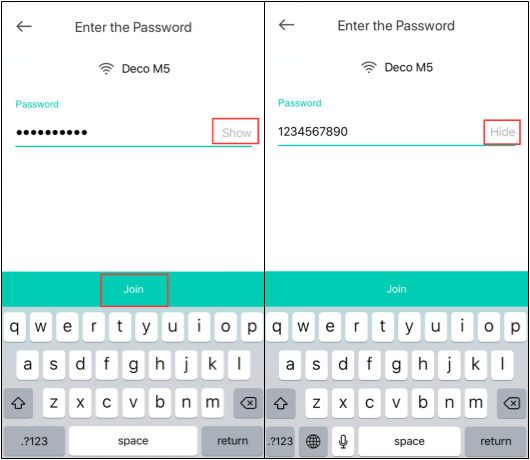
Then click on “Join” and your smart home device will connect to the home Wi-Fi network.
這篇faq是否有用?
您的反饋將幫助我們改善網站

TP-Link Community
Still need help? Search for answers, ask questions, and get help from TP-Link experts and other users around the world.