
TL-WR810N_V1'de USB paylaşım fonksiyonunu nasıl kullanabilirim?
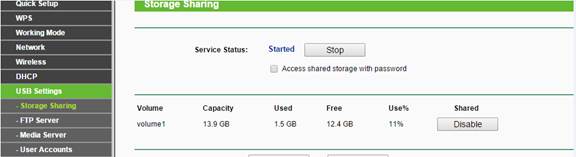
1. USB paylaşım fonksiyonunun aşağıdaki resimde görüldüğü gibi etkin olduğundan emin olunuz:
2. Adres çubuğuna (router, AP veya Repeater modunda çalışır) \\tplingwifi.net yazarak USB depolama alanına erişebilirsiniz.
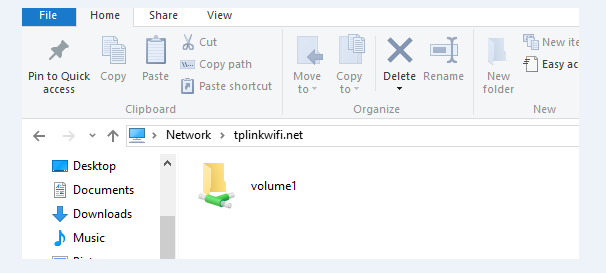
Domain adı üzerinden erişmede bir problem varsa, ana router’ın arayüzüne giriş yapın ve TL-WR810N’in (sadece AP, Repeater modunda) IP adresini bulunuz.

Ana router’ın DHCP Client listesinde görünen TL-WR810N adresini adres çubuğuna \\192.168.1.x (2~254) yazınız.
Bu SSS faydalı mı?
Your feedback helps improve this site.


TP-Link Community
Still need help? Search for answers, ask questions, and get help from TP-Link experts and other users around the world.