
How to Update Tapo and Kasa Device Firmware via the Tapo App
Tapo and Kasa device firmware can be updated through the Tapo app — not via a web browser or any other method. Keeping firmware up to date ensures your devices have the latest features and security improvements. This page covers two ways to update firmware: through the device settings page or via Me > Firmware Update in the Tapo app.
Key Takeaways
- Tapo and Kasa device firmware can be updated through the Tapo app. No web browser or manual update method is supported.
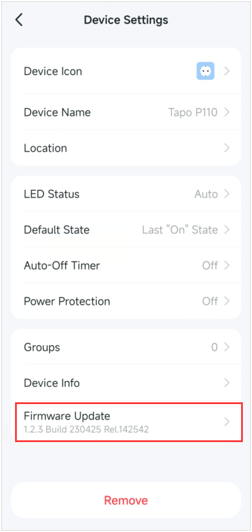
- There are two ways to update: via the device's settings page (tap the device card, then the settings icon, then Firmware Update) or via Me > Firmware Update in the app.
- Before updating, make sure you are logged in to your Tapo account and can control the device.
Note: Do not power off your device during the firmware update.
Method 1: Via Device Settings Page
Step 1. On the Tapo app Home page, tap your device model card to open the control panel. Then tap the gear icon in the top-right corner to enter the Device Settings page.
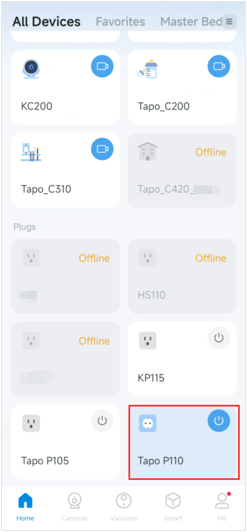
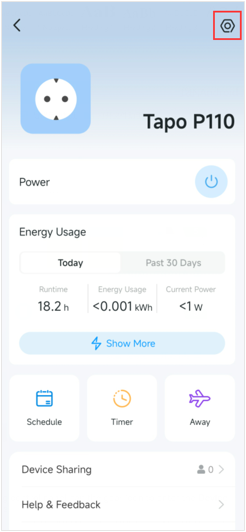
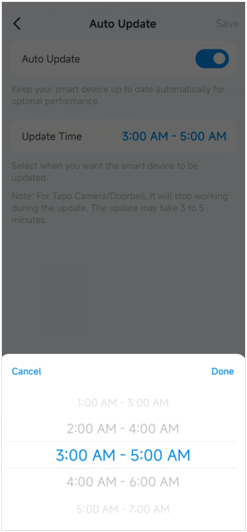
Step 2. Tap Firmware Update to check for device firmware update and set Auto Update if needed. Note that support for the Auto Update feature varies by model.
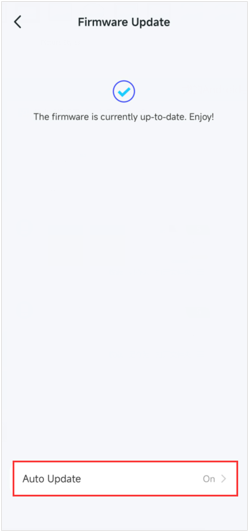
Method 2: Via App Me Page
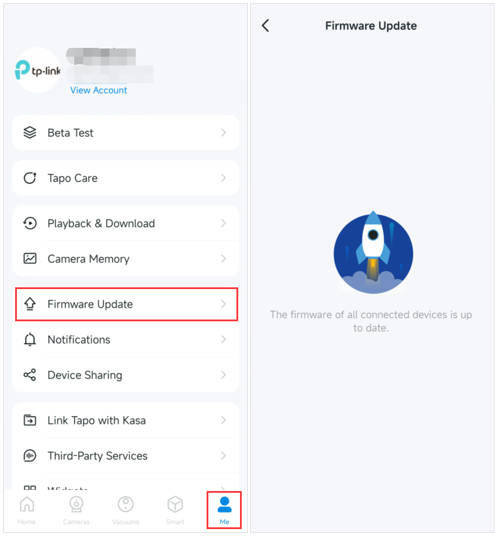
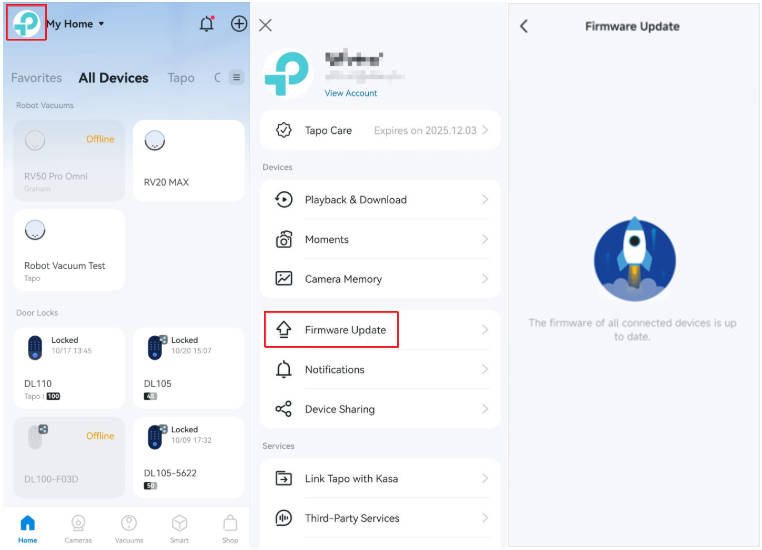
Go toTapo app Me > Firmware Update page to check for device firmware update. The location of the Me button may vary depending on the app version. It is located in either the bottom-right or top-left corner of the app.
Get to know more details of each function and configuration please go to the Download Center to download the manual of your product.
Дополнительная информация
Был ли этот FAQ полезен?
Ваш отзыв поможет нам улучшить работу сайта.



TP-Link Community
Still need help? Search for answers, ask questions, and get help from TP-Link experts and other users around the world.