
How to Submit a Request for a Replacement Product on the TP-Link Warranty Portal
 14199
14199Step 1: Open a web browser (Chrome, Edge, Safari), and browse to ‘warranty.tp-link.com’.

Step 2: Log into the Warranty Portal.
*If you have not yet created an account click here

Step 3: The Create RMA button will not be visible until troubleshooting with TP-Link support has been completed. To find a method of contact to troubleshoot with support click here.

Step 4: Once you have completed troubleshooting and TP-Link support has Authorized the replacement you will need to log back into the warranty portal. Look for the product under My Products and you will now see the Create RMA button. Click on this to continue.

*Note: You will need to make sure your address has been added to your profile before you can continue with the request. If you have not you will see a screen like this:

Step 5: Choose your shipping method and click on Next.
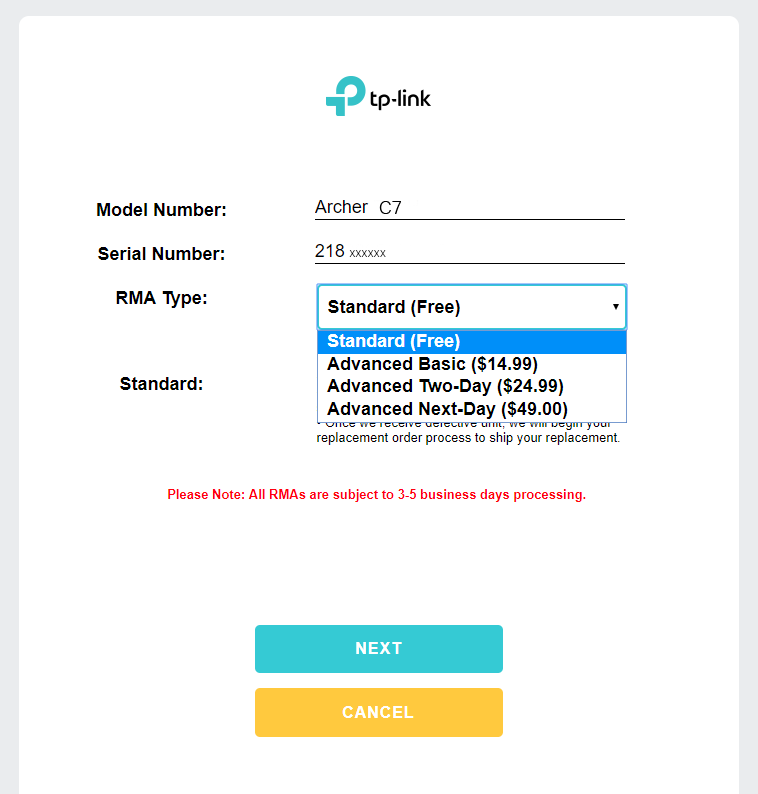
*Note: Information on our available shipping methods can be viewed in detail here:
Step 6: If you chose any of the Advanced options you will then be redirected to PayPal to complete the payment information. You can either sign in to your PayPal account or complete the Guest form.
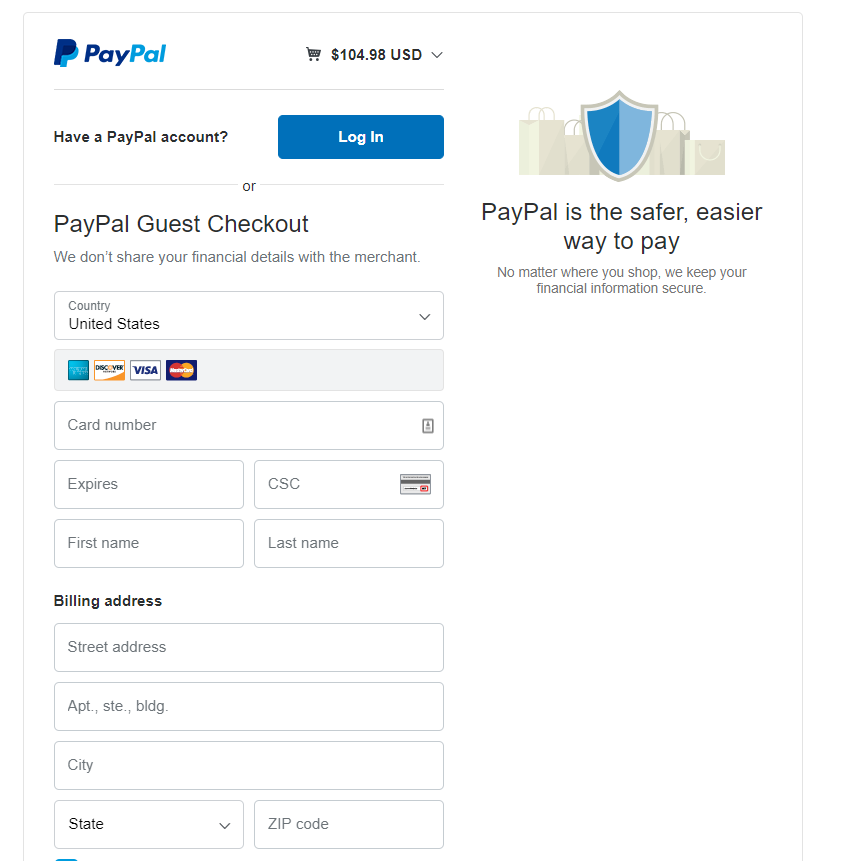
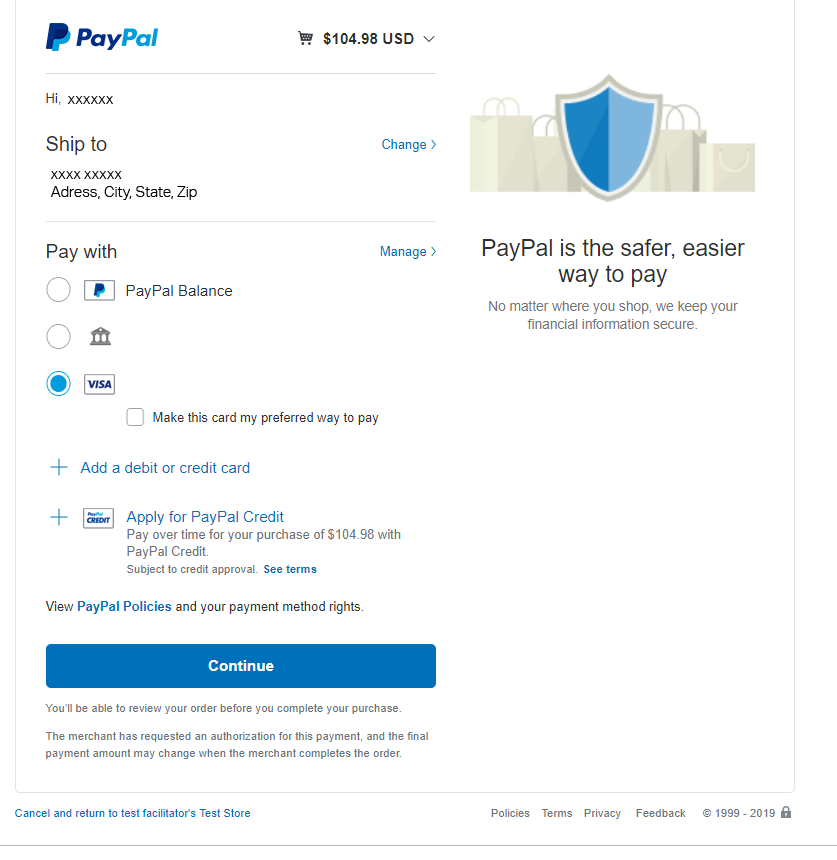
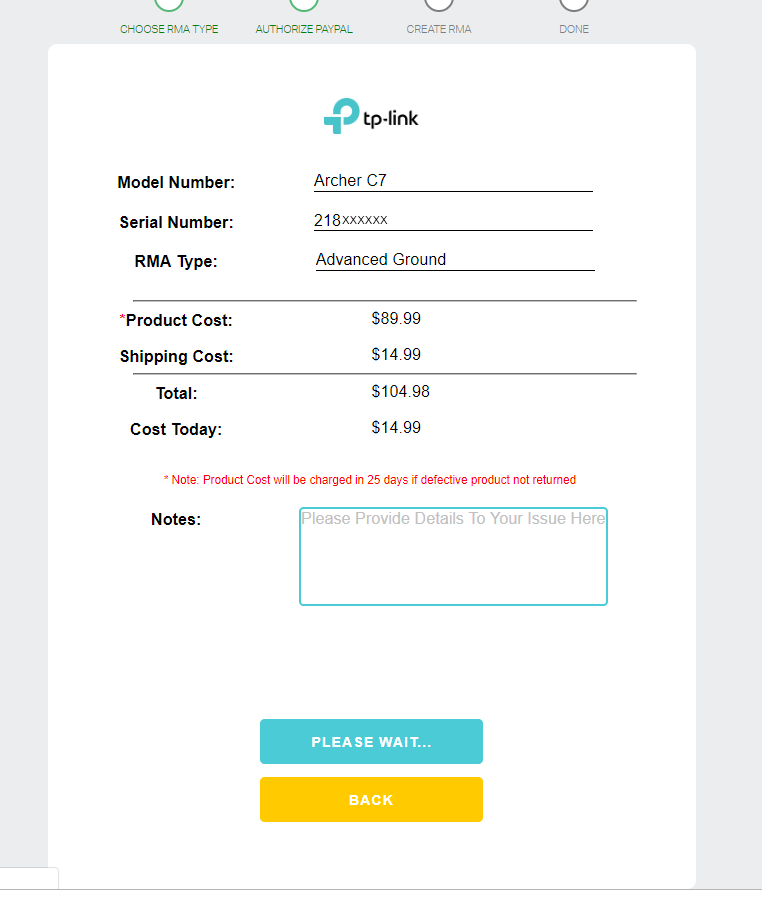
Step 7: Once you have submitted your payment information you will be redirected to the warranty portal to complete your RMA request. Confirm the information, add any notes that you may have and click Create to submit your request.
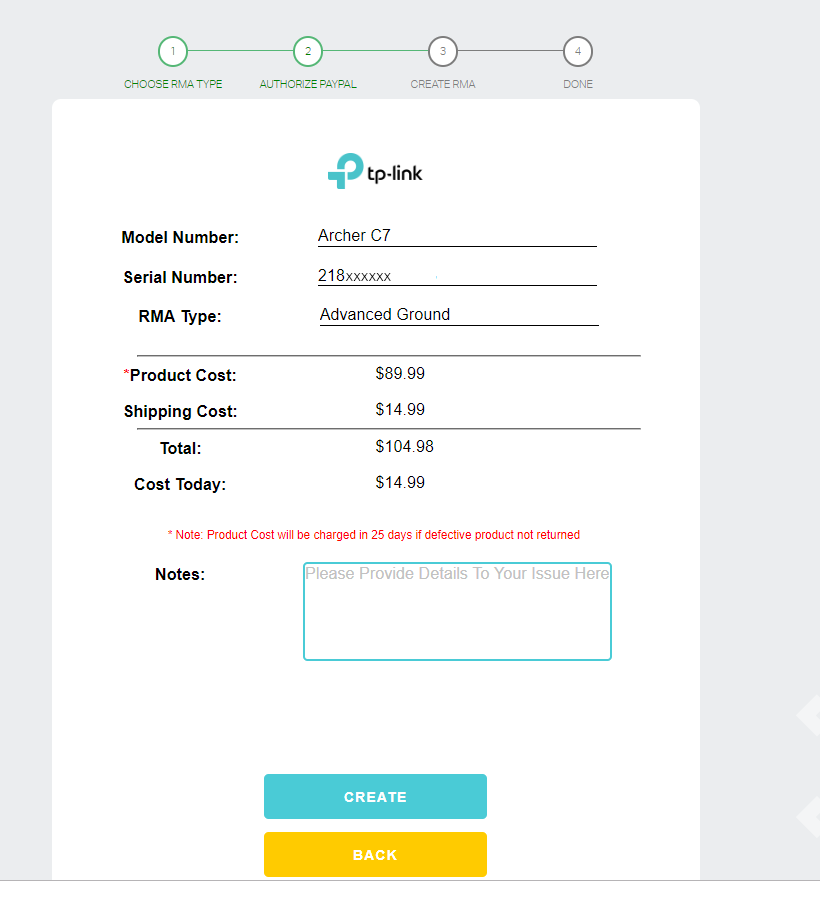
*Note: The product cost will appear as a hold charge and will only be processed should the defective unit not be returned within 25 days of the RMA being submitted.
Step 8: Please wait. Once the RMA is processed you will be redirected to your Dashboard.
Step 9: You will now see a entry under My Returns to view status of the RMA click Details.
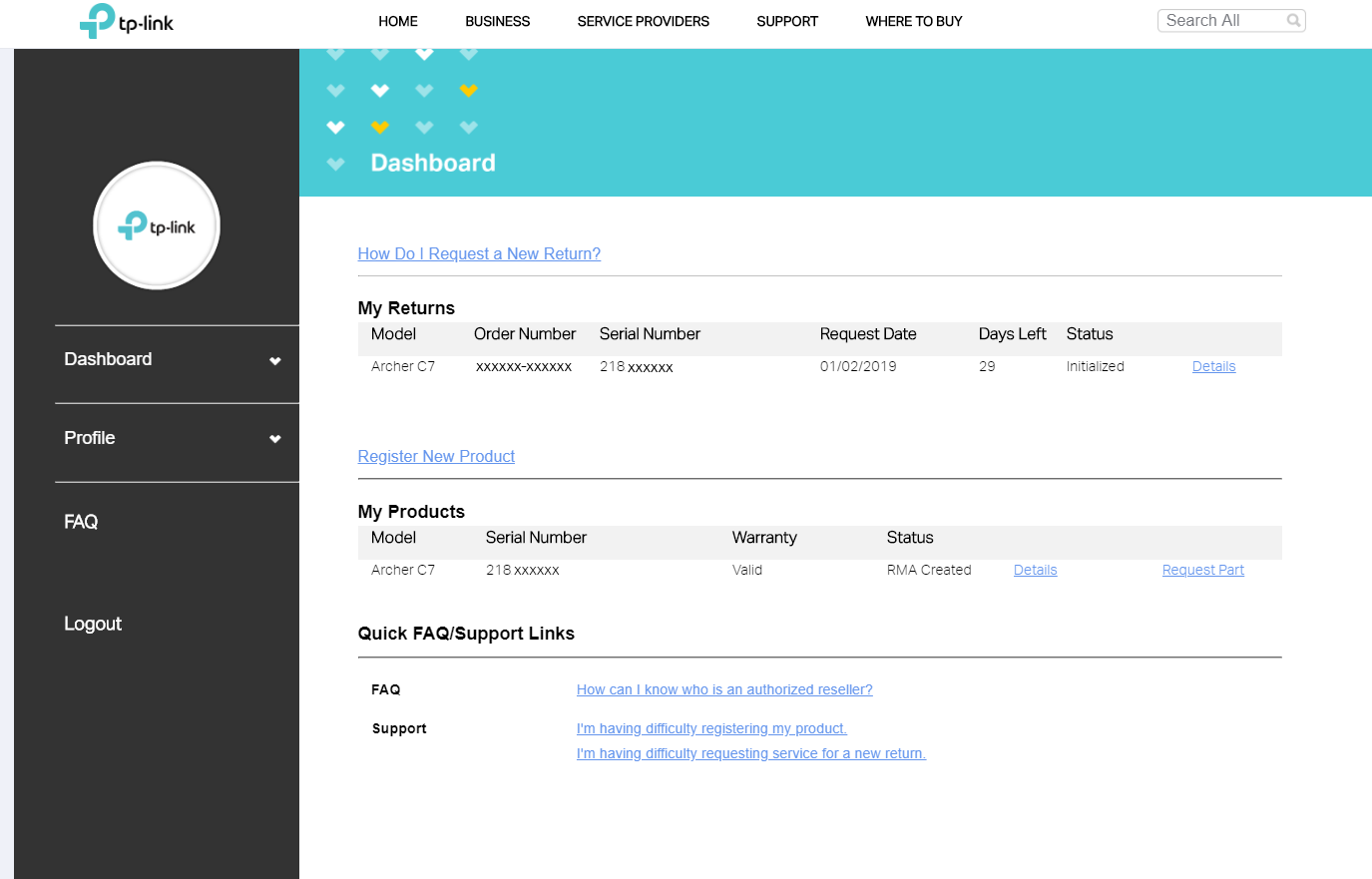
Step 10: The status of your RMA will be displayed at the bottom of this details page. When a Tracking number is available it will be displayed next to Replacement Product Tracking

*Note: Product tracking will only be available once a product has shipped.
Был ли этот FAQ полезен?
Ваш отзыв поможет нам улучшить работу сайта.

Сообщество TP-Link
Нужна помощь? Задавайте вопросы, находите ответы и обращайтесь за помощью к специалистам TP-Link и другим пользователям со всего мира.