
How do Activity Zones work?
 35847
35847Эта статья подходит для:
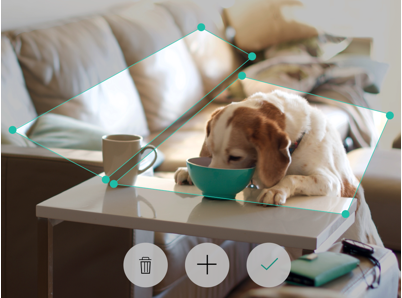
You may adjust the corners of your activity zones to make any shape to custom fit the needs of your monitoring zones. When motion occurs inside of your Activity Zones your camera will record and store it in your Activity Center, and you will receive a notification (if enabled). You may layer up to 4 different custom activity zones per camera. You may delete individual zones by tapping the trashcan icon.
*Note: Layered activity zones will not notify you twice for motion detected.
Был ли этот FAQ полезен?
Ваш отзыв поможет нам улучшить работу сайта.

Сообщество TP-Link
Нужна помощь? Задавайте вопросы, находите ответы и обращайтесь за помощью к специалистам TP-Link и другим пользователям со всего мира.