
removed
 31
31Эта статья подходит для:
*Note: All Kasa Cams require and only work with the Kasa for Mobile App
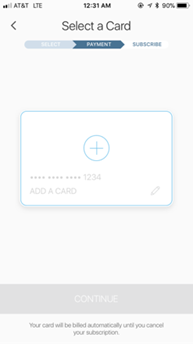
Kasa Care only allows for one credit card on file. You will be able to replace your credit card through your Kasa Care payments menu. You will also be notified via email if transactions are declined or if subscriptions are canceled for non-payment.
If you need further assistance contact TP-Link Customer Support here.
Был ли этот FAQ полезен?
Ваш отзыв поможет нам улучшить работу сайта.

Сообщество TP-Link
Нужна помощь? Задавайте вопросы, находите ответы и обращайтесь за помощью к специалистам TP-Link и другим пользователям со всего мира.