


How to Prevent Unauthorized Network Access
Published: September 3, 2026
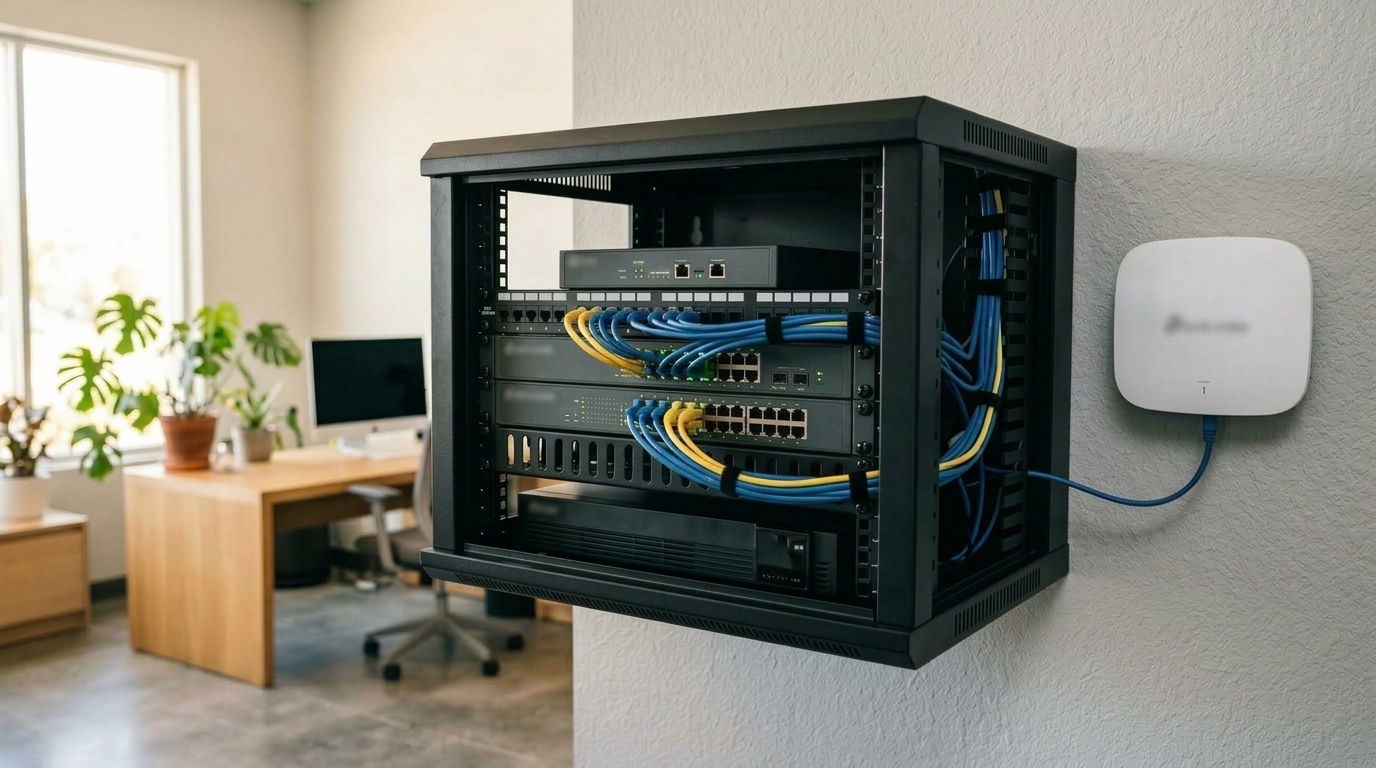
Quick Answer
-
Unauthorized network access in a Philippine business usually comes through one of five predictable paths: weak Wi-Fi passwords, rogue access points, evil twin networks, unpatched firmware, or a lack of client isolation, each with a specific, well-documented defense.
-
Illegal access accounted for 16% of reported cyber-related complaints in the Philippines in 2023, the second-largest category after online scams, according to a DICT briefer based on PNP Anti-Cybercrime Group data.
-
If unauthorized access is suspected, five steps apply: check the client list for unfamiliar devices, look for unexpected network changes, isolate the suspicious device safely, reset exposed credentials, and document the incident against NPC breach-notification requirements.
Most unauthorized access doesn't involve a sophisticated attacker breaking encryption. It involves someone exploiting a gap that was already there: a Wi-Fi password shared with too many people, a rogue access point plugged into an open Ethernet jack, or a fake network copying a business's own SSID. This guide covers how those paths actually work, what the Philippine National Police has flagged specifically, and the steps to take if unauthorized access is already suspected.
Table of Contents
How Unauthorized Access Actually Happens
What Does the Philippine National Police Say About Rogue Wi-Fi?
How Do You Keep Unauthorized Devices Off the Network?
What Are the Steps to Detect and Respond to Unauthorized Access?
How Unauthorized Access Actually Happens
Illegal access accounted for 16% of reported cyber-related complaints in the Philippines in 2023, the second-largest category after online scams at 54%, according to a Department of Information and Communications Technology briefer drawing on Philippine National Police Anti-Cybercrime Group (PNP-ACG) complaint data. It's also a specific criminal offense, not just a general security concern, under the Cybercrime Prevention Act.
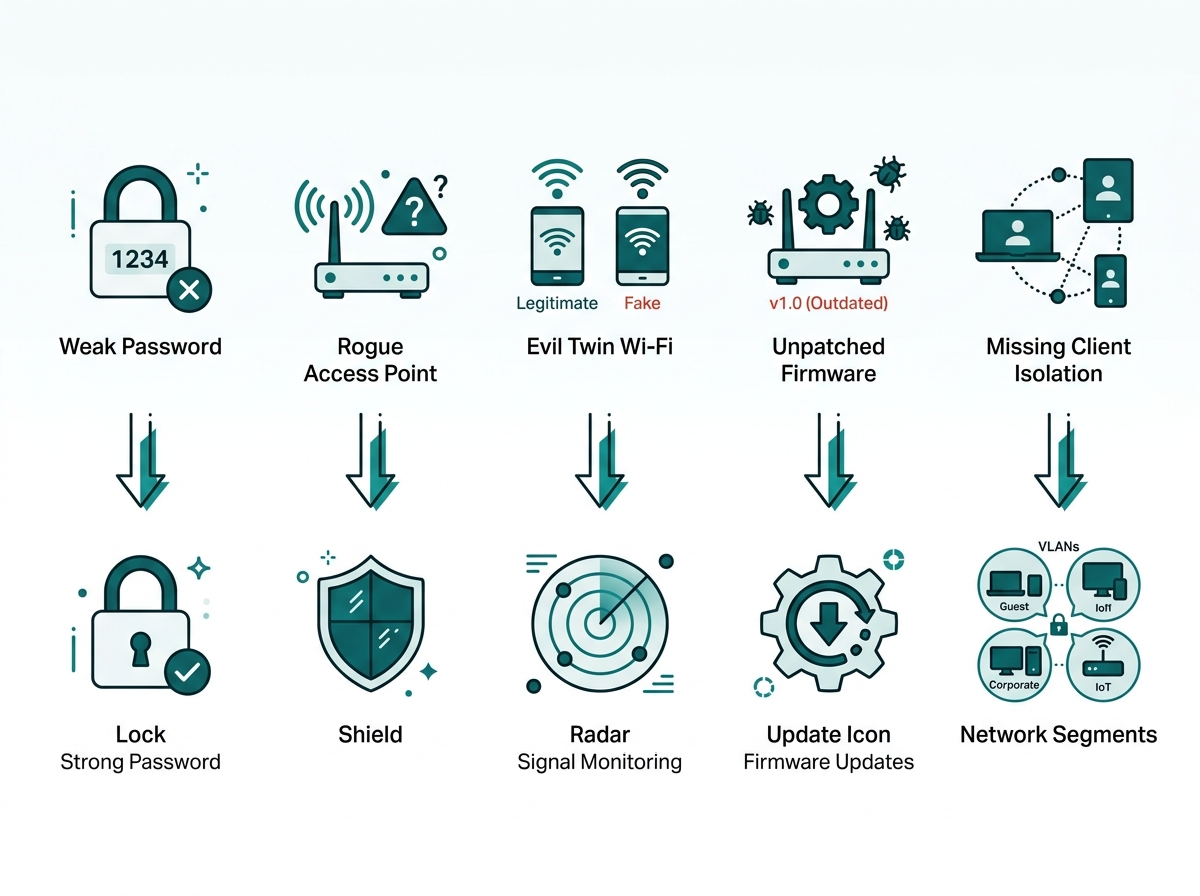
Unauthorized access exploits a handful of predictable gaps, most of them familiar rather than exotic.
|
Access Path |
How It Works |
Primary Defense |
|
Weak or shared Wi-Fi password |
A password that's simple, unchanged, or known by far more people than it should be |
WPA3, strong unique passwords, periodic rotation |
|
Rogue access point |
An unauthorized wireless access point, often connected to an organization's internal network without approval |
Port security, physical access control, network monitoring |
|
Evil twin Wi-Fi |
A fake access point copying a legitimate SSID to intercept traffic or credentials |
Client-side awareness, 802.1X authentication, wireless intrusion detection |
|
Unpatched firmware |
A known vulnerability in outdated device software left unaddressed |
Regular firmware update schedule across all devices |
|
No client isolation |
Connected devices can communicate with other devices when appropriate controls are absent |
Wireless client isolation plus VLAN or network segmentation |
What It Means for You: None of these five paths require a sophisticated attacker. Each one is closed by a specific, well-understood control, which is why most unauthorized access incidents trace back to a control that was simply never turned on rather than one that was defeated.
What Does the Philippine National Police Say About Rogue Wi-Fi?
The PNP Anti-Cybercrime Group's Cybersecurity bulletin on rogue Wi-Fi describes a rogue Wi-Fi network as an unauthorized or fake wireless network set up to trick people into connecting, sometimes deliberately by an attacker and sometimes created unintentionally through an insecure connection. The bulletin advises being cautious of Wi-Fi networks in public spaces like malls, cafes, airports, or parks, and treating security warnings, such as untrusted certificates or a forced disconnect from a legitimate network, as signs worth investigating. An unusual IP configuration alone doesn't prove a device has connected to a rogue network, but combined with other warning signs, it's a reason to look closer.
This matters for a business beyond protecting its own staff on public Wi-Fi. An evil twin broadcasting a copy of an office SSID near the workplace could attempt to trick employees into connecting to the fraudulent network instead of the real one. Because this attack relies on impersonating a trusted network rather than breaking its encryption, strong wireless security alone doesn't close the gap; it needs to be paired with authentication, monitoring, and employee awareness of what a duplicate or unfamiliar network name near the office should prompt them to do.
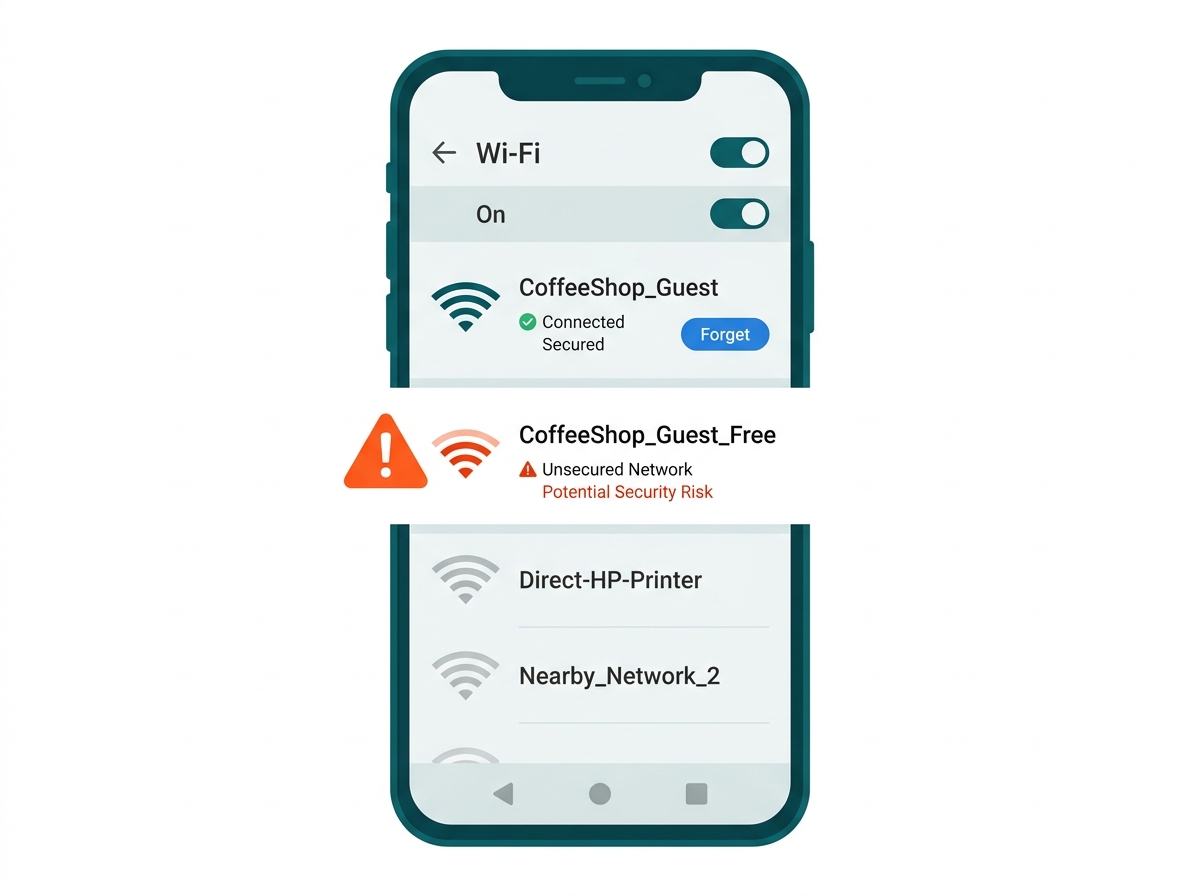
What It Means for You: A business's wireless security checklist usually stops at its own access points. The PNP-ACG's guidance is a reminder that someone else's access point, sitting in the parking lot or the unit next door, can be the actual threat, which is why staff awareness matters as much as the technical controls.
How Do You Keep Unauthorized Devices Off the Network?
Wireless: WPA3 and Strong Password Practices
Where hardware supports it, WPA3 is the stronger standard. WPA2/WPA3 transition mode maintains compatibility with legacy devices that don't yet support WPA3, without falling back to WPA2 across the entire network. The full trade-offs between the two standards, including what changes at the encryption level, are covered in our WPA2 vs WPA3 comparison.
Beyond the protocol itself, a password that's strong on paper but has gone unchanged for years and been shared with visitors, contractors, or former employees is a security risk regardless of how it was originally set.
Wired and Authenticated Access: 802.1X, Port Security, and Physical Control
802.1X with RADIUS requires a user or device to authenticate before being granted network access, rather than relying only on possession of a shared password. On Omada hardware, this runs through the controller's built-in or external RADIUS profile, with either port-based authentication, where any device on an authenticated port gets access, or MAC-based authentication, where each device authenticates independently, and optional VLAN assignment based on the authenticated user.
Port security on switches restricts which devices can connect through physical ports, helping prevent an unauthorized device plugged into an accessible Ethernet jack from immediately gaining network access. Segmenting the network by VLAN limits what an unauthorized device can reach even if it does get on, which is covered in more depth in our guide to VLANs and business network security.
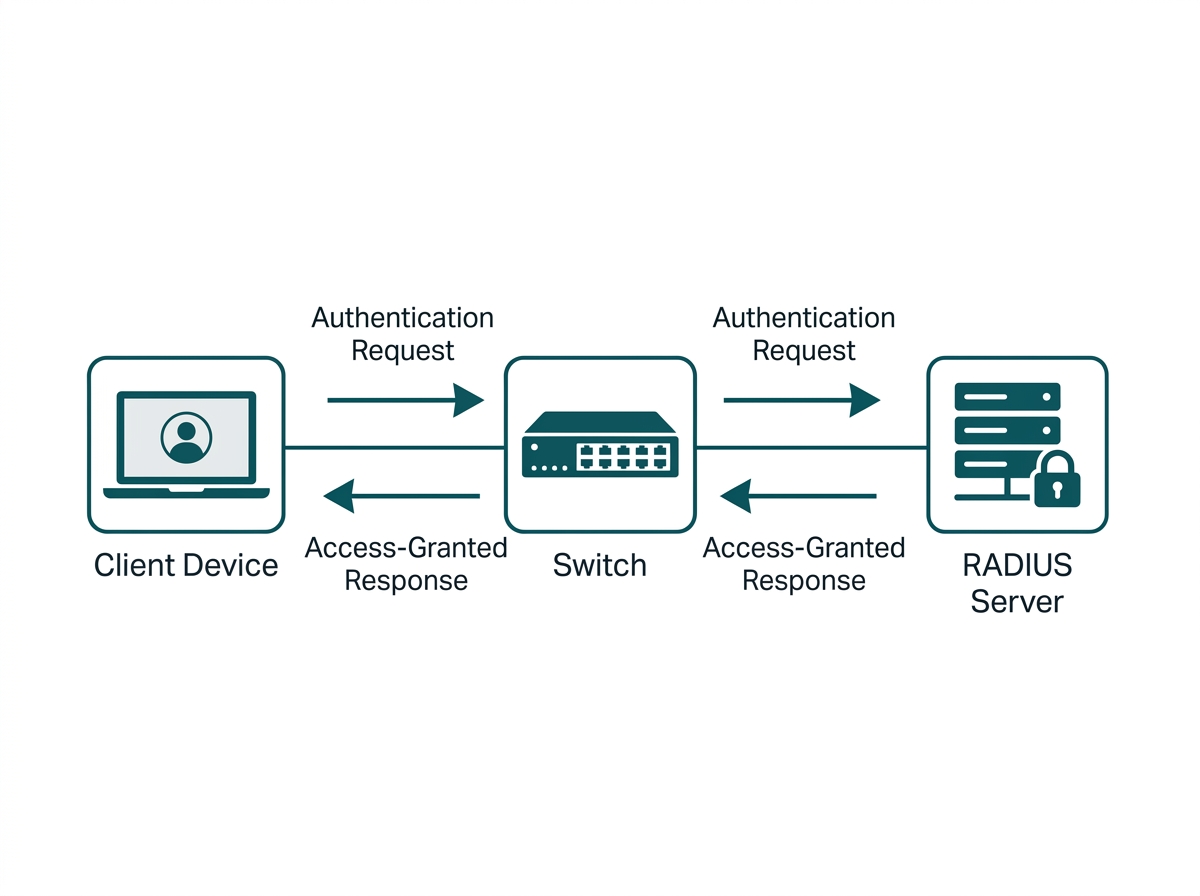
What It Means for You: A shared Wi-Fi password is a single point of failure, since anyone who has it current staff, former staff, or a contractor who was never removed has the same level of access as everyone else. 802.1X replaces that with individual authentication, so revoking one person's access doesn't require changing a password everyone else also has to relearn.
What Are the Steps to Detect and Respond to Unauthorized Access?
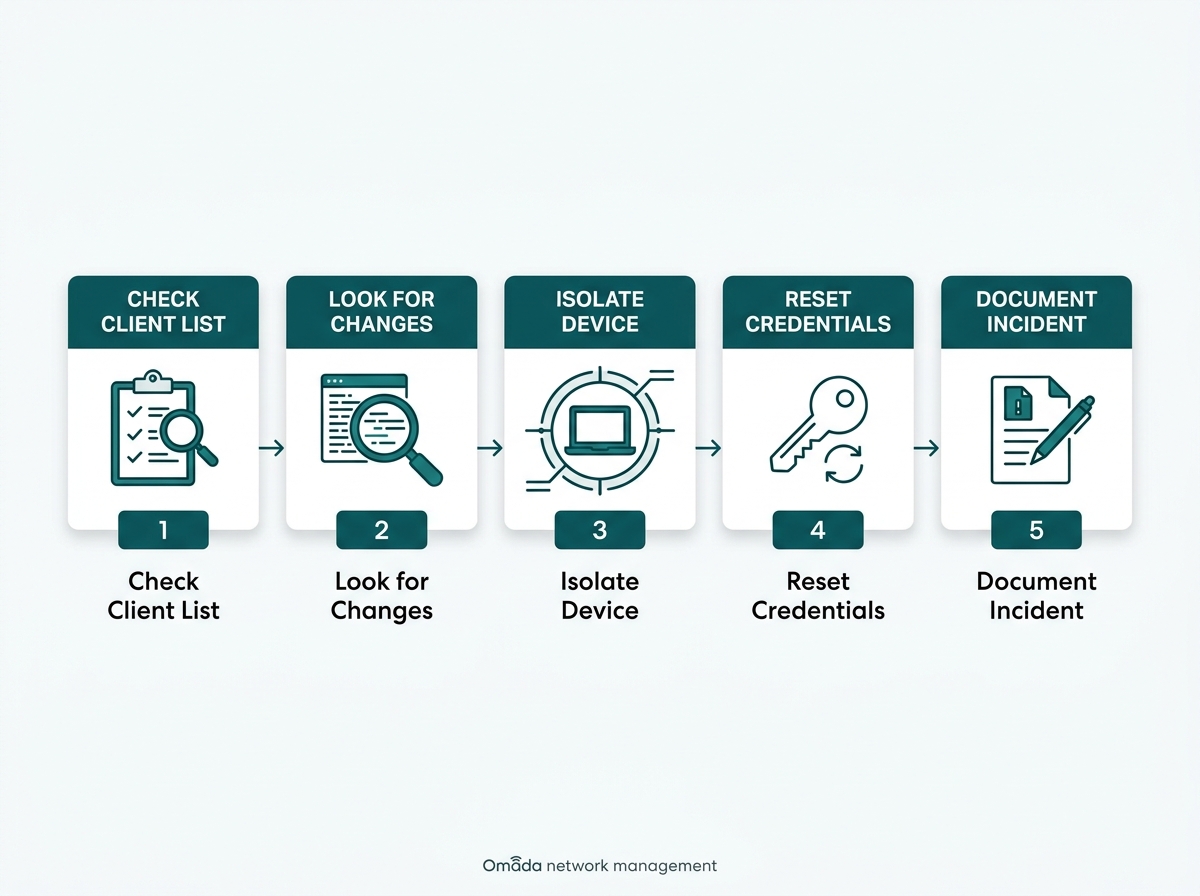
If unauthorized access is suspected rather than just theoretical, these five steps help a business investigate and respond.
- Check the connected client list on the network controller for devices that don't match known staff or business devices, paying particular attention to unfamiliar device names or MAC addresses.
- Look for unexpected changes in network configuration or connectivity. An unfamiliar IP configuration can warrant investigation, but it should be evaluated alongside other evidence rather than treated as proof of a rogue network on its own.
- Isolate a suspicious device when it can be done safely, while considering whether disconnecting it could disrupt a critical business system in the process.
- Reset Wi-Fi passwords, administrator credentials, and other credentials that may have been exposed or compromised. Broaden the reset if the investigation indicates that additional systems or accounts may have been affected.
- Document the incident and assess whether personal data was compromised, and whether the conditions for mandatory notification under National Privacy Commission rules are met.
What It Means for You: Step 5 is easy to treat as an afterthought once the technical problem is contained, but if personal data was exposed, the assessment itself is time-sensitive. The Philippines' 72-hour NPC notification clock starts at discovery, not once the investigation is finished, which is covered in more detail in our Network Security for Businesses guide.
Many unauthorized access incidents exploit familiar weaknesses: compromised credentials, unsecured network ports, outdated software, poorly segmented networks, or deceptive wireless access points. Addressing these gaps through strong authentication, network segmentation, device monitoring, secure wireless configurations, and appropriate access controls significantly reduces a business's exposure.
Frequently Asked Questions
How do I know if someone unauthorized is on my Wi-Fi?
Check the connected client list on the network controller for unfamiliar device names or an unusually high device count relative to known staff and guests. A sudden, unexplained slowdown in network performance can also be a reason to investigate, although performance problems alone don't indicate unauthorized access.
What's the difference between a rogue access point and an evil twin?
A rogue access point is an unauthorized wireless access point, often one connected to an organization's internal network without approval. An evil twin is a malicious access point configured to imitate a legitimate Wi-Fi network and trick users into connecting. Both create security risks, but they operate differently: one is unauthorized hardware already on the network, the other is external hardware impersonating the network from outside it.
Is connecting to a business's Wi-Fi without permission actually illegal in the Philippines?
Yes. Illegal access to all or part of a computer system without right is a specific offense under Section 4(a)(1) of the Cybercrime Prevention Act (RA 10175), punishable by six years to twelve years' imprisonment or a fine of at least ₱200,000, separate from any other offense that may occur after access is obtained.
Does hiding my SSID prevent unauthorized access?
Not meaningfully. A hidden SSID can still be detected using wireless scanning techniques readily available to anyone looking for it. SSID hiding shouldn't be treated as a substitute for strong encryption, authentication, access controls, and other actual network security measures.
Can guest Wi-Fi be a path to unauthorized access on the main network?
Proper isolation greatly reduces that risk. Placing guest Wi-Fi on a separate VLAN and blocking its access to staff networks, servers, and other internal systems prevents guest devices from directly reaching those resources under normal operation.
Can 802.1X be set up without buying a separate RADIUS server?
Yes, on Omada hardware. The Omada controller includes a built-in RADIUS server that can handle 802.1X authentication directly, without requiring a separate third-party RADIUS deployment, though an external RADIUS server is also supported for businesses that already run one.
What's the fastest thing a business can do today to reduce unauthorized access risk?
Change any Wi-Fi or admin password that hasn't been rotated recently and has been shared beyond current staff. It requires no new hardware, takes minutes, and closes the single most common access path without waiting for a broader security review.
Final Thoughts
Unauthorized network access in the Philippines usually isn't a sophisticated break-in. It's a shared password nobody rotated, a rogue access point plugged into an open jack, or an evil twin sitting close enough to trick a distracted employee into connecting. Each of these paths has a specific, well-understood defense, and none of them require a dedicated security team to close.
Omada's managed switches and controller platform support built-in 802.1X authentication, port security, and centralized client monitoring from a single dashboard, so a business can see exactly what's connected to its network without needing separate tools for each control. For the fuller layered security approach this fits into, including the regulatory requirements a personal data breach can trigger, see our Network Security for Businesses guide, or talk to an Omada specialist about closing the specific access paths your current network setup leaves open.
This article is for general business guidance and is not legal advice. Businesses with specific Data Privacy Act or Cybercrime Prevention Act questions should consult a licensed Philippine lawyer or the National Privacy Commission directly.