


Network Security Checklist for Philippine SMBs
Published: September 3, 2026
Quick Answer
-
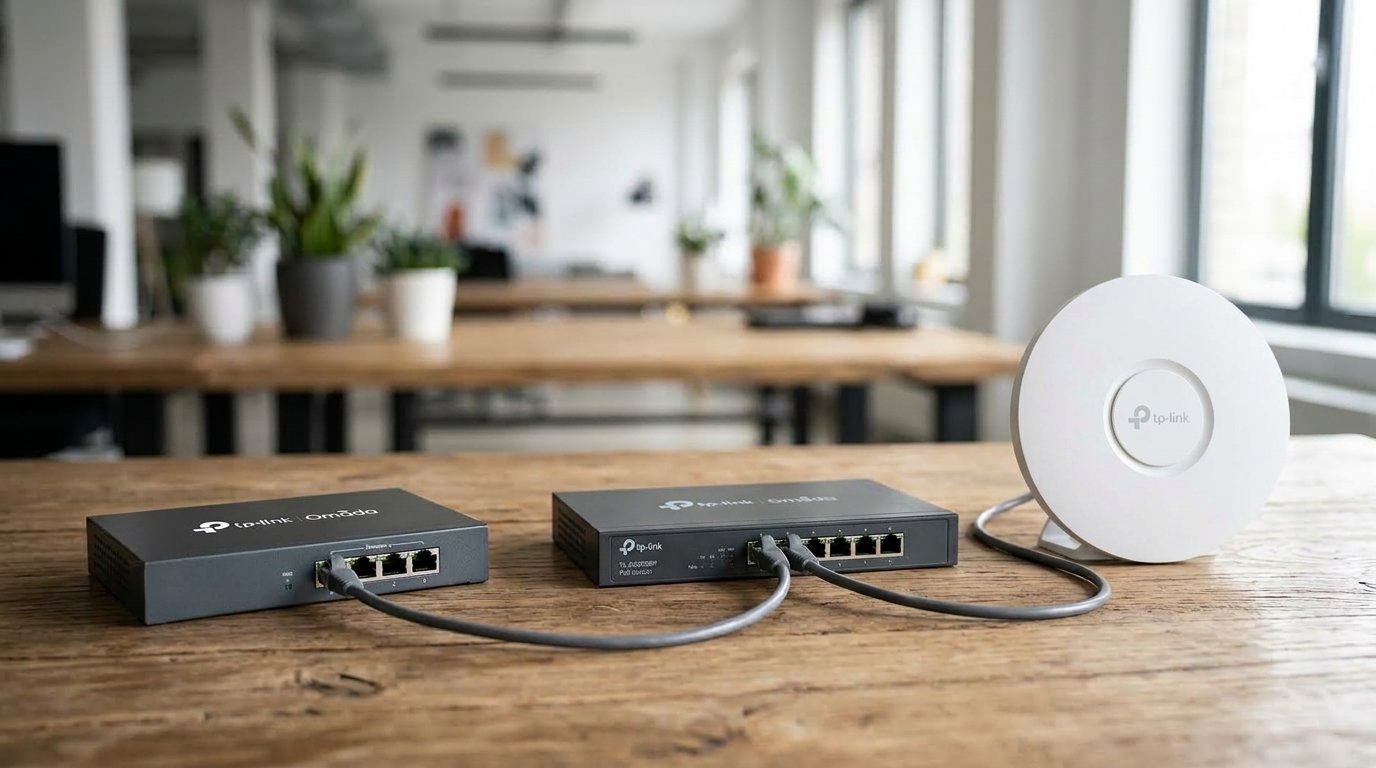
A network security checklist for a Philippine SMB covers five areas: perimeter and access basics, wireless security, segmentation, monitoring and incident response, and Philippine-specific data privacy compliance.
-
The most commonly skipped item is changing default admin passwords on every device, not just the main router; access points, switches, and controllers ship with their own separate credentials.
-
Because 99.63% of Philippine businesses are MSMEs, most without dedicated security staff, this checklist is built to be worked through without specialized training, with the harder items flagged for where a centralized management platform helps most.
Most SMB network security failures don't start with a sophisticated attack. They start with a default password nobody changed, a guest network that was never really isolated, or a firmware update that kept getting postponed. This checklist walks through the gaps that matter most, in the order that closes the highest-risk ones first, then covers the Philippine-specific compliance items that most generic security checklists skip entirely.
Table of Contents
Why Philippine SMBs Need This Checklist
Checklist: Perimeter and Access Basics
Checklist: Segmentation and Access Control
Checklist: Monitoring and Incident Response
Checklist: Philippine Compliance Items Most Generic Checklists Skip
How Often Should an SMB Review Its Network Security Checklist?
Why Philippine SMBs Need This Checklist
99.63% of registered business establishments in the Philippines are micro, small, or medium enterprises, according to the Department of Trade and Industry's 2024 MSME statistics. Most operate without a dedicated IT security team, which means basic gaps sit unaddressed far longer than they would at a larger company, since there's no one whose job it is to catch them. Understanding the threat landscape these gaps sit inside is worth a separate look, and our state of cybersecurity in the Philippines overview covers it in more depth.
This checklist is organized into five groups, from perimeter basics through Philippine-specific compliance items most generic security checklists never mention. Work through it in order if starting from zero, or jump to the section closest to a known gap.
What It Means for You: The goal isn't perfect security. It's closing the specific, well-documented gaps that account for the majority of SMB incidents, in an order that gets the highest-impact items fixed first.
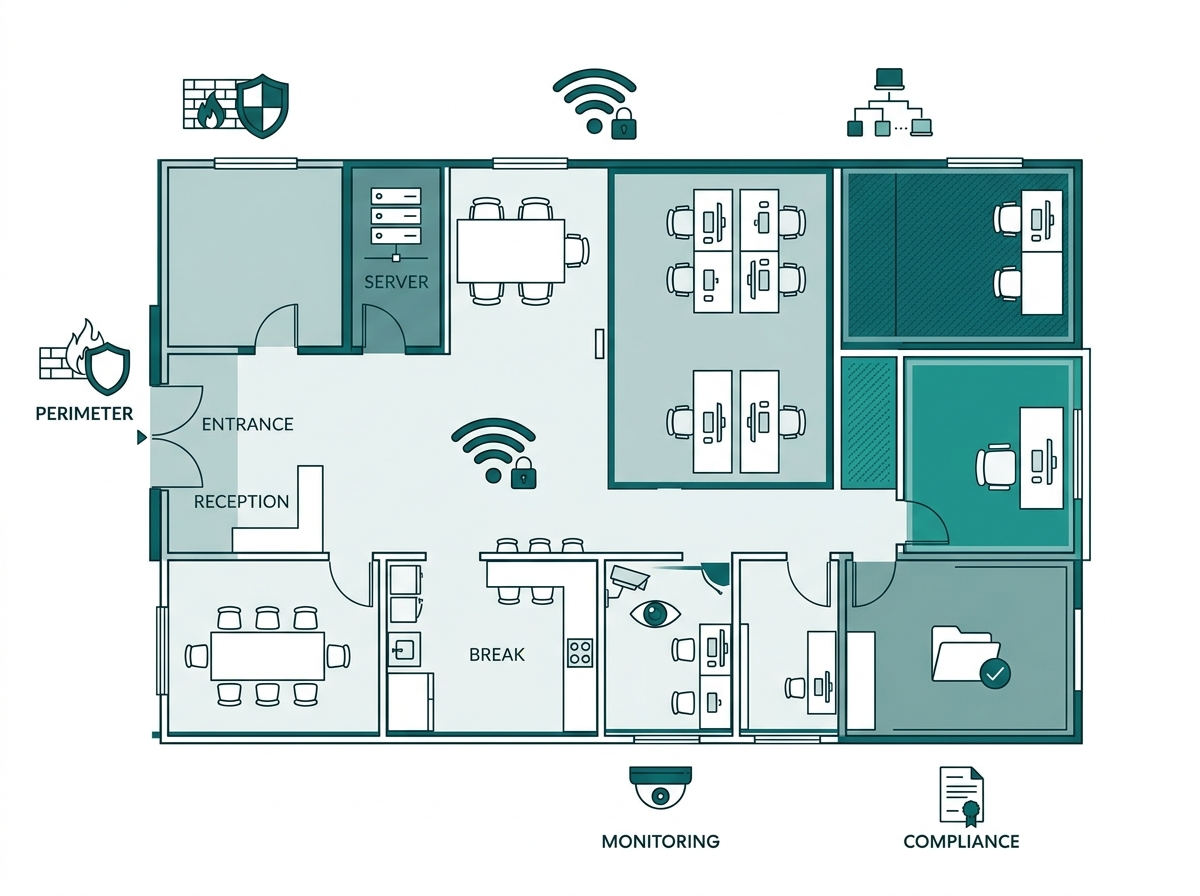
Checklist: Perimeter and Access Basics
1. A firewall or gateway with DoS/DDoS protection and deep packet inspection sits at the network edge, filtering malicious traffic before it reaches internal devices.
2. Default admin passwords have been changed on every device: router, switch, access point, and controller, not just the main gateway.
3. Firmware is current on all network hardware, with a process for checking and applying updates rather than relying on whether anyone remembers.
4. Remote management access to network hardware is disabled unless actively needed, and restricted by IP or VPN when it is.
5. Any remote access to internal business systems requires a VPN connection rather than a port forwarded directly to the internet. Site-to-site and remote-access VPNs solve different problems, and choosing the right one is covered in our business VPN guide.
|
Checklist Area |
Most Common Gap |
What It Means for You |
|
Perimeter firewall |
No DoS/DDoS protection or deep packet inspection enabled |
Malicious traffic reaches internal devices unfiltered instead of being stopped at the edge |
|
Default passwords |
Only the main router's password is changed |
Switches, access points, and controllers stay wide open on factory credentials |
|
Firmware |
Updates applied irregularly or only when something breaks |
Known, already-patched vulnerabilities remain exploitable for months |
What It Means for You: a business that secures its main gateway but leaves switch and access point defaults untouched has closed the front door while leaving three side doors unlocked. Every device with its own login is a separate entry point. The broader toolkit this checklist draws from, firewalls, VPNs, monitoring dashboards, and more, is laid out in our network security tools for business guide.
Checklist: Wireless Security
6. WPA3 is enabled on every SSID where the hardware supports it; where legacy devices require it, WPA2/WPA3 transition mode is used rather than falling back to WPA2 network-wide. The trade-offs between the two standards, including what changes at the encryption level, are covered in our WPA2 vs WPA3 comparison.
7. Guest WiFi runs on its own SSID and VLAN, completely separate from staff devices and point-of-sale systems.
8. The guest network is rate-limited per device and blocked from reaching any other network segment. Isolation is the setup step; hardening that isolation against encryption gaps and evil-twin attacks is covered separately in our guide to securing guest WiFi.
9. Wireless passwords are rotated periodically rather than shared indefinitely with an ever-growing list of people who know them.
WPA3 remains the stronger standard, but WPA2 isn't obsolete; it's still functional and considerably better than no encryption. The practical move for most SMBs with a mix of old and new devices is WPA2/WPA3 transition mode, which lets newer hardware connect over WPA3 while older devices fall back to WPA2, rather than choosing one setting for the whole office. This is covered in more depth, alongside the guest network isolation and Data Privacy Act consent requirements specific to guest WiFi, in our Guest WiFi Best Practices guide.
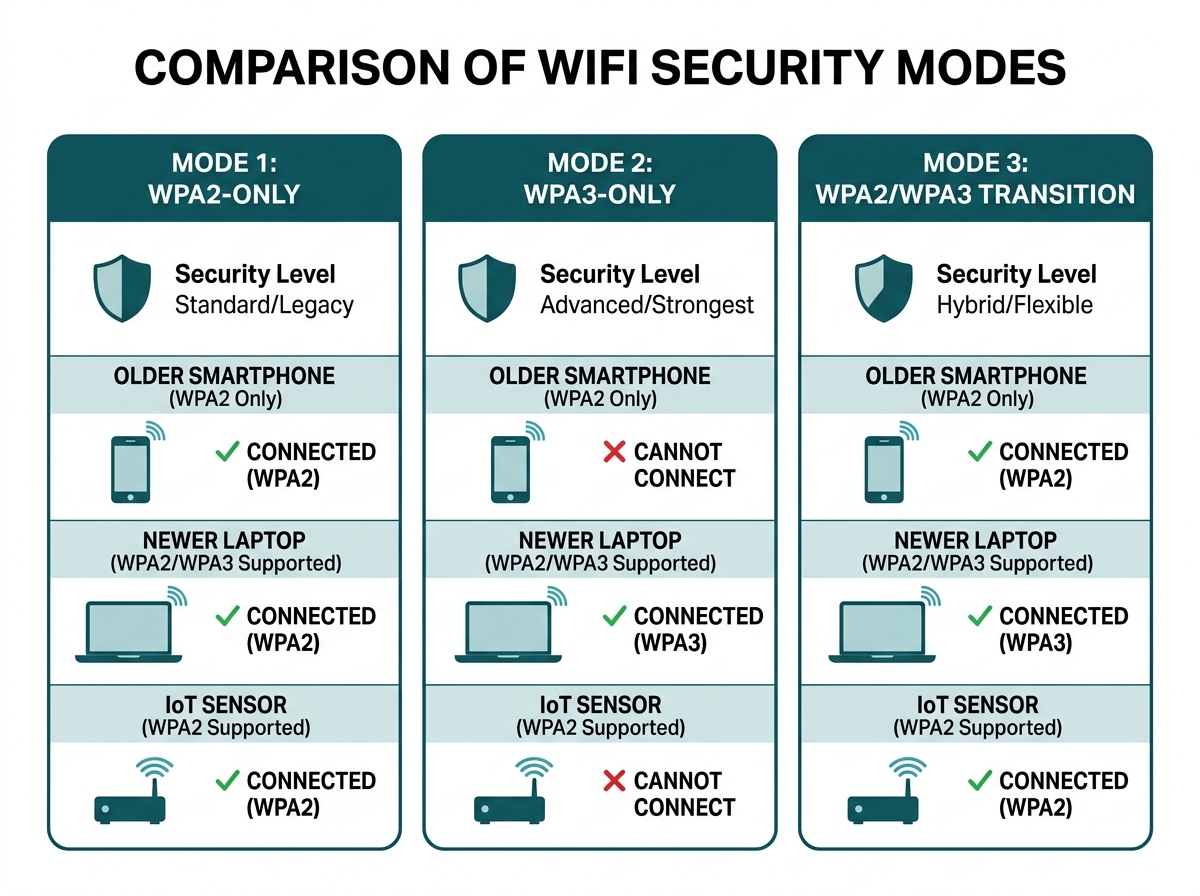
What It Means for You: A business that disables WPA3 entirely because "some devices don't support it" is leaving every device on the weaker standard. Transition mode gives newer hardware the stronger encryption without cutting off older devices that still need to connect.
Checklist: Segmentation and Access Control
10. VLANs separate staff devices, guest WiFi, point-of-sale or payment systems, and IoT devices like cameras from one another. How VLANs specifically resist attacks like VLAN hopping, and why they need 802.1X alongside them, is covered in our guide to VLANs and business network security.
11. Point-of-sale and payment terminals are isolated from guest WiFi and other untrusted network segments.
12. Access control lists or 802.1X/RADIUS authentication govern which devices can join the network, rather than a single shared password being the only barrier to entry.
Feature-to-Benefit: What Segmentation Actually Prevents
|
Segment |
Typical Devices |
What Isolation Prevents |
|
Staff |
Employee laptops, internal servers |
Guest or IoT device reaching payroll, HR records, or file shares |
|
Guest |
Visitor and vendor phones and laptops |
Lateral movement into anything on the business's own network |
|
Point-of-sale |
Card readers, POS terminals |
A compromised guest or IoT device reaching payment card data |
|
IoT / cameras |
Security cameras, smart locks, sensors |
A common attack entry point becoming a stepping stone into staff or POS segments |
What It Means for You: segmentation and access control work as a pair, not substitutes for each other. Access control decides who gets onto the network at all; segmentation decides how far they can go once they're on it. Skipping either one weakens both. The full reasoning behind segmenting by function, and how it limits breach scope specifically under Philippine notification rules, is covered in our Network Security for Businesses pillar guide.
Checklist: Monitoring and Incident Response
13. A centralized dashboard provides logging and monitoring across every access point, switch, and gateway on the network, rather than each device being checked individually.
14. A documented incident response plan exists and has been reviewed by whoever would actually execute it during an incident, not just filed away. Most incident response gaps trace back to avoidable mistakes rather than sophisticated attacks, which our guide to cybercrime avoidance covers in more practical detail.
15. The incident response plan includes procedures for assessing whether a personal data breach triggers the Philippines' 72-hour notification requirement and, when required, notifying the NPC and affected data subjects within the applicable period.
16. Network device configurations are backed up somewhere other than the devices themselves, so a hardware failure doesn't also mean starting configuration from scratch.
Under NPC Circular No. 16-03 on Personal Data Breach Management, a business that discovers a security incident involving personal data must notify the National Privacy Commission within 72 hours of discovery, based on the information available at that point, with a full report due within five days. There's no permissible delay at all if the breach affects at least 100 data subjects or involves sensitive personal information likely to cause serious harm. A business that discovers a breach on a Friday afternoon doesn't get to wait until Monday to start that clock.
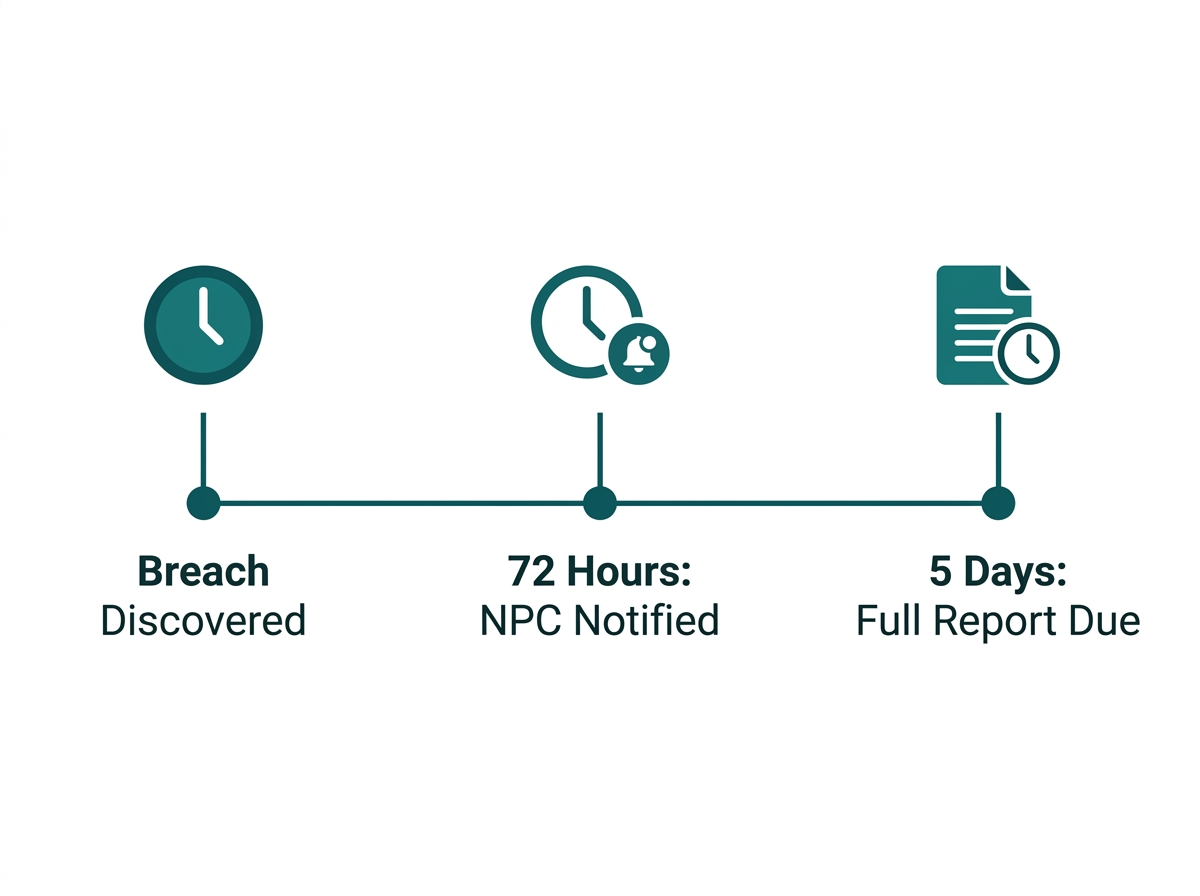
What It Means for You: Step 14 and step 15 are the ones businesses most often skip, since neither involves buying hardware. But an incident response plan that's never been reviewed, or doesn't account for the 72-hour clock, turns a bad Friday night into a scramble to look up legal obligations while the deadline is already running.
Checklist: Philippine Compliance Items Most Generic Checklists Skip
17. The business has designated a Data Protection Officer and, where NPC registration thresholds apply, has registered its DPO and covered data processing systems with the National Privacy Commission under NPC Circular No. 2022-04.
18. A Privacy Impact Assessment has been completed for any system that handles customer or employee personal data, including the guest WiFi captive portal if it collects login information. NPC Circular No. 2023-06 sets these as part of a business's minimum security obligations, with a compliance deadline of March 30, 2025, which has already passed.
19. Captive portal consent language has been reviewed for compliance with the Data Privacy Act, with no pre-checked marketing consent boxes or bundled consent requirements. Under NPC Circular No. 2023-04 on Guidelines on Consent, consent must be specific and granular, never implied or bundled into a single "Connect" button.
20. Whoever manages the network understands that unauthorized access to computer systems is an offense under the Cybercrime Prevention Act (RA 10175), punishable by six years to twelve years' imprisonment or a fine starting at ₱200,000, while personal data breaches may also trigger separate obligations under the Data Privacy Act and NPC rules.
What It Means for You: A business that thinks of "compliance" as a single line item is missing that these are three separate, stackable obligations: DPO registration, privacy impact assessments, and consent design, each with its own deadline and enforcement basis. Skipping one doesn't just create a gap in that area; it can leave the business unable to demonstrate compliance during an actual NPC investigation.
How Often Should an SMB Review Its Network Security Checklist?
A full review once a year is a reasonable baseline for a stable network, with a re-check triggered by specific events rather than waiting for the calendar: after adding a new branch or major piece of hardware, after any staff turnover with access to network credentials, and immediately after any suspected security incident, regardless of how minor it seemed at the time.
What It Means for You: The annual review catches drift, settings that quietly changed, devices that were added without going through the checklist. The event-triggered reviews catch the moments when risk actually spikes, which is a more useful rhythm than a calendar date alone.
Frequently Asked Questions
What's the single most commonly skipped item on this checklist?
Changing default admin passwords on every device, not just the main router. Access points, switches, and controllers often ship with their own default credentials that get overlooked once the main gateway is secured, leaving a quieter but still exploitable way into the network.
Do I need a dedicated IT person to follow this checklist?
Not necessarily for the initial pass. Many items, changing default passwords, separating guest WiFi, enabling WPA3, can be done by whoever manages the network hardware without specialized security training. Items involving VLAN segmentation, access control lists, and Data Privacy Act compliance benefit from either an experienced IT contractor or a centralized management platform that simplifies the configuration.
Is WPA2 acceptable if WPA3 isn't supported on older hardware?
WPA2 remains functional and is better than no encryption at all, but it carries known vulnerabilities that WPA3 addresses directly. Where hardware supports it, WPA3 or WPA2/WPA3 transition mode is the better choice; aging access points that only support WPA2 are worth budgeting to replace rather than treating as a permanent fixture.
What's the first item to fix if starting from zero?
Default passwords and guest network isolation, in that order. Both are typically quick to fix, don't require new hardware, and close two of the most commonly exploited gaps in small business networks.
Does this checklist apply the same way to a single-location business and a multi-branch chain?
The individual items apply the same way at either scale, but a multi-branch business needs every item enforced consistently across all locations, not just verified once at headquarters, which is typically managed through centralized, templated configuration rather than checking each site by hand.
Do I need to register with the National Privacy Commission for a small business?
Only if the business crosses specific thresholds under NPC Circular No. 2022-04, generally 250 or more employees, or processing sensitive personal data of 1,000 or more individuals. Smaller businesses can register voluntarily or submit a sworn declaration; confirm specific thresholds with the NPC or a data privacy professional, since requirements can vary by processing volume and risk.
What happens if a business misses the 72-hour NPC breach notification deadline?
The notification can still be made based on available information rather than a complete investigation; the clock starts at discovery, not once the full scope is known. Missing the deadline entirely, however, can expose a business to NPC enforcement action, so having a reviewed incident response plan in place before an incident happens matters more than trying to build one during a live breach.
Final Thoughts
Most network security failures at Philippine SMBs trace back to a handful of skipped basics, not a sophisticated attack: a default password, a guest network that was never really isolated, a captive portal collecting data without proper consent. Working through this checklist once, then rechecking it after any major change to the network, closes most of that gap without requiring a dedicated security team.
Omada's gateway, switch, and access point lineup manages firewall policy, VLAN segmentation, WPA3 enforcement, and centralized monitoring from a single controller dashboard, so a business without dedicated IT staff can work through this entire checklist from one place instead of configuring each device separately. For the fuller picture of how these checklist items fit into a complete layered security approach, including the regulatory deadlines a breach can trigger, see our Network Security for Businesses guide, or talk to an Omada specialist about which parts of this checklist your current setup is already missing.
This article is for general business guidance and is not legal advice. Businesses with specific Data Privacy Act or NTC compliance questions should consult a licensed Philippine lawyer or the National Privacy Commission directly.