Is WiFi 7 Worth Upgrading To in the Philippines?
PPublished: April 16, 2025 | Last Updated: July 7, 2026
WiFi 7 (802.11be) is worth upgrading to if you run a multi-gigabit fiber plan, own several WiFi 7-capable devices, or need the lowest possible latency for gaming or business use. For most Philippine households on plans under 500 Mbps, a solid WiFi 6 setup still delivers the better price-to-performance outcome in 2026.
Quick Answer
-
WiFi 7 delivers real, purchasable speeds up to 19 Gbps on TP-Link's current top PH router (Archer GE800), well below the 46 Gbps theoretical IEEE spec ceiling often quoted.
-
If your PLDT, Globe, or Converge plan runs under 500 Mbps, your ISP plan is the bottleneck, not your router, making WiFi 6 the more cost-effective choice right now.
-
Wi-Fi 7 is most worth it for gamers, content creators, smart-home-heavy households, and businesses that need the lower latency and higher device capacity of Multi-Link Operation today.
Table of Contents
Is It Worth Upgrading to a WiFi 7 Router in 2026
How Much Faster Is WiFi 7 Than WiFi 6 in Real Use
Will WiFi 7 Actually Help If My Internet Plan Isn't Fast
Which Devices Currently Support WiFi 7 in the Philippines
Who Should Upgrade to WiFi 7 Right Now
What Is WiFi 7
WiFi 7, also known as IEEE 802.11be, builds on previous WiFi generations with improvements in speed, efficiency, and capacity. It can handle high-bandwidth applications such as 4K/8K streaming, online gaming, and smart home connectivity.
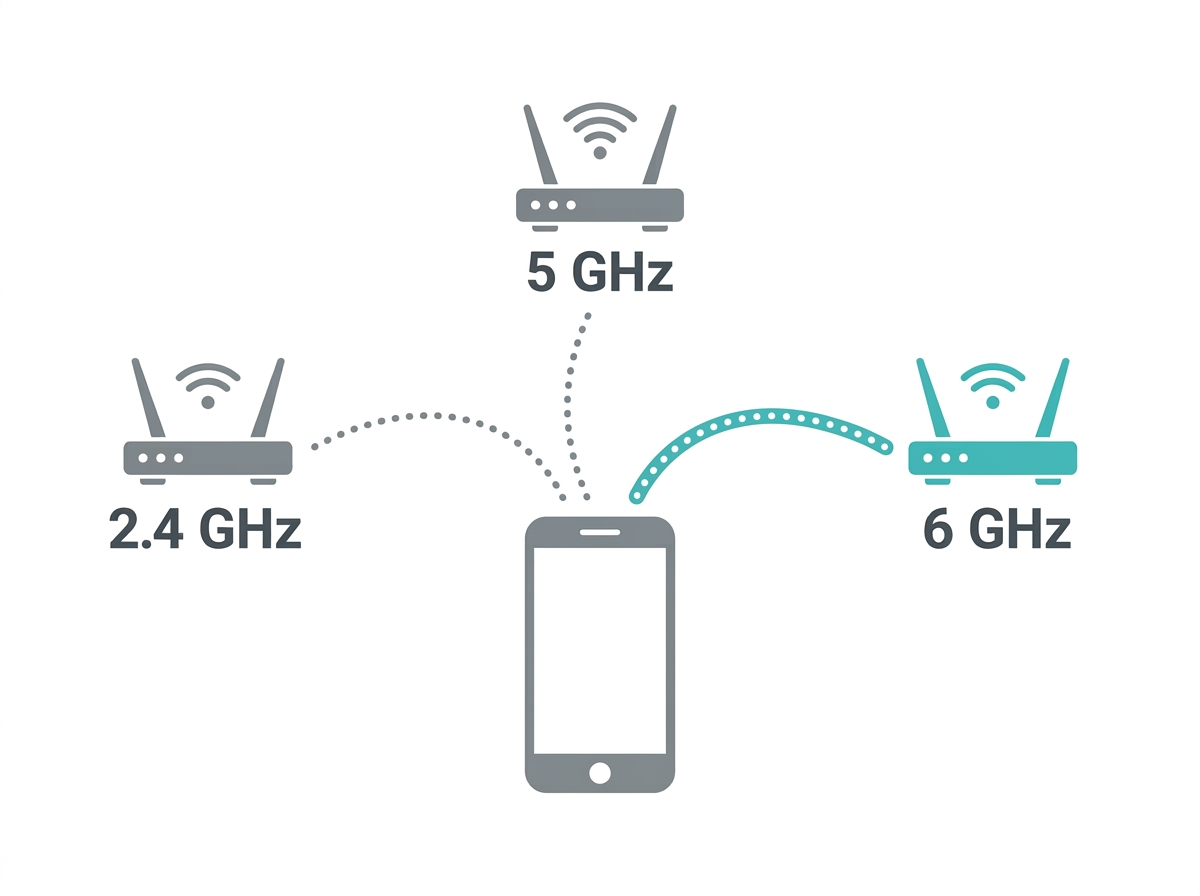
WiFi 7 operates across three frequency bands: 2.4 GHz, 5 GHz, and 6 GHz. This lets devices switch between bands for the best possible connection, reducing congestion and improving overall performance compared to earlier generations.
For the full picture on the benefits of WiFi and how earlier generations work, see our guide on what WiFi is and how it works. For how WiFi 7 compares specifically to WiFi 5 and WiFi 6, see our WiFi 5 vs WiFi 6 comparison.
Is It Worth Upgrading to a WiFi 7 Router in 2026
Yes, if you already run a multi-gigabit fiber plan, own multiple WiFi 7-capable devices, or need the lowest possible latency for competitive gaming or business-critical calls. No, if your current internet plan is under 500 Mbps and your devices are still WiFi 6 or older, you won't be able to use WiFi 7's headline speed advantage at all until both sides of that equation change.
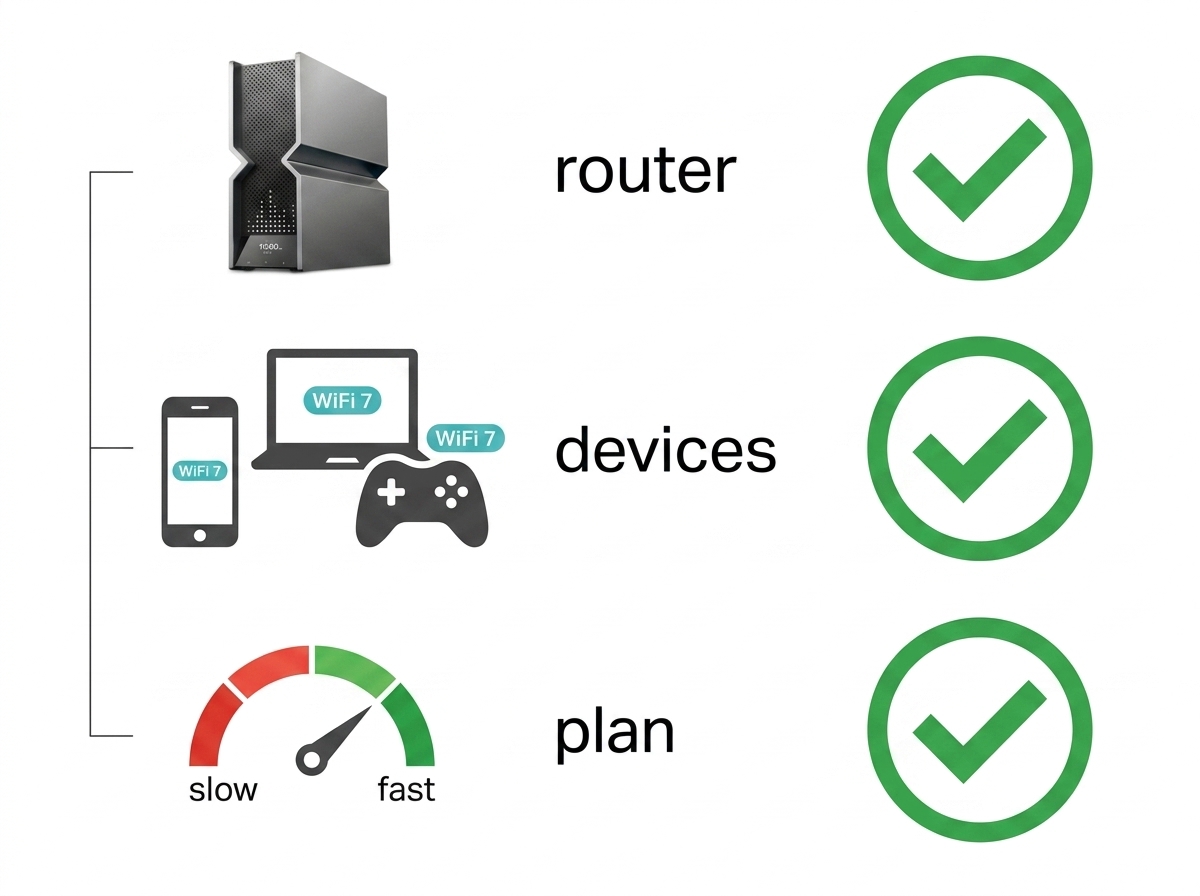
What it means for you: the router is only half the equation. A WiFi 7 router paired with a 300 Mbps Converge or PLDT plan and a two-year-old WiFi 6 phone will not feel meaningfully faster than a good WiFi 6 router on the same setup. The upgrade pays off when your plan, your devices, and your router are all capable of using the higher ceiling at the same time.
How Much Faster Is WiFi 7 Than WiFi 6 in Real Use
WiFi 7 is offering faster speeds, lower latency, and greater device capacity, though the improvement you'll actually feel depends heavily on your specific router and devices.
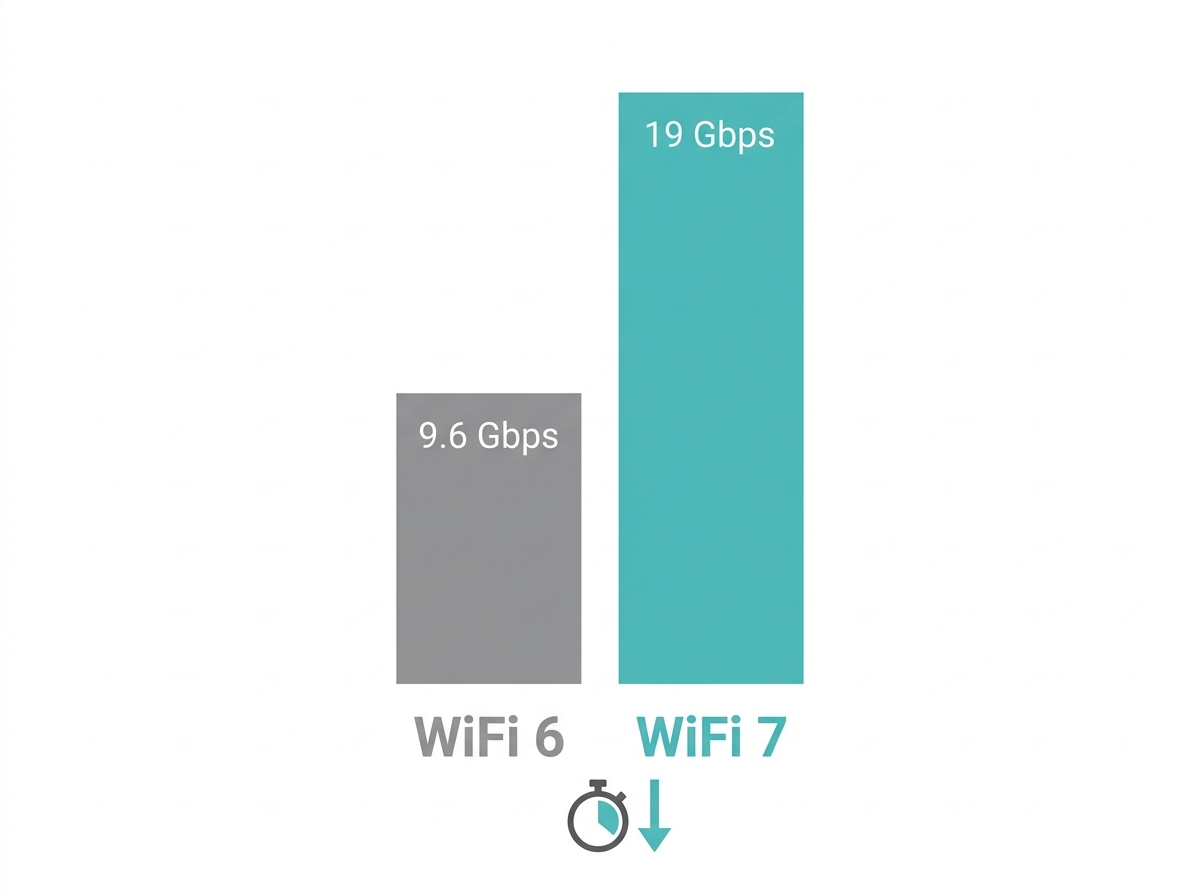
TP-Link's current WiFi 6 routers max out at around 9.6 Gbps theoretically, while TP-Link's top WiFi 7 gaming router, the Archer GE800, delivers a real 19 Gbps aggregate across its three bands, roughly double WiFi 6's ceiling in actual purchasable hardware, not the 46 Gbps sometimes quoted as WiFi 7's absolute theoretical spec limit.
This translates to smoother video streaming, quicker downloads, and better overall performance for households with high data usage.
Feature-to-Benefit: WiFi 7 Core Technologies
|
Feature |
Specification |
Practical Benefit |
|---|---|---|
|
Multi-Link Operation (MLO) |
Connects across 2.4 GHz, 5 GHz, and 6 GHz simultaneously |
Keeps a video call stable even if one band gets congested during 7-10 PM peak hours, since your device automatically shifts to a clearer band |
|
320 MHz channel width |
Double the channel width of WiFi 6's 160 MHz |
Meaningfully faster large file transfers between devices on the same network, useful for content creators moving 4K/8K footage locally |
|
4K-QAM |
Packs roughly 20% more data per transmission than WiFi 6 |
Higher real-world throughput ceiling for households running many simultaneous 4K streams during family time |
What it means for you: a household with a smart TV, several phones, a gaming console, and a couple of IP cameras all active during dinnertime is exactly the scenario MLO and 4K-QAM were built for. A single person browsing on one device won't notice a difference between WiFi 6 and WiFi 7 at all.
Will WiFi 7 Actually Help If My Internet Plan Isn't Fast
If your current PLDT, Globe, or Converge fiber plan is under 500 Mbps, a WiFi 7 router's maximum throughput advantage is largely theoretical, since your internet plan itself, not the router, is the bottleneck. The 2026 PH median fixed broadband speed sits at 105.17 Mbps, well within what even an entry-level WiFi 6 router can handle without breaking a sweat.
What it means for you: upgrading your router alone will not make your internet plan faster. If your household is on a sub-500 Mbps plan and mainly streams, browses, and video calls, a good WiFi 6 system remains the more practical choice for most Philippine households right now.
Which Devices Currently Support WiFi 7 in the Philippines
WiFi 7 client-side support is still catching up to the router side. Most smartphones and laptops actively in use across Philippine households today are WiFi 6 or WiFi 6E, with WiFi 7-capable flagship phones only recently reaching the PH market and still representing a small share of devices in daily use. Leading networking brands, including TP-Link, have already rolled out WiFi 7-compatible routers designed to maximize performance once your devices catch up.
What it means for you: buying a WiFi 7 router today future-proofs your network and works fine with your existing WiFi 6 devices, but you won't see WiFi 7's full speed and latency advantage until you also own WiFi 7-capable phones, laptops, or gaming hardware.
Who Should Upgrade to WiFi 7 Right Now
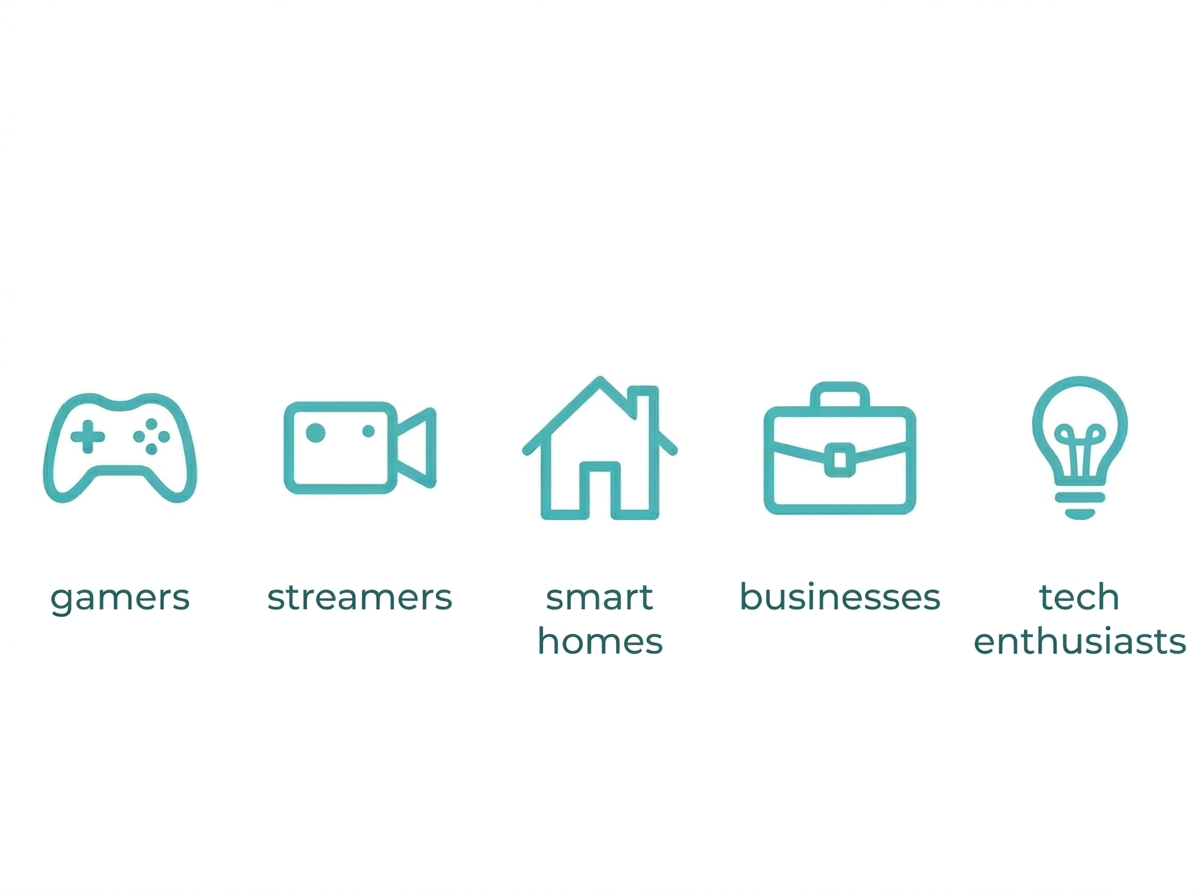
Gamers: benefit from WiFi 7's lower latency and high-speed connections, ideal for online gaming where every reaction needs to register in real time without lag.
Streamers and content creators: with support for 8K streaming and fast local file transfers, WiFi 7 suits anyone regularly moving large video files or editing footage over the network.
Smart home households: WiFi 7 keeps devices like security cameras, smart locks, and voice assistants connected without lag, which matters more as PH households add more connected devices each year.
Businesses: enhanced capacity and stability support uninterrupted video calls, seamless file transfers, and reliable connections for remote and in-office staff alike.
Tech enthusiasts: if staying ahead of new hardware matters to you, WiFi 7 delivers the best wireless experience currently available on the PH market, regardless of whether your ISP plan can fully use it yet.
How Do I Upgrade to WiFi 7
To fully experience WiFi 7's benefits, you'll need both a compatible WiFi 7 router and client devices that support the standard. Leading networking brands, including TP-Link, have started rolling out WiFi 7-compatible routers designed to maximize performance.
Upgrading your router is the first step, but your ISP must also support the plan speed you want to actually use. If you're running outdated hardware, upgrade your modem and network adapters as well to avoid a weak link elsewhere in your setup.
Better Performance in Crowded Areas: WiFi 7 optimizes network traffic, reducing interference and providing stable connections even in environments with many wireless networks. This is particularly useful in apartment complexes and dense subdivisions, where multiple neighboring networks compete for the same channels.
Enhanced Security: WiFi 7 includes updated encryption protocols to safeguard sensitive information from cyber threats, a meaningful upgrade for both home and business use.
Frequently Asked Questions
How do I choose the best WiFi 7 router?
Look for a router that supports the 802.11be standard, offers Multi-Link Operation, and has enough multi-gigabit Ethernet ports to match your wired devices. Match the router's real-world speed tier to your actual internet plan, since paying for a router rated well above your ISP plan's speed won't get you faster internet.
What should businesses consider before upgrading to WiFi 7?
Businesses should evaluate their current network infrastructure, device compatibility, and whether existing laptops and phones actually support WiFi 7 yet. Most PH offices will get more immediate value from WiFi 7's stability and capacity improvements in crowded environments than from its raw top speed, since business laptops typically lag behind flagship consumer phones in WiFi 7 adoption.
Is WiFi 7 better than WiFi 6?
Yes, WiFi 7 is a significant improvement over WiFi 6, offering faster speeds, lower latency, and greater device capacity in real, purchasable hardware. TP-Link's Archer GE800 delivers a real 19 Gbps aggregate, compared to WiFi 6's maximum speed of 9.6 Gbps, though most households will only notice the difference once they own WiFi 7 client devices too.
Do I need to replace my modem to get WiFi 7 speeds?
Not necessarily, but your modem and ISP plan both need to support the speed tier you're trying to reach for a router upgrade to matter. If you're still on an older DSL modem while trying to use a WiFi 7 router, the modem becomes the new bottleneck, so check your modem's rated speed before assuming the router alone will fix slow internet.
Will WiFi 7 improve my battery life on mobile devices?
Yes, WiFi 7 introduces improved power-saving features that let devices use energy more efficiently when connected. Households with many battery-powered smart home devices, like door sensors and smart locks, may see modest battery life improvements once those devices are WiFi 7-capable, though this benefit depends entirely on the device supporting WiFi 7's power features.
Is WiFi 7 worth it for a small household with just a few devices?
No, a small household with two or three devices and a standard broadband plan is unlikely to notice a meaningful difference from WiFi 7. The technologies that make WiFi 7 valuable, like MLO and higher device capacity, only show their benefit once many devices are competing for bandwidth at once, which isn't the case in a light-use household.
Final Thoughts
WiFi 7 offers real, measurable improvements in speed, efficiency, and security, but whether it's worth it for you comes down to three things: your internet plan speed, how many devices you're running, and whether your own phones and laptops are WiFi 7-capable yet. If you're a gamer, content creator, or business professional running a fast fiber plan, the upgrade is a genuinely valuable investment today.
To experience the best in WiFi technology, check out TP-Link's range of WiFi 7 routers designed for high-performance connectivity. Here are a few top picks:
Archer Tri-Band Wi-Fi 7 Router - enables your devices to run at full speed, supporting fluent 4K/8K streaming, immersive AR/VR gaming, and fast downloads.
Archer BE19000 Tri-Band Wi-Fi 7 Gaming Router - delivers 11,520 Mbps on the 6 GHz band, 5,760 Mbps on 5 GHz, and 1,376 Mbps on 2.4 GHz, built to keep your network primed for intense gaming.
The BE22000 Tri-Band Mesh WiFi 7 System - provides excellent WiFi 7 performance with fiber internet compatibility and strong close-range speeds for whole-home coverage.