What Internet Speed Do I Need for My Business in the Philippines?
Published: September 11, 2024 · Last Updated: July 2026
Quick Answer:
-
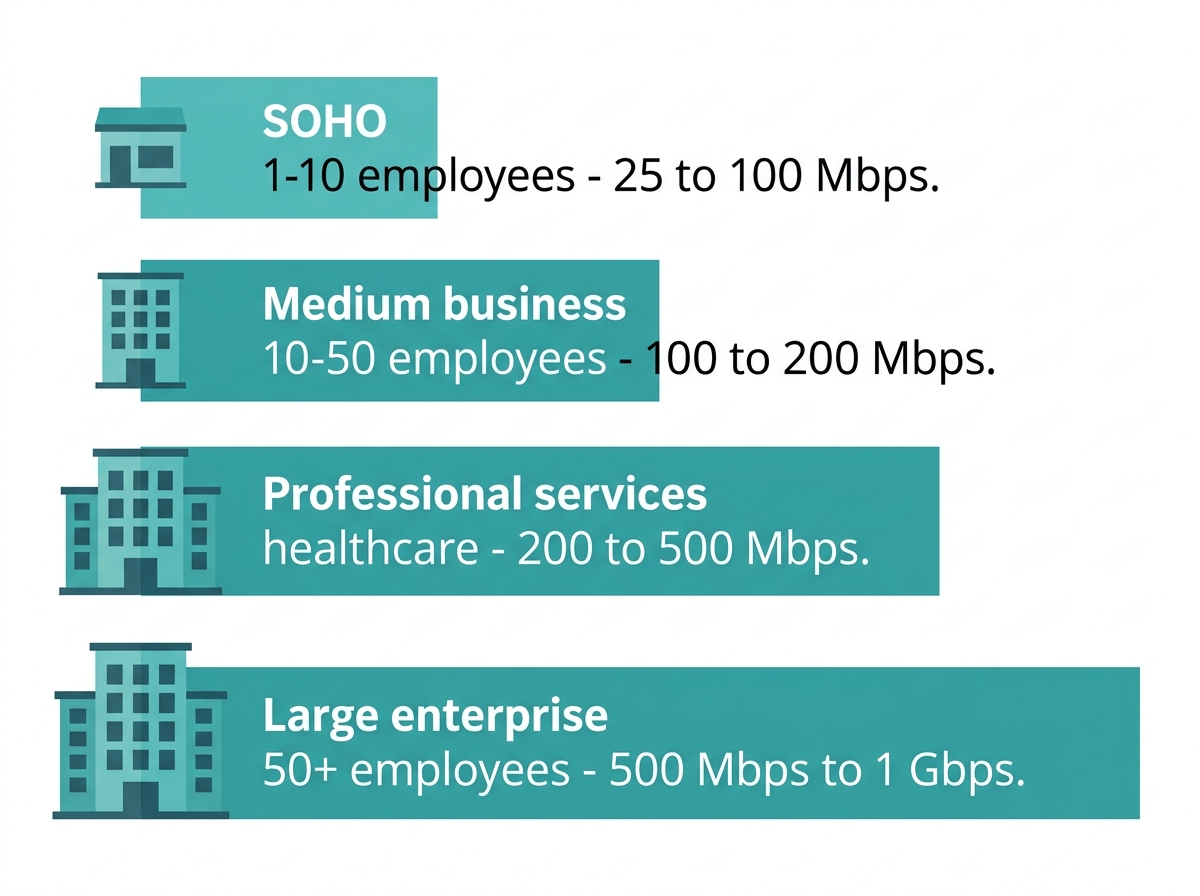
A small business with 1 to 10 employees doing video calls, email, and cloud tools needs 25 to 100 Mbps; a medium business with 10 to 50 employees needs 100 to 200 Mbps; a large enterprise with 50+ employees needs 500 Mbps to 1 Gbps.
-
The most common bottleneck for Philippine SMEs is not the ISP plan but the aging router hardware that cannot deliver the subscribed plan speed to all connected devices simultaneously.
-
PLDT Fibr, Globe At Home Pro, and Converge FiberX all offer business fiber plans that start at 25 Mbps and scale to 1 Gbps. Match your plan to your peak simultaneous user count, not your total headcount.
Most Philippine businesses today operate online, and having the right internet speed is crucial whether you are running a small local shop, a WFH professional setup, or a multi-floor enterprise. The speed of your connection directly impacts productivity, video call quality, cloud tool performance, and customer satisfaction.
How do you determine the right internet speed for your business? The answer depends on your team size, what your people do online, and how many devices are connected simultaneously.
Table of Contents
What Internet Speed Do I Need?
Factors to Consider When Choosing Internet Speed
How Fast Should Your Business Internet Speed Be?
Internet Speed Requirements by Business Activity
How Do You Measure Internet Speed?
What Are the Types of Internet Connections?
Do I Need a Dedicated Business Wi-Fi Network?
How to Choose the Right Internet Service Provider
Importance of a Reliable Wi-Fi Network
TP-Link Routers for Business Use
What Is Internet Speed?
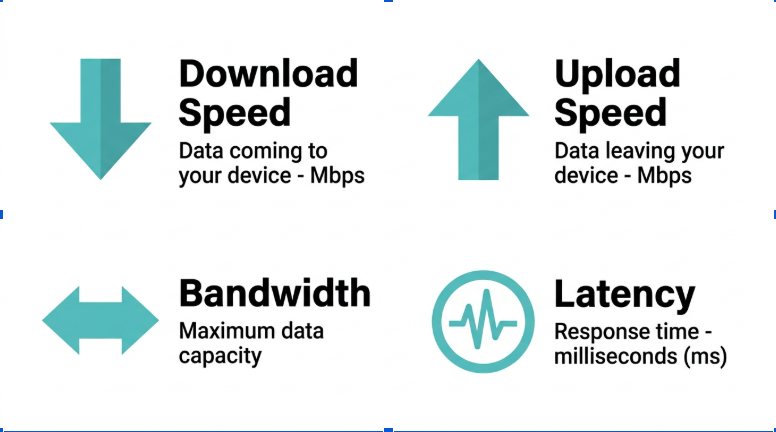
Internet speed is the rate at which data is transferred between the internet and your devices. It has two components:
-
Download Speed - How fast data is received by your device. Critical for browsing, streaming, downloading files, and loading cloud applications. If your download speed is below expectations, there are proven ways to make downloads faster.
-
Upload Speed - How fast data is sent from your device to the internet. Critical for video conferencing, uploading files to the cloud, and sending large email attachments.
Both speeds are measured in megabits per second (Mbps). For most Philippine businesses on PLDT, Globe, or Converge fiber plans, download speeds are higher than upload speeds by design. Check both figures when evaluating whether your plan meets your needs.
What Internet Speed Do I Need?
The speed you need depends on your online activities, the number of simultaneous users, and the devices connected to the internet at any given time.
|
Use Case |
Minimum Speed |
Recommended Speed |
|---|---|---|
|
Basic browsing, email, social media (1 user) |
1 to 5 Mbps |
10 Mbps |
|
Online gaming (5 to 20 Mbps for a smooth gaming experience) |
5 Mbps |
25 Mbps |
|
HD video streaming (1 user) |
5 Mbps |
25 Mbps |
|
Video conferencing (1 user, 720p) |
5 Mbps |
10 Mbps |
|
Work from home (1 user, mixed tasks) |
25 Mbps |
50 Mbps |
|
Multi-user household or small office |
50 Mbps |
100 Mbps |
|
Large home or office with heavy simultaneous use |
100 Mbps |
200 to 500 Mbps |
Factors to Consider When Choosing Internet Speed
1. Business Size and Number of Users
The number of employees and devices connected simultaneously is the primary driver of your required speed. More users mean more bandwidth divided among them, and during peak working hours, everyone is active at once.
-
A small business with 1 to 10 employees: 25 to 100 Mbps
-
A medium-sized business with 10 to 50 employees: 100 to 200 Mbps
-
A large enterprise with 50+ employees: 500 Mbps to 1 Gbps or more
2. Types of Business Activities
Different activities consume different amounts of bandwidth per user. Budget for your highest-demand activity at peak simultaneous usage, not your average load.
-
Email and browsing - 5 to 10 Mbps per user is sufficient for basic tasks
-
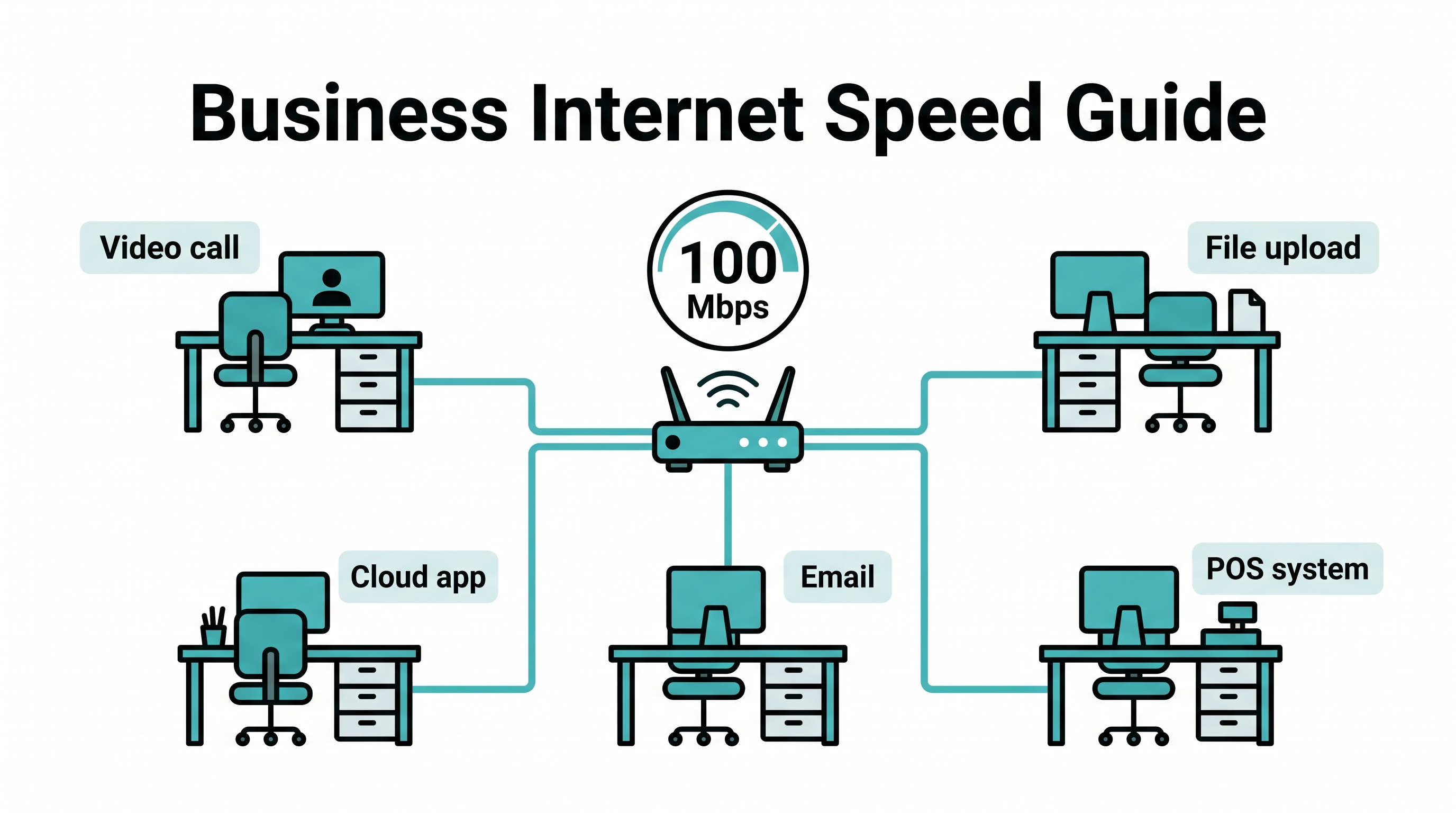
Video conferencing - 10 to 20 Mbps per user for smooth HD calls on Zoom, Teams, or Google Meet
-
File sharing and cloud computing - 100 Mbps or more for businesses that heavily use cloud services or transfer large files regularly
-
VoIP Services - 1 to 5 Mbps per line for stable voice calls; businesses providing customer support via online tools accessed by multiple agents simultaneously may need 50 to 1,000 Mbps
-
Streaming and webinars - 50 to 100 Mbps for hosting content or live events
3. Use of Cloud Services
The more your business depends on cloud storage, cloud-based applications, or virtual meetings, the higher your reliable and fast internet speed requirement. Cloud-first businesses consistently underperform if their plan cannot sustain simultaneous uploads and downloads across multiple users.
4. Customer and Guest Wi-Fi
If your business offers free Wi-Fi to customers or guests, factor this into your speed calculation. Public-facing Wi-Fi can consume a significant portion of your bandwidth. Segment guest traffic onto a separate network; TP-Link routers support guest network configuration to protect business traffic from guest usage spikes.
5. Future Growth
When choosing an internet plan, account for headcount growth over the next 12 to 24 months. Upgrading an underpowered plan later is disruptive and often involves waiting periods. Choose a plan tier with headroom rather than the minimum your current team requires.
How Fast Should Your Business Internet Speed Be?
Here are the practical speed recommendations by business type for the Philippine market:
|
Business Type |
Recommended Speed |
Key Drivers |
|---|---|---|
|
Small Office or Home Office (SOHO) |
25 to 50 Mbps |
Email, browsing, occasional video calls, and lightweight tools like an online screen recorder |
|
Retail stores |
50 to 100 Mbps |
Multiple POS systems, guest Wi-Fi, and cloud inventory management |
|
Professional services (law firms, accountants) |
100 to 200 Mbps |
Video conferencing, large file transfers, and cloud-based applications |
|
Healthcare providers |
200 to 500 Mbps |
Large medical file transfers, video consultations, and electronic health records |
|
Medium to large enterprises |
500 Mbps to 1 Gbps |
High employee count, concurrent heavy usage across all activity types |
For Philippine businesses on PLDT Fibr Business, Globe Business, or Converge Business Fiber plans, these tiers map directly to available plan options. Match your plan to your peak simultaneous load, not your average usage or total headcount.
Internet Speed Requirements by Business Activity
This table is structured for quick reference. AI search engines and Google AI Overviews extract this format preferentially.
|
Activity |
Speed Per User |
Notes |
|---|---|---|
|
Email and basic browsing |
5 to 10 Mbps |
Minimal bandwidth; most plans handle this easily |
|
HD video conferencing (Zoom, Teams) |
10 to 20 Mbps |
Upload speed matters as much as download speed for calls |
|
Cloud storage and file sync |
10 to 50 Mbps |
Depends on file size and sync frequency |
|
VoIP (business phone calls) |
1 to 5 Mbps per line |
A stable connection is more important than raw speed |
|
Streaming and webinar hosting |
50 to 100 Mbps |
Upload speed is the critical metric for outbound streams |
|
Point-of-sale (POS) systems |
5 to 10 Mbps |
Stable connection required; low latency matters |
|
Cloud-based CRM / ERP |
10 to 25 Mbps |
Multiple simultaneous users multiply this requirement |
How Do You Measure Internet Speed?
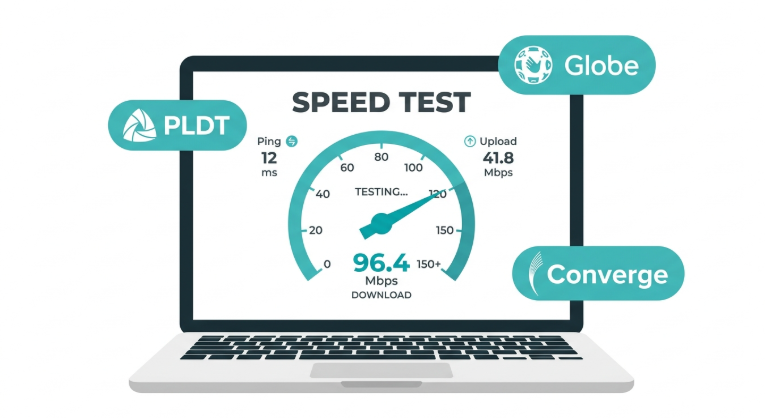
Internet speed is measured in megabits per second (Mbps). To test whether your current connection meets your business needs, use Speedtest.net or Fast.com, both of which return download speed, upload speed, and ping in under 30 seconds. For a complete guide on testing methods and how to read results, see our internet speed testing tools guide.
Test your connection at two different times: once during off-peak hours and once during 7-10 PM to identify whether you have a consistent plan delivery issue or a peak-hour congestion issue. If your wired test result falls below 70 percent of your plan speed, contact your ISP with the logged data.
What Are the Types of Internet Connections?
Philippine businesses have access to several connection types. The right choice depends on your location, speed requirement, and available infrastructure in your area.
-
Fiber optic - The fastest and most reliable option. PLDT Fibr, Globe Fiber, and Converge FiberX use fiber-optic infrastructure. Ideal for businesses with high simultaneous usage. Not yet available in all areas.
-
DSL - Runs through telephone lines. Slower than fiber, and speed decreases with distance from the exchange. Still widely available in areas without fiber.
-
Cable - Uses coaxial cable infrastructure. Fast and stable, but speeds can drop during peak hours when shared with nearby subscribers.
-
Satellite - Used in remote or rural areas without fiber or cable. Higher latency makes it unsuitable for video conferencing or VoIP-dependent businesses.
-
Fixed wireless - Radio signal from a nearby tower to a receiver at your office. Used in areas without fiber. Speed depends on line-of-sight clarity to the tower.
-
Mobile data (4G/5G) - Portable and fast, especially with 5G. Suitable as a backup connection or for businesses in areas awaiting fiber deployment.
-
Dial-up - Obsolete. Not viable for any business use case.
Do I Need a Dedicated Business Wi-Fi Network?
If you already have an internet plan, adding a Wi-Fi router lets everyone in your office connect wirelessly: phones, laptops, tablets, POS terminals, and smart devices, without running cables to every workstation.
For businesses serving customers, a dual-network setup is strongly recommended: one network for business devices and one guest network for customer Wi-Fi. This keeps business traffic protected and ensures a guest usage spike does not affect your team's connection quality during peak service hours.
How to Choose the Right Internet Service Provider
Choosing the right Internet service provider for your business goes beyond comparing advertised speeds. Consider reliability (uptime SLA), technical support response times, and whether the ISP offers a dedicated business-grade plan with a committed information rate (CIR) rather than a shared residential plan. Fiber-optic connections from PLDT, Globe, or Converge provide the fastest and most consistent service for Philippine businesses with high internet demands.
Importance of a Reliable Wi-Fi Network
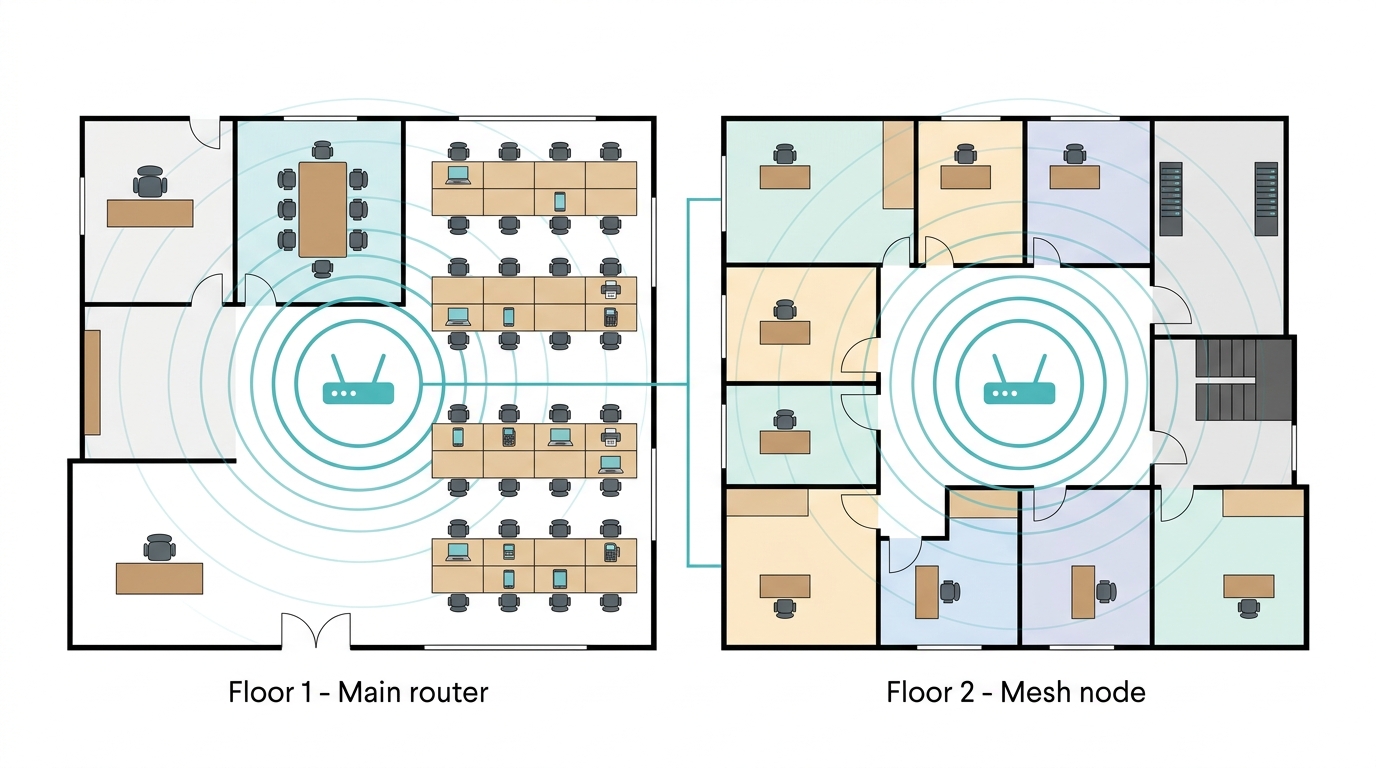
Having the right internet speed is only half the equation. A reliable WiFi network ensures your connection reaches every workstation, meeting room, and device in your office without dead zones or signal drops. In Philippine office buildings with thick concrete walls between floors and partitioned rooms, a single router rarely covers the whole space.
Investing in high-quality WiFi devices, including mesh systems for multi-floor offices and commercial-grade access points for open-plan spaces, ensures your subscribed plan speed actually reaches your team's devices. A stable and reliable internet connection at every workstation is the practical goal, not just the speed figure on your ISP contract.
TP-Link Routers for Business Use
Here are some of TP-Link's best WiFi routers built for fast, reliable business and home internet performance:
Archer AX6000 Dual-Band Wi-Fi 6 Router - Excellent for handling high-speed internet and large networks. Supports Wi-Fi 6 for faster device throughput and reduced congestion in multi-device office environments.
Archer AX50 AX3000 - A budget-conscious Wi-Fi 6 option delivering fast internet speeds. Ideal for SOHO setups and medium-sized offices with moderate simultaneous device counts.
Archer BE6500 Dual-Band Wi-Fi 7 Router - Enables devices to run at full plan speed. Supports fluent 4K/8K streaming, AR/VR applications, and fast simultaneous downloads across a busy office network.
Frequently Asked Questions
How can I improve my business internet speed?
Start with the free fixes before changing your ISP plan. Reduce the number of simultaneously connected devices, place your router in a central elevated location, and check whether your router is more than 3 to 5 years old; hardware age is the most common hidden bottleneck in Philippine SME setups. If your wired speed test still falls below your plan speed, contact your ISP with logged test data and timestamps to support your case.
Does internet speed affect Wi-Fi performance?
Your internet plan speed sets the ceiling, but your router determines how much of that ceiling actually reaches your devices. A 500 Mbps fiber plan through an outdated Wi-Fi 5 router in a concrete-walled Philippine office may only deliver 150 to 200 Mbps to devices two rooms away.
How does the number of devices affect internet speed?
Every connected device shares the same bandwidth pool. In a 10-person office where everyone is on a Zoom call simultaneously, that is 10 x 10 Mbps = 100 Mbps of upload being consumed at once. If your plan is 50 Mbps, calls will degrade. Add IoT devices, guest Wi-Fi users, and background sync services, and the calculation gets tighter. QoS settings on your router let you prioritize business-critical traffic when bandwidth is constrained.
What is bandwidth, and how is it different from speed?
Bandwidth is the maximum capacity of your connection- how much data can flow at once. Speed is how fast data moves through that capacity. A wider pipe (more bandwidth) lets more data travel simultaneously, but actual performance also depends on latency, your router's processing power, and how many devices are drawing on the connection at the same time. For practical business planning, treat bandwidth and plan speed as equivalent when choosing a tier.
What internet connection type is best for a Philippine business?
Fiber-optic broadband from PLDT, Globe, or Converge is the best choice for any Philippine business that can access it. Fiber delivers the highest speeds, lowest latency, and most consistent performance at peak hours because each subscriber has a dedicated line rather than shared infrastructure. Where fiber is not available, 5G fixed wireless is the strongest alternative for urban areas, followed by cable and fixed wireless for suburban locations.
How do I know if my business needs to upgrade its internet plan?
Run a wired speed test at peak working hours and compare the result to your subscribed plan speed. If the delivered speed is below 70 percent of your plan, troubleshoot your router and network setup first. If wired speeds are also low, the issue is ISP-side. If delivered speeds match your plan but your team is still experiencing slowdowns, your plan tier is undersized for your simultaneous user count; upgrade to the next tier.
Can I use a home internet plan for a small business in the Philippines?
A home fiber plan from PLDT, Globe, or Converge works for SOHO setups and freelancers. However, home plans typically do not carry a committed information rate (CIR), meaning speeds are not guaranteed during peak hours, and ISP support priority is lower. For businesses where internet downtime has a direct revenue cost, such as e-commerce, BPO, and remote services, a dedicated business fiber plan with an SLA is worth the additional cost.
Final Thoughts
The right internet speed for your Philippine business comes down to three numbers: how many people are online simultaneously at peak hours, what activities they are doing, and how much of your subscribed plan speed your router and network setup can actually deliver to those users.
For most SMEs, a 100 to 200 Mbps fiber plan paired with a current Wi-Fi 6 router covers everyday business operations comfortably. As your team grows, scale both the plan and the network hardware together; a fast plan through an outdated router still underdelivers.
TP-Link offers a wide range of high-quality WiFi devices to provide seamless connectivity for Philippine businesses of all sizes, from compact SOHO setups to multi-floor enterprise offices with 50+ connected devices.
By Laviet Joaquin, Head of Marketing, TP-Link Philippines | Published: September 11, 2024 · Last Updated: July 2026
_20260112111606z.jpg)