What Is WiFi Calling and How Does It Work?
Published: August 28, 2024 | Last Updated: July 8, 2026
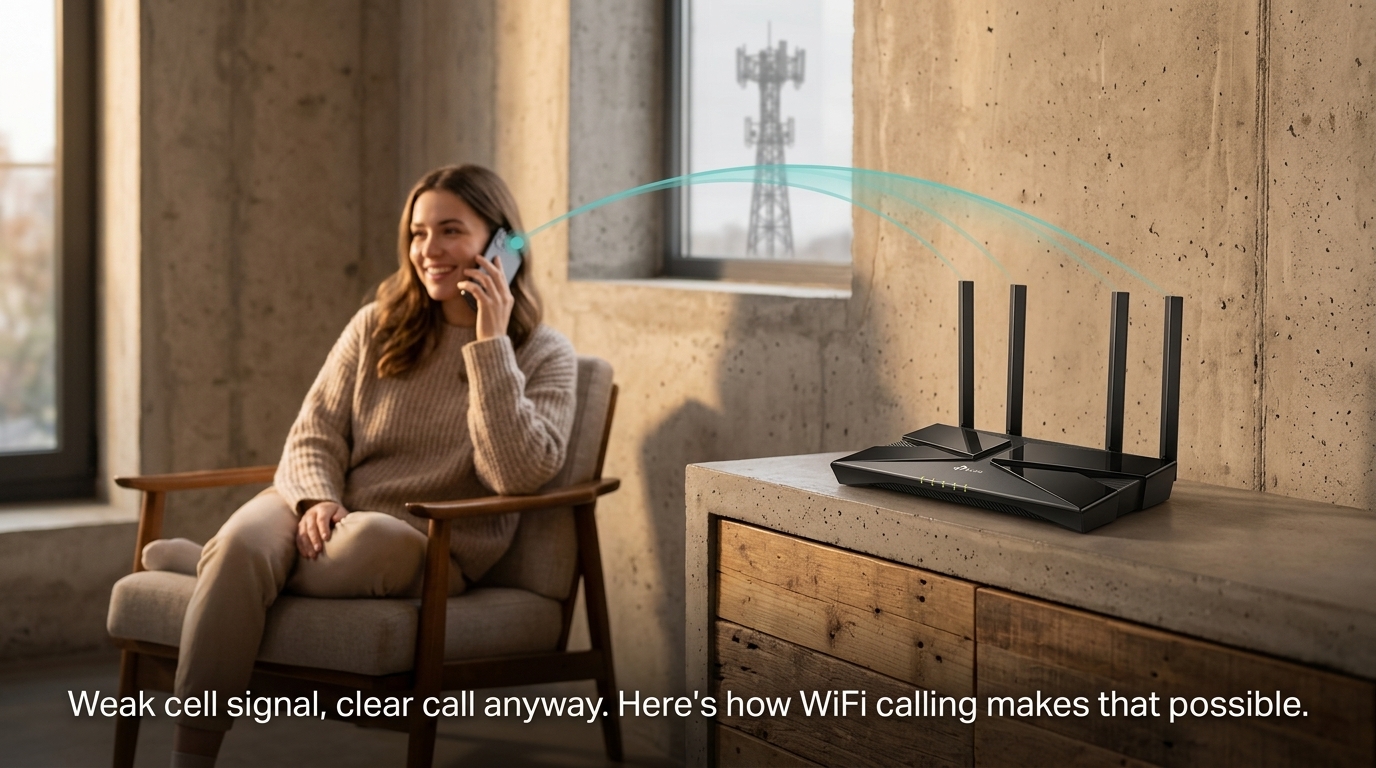
WiFi calling lets your phone make and receive calls over a WiFi network instead of your carrier's cellular signal, using your phone's regular dialer with no extra app required. It's especially useful in areas with weak cellular reception, like concrete-heavy PH homes and offices, where a strong WiFi signal can carry a clearer call than the cell tower can.
Quick Answer
-
WiFi calling routes phone calls through your internet connection instead of your cellular network, using your phone's native dialer.
-
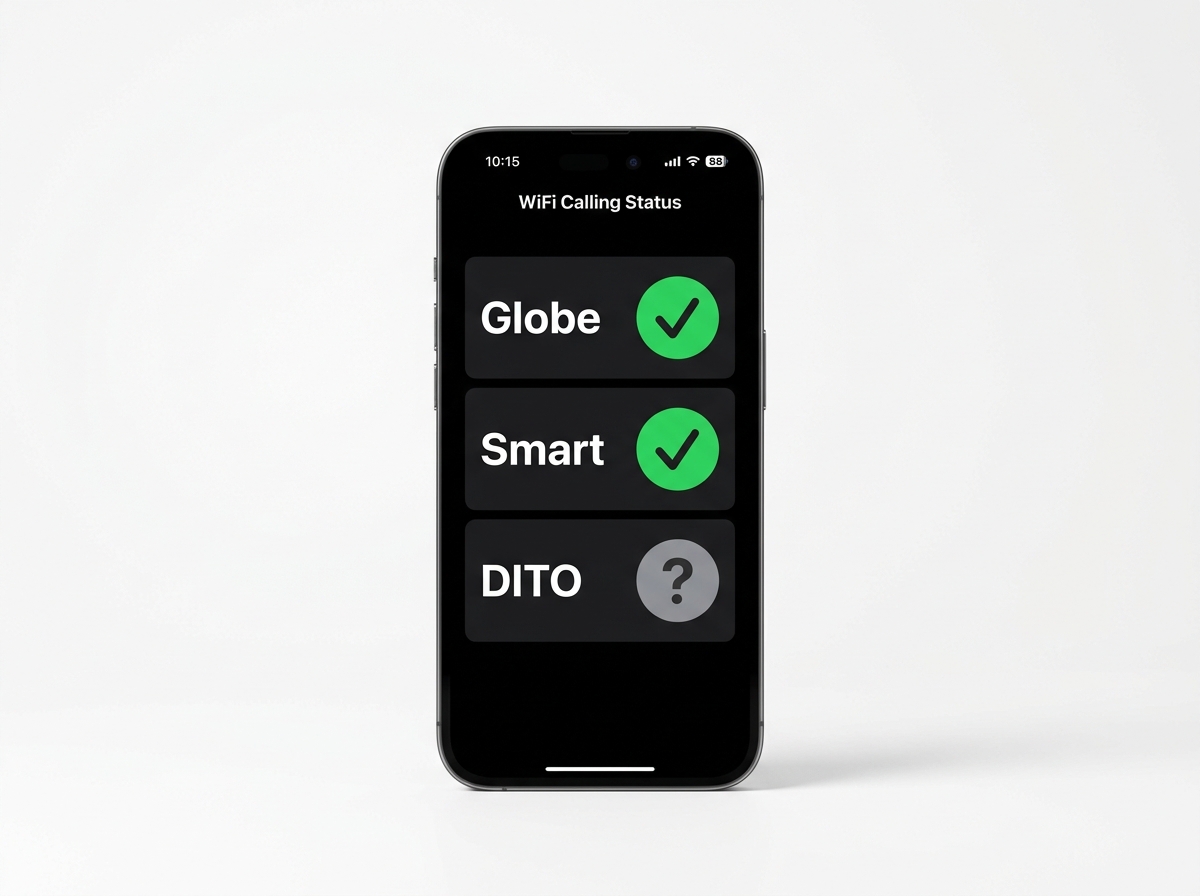
Globe Telecom and Smart Communications both support WiFi calling in the Philippines; DITO Telecommunity's support is inconsistent and device-dependent.
-
WiFi calling is most useful indoors with a weak cellular signal, while traveling abroad to avoid roaming charges, and in crowded areas with cellular congestion.
Table of Contents
Advantages and Disadvantages of WiFi Calling
Which Philippine Carriers Support WiFi Calling
Common Issues and How to Fix Them
When and Why You Should Use WiFi Calling
WiFi Calling vs Other Alternatives
Potential Drawbacks of WiFi Calling
What Is WiFi Calling
WiFi calling is a technology that lets you make and receive phone calls using a reliable Wi-Fi network instead of relying on a cellular signal. Unlike traditional calls that depend on your carrier's network, WiFi calling routes your call through the internet.
If you're in areas with poor cellular signal, you can still have clear, uninterrupted conversations with WiFi calling, as long as your WiFi coverage reaches you; if it doesn't, that's a separate coverage problem worth solving on its own. WiFi calling is easy to set up and can be a lifesaver when you're struggling with weak cellular reception, whether in a basement parking area, a concrete high-rise unit, or a rural area with spotty tower coverage.
How Does WiFi Calling Work
When you make a call using WiFi calling, your voice is converted into data and sent over the internet, similar to how voice over Internet protocol (VoIP) services like Skype operate. Unlike standalone VoIP apps, WiFi calling is built directly into your phone's default dialer and messaging apps, making it as seamless as placing a regular call.
Most contemporary smartphones, both iOS and Android, support WiFi calling. To use it, you need a compatible phone and a carrier that supports the feature.
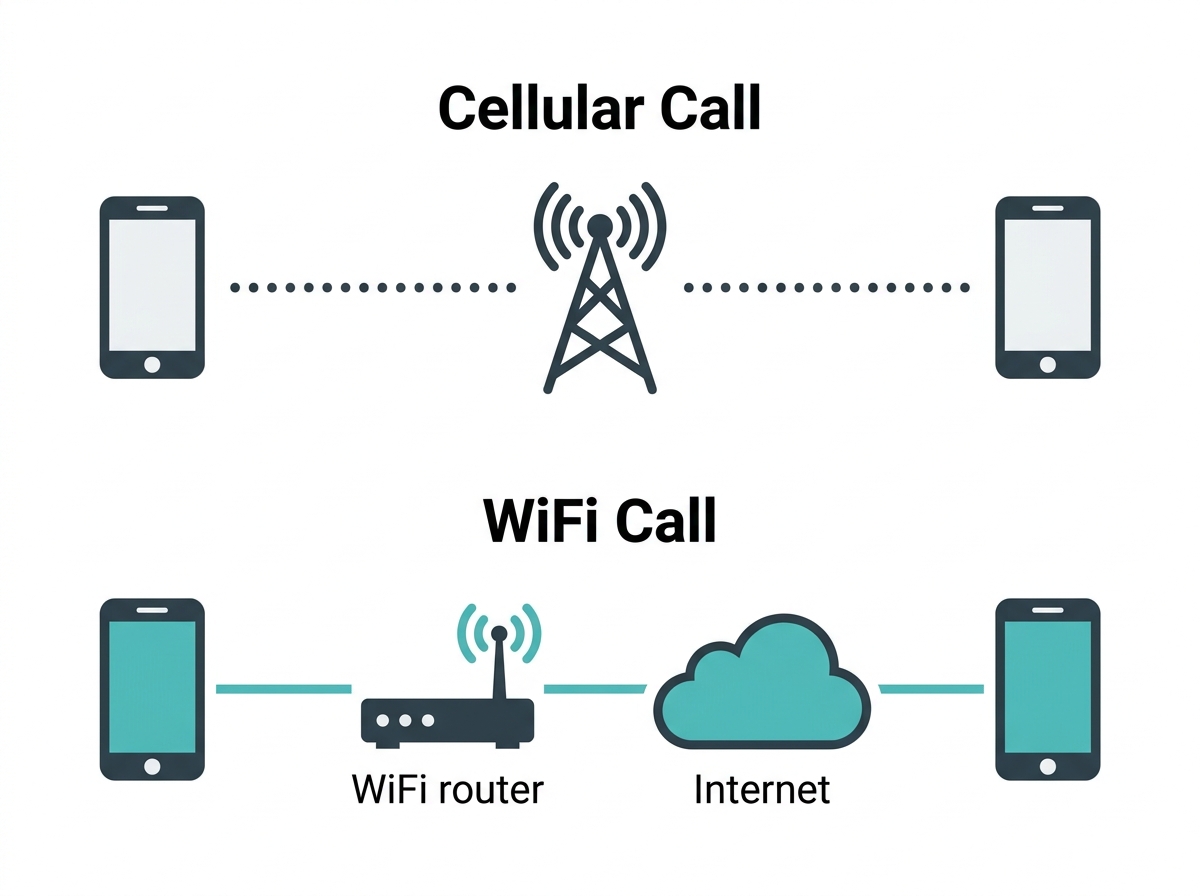
What it means for you: because WiFi calling depends on your WiFi signal strength rather than cell tower distance, the stronger one between your home WiFi and your cellular signal in your specific room determines your call quality, not which one your phone happens to be using by default.
A call on the 2.4 GHz band typically has slightly higher latency than one on 5 GHz, so if your router supports both, a WiFi calling connection on 5 GHz will usually sound crisper when you're close enough to the router to use it. For the full picture on how WiFi frequency bands work, see our guide on what WiFi is and how it works.
Advantages and Disadvantages of WiFi Calling
WiFi calling can be beneficial for various reasons, but there are also instances where it may not be the best option.
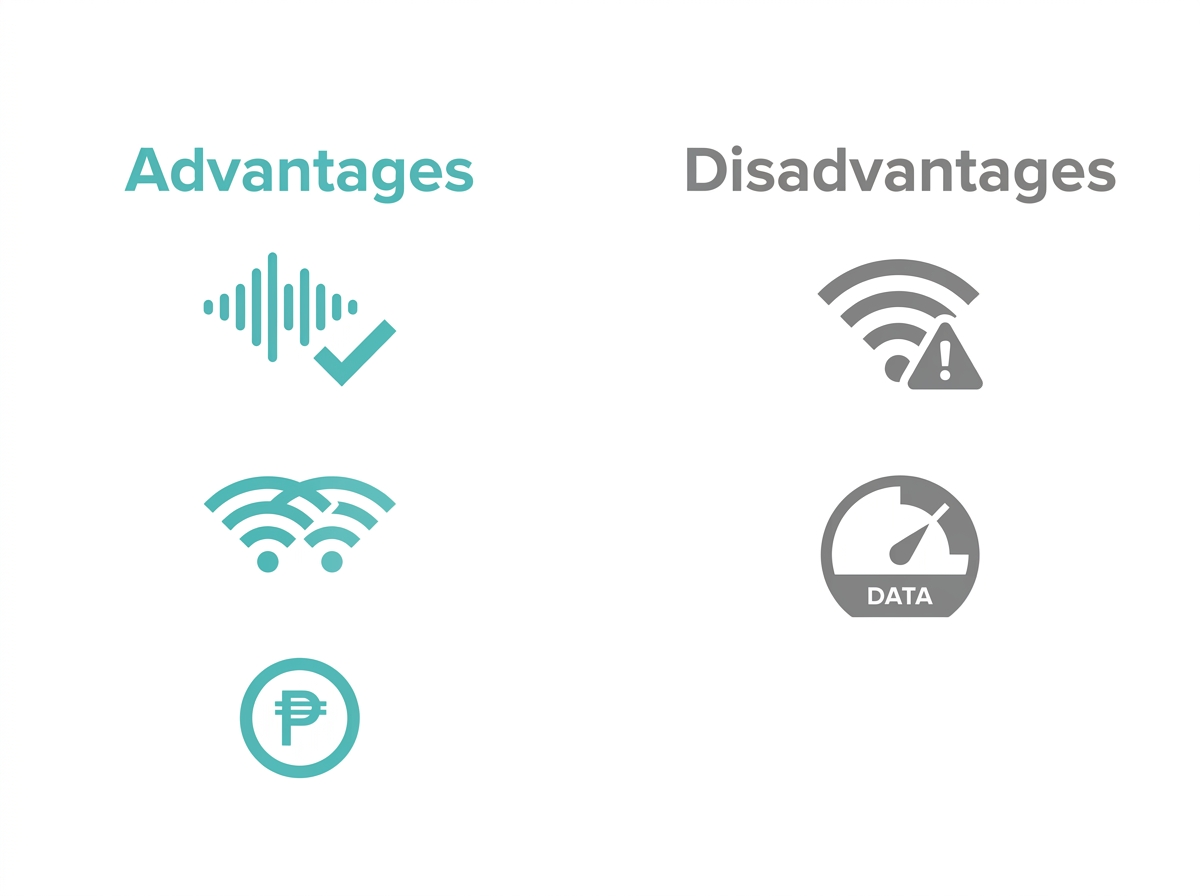
Advantages:
-
Improved call quality: If you're in a location with weak cellular reception but have access to a strong Wi-Fi network, Wi-Fi calling can significantly improve call clarity.
-
Seamless connectivity: WiFi calling allows your phone to switch seamlessly between your home WiFi and cellular networks, so your calls aren't interrupted.
-
Cost efficiency: WiFi calling can save you money, especially on international calls, since it often bypasses standard carrier roaming charges.
Disadvantages:
-
Dependence on WiFi availability: WiFi calling only works when you're connected to a Wi-Fi network. If the network is unstable or unavailable, call quality may suffer.
-
Data usage: on metered connections, WiFi calling can use up data, leading to potential charges.
Which Philippine Carriers Support WiFi Calling
Feature-to-Benefit: Carrier WiFi Calling Support
|
Carrier |
Confirmed Support Status |
Practical Benefit |
|---|---|---|
|
Globe Telecom |
Available on all Globe Postpaid plans; expanding to select Globe Prepaid and TM subscribers |
Postpaid Globe subscribers can activate WiFi calling today through the GlobeOne app at no extra charge |
|
Smart Communications |
Rolled out to both Smart Prepaid and Smart Postpaid subscribers |
Most Smart subscribers with a VoWiFi-capable phone can enable it directly in phone settings |
|
DITO Telecommunity |
VoLTE confirmed; WiFi calling (VoWiFi) support not confirmed on an official DITO page and appears inconsistent by device |
DITO subscribers should verify WiFi calling compatibility with their specific phone model directly with DITO before relying on it |
What it means for you: if you're on Globe or Smart, WiFi calling is a genuinely reliable option for weak-signal situations at home or work. If you're on DITO, don't assume WiFi calling works on your device just because your phone supports it on another network; check with DITO directly, since real-world reports suggest support varies by handset.
How to Turn On WiFi Calling
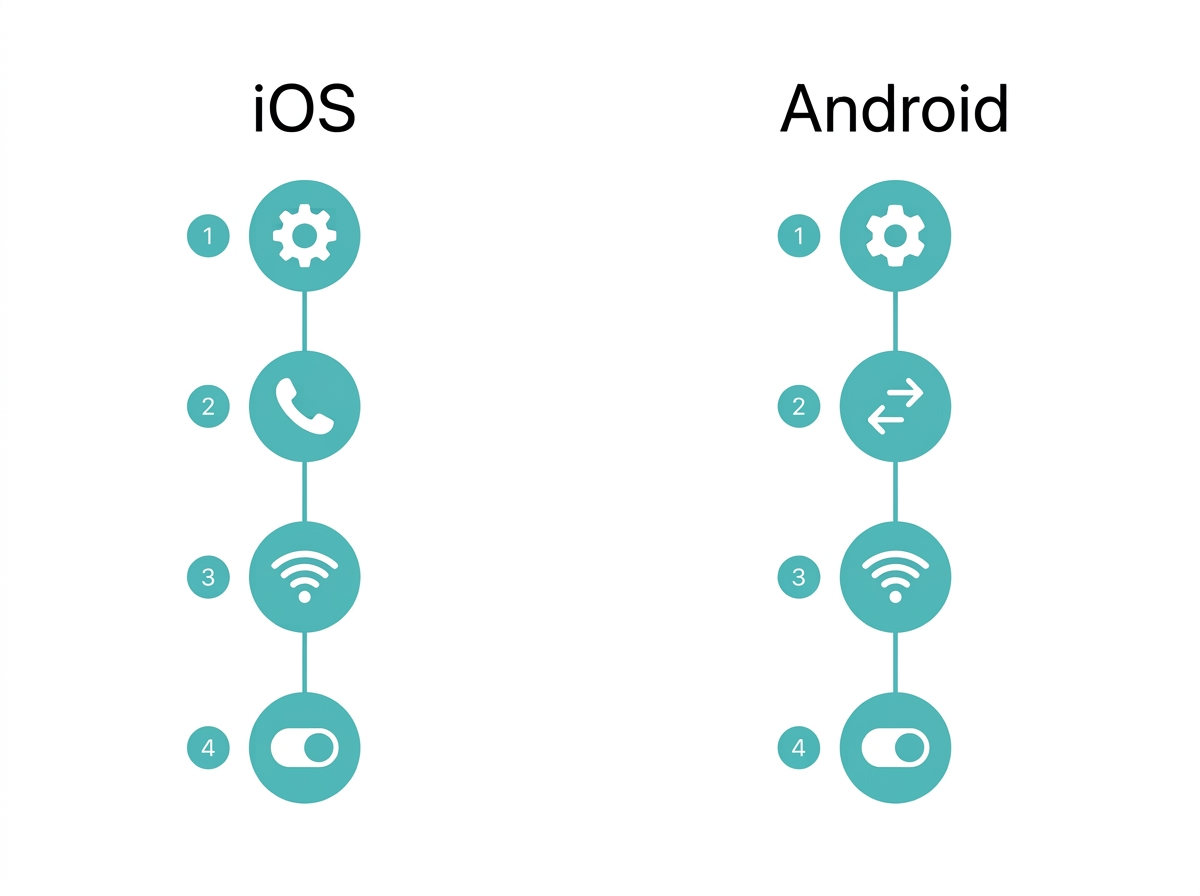
Enabling WiFi calling is easy, but the steps vary slightly depending on your device.
iOS Devices:
-
Open the Settings app.
-
Scroll down and tap Phone.
-
Tap Wi-Fi Calling.
-
Toggle Wi-Fi Calling on This iPhone.
-
Follow any on-screen instructions to complete setup.
Android Devices:
-
Open the Settings app.
-
Select Connections or Network & Internet (the label varies by manufacturer skin, such as Samsung One UI or Xiaomi's MIUI).
-
Tap Wi-Fi Calling.
-
Toggle on Wi-Fi Calling.
-
Some devices may require you to enter additional information or accept terms and conditions.
Before enabling WiFi calling, confirm that your carrier supports the feature on your specific device. Sometimes you may need to update your phone's carrier settings to activate it.
Common Issues and How to Fix Them
Several common issues can cause WiFi calling to fail, but most are resolved with a few simple steps:
-
Make sure you're connected to a stable, fast internet connection.
-
Restart your device.
-
Check for software updates.
-
Contact your carrier to verify that WiFi calling is enabled on your account.
When and Why You Should Use WiFi Calling
WiFi calling is particularly useful in specific scenarios:
-
At home or work: if you're in an area with spotty cellular reception, WiFi calling can help ensure you stay connected without dropped calls.
-
While traveling abroad: WiFi calling can save you from expensive roaming charges by letting you make calls over local Wi-Fi networks.
-
In areas with high network congestion, in crowded places where cellular networks are congested, WiFi calling provides a reliable alternative.
WiFi Calling vs Other Alternatives
WiFi calling vs. traditional cellular calls: WiFi calling is superior in areas with poor reception, while traditional calls are more reliable when a strong cellular signal is available.
WiFi calling vs. VoIP apps: unlike apps such as WhatsApp or Skype, WiFi calling is integrated into your phone's native calling features, making it more convenient and easier to use since there's no separate app to open or account to manage.
Potential Drawbacks of WiFi Calling
Quality concerns: WiFi calling quality depends heavily on the strength of your WiFi network. A weak or unstable connection can lead to issues like latency or dropped calls. If you're experiencing poor call quality, it may be worth switching to cellular calling temporarily.
Privacy and security: WiFi calling, especially over public WiFi networks, can raise privacy and security concerns. Using unsecured networks could expose your calls to potential eavesdropping. To protect your privacy, consider using a VPN when making WiFi calls over public networks, or use 5G pocket WiFi or mobile hotspots instead of unknown public networks.
Device and carrier limitations: not all devices support WiFi calling, and some carriers may impose limitations. It's essential to verify with your carrier whether there are restrictions on your specific device.
The Future of WiFi Calling
As technology advances, WiFi calling is likely to see continued improvements, including tighter integration with 5G WiFi networks, which could offer faster speeds and more reliable connections. Enhanced security features are also expected to make WiFi calling safer for users over time.
The rise of WiFi calling may lead to a gradual shift away from pure reliance on cellular towers, particularly in dense urban areas where WiFi is already prevalent. This could reduce dependence on cellular infrastructure alone and encourage further WiFi network development for mobile communication generally.
Frequently Asked Questions
Do I need a special app for WiFi calling?
No, WiFi calling is built into most modern smartphones and doesn't require any special app. It works directly through your phone's regular dialer and messaging apps. If your phone and carrier both support WiFi calling, you can enable it in your settings and start using it immediately, with no download or account setup needed.
Does WiFi calling cost extra?
No, WiFi calling doesn't carry additional costs since calls count toward your regular minutes or are covered under your unlimited plan, just like a normal call. You won't see a separate WiFi calling charge on your bill, though calls made over WiFi still count against your plan's allowances the same way a cellular call would.
What happens if I move out of WiFi range during a call?
If you move out of WiFi range, the call automatically transitions to your cellular network if there's sufficient signal available. The handoff is usually smooth, but in areas where both WiFi and cellular signal are weak at the same time, the call may drop rather than transition cleanly.
Can I use WiFi calling when traveling internationally?
Yes, WiFi calling works internationally and avoids international roaming charges in most cases. Calls to Philippine numbers while abroad are typically billed as if you were calling domestically from the Philippines, making it one of the most reliable ways to stay in touch while traveling without a local SIM.
Is WiFi calling available on all Philippine carriers?
No, Globe Telecom and Smart Communications both support WiFi calling, but DITO Telecommunity's support is inconsistent and appears to depend on the specific device. Globe and Smart subscribers can generally rely on WiFi calling working as expected, while DITO subscribers should confirm compatibility with their exact phone model before counting on it.
Is WiFi calling secure to use on public WiFi?
WiFi calling on public networks carries some privacy risk since unsecured connections can potentially be intercepted. For sensitive calls on public WiFi, like at a mall or airport, using a VPN or switching to a mobile hotspot instead of open public WiFi gives you meaningfully better protection.
Will WiFi calling drain my phone's battery faster?
WiFi calling itself doesn't significantly increase battery drain compared to a regular cellular call, since your phone is already maintaining a WiFi connection in most cases. You don't need to worry about turning WiFi calling off to save battery, though keeping WiFi enabled at all times does use marginally more power than having it off entirely.
Does WiFi calling work with a slow internet connection?
WiFi calling needs a reasonably stable connection to maintain call quality, though it doesn't require especially high speeds since voice calls use relatively little bandwidth. If your household WiFi is congested during peak hours with multiple people streaming, calls may experience latency or choppiness even though your overall internet speed seems adequate for browsing.
Final Thoughts
WiFi calling solves a specific, common problem for Philippine households and offices: cellular signal that just doesn't reach every room, especially in concrete buildings and dense urban areas. Whether you're dealing with weak indoor reception, traveling abroad, or just want clearer calls at home, turning on WiFi calling takes a few minutes and costs nothing extra on Globe or Smart.
For WiFi calling to actually work well, the network it depends on needs to be solid. TP-Link offers a comprehensive range of WiFi devices built to keep every room of your home connected, so your calls stay clear no matter where you're standing.
_20260709090929l.png)