
Deco App Says "We Couldn't Find Deco": How to Fix It
If your Deco app is not working as expected and displays the error "We couldn't find Deco," you are not alone. This error appears when the app cannot communicate with your Deco, even when the Deco itself is working normally and connected to the Internet. The Deco app may also show related symptoms, such as not finding or showing devices. Before following the steps below, check the Deco LED status and confirm your Internet connection is working. If the Internet is not working, address the internet issue first before continuing here.
Key Takeaways
- The "We couldn't find Deco" error appears in the Deco app when your phone cannot communicate with the Deco, even if the Deco itself is working normally and connected to the Internet.
- Before troubleshooting, confirm the LED on the Deco is solid white or green, and that the Deco's Internet connection is working. If not, address the Internet issue first.
- The first steps to try are tapping "Try Again" in the app and fully closing and reopening the Deco app.
- If those steps do not work, try rebooting your modem and the main Deco unit.
Sometimes, Deco products work fine and connect to the internet properly, but when you try to manage the Deco network via the Deco App, it shows “We couldn’t find Deco”, like the screenshot below:
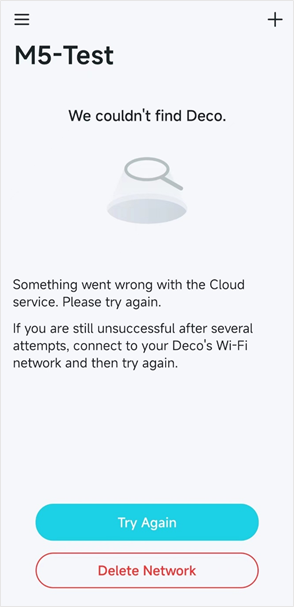
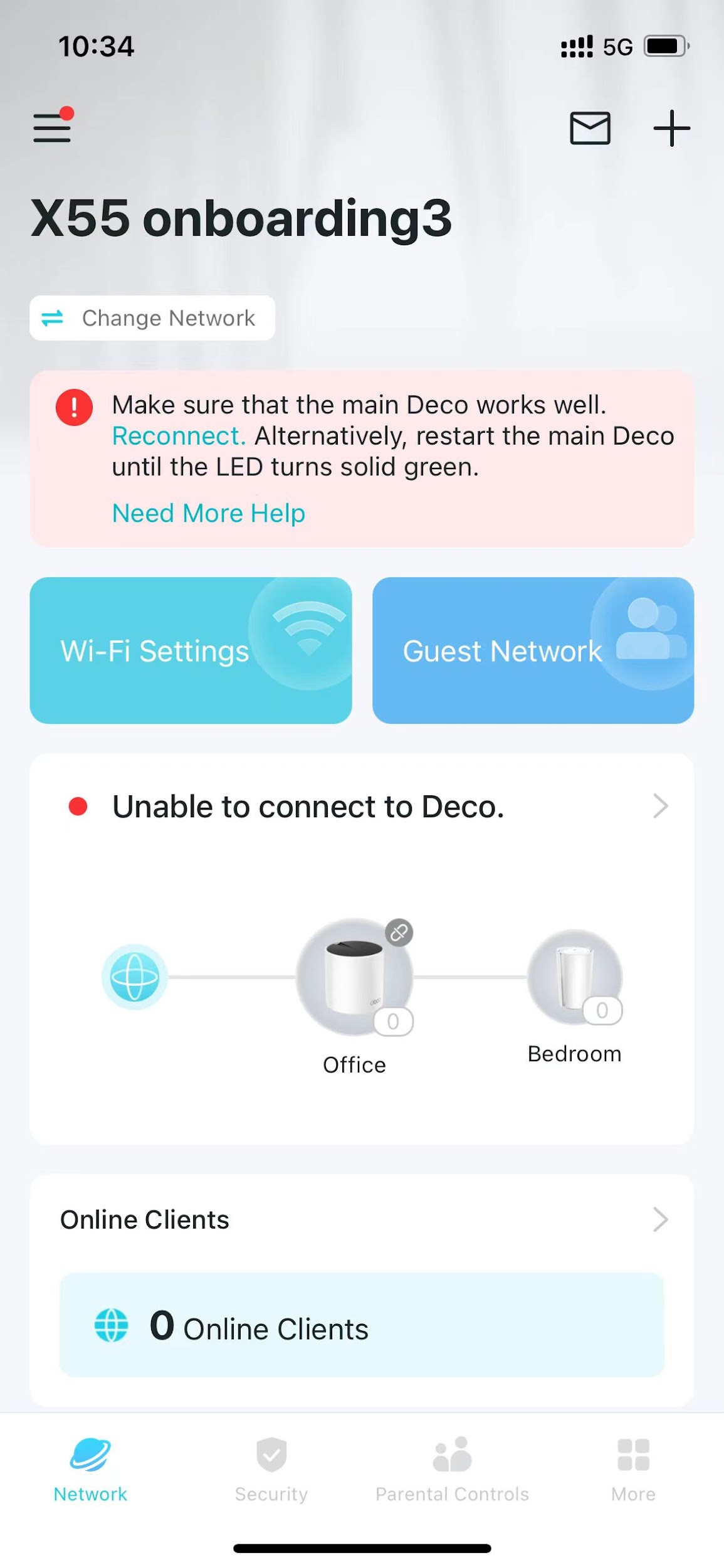
Before troubleshooting the App issue, please check the LED status on the Deco and whether the internet from the Deco is working or not. If not, please refer to Is Your Internet Connection Unstable or Does it Suddenly Stop Working? for troubleshooting the internet issue.
How to Fix the "We Couldn't Find Deco" Error
If the LED on the Deco is solid white/green and the internet connection is working fine on the Deco, please try the following troubleshooting steps:
Step 1: Tap Try Again in the App
See if the Deco App could find the Deco network
Step 2: Close and Reopen the Deco App
Close the Deco app completely and reopen it. If you are managing the Deco network locally, make sure your phone is connected to the Deco Wi-Fi and that mobile data and VPN are turned off.
Step 3: Reboot Your Modem and Deco
Try rebooting your modem and the main Deco to see if that resolves the problem.
Step 4: Contact TP-Link Support
Contact TP-Link Support and include the following information:
- "The LED status of your Deco units and whether the Deco network has internet access
- Screenshot of the error message and the troubleshooting steps you’ve tried
- MAC address of your main Deco and your TP-Link ID
- Send your Deco app log by following these steps:
- Tap the three-lines icon in the upper left corner of the app.
- Tap Support Center.
- Select any FAQ and open it.
- Scroll to the bottom of the FAQ and tap No, I need more help.
- Tap Email Us.
- Tick Add System Logs (Optional).
- Select App for "What can we help you with?"
- Tap Send.
If the issue persists after completing all steps, TP-Link Support is available to help.
Looking For More
Is this faq useful?
Your feedback helps improve this site.
_US_1.0_F_normal_20250208094019q.png)

_Overview_normal_20211225093343a.png)

TP-Link Community
Still need help? Search for answers, ask questions, and get help from TP-Link experts and other users around the world.