





OC200
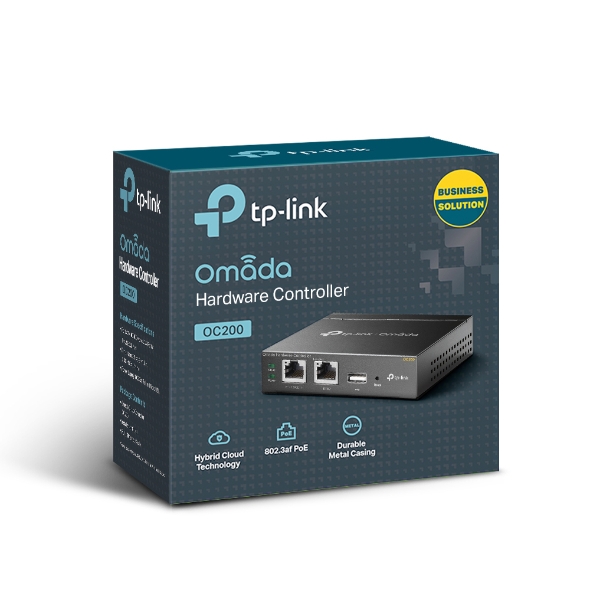
Omada Hardware Controller
- Centralized Management: Supports up to 100 Omada access points, 10 Omada routers, a maximum of 20 Omada switches, and a maximum of 2 certain DeltaStream GPON OLTs†
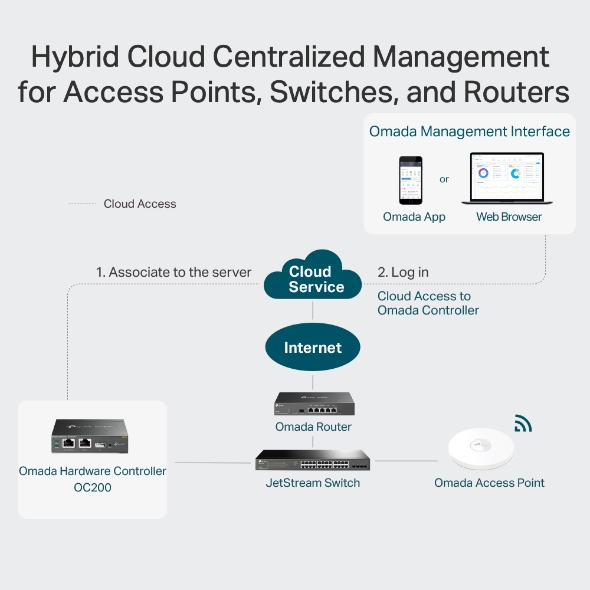
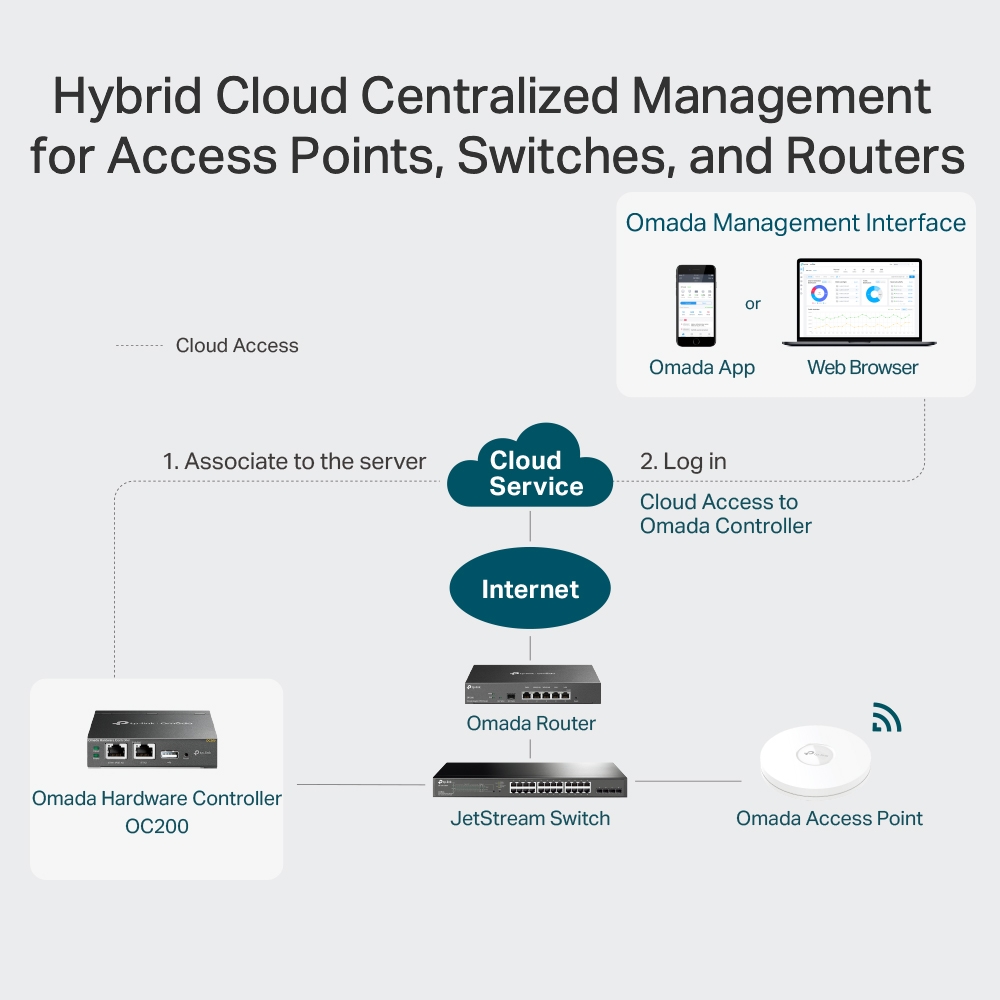
- Free Cloud Access: Manage and monitor with the Omada app or Web UI from anywhere, anytime.
- On-Premises Management: Locally monitor and manage devices with the ultimate security and stability.
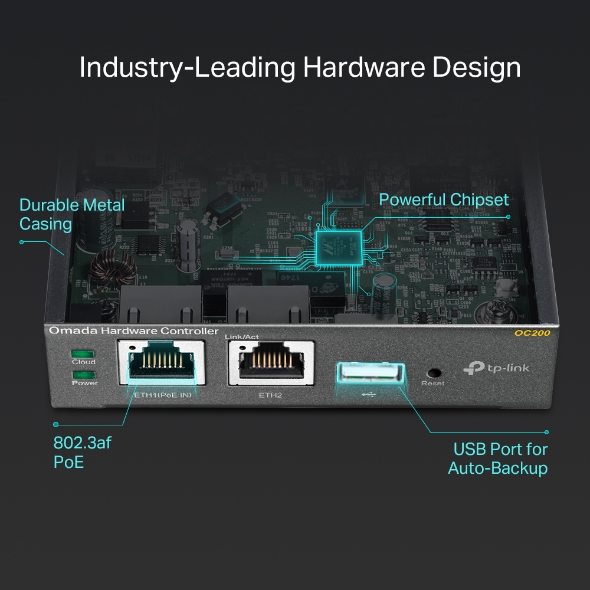
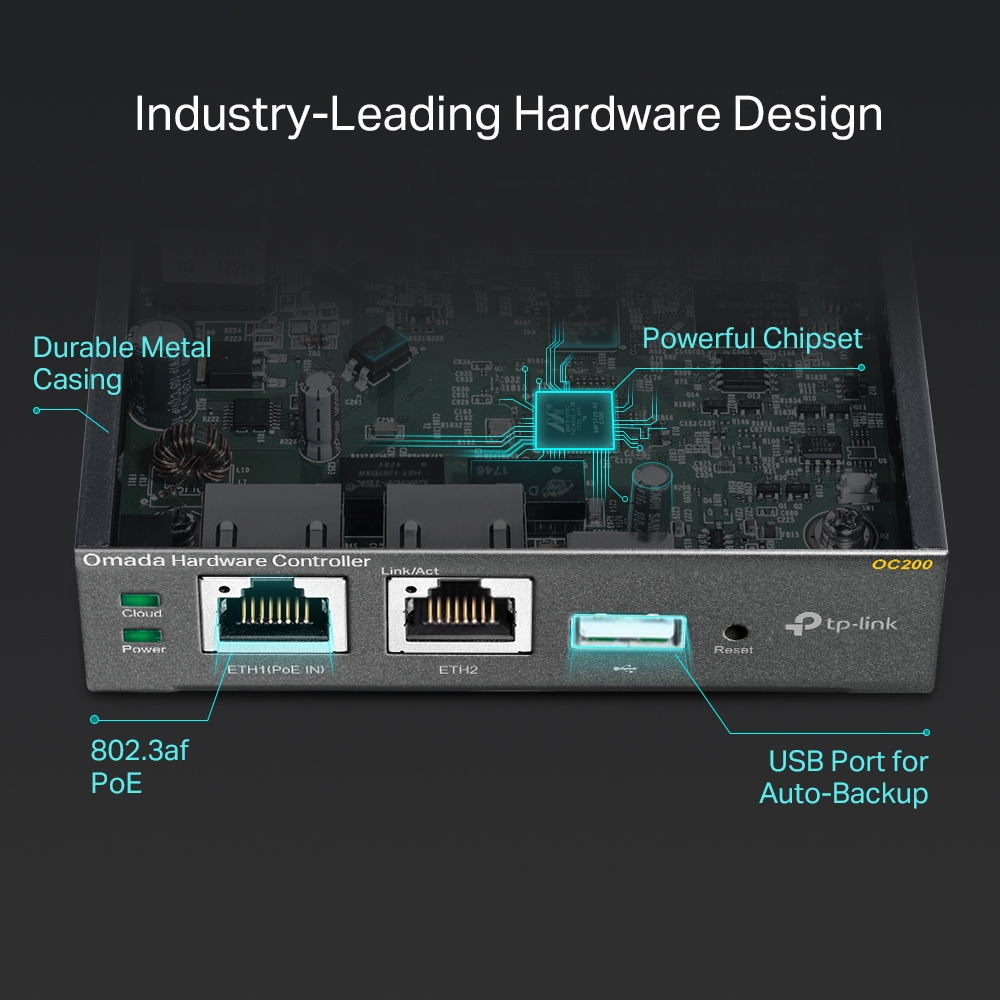
- Industry-Leading Hardware Design: A powerful chipset, durable metal casing, USB 2.0 port for auto backup, and two Fast Ethernet ports.
- Flexible Power Supply: 802.3af/at PoE or Micro USB (DC 5V/Minimum 1A) for flexible installation.
- Easy and Intelligent Network Monitoring: The easy-to-use dashboard makes it simple to see the real-time network status and traffic distribution.
- Real-Time Network Topology: Helps IT admins quickly see and troubleshoot connections at a glance.
- Easier Network Maintenance: WiFi heatmap simulator, visualizable network report, and batch & multi-site management benefit network maintenance.

| HARDWARE FEATURES | |
|---|---|
| Interface | • 2× 10/100 Mbps Ethernet Port• 1× USB 2.0 Port• 1× Micro USB Port |
| Power Supply | 802.3af/at PoE or Micro USB(DC 5V/Minimum 1A) |
| Dimensions ( W x D x H ) | 3.9×3.9×1.0 in (100×98×25 mm) |
| Management Features | |
|---|---|
| Omada App | Yes |
| Centralized Management | • 100 Omada access points• 10 Omada routers• A maximum of 20 Omada switches†• A maximum of 2 certain DeltaStream GPON OLTs†Note: Please refer to www.tp-link.com/en/business-networking/all-omada/ to find all the Omada device models supported by OC200†The number of supported Omada switches decreases by 5 for each DeltaStream GPON OLT added. Refer to https://www.omadanetworks.com/omada-sdn/product-list/#sp-gpon to find all the DeltaStream GPON OLTs that are supported by the controller. |
| Cloud Access | Yes |
| L3 Management | Yes |
| Multi-site Management | Yes |
| Management Features | • Automatic Device Discovery • Batch Configuration• Batch Firmware Upgrading • Intelligent Network Monitoring• Abnormal Event Warnings• Unified Configuration• Reboot Schedule• Captive Portal Configuration |
| OTHERS | |
|---|---|
| Certification | CE, FCC |
| Package Content | • Omada Hardware Controller OC200• Quick Installation Guide • Ethernet Cable |
| System Requirements | Microsoft® Windows®10, 8, 7,Vista™, XP or MAC® OS, NetWare®, UNIX® or Linux |
| Environment | • Operating Temperature: 0–40 ℃ (32–104 ℉)• Storage Temperature: -40–70 ℃ (-40–158 ℉)• Operating Humidity: 10–90% RH non-condensing• Storage Humidity: 5–90% RH non-condensing |
*Actual management scale of the Omada Software Controller depends on the PC/server's hardware specifications.
**Please go to https://www.tp-link.com/en/omada-cloud-based-controller/product-list/ to confirm which models are compatible with Omada Cloud-Based Controller.
†The stated management capacity is based on laboratory testing. Actual management capacity and performance may vary depending on deployment and network conditions. Learn more about recommended and maximum device limits here.