
How to change language when managing the router via web browser?
Step 1:
Login the web interface of TP-Link router by referring to How to log in to the web-based interface of Wi-Fi Routers (new logo)?
TP-Link ルーターの管理画面にログインします:
Wi-FiルーターのWebベースのインターフェイスにログインするにはどうすればよいですか?(新ロゴ)
Step 2:
Find the drop-down list on the upper right corner to choose language. You can find the drop-down list to change the language at any time.
画面右上のドロップダウンリストから言語を指定します。
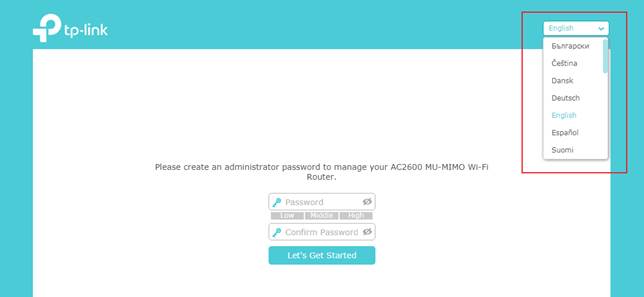
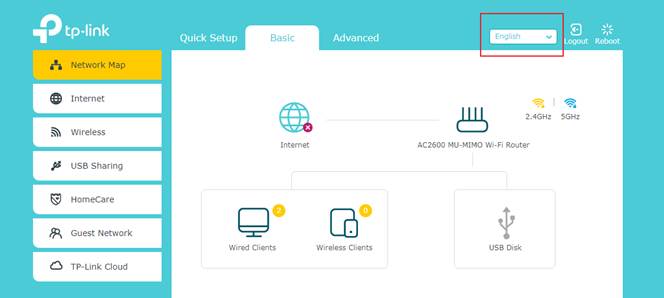
Note: Only a few models support multi-language function. If you have purchased TP-Link router and can't find this menu, please install our Tether app that follows your phone's language setting.
Looking For More
このFAQは役に立ちましたか?
サイトの利便性向上にご協力ください。
4.0-R1-new-2000PX_normal_1577414148641b.png)

TP-Link Community
Still need help? Search for answers, ask questions, and get help from TP-Link experts and other users around the world.