
¿Cómo habilitar el control remoto en la aplicación Kasa para RE270K/RE370K?
This FAQ will show you how to enable the Remote Control feature on Kasa App for the RE270K/RE370K.
Note:
- Here we use RE270K for example.
- Please make sure the RE270K is configured successfully on the Kasa app before we start.
Step 1. Connect your phone to the RE270K’s Wi-Fi name.
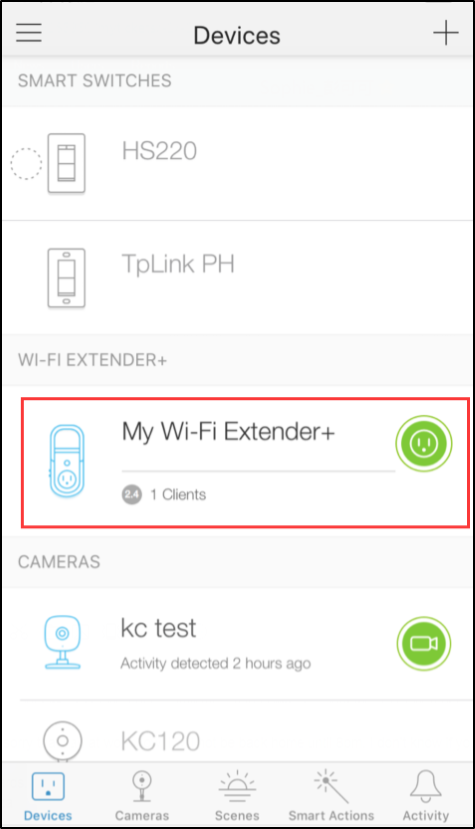
Step 2. Open the Kasa App, find the Wi-Fi extender. Tap on the desired device.
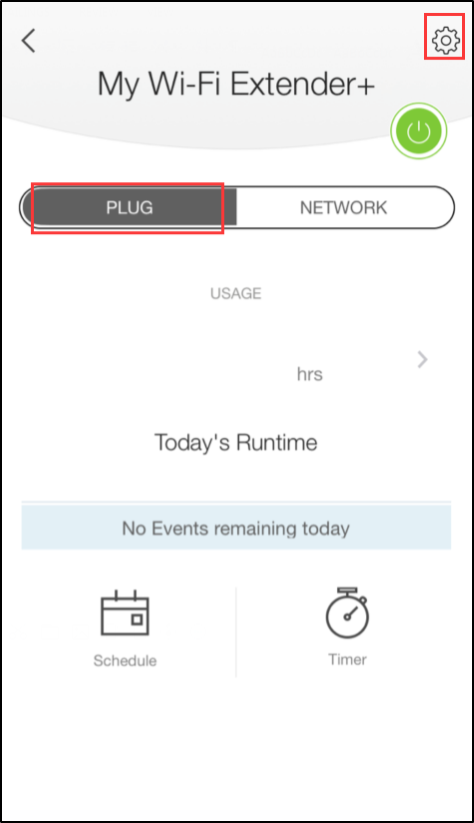
Step 3. Tap on the settings button.
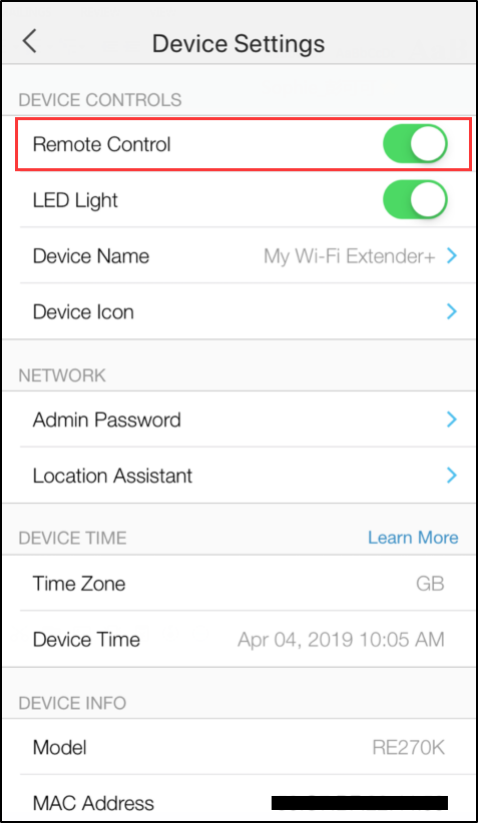
Paso 4. Toque el control remoto y asegúrese de ver el color 'Verde', lo que significa que ha habilitado la función de control remoto.
Si necesita más ayuda, comuníquese con el servicio de atención al cliente de TP-Link aquí.
¿Es útil este artículo?
Tus comentarios nos ayudan a mejorar esta web.



TP-Link Community
Still need help? Search for answers, ask questions, and get help from TP-Link experts and other users around the world.