Descarga para InSight PTZ5425
- Visión General
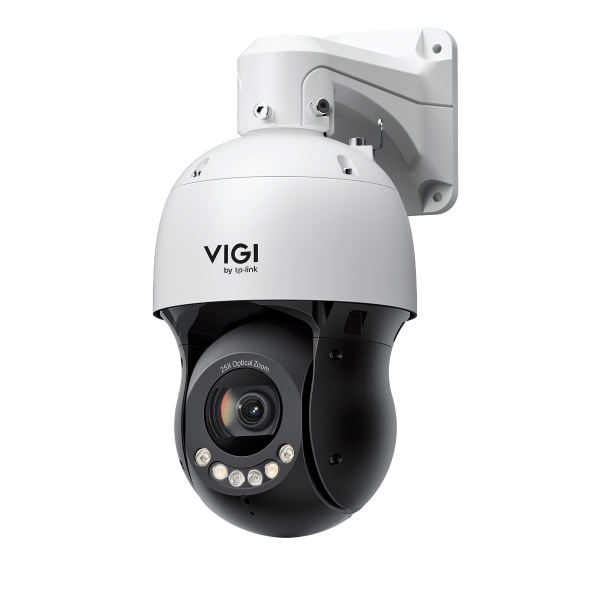 PTZ tipo Domo IP Full-Color de 5", 4MP y Zoom 25X
VIGI PC Client
|
VIGI PC Client_x64_2.1.37 |
Descarga | |
|---|---|---|
| Fecha de Publicación: 2026-07-15 | Idioma: Multilingüe | Tamaño de Archivo: 148.90 MB |
Sistema Operativo: Windows 10/11 |
||
|
New Features and Enhancements: |
||
Vídeo de configuración
-
How to Set Up InSight Pan & Tilt Cameras via VIGI App
This video shows how to set up InSight PTZ cameras, covering both hardware installation and app configuration. For app configuration, you will see three methods: Method 1: Scan/Add Device Method 2: Auto Discover Method 3: Manually Add
Más Carpeta -
How to Set Smart Detection on Speed Dome PTZ
The VIGI InSight PTZ5425 is a 4MP 25× Optical Zoom Full-Color Network Speed Dome camera with 3D Detection Regions, ensuring detection areas remain aligned with actual targets during PTZ movement. This video shows how to set smart detection on your speed dome PTZ camera.
Más Carpeta
Preguntas Frecuentes
- ¿Qué puertos utiliza VMS?
- Cómo agregar dispositivos VIGI a VMS locales VIGI
- How to Use ANR on Omada Fusion Pro to Back up Recordings from a Camera SD Card
- Cómo utilizar la función de girar, inclinar y zoom de Camaras VIGI
- ¿Cómo puedo encontrar la dirección IP de mi cámara VIGI?
- Cómo evitar el ruido al controlar el sonido de la cámara VIGI
- Cómo impermeabilizar las cámaras de seguridad para exteriores VIGI
- Cómo solucionar un problema de imagen verde o pixelada en la cámara VIGI
- Cómo solucionar un problema de parpadeo en vista en directo (Live View) de la cámara VIGI
- Cómo utilizar cámaras VIGI con NVR o NAS de terceros
- ¿Qué es DORI?
- How to Use Power Up Action Function
- Introducción a VIGI
- Cómo reducir las detecciones de movimiento por lluvia, nieve, insectos, etc.
- Cómo descubrir y administrar dispositivos mediante la herramienta de configuración VIGI
- Getting Started with the VIGI App
- How to Download Videos from Omada Guard on an Omada Fusion Pro Gateway
- How to Configure VIGI Cameras and NVRs for Sentinel ARC Integration
- VIGI Series Camera Installation Guide
- How to Use Preset, Patrol, and Pattern Scan
- How to Configure Smart Detection on Speed Dome PTZ
- How to Use Home Position Function
- Why Does the HTTPS Web Interface of VIGI IPC and NVR Show a “Not Secure” Warning in Some Browsers
- How to Use Smart Tracking
- How to Configure PTZ Limit on VIGI Cameras Using the Web UI
- How Do I Log In to the Web Management Page of VIGI IPC and NVR
- How to Set Privacy Mask on Speed Dome PTZ
- How to Use Manual Tracking
- How to Use Park Function
- How to Use RS-485 Controller for PTZ Control
- How to Configure PTZ Scheduled Task
- How to Configure Alarm Server on VIGI Camera
- How to Configure TP-Link DDNS on VIGI Cameras
Firmware
A firmware update can resolve issues that the previous firmware version may have and improve its current performance.
To Upgrade
IMPORTANT: To prevent upgrade failures, please read the following before proceeding with the upgrade process
- Please upgrade firmware from the local TP-Link official website of the purchase location for your TP-Link device, otherwise it will be against the warranty. Please click here to change site if necessary.
- Please verify the hardware version of your device for the firmware version. Wrong firmware upgrade may damage your device and void the warranty.
Cómo encontrar la versión de hardware en un dispositivo de TP-Link - Do NOT turn off the power during the upgrade process, as it may cause permanent damage to the product.
- To avoid wireless disconnect issue during firmware upgrade process, it's recommended to upload firmware with wired connection unless there is no LAN/Ethernet port on your TP-Link device.
- It's recommended that users stop all Internet applications on the computer, or simply disconnect Internet line from the device before the upgrade.
- Use decompression software such as WinZIP or WinRAR to extract the file you download before the upgrade.
|
InSight PTZ5425(UN)_V1_1.0.0 Build 260519 |
Descarga | |
|---|---|---|
| Fecha de Publicación: 2026-06-09 | Idioma: Multilingüe | Tamaño de Archivo: 29.31 MB |
|
First firmware released. |
||
To Use Third Party Firmware In TP-Link Products
Some official firmware of TP-Link products can be replaced by the third party firmware such as DD-WRT. TP-Link is not obligated to provide any maintenance or support for it, and does not guarantee the performance and stability of third party firmware. Damage to the product as a result of using third party firmware will void the product's warranty.
Open Source Code For Programmers (GPL)
Please note: The products of TP-Link partly contain software code developed by third parties, including software code subject to the GNU General Public Licence (“GPL“), Version 1/Version 2/Version 3 or GNU Lesser General Public License ("LGPL"). You may use the respective software condition to following the GPL licence terms.
You can review, print and download the respective GPL licence terms here. You receive the GPL source codes of the respective software used in TP-Link products for direct download and further information, including a list of TP-Link software that contain GPL software code under GPL Code Center.
The respective programs are distributed WITHOUT ANY WARRANTY; without even the implied warranty of MERCHANTABILITY or FITNESS FOR A PARTICULAR PURPOSE. See the respective GNU General Public License for more details.
Simuladores
Versión de firmware |
Modo en Uso |
Idioma |
|
|---|---|---|---|
260519(UN)_Emulator |
- |
Inglés |
Nota:
1. El emulador es una GUI web virtual donde puede experimentar el panel de administración de productos TP-Link.
2. Es posible que los emuladores enumerados no tengan el firmware más reciente.
3. Las funciones que se muestran son para referencia y su disponibilidad puede depender de las regulaciones locales. Para obtener más información, consulte la hoja de datos o la página del producto.