
How to remove the existing wireless network profile in Windows 7
Step 1
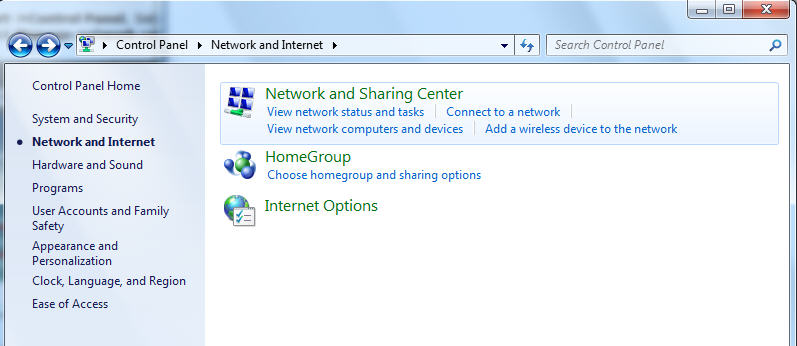
Click Start->Control Panel, Select Network and Internet, and then click Network and Sharing Center
Step 2
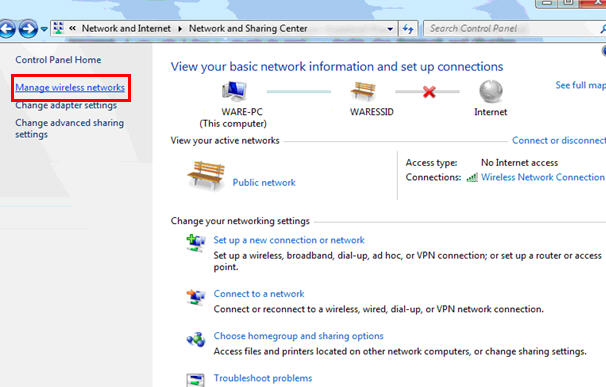
In the task list, please choose Manage wireless networks.
Step 3
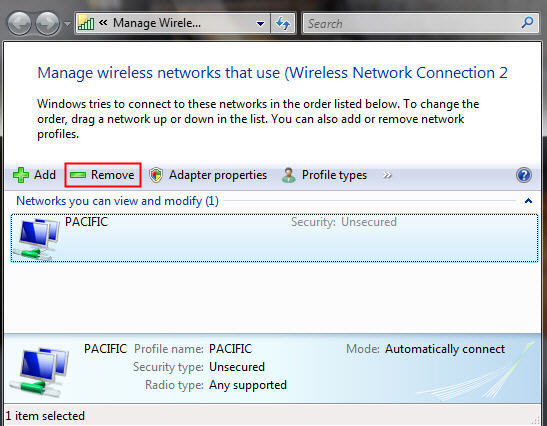
In the Network table, please select the existing profiles and click Remove.
Step 4
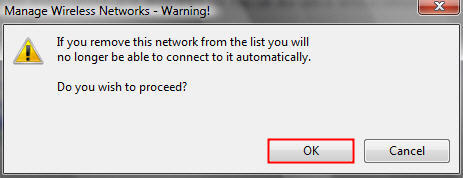
You may see a warning dialog box, just click OK.
Step 5
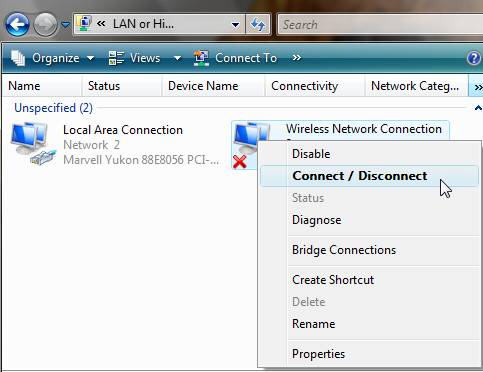
Then please go back to Network and Sharing Center and choose Change adapter settings -> right click Wireless Network Connection -> click Connect/Disconnect.
Step 6
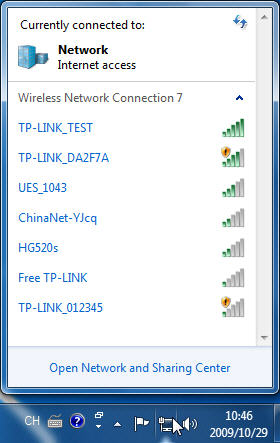
Click the refresh button to view available wireless networks. Highlight the network which you want to connect, double click it or click Connect button.
Esta FAQ é útil?
Seu feedback ajuda a melhorar este site.

TP-Link Community
Still need help? Search for answers, ask questions, and get help from TP-Link experts and other users around the world.