
Como configurar agendamentos de Wi-Fi usando o aplicativo tpPLC (smartphone)
Passo 1: Conecte-se ao seu Adaptador via Rede Sem Fio (Wi-Fi).
*Nota: O adaptador precisará de acesso à internet para que isso funcione
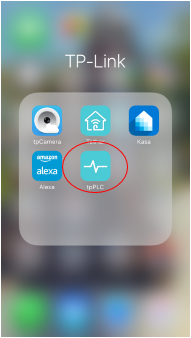
Passo 2: Abra o aplicativo tpPLC.
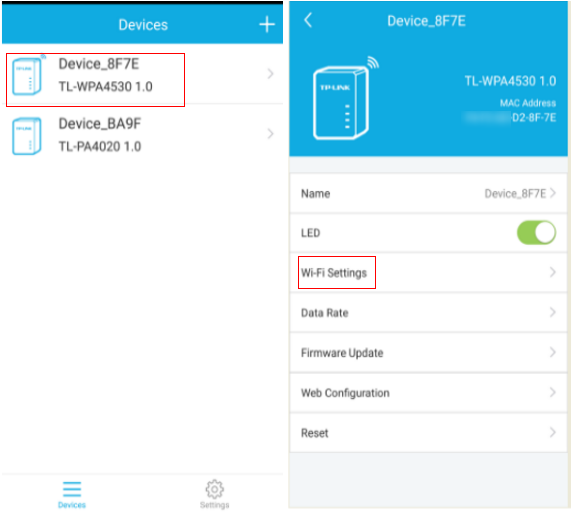
Passo 3: Toque no adaptador powerline sem fio e selecione Wi-Fi Settings (Configurações de Wi-Fi).
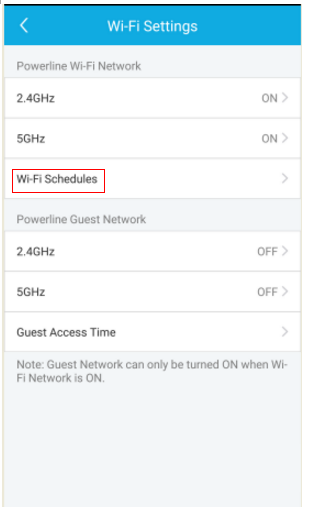
Passo 4: Selecione Wi-Fi Schedules (Agendamentos de Wi-Fi).
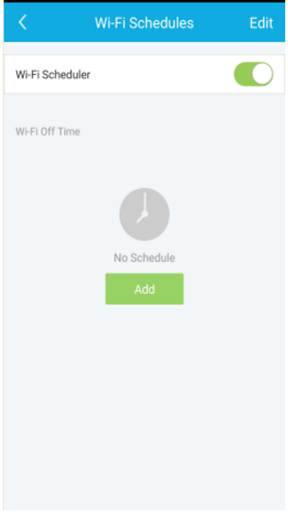
Passo 5: Ative o Wi-Fi Scheduler (Agendador de Wi-Fi) e clique em Add (Adicionar) para criar um agendamento.
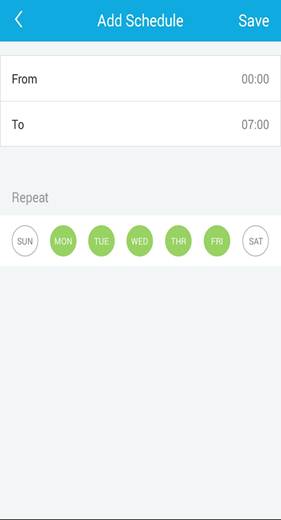
Para saber mais detalhes sobre cada função e configuração, por favor, vá até a Central de Downloads para baixar o manual do seu produto.
Esta FAQ é útil?
Seu feedback ajuda a melhorar este site.


-F_large_1560310831908g_normal_1577328413052u.jpg)

TP-Link Community
Still need help? Search for answers, ask questions, and get help from TP-Link experts and other users around the world.