
How to play back the video by IP surveillance
 122327
Dieser Artikel gilt für:
Step 1
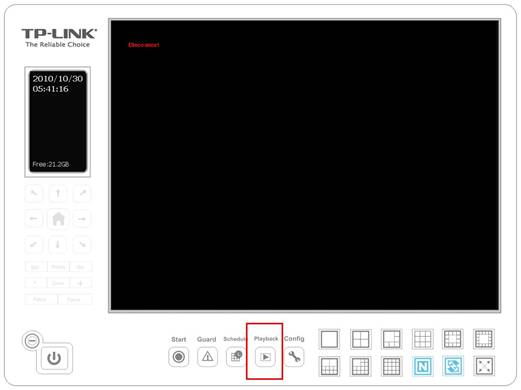
Click Playback on the main page to open the sub menu.
Step 2
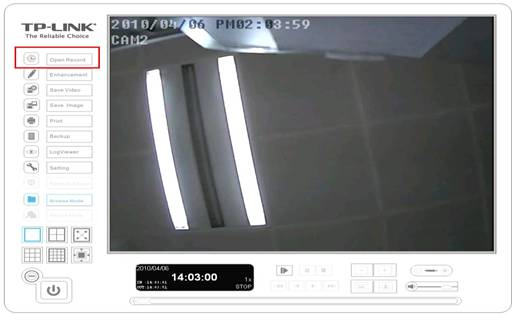
Click Open Record on the left side to open the record which has already been saved.
Step 3
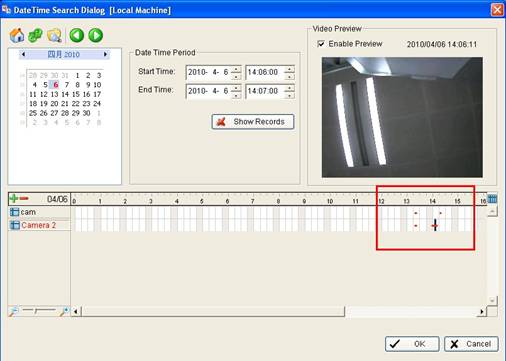
Double click on the time frame which is red and click OK. Then click Play to view the video.

Step 4
Click Cue In and Cue Out to select the start time and end time of the video.
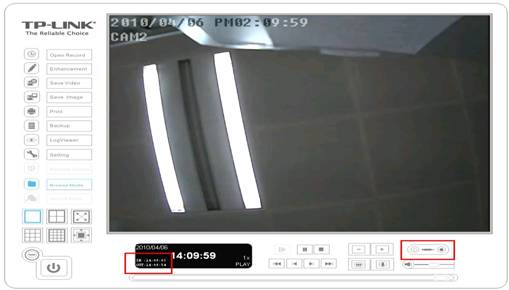
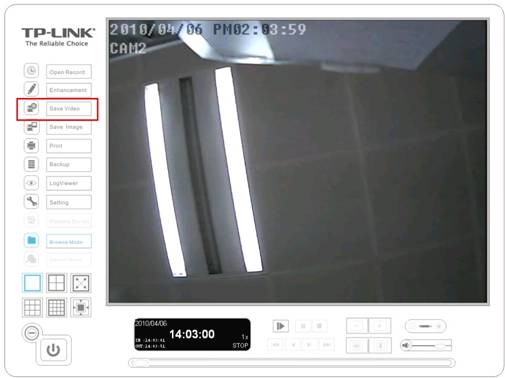
Note: If you want to save the video, please Click Save Video on the left side to save the video.
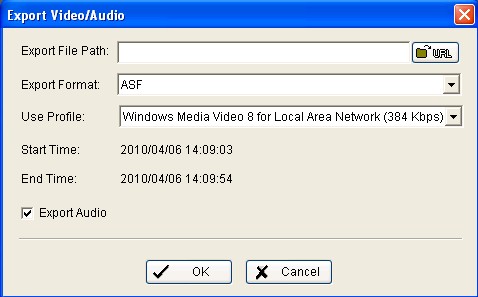
Note:If you want to save audio as well, please do not forget to tick Export Audio.
Finden Sie diese FAQ hilfreich?
Mit Ihrer Rückmeldung tragen Sie dazu bei, dass wir unsere Webpräsenz verbessern.
Von United States?
Erhalten Sie Produkte, Events und Leistungen speziell für Ihre Region