
How to use USB sharing function in TL-WR810N_V1
 84046
84046Dieser Artikel gilt für:
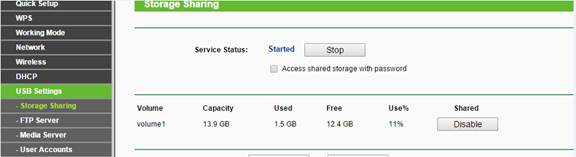
1 Make sure the USB sharing function is enabled as the picture below:
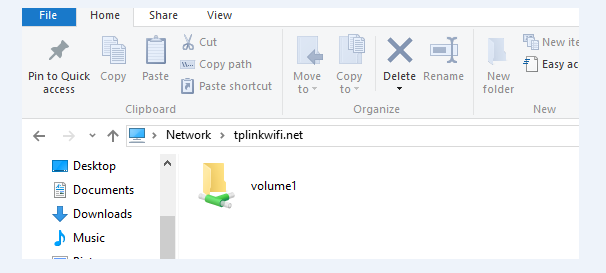
2 Type in \\tplinkwifi.net in the file path bar (it works for router, AP or Repeater mode) and you could access the USB storage.
3 Please go to find the management IP address of the TL-WR810N (AP, Repeater mode) in the main router if there is a problem with the access through the domain name.
Type in the management IP of the TL-WR810N_V1: \\192.168.1.1 in the file path bar as above.
Finden Sie diese FAQ hilfreich?
Mit Ihrer Rückmeldung tragen Sie dazu bei, dass wir unsere Webpräsenz verbessern.
Von United States?
Erhalten Sie Produkte, Events und Leistungen speziell für Ihre Region