
How to Check Status of a Replacement on the TP-Link Registration System
 43742
43742Step 1. Open a web browser (Chrome, Edge, Safari), and browse to https://myproducts.tp-link.com.

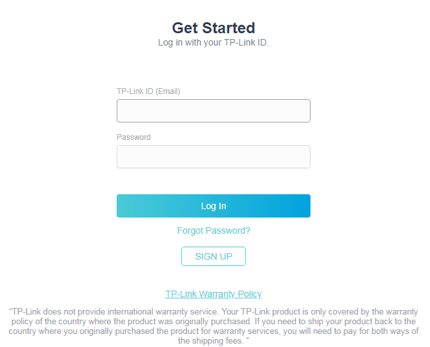
Step 2. Log into the Product Registration System.
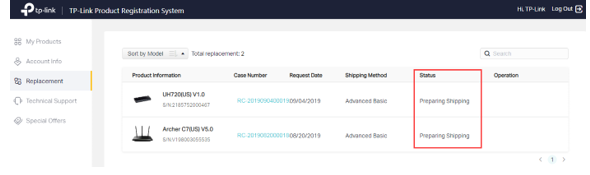
Step 3. Go to Replacement page to view your replacement list and status.
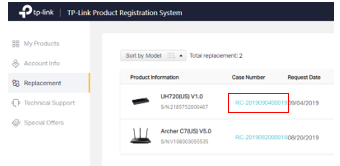
Step 4. To know more details about your replacement, click the blue color Case Number
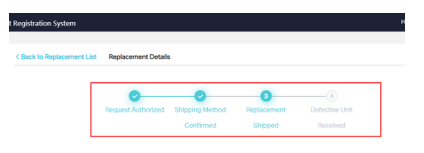
From here you will be able to see the status of your RMA.
Был ли этот FAQ полезен?
Ваш отзыв поможет нам улучшить работу сайта.

Сообщество TP-Link
Нужна помощь? Задавайте вопросы, находите ответы и обращайтесь за помощью к специалистам TP-Link и другим пользователям со всего мира.